Speaking at ITPro |Dev Connection 2011


ITPro2011Banner

If you liked the IT Pro | Dev Connections 2010 … get ready to upgrade to version 2011! The technical community of Greek IT professionals, autoexec.gr, in cooperation with the relevant community of developers, dotNETZone.gr, is joining forces once again and will present an event with five parallel catting edge technical tracks!

The event is exclusively focused on professionals and developers who don’t want to lose time in presentations of products with information that can be found on the Internet.

I’m also going to participate in the event with a talk which is going to be titled

Migration to Office 365
Let’s make our Hybrid Connection with Exchange On-Premise and Exchange On-Line (Office 365)

image164

Looking forward to seeing you there at the 26th and 27th of November 2011 in the Educational Centre of the National Bank of Greece!

Released: Update Rollup 5 for Exchange Server 2007 SP3


number_5Earlier today the Exchange CXP team released Update Rollup 5 for Exchange Server 2007 SP3 to the Download Center.

This update contains a number of customer-reported and internally found issues since the release of RU4. See ‘KB 2602324: Description of Update Rollup 5 for Exchange Server 2007 Service Pack 3‘ for more details.

We would like to specifically call out the following fixes which are included in this release:

  • DST: New updates for August DST – Exchange 2007
  • 2536695 "Some items cannot be deleted" error message when you try to delete or modify an email message in a public folder in an Exchange Server 2007 environment
  • 2292150 A deleted hyperlink remains in the HTML source of an email message if you create the email message by using OWA in an Exchange Server 2007 environment (article not yet live)

General Notes:

  • For DST Changes: http://www.microsoft.com/time
  • Update Rollup 6 for Exchange Server 2007 Service Pack 3 is currently scheduled to release in April 2012. This will be in rhythm with next DST changes.

Note for Forefront users: For those of you running Forefront Security for Exchange, be sure you perform these important steps from the command line in the Forefront directory before and after this rollup’s installation process. Without these steps, Exchange services for Information Store and Transport will not start after you apply this update. Before installing the update, disable ForeFront by using this command: fscutility /disable. After installing the update, re-enable ForeFront by running fscutility /enable.


Source: MSExchange Team

Exchange Server 2010 Technical Video: Information Protection and Control


The Microsoft Exchange team is pleased to present the newest addition to the Exchange Server 2010 Technical Video Series – “Information Protection and Control” hosted by Greg Smiley and Ann Vu. In this video, Greg and Ann talk about the benefits of Security in Exchange 2010. The video includes demonstrations of three common scenarios related to Information Protection and Control: 1) Transport Rules 2) On-Premises Protection, and 3) Cloud Based Protection.

Video: Exchange Technical Video Series (Information Protection and Control)

exchange2010

For more information on the Exchange Server 2010 Technical Video Series, check out our previous post. You can also access the rest of the videos in the series directly using the following links:

Low bandwidth versions of each of the videos are now provided in the “Related Links” area for those on slower connections.

As always, please help us evangelize these videos to anyone who wants to learn more about Exchange Server 2010, and let us know your thoughts. Your feedback is extremely valuable to us. Many thanks in advance.

Source: MSExchange Team

Get in the Cloud Office 365 (Part I)


Καλησπέρα σε όλους και καλό χειμώνα..
Στο σημερινό μας post θα πούμε λίγα λόγια για Cloud Office 365 και τα προϊόντα του. Θα το χωρίσουμε σε 3 Parts για να μπορέσουμε να δούμε αναλυτικότερα. Με λίγα λόγια μπορούμε να πούμε ότι το Office 365 είναι η αναβάθμιση του BPOS (έκδοση 2) plus μερικά ακόμα καλούδια.

Όσοι γνωρίζετε το BPOS γνωρίζουν ότι περιέχει τα ακόλουθα προϊόντα:

  • Exchange Online (Exchange 2007)
  • SharePoint Online (SharePoint 2007)
  • Office Communications Online (Office Communications Server 2007)
  • Office Live Meeting (Live Meeting 2007)

Το Office 365 περιέχει τα ακόλουθα προϊόντα:

  • Exchange Online (Exchange 2010)
  • SharePoint Online (SharePoint 2010)
  • Lync Online (Lync 2010)
  • Office Professional Plus 2010
  • Office Web Apps

Το BPOS υπάρχει σε 2 εκδόσεις:

  • BPOS Standard
  • BPOS Dedicated

Το Office 365 είναι διαθέσιμο σε 3 εκδόσεις:

  • Small Business Office 365 P1 επαγγελματίες και μικρές επιχειρήσεις (περισσότερες πληροφορίες θα βρείτε εδώ)
  • Enterprise Office 365 Μεσαίες και μεγάλες επιχειρήσεις (Προγράμματα για μετακινούμενους εργαζόμενους) όπου και χωρίζετε σε 4 προγράμματα – E1, E2, E3 και E4 (περισσότερες πληροφορίες θα βρείτε εδώ)
  • Office 365 for Education για εκπαιδευτικά ιδρύματα γνωστό σαν πρόγραμμα K-12 (περισσότερες πληροφορίες θα βρείτε εδώ)

Συνδεθείτε σήμερα και δοκιμάστε την Beta του Office 365 P1

clip_image002

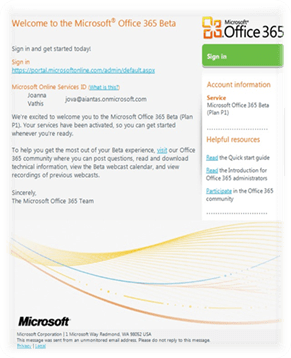
Πάμε να δούμε μαζί λίγα πράγματα για το Office 365 P1 και πώς λειτουργεί. Μετά από την εγγραφή σας στην δοκιμαστική έκδοση του Office 365 P1, θα λάβετε στο email, με πληροφορίες για την σύνδεση σας στο portal του Office 365 και το Online Services ID σας.
clip_image004

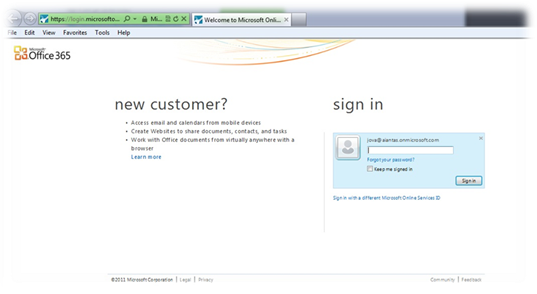
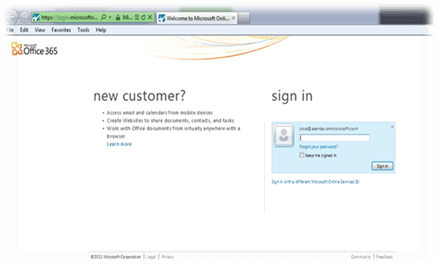
Επόμενο βήμα είναι να συνδεθούμε στο portal του Office 365
clip_image006

Πάμε να δούμε μερικές εικόνες για το πώς είναι το Office 365 P1 και τα προϊόντα του.


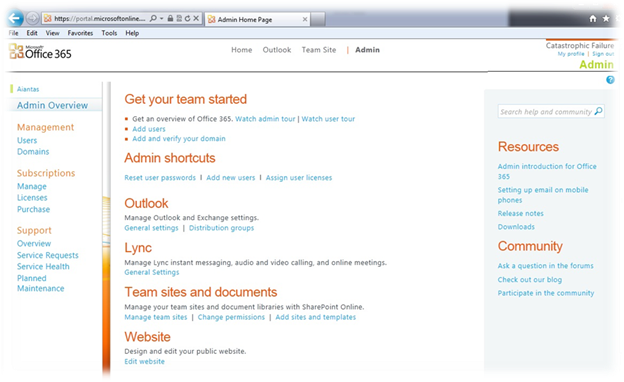
Admin Console
clip_image008

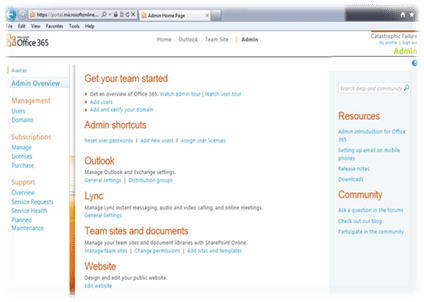
Admin: Κονσόλα διαχείρισης χρηστών, domains, subscriptions κλπ.

Όπως μπορούμε να δούμε και στη εικόνα μας, στην κορυφή της σελίδας έχουμε 4 επιλογές (admin user) οι απλοί χρήστες βλέπουν 3 επιλογές (Home, Outlook και Team Site)


Home: η κεντρική σελίδα των χρηστών με δυνατότητα λήψης του Lync Client και άλλες χρήσιμες πληροφορίες.

clip_image010

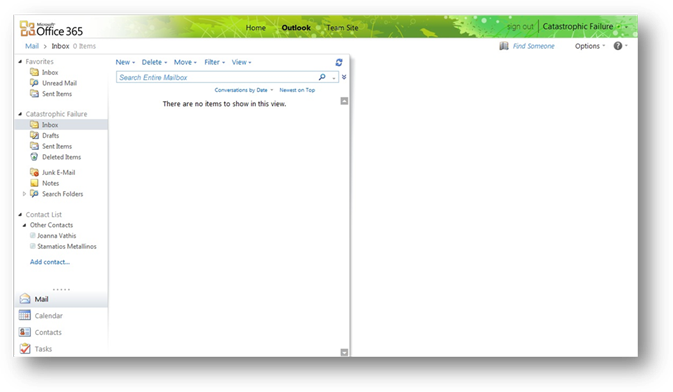
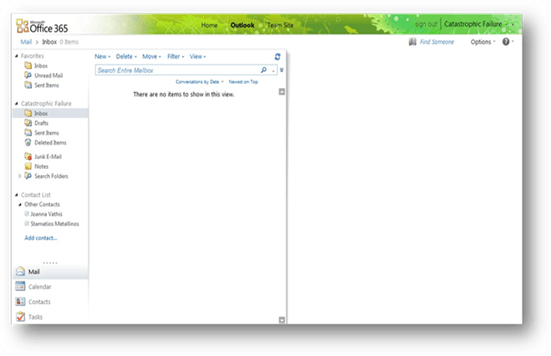
Outlook: Πρόσβαση στο Outlook Web App (OWA).
clip_image012

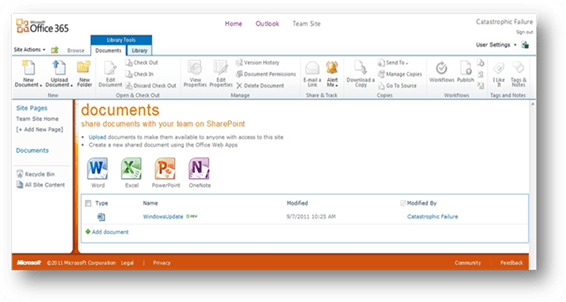
Team Site: SharePoint team site.

clip_image014

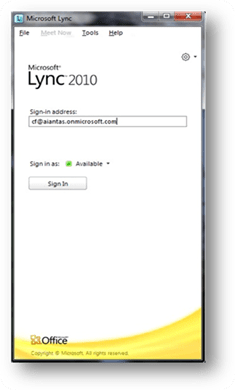
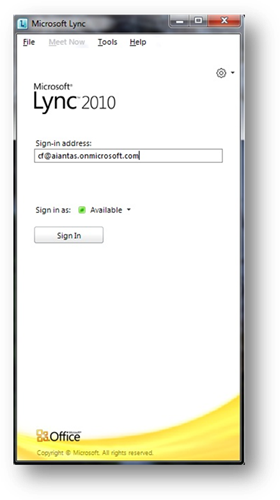
Lync Client

clip_image016

Στο επόμενο post θα δούμε αναλυτικά το κάθε ένα από τα προϊόντα του Office 365 P1…