Enhancing AI Analysis in Data Security Investigations: What’s Coming Next

Microsoft Purview is rolling out a series of improvements designed to make AI analysis in Data Security Investigations (DSI) faster, smoother, and easier for analysts to use.

With these updates, items added to an investigation will now be automatically prepared for AI analysis—removing a repetitive manual step and helping analysts get to insights sooner. Purview is also introducing a new standard categorization option, giving organizations a quicker and more cost‑efficient way to group and review investigation items. For deeper insights, advanced categorization, including AI‑generated topics, will continue to be available.

These changes are part of Microsoft 365 Roadmap ID 557556.

Rollout Timeline

  • Public Preview: Mid‑March 2026 → Mid‑April 2026
  • General Availability (Worldwide): Mid‑April 2026 → Mid‑May 2026

What This Means for Your Organization

Who will notice the changes?

  • Microsoft Purview administrators
  • Analysts and security teams using Data Security Investigations
  • Any Microsoft 365 tenant with access to DSI capabilities

What’s changing?

  • Automatic AI preparation:
    Items added to an investigation will automatically get ready for AI analysis. No extra clicks or steps required.
  • New standard categorization option:
    A streamlined way to categorize items, ideal for scenarios where speed and simplicity matter.
  • Advanced categorization remains:
    Organizations can still use richer AI‑powered topic grouping when deeper analysis is needed.
  • No configuration changes needed:
    Everything is enabled by default—no admin setup required.

What users may see

  • Faster time from “item added” to “item ready for analysis”
  • A refreshed UI for choosing between standard and advanced categorization

How to Prepare

There’s nothing you need to configure ahead of time. However, it’s helpful to:

  1. Inform analysts and SOC teams about the new categorization options and automatic AI preparation.
  2. Update internal documentation if you maintain guides or SOPs that describe DSI workflows.
  3. Review training materials so teams know when to choose standard vs. advanced categorization.

🔒 Microsoft Advances Digital Sovereignty with Fully Disconnected Cloud Capabilities

Microsoft has announced major enhancements to its Sovereign Cloud, enabling governments, regulated industries, and high‑security organizations to run critical infrastructure, productivity workloads, and large AI models—even with zero internet connectivity.

🌐 What’s New

Microsoft introduced three key capabilities designed for environments with strict data‑sovereignty requirements:

  • Azure Local – Disconnected Operations: Run mission‑critical workloads with full Azure governance and policy enforcement without any cloud connection, ideal for sovereign, classified, or isolated environments.
  • Microsoft 365 Local – Fully Offline Productivity: Exchange, SharePoint, and Skype for Business can now run completely inside a customer‑controlled boundary, ensuring teams stay productive even when fully offline (supported through at least 2035).
  • Foundry Local – Large AI Models, Fully Air‑Gapped: Organizations can deploy and run multimodal, large‑scale AI models on local hardware using modern GPU infrastructure from partners like NVIDIA—all inside sovereign boundaries.

Unified Sovereign Private Cloud

These capabilities come together as the Sovereign Private Cloud, integrating Azure Local, Microsoft 365 Local, and Foundry Local into one stack that supports connected, hybrid, or completely disconnected modes—without sacrificing productivity or AI innovation.

Why It Matters

This expansion empowers organizations with:

  • Stronger regulatory compliance
  • Full data residency and control
  • Operational continuity in environments with limited or no connectivity
  • The ability to deploy advanced AI capabilities entirely on‑premises

✨ Excited to share this new Microsoft webinar that breaks down how Copilot empowers organizations with secure, privacy‑first AI.

🚀 Your Data. Your control. Your Copilot.
💡 The future of AI isn’t just powerful — it’s responsible.

Microsoft’s latest vision for Copilot reinforces something essential:
AI should empower you, not replace you. It should protect your data, not access it. And it should enhance your capabilities, not compromise your privacy.

In this new video, Microsoft breaks down how Copilot is designed with:
🔐 Enterprise‑grade security
🛡️ Built‑in data governance
💼 User control at the center
🤖 AI that respects boundaries and boosts productivity
👉Check also the demo for the New DLP protections for Microsoft 365 Copilot

If you want to understand why responsible AI matters — and how organizations can adopt Copilot with confidence — this is a must‑watch.
YouTube 🎥👉 https://www.youtube.com/watch?v=ukjs4BnmPsM

AI is evolving fast, but one principle must stay constant:
Trust is not optional. Trust is engineered.

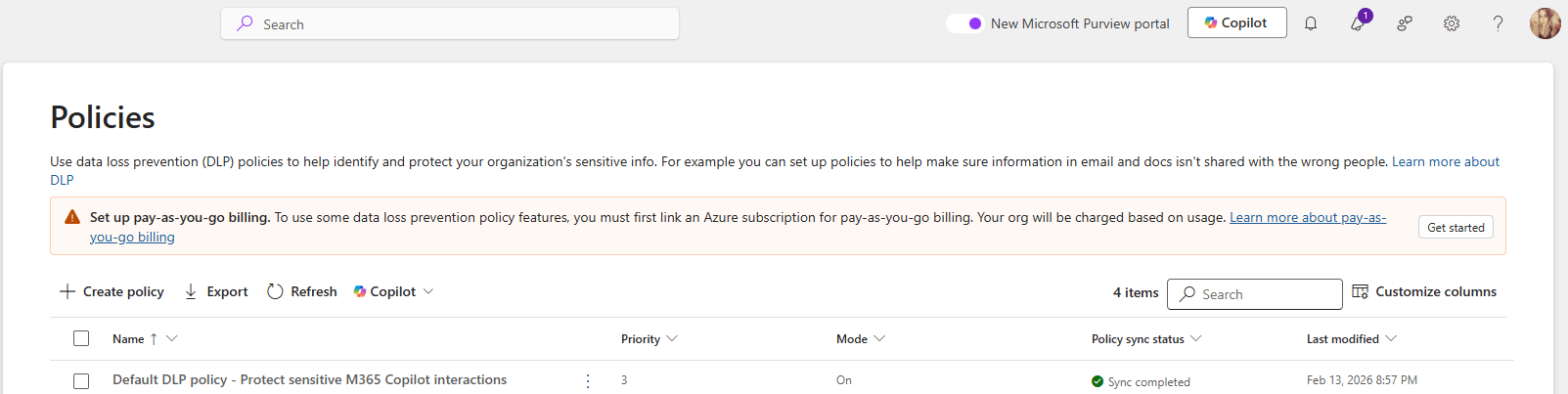
DLP Policies Now Block Copilot Processing Across All Storage Locations

Microsoft is improving how Microsoft Purview Data Loss Prevention (DLP) protects content used by Microsoft 365 Copilot. Until now, DLP rules that block Copilot from processing sensitivity‑labeled content only worked when files lived in SharePoint or OneDrive.

With this update, those same protections will work everywhere, including local files stored on a user’s device. Organizations have asked for more consistent protection across all file locations, and this update delivers exactly that.

This change is associated with Microsoft 365 Roadmap ID 557255.

When it’s coming

General Availability (Worldwide + GCC)
Rollout: Late March 2026 → Late April 2026

Who this impacts

  • Organizations using Microsoft Purview DLP to limit what Copilot can access
  • Admins who manage Purview DLP rules
  • Users working with Copilot in Word, Excel, or PowerPoint

What’s changing

DLP rules that block Copilot from processing certain sensitivity-labeled files will now apply to:

  • SharePoint
  • OneDrive for Business
  • Local device storage
  • Any other file location Office apps can open

So if a DLP policy says “Copilot cannot process Confidential files,” then Copilot will not process those files anywhere, including when they’re opened directly from the desktop.

Key notes:

  • Existing DLP rules continue to work as they do today—no reconfiguration needed.
  • The feature turns on automatically for tenants already using relevant DLP policies.
  • Users will experience consistent protection when using Copilot across Word, Excel, and PowerPoint.

How it works (technical detail)

This update doesn’t change what Copilot can do—it changes how Office apps share sensitivity label information with AugLoop (the Copilot orchestration layer).

Today:
AugLoop reads file labels through Microsoft Graph
This only works for SharePoint or OneDrive files

After the update:

  • Office apps will pass the sensitivity label directly to AugLoop
  • This means DLP rules can finally apply to local and other non-cloud storage files too

This results in uniform, predictable DLP enforcement across all file locations.

Microsoft Office for the web: Apply sensitivity labels with user-defined permissions

Updated February 13, 2026: The roll-out timeline has been updated!!

Microsoft 365 Office for the web will support applying sensitivity labels with user-defined permissions in Word, Excel, and PowerPoint starting mid-March 2026. This aligns with desktop app permissions dialogs, requires no admin changes, and enhances document access control without compliance impacts.

Office for the web now supports sensitivity labels with user‑defined permissions

Microsoft 365 Office for the web (Word, Excel, and PowerPoint) now includes the ability to apply sensitivity labels with user‑defined permissions, giving organizations greater flexibility and control over document access directly in the browser. This update aligns the web experience with the modern permissions dialog available in the desktop apps.

Roadmap ID: 468888

Rollout timeline

General Availability

  • Worldwide & GCC:
    Rollout begins mid‑March 2026 (previously mid‑February) and is expected to complete by early April 2026 (previously early March).
  • GCCH & DoD:
    Rollout begins mid‑March 2026 (previously mid‑February) and is expected to complete by early May 2026 (previously early April).

Who is affected

Compliance considerations

No new compliance impacts have been identified. Organisations may review the change as needed.

Updated Announcement: Microsoft Purview – New Purview Agent Deployment Role

Microsoft Purview introduces a new Purview Agent Deployment role added to several built-in role groups, allowing analysts to deploy and manage Purview agents without admin help. Rollout starts late February 2026, improving onboarding and agent use while maintaining existing data access and compliance controls.

Microsoft introducing a new Microsoft Purview Role-Based Access Control (RBAC) role—Purview Agent Deployment—and adding it to several existing built‑in Purview role groups. This enhancement empowers analysts who work with Purview agents to deploy and manage them directly, without requiring administrator involvement. The change streamlines onboarding and supports broader adoption of Purview’s AI‑powered agent capabilities.

This update corresponds to Roadmap ID 551147.

Rollout Timeline

  • General Availability (Worldwide): Begins late February 2026
  • Expected Completion: Mid‑March 2026

Who is affected

  • Administrators managing Purview role groups
  • Analysts deploying or working with Microsoft Purview agents

What’s changing

The new Purview Agent Deployment role will be added to the following built‑in role groups:

  • Compliance Administrator
  • Data Security Management
  • Information Protection
  • Information Protection Analysts
  • Information Protection Investigators
  • Insider Risk Management
  • Insider Risk Management Analyst
  • Insider Risk Management Investigator
  • Purview Agent Management

The Purview Agent Management role group will continue to include the Purview Content Analyst role and retain access to Posture agent capabilities.

Capabilities enabled

Users assigned to these role groups will be able to deploy, use, and manage Purview agents end‑to‑end, including:

  • Data Loss Prevention (DLP) — Data Security Triage Agent
  • Insider Risk Management (IRM) — Data Security Triage Agent
  • Data Security Posture Management (DSPM) — Posture Agent
  • Future Purview agents as they are released

Important:

  • No default data access permissions are modified.
  • No new visibility into customer content is introduced.
  • Organizations can optionally enforce separation of responsibilities by using custom role groups.

🚀 Strengthening Security in Microsoft Purview & Microsoft 365: Important Update Coming Soon

To further enhance the security and integrity of how Microsoft Purview interacts with Microsoft 365 services—such as Exchange, SharePoint, OneDrive, and Teams—Microsoft is modernizing how role management works within Purview.

Beginning mid‑February through late March 2026, Microsoft Purview will automatically map certain high‑privileged Purview admin roles to three newly created Microsoft Entra roles. This alignment strengthens identity and permission boundaries and ensures that all high‑impact actions (like search or export) are performed only by users with validated permissions in Entra.

📅 Rollout Timeline

General Availability (Worldwide)
Begins: Mid‑February 2026
Complete: Late March 2026

The best part? No customer action is required.

Role assignments will synchronize automatically from Purview to Entra within minutes, ensuring that permissions flow securely and consistently across Microsoft 365.

📝 How to Prepare

  • No action is required—synchronization is fully automated.
  • Be aware that new Purview‑specific Entra roles may appear in audit logs.
  • Avoid assigning these roles directly in Entra.
  • Review your internal documentation and update governance workflows if needed.
  • For deeper technical detail, refer to Microsoft Purview documentation.

🏢 Impact on Your Environment

✔ Who Is Affected

Organizations with admins assigned to high‑privileged Purview roles.

✔ What You’ll See

  • New Purview‑specific Entra roles appearing in audit logs
  • Auto‑generated Entra role assignments, managed solely by Purview
  • No disruption to existing workflows or permissions

✔ What You Need To Do

  • No action required
  • DO NOT manually assign these roles in Entra
  • Update documentation or internal governance policies if referencing these roles
  • Inform your security/compliance teams about the new audit log entries

Compliance & Security Notes

  • No new compliance concerns identified
  • Mapping ensures consistent identity + permission enforcement across M365
  • Supports least‑privileged access by validating roles in both Purview and Entra

🦸‍♀️💥 THE MCT CHRONICLES: The Rise of Jo SNAI 💥

“Certified to Save the Tech Universe”

In a neon‑lit digital world where data moved faster than light and threats lurked in every shadow of the cloud…
a new chapter began.

Jo SNAI — the Cyber‑AI Guardian of Modern Work — stood in her armored suit, circuitry glowing across the chest plate. She had trained countless professionals, defended organizations against chaos, and brought order to the digital galaxy.

But today was different.

A new hologram pulsed in her hand:
Microsoft Certified Trainer — Membership Activated
A badge she had earned since 2012… now renewed for another mission.

“Another year,” she whispered, “another generation of heroes to train.”

Suddenly, a ripple tore through the cyber‑sky.
A swirling breach of corrupted code expanded above the horizon — the kind that could only mean one thing:
The Shadowbyte Collective was back.

Their goal?
To dismantle cloud knowledge.
To spread misinformation.
To weaken organizations from the inside-out.

And only one person had the skills — and the certification — to stop them.

Jo snapped her gauntlet into combat mode.
Screens lit up.
Security shields locked in.
AI cores hummed to full power.

Her Copilot drone hovered beside her, projecting tactical overlays.

Copilot: “Jo SNAI, the world needs your training powers more than ever. Initiating mission protocol: Teach. Empower. Protect.

Jo SNAI: “Let’s remind them why trainers shape the future.”

She launched herself forward, slicing through corrupted data streams, restoring systems mid‑air, deploying knowledge shields around endangered teams, and unlocking AI insights faster than the Shadowbyte agents could rewrite them.

Every lesson she’d taught…
Every student she’d guided…
Every certification she’d earned…
All of it fueled her.

With each strike, the breach shrank.
With each burst of knowledge, darkness retreated.
Until finally — with one last surge of pure learning energy — the Shadowbyte portal sealed shut.

Silence filled the digital sky.

Behind her, hundreds of professionals stood empowered, laptops glowing, tools activated, ready to build, secure, and innovate.

Jo SNAI raised her MCT hologram proudly.

“I’ll keep training. I’ll keep defending.
Because the future is safer when knowledge wins.”

🎤AI Cloud & Modern Workplace Conference 2026

I’m truly honored to be speaking at the AI Cloud & Modern Workplace Conference 2026 as a Microsoft MVP in M365 Copilot & Exchange, and to share insights on one of the topics I’m most passionate about:

🎤 Session: “Your Data. Your Control. Your Copilot.”
📅 14 February 2026
🕙 10:00 AM (UTC+2)

📝 Session Description:
This session brings together everything I deeply believe in:

  • Zero Trust as the backbone of AI safety
  • Purview‑driven compliance
  • Responsible Copilot adoption
  • Empowering users without compromising security
  • Making complex topics accessible and practical

I’m grateful for the warm welcome, the recognition, and the opportunity to contribute to a community I truly care about — a community that values inclusion, innovation, and meaningful collaboration.

Looking forward to connecting with everyone on February 14th and sharing practical guidance on how organizations can move forward confidently in this new AI era. 🚀🔐🤖

🔊 Announcing the AI Cloud & Modern Workplace Conference 2026


We’re delighted to bring back the AI Cloud & Modern Workplace Conference 2026 for the third consecutive year-an effort that, despite tight timelines and real organizational challenges, Konstantinos Boutsioulis MVP managed to deliver together with George – Chrysovalantis Grammatikos .

📌 When & Where
11–14 February 2026 (UTC+2) · Online · Free to attend with no registration required. For agenda updates and resources, visit the official site: AI CLOUD & MODERN WORKPLACE CONFERENCE 2026.
Who’s on stage

♨️A curated lineup featuring speakers from Microsoft, Microsoft MVPs, and seasoned leaders from the broader IT market—bringing practical insights from product engineering, consulting, and frontline delivery.

🔖 What you’ll gain
Actionable guidance across AI, Cloud, and Modern Work scenarios-grounded in real implementations and best practices.
Hands‑on, practitioner‑level sessions spanning topics.
Community value – organized by the Digital Innovation Minds community, focused on vendor‑neutral learning aligned to Microsoft technologies.
Format & experience
Expect focused talks, panel discussions, and practical deep dives designed for IT leaders, architects, developers, and security & data professionals who need outcomes they can apply the next day.

Important notes for attendees
🔖 The conference is 100% online—join from anywhere.
🏷️ It is entirely free—no registration or sign‑up forms are required.
🌍 More information, daily updates, and speaker materials will be available on the official site:
AI CLOUD & MODERN WORKPLACE CONFERENCE 2026.
We can’t wait to share four days of practical learning and community‑driven knowledge. See you online!

Marko Filipovic Paris Dimitrakopoulos Tzvia Gitlin Troyna Pieter de Bruin Michael Haggar Chloé Moreau Angeliki Patsiavou Korina Katsani Konstantinos Passadis Massimo Crippa Joanna Vathis Antonios Chatzipavlis Chris Spanougakis MSc, MCT, MVP George Kosmidis Nikos Delis George Markou