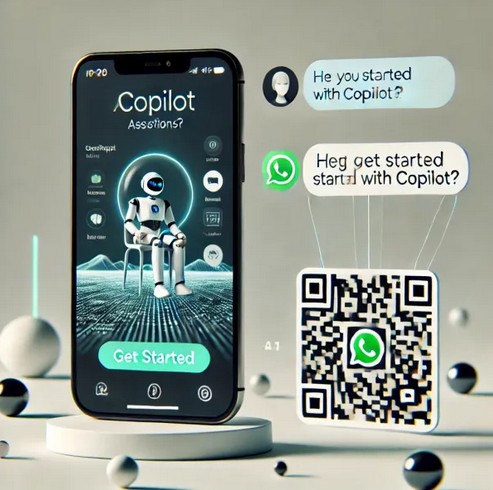
With Copilot now available on WhatsApp, you’re never alone. Get instant help, anytime. Microsoft has embedded its AI chatbot, Copilot, directly into WhatsApp, bringing artificial intelligence to over two billion users worldwide. With this move, AI capabilities like image generation and personalized recommendations are now available directly in the messaging app.
Copilot on WhatsApp offers a wide range of features:
Image Creation: Users can generate custom images directly in chat, expanding creative possibilities.
Text Summarization: Perfect for students and professionals, Copilot provides concise summaries of long documents, boosting productivity.
Personalized Recommendations: Copilot offers tailored suggestions, whether it’s for daily planning, vacation ideas, or task organization.
Recipe Suggestions: For cooking enthusiasts, Copilot can suggest recipes based on ingredients or dietary needs.
Writing Help: From grammar checks to idea generation, Copilot assists writers in refining and enhancing their content.
Current Limitations and Future Developments
While Copilot offers numerous features, some limitations remain. For instance, voice message support is currently unavailable, which is a popular feature for many WhatsApp users. However, with Microsoft’s rapid advancements in AI, future updates are likely to address such gaps, potentially adding voice message capabilities soon.
By integrating Copilot into a familiar platform like WhatsApp, Microsoft is making AI more accessible and transforming everyday communication. This step not only democratizes advanced tech but also sets the stage for new, intuitive human-AI interactions.
Talking with Copilot is an easy way to learn, grow, and gain confidence.
Rewrite your messages with Copilot in Teams chat and channels
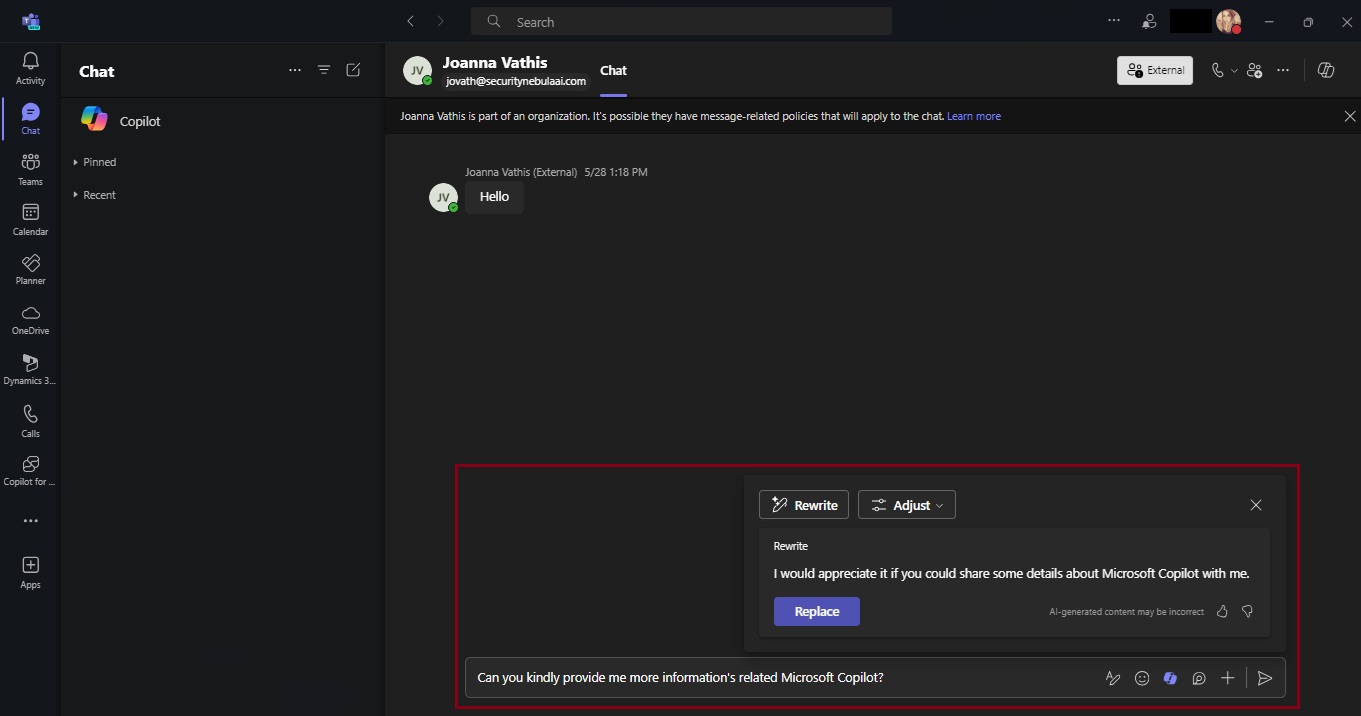
Copilot can assist you in crafting more polished and coherent messages, straight from the text compose box in chat and channels. It goes beyond spell-checking and grammar correction; Copilot also suggests improvements, rewrites, and adjustments to enhance the clarity, tone, and impact of your messages. Whether you’re quickly responding to your coworker or sharing a detailed project update with a VP, Copilot has your back. If you have a Copilot for Microsoft 365 license, you can navigate to the message compose box anywhere in Teams and start crafting your message. To start rewriting click on the Copilot icon in your chat box, press “Rewrite,” and watch your message instantly transform!
Not only is this an easy way to perfect your messages, but it does so without requiring you to type in any prompts. Just choose how you want to modify your message and Copilot does the work for you! If you need further editing, you can always refine your message by stacking different tones and lengths together. “Rewrite” is available for times when you don’t have any specific asks in mind for Copilot and want to use it more like a proofreader, and “Adjust” is there to give you specificity on what you want to change in your message. And remember, Copilot is the foundation of your message, but it is always important to proofread and confirm any generated content before you hit send.
Now available: Custom tone
While having Copilot do the work with those pre-set adjustment options is a great, no-prompt way to rewrite your messages quickly and efficiently, there is a new feature that allows you to tell Copilot exactly how you want to turn your writing into the best version of itself: Custom tone.
Custom tone takes everything touched upon with the “Adjust” feature and gives you the freedom to pick how Copilot can rewrite a message for you via an open prompt. With that comes the freedom to ask for multiple changes to be made, which Copilot will complete simultaneously in your rewrite. Do you want to add persuasive language to make your message more compelling? Or add additional context to your tone to give the right impression? Or turn a long sentence into a bulleted list before sharing it with your team? With custom tone, prompting how to change your message gives you the reins to make Copilot work exactly how you want it to.
Custom tone even allows you to bridge language barriers between global coworkers! Simply ask Copilot to translate your message to a specific language. For example, you can prompt that you want Copilot to make your message “longer and cheerful and in Spanish” and Copilot can apply those changes while translating instantly in the compose box – without you needing to leave your flow of work. Now, Copilot in Teams allows you to reach global audiences like never before, making it easier to write and receive messages adapted to you.
Teams messages – your next superpower
A lot of our workday is spent responding to messages in Teams. That may mean you are swamped with messages waiting to be responded to, some that are truly urgent and get buried by all your other unread chats and channels. With Copilot, you can respond faster and more effectively, driving collaboration forward. It helps reduce complexity for you as a writer, making it easier to land your message with each audience, faster. And you benefit as the message’s receiver, too – a message that is easier to understand allows you to act on it more deliberately. Thanks to Copilot, writing messages in Teams has never been easier, and it’s all thanks to an AI feature – powered by you.
Additional resources
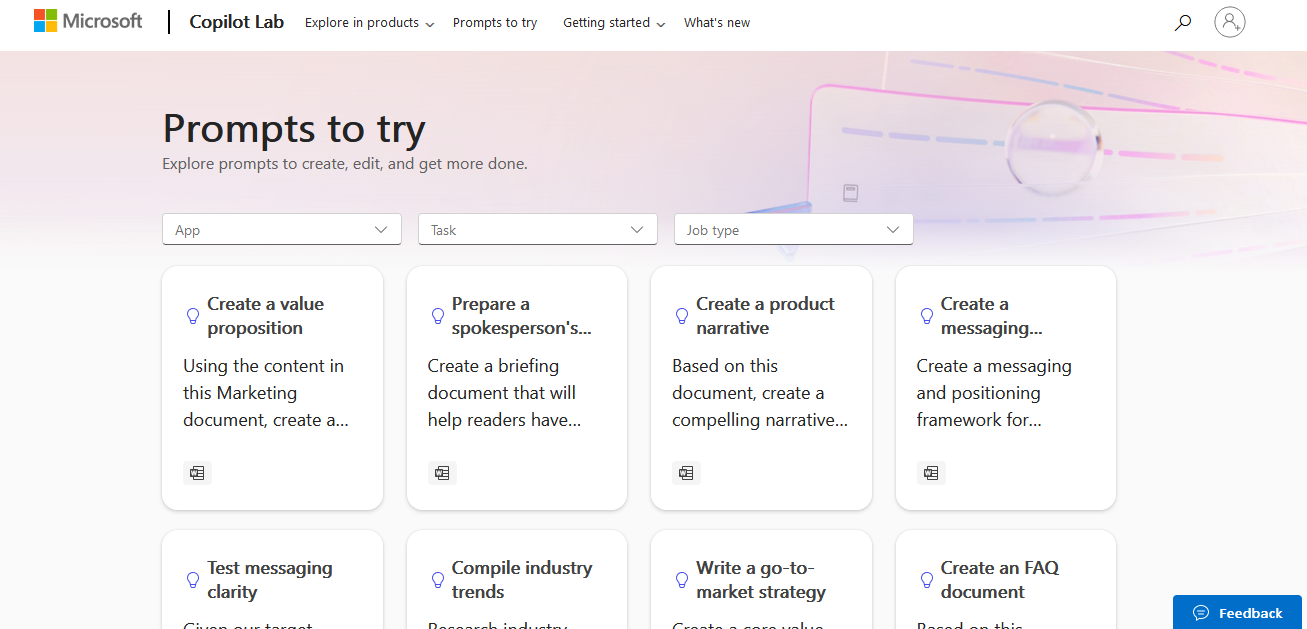
For more examples of prompts that Copilot can help you with, check out Copilot Lab! Filter by specific Microsoft 365 apps to learn what prompts to use for meetings, in chats, and get tips for better optimized prompts with Copilot!




 Catastrophic Failure