
Microsoft has released Update Rollup 6 for Microsoft Exchange Server 2010 Service Pack 1 (SP1). This update is dated October 27 2011. This article describes the following information about the update rollup:
- The issues that the update rollup resolves
- How to obtain the update rollup
- The prerequisites to install the update rollup
Issues that the update rollup resolves
Update Rollup 6 for Exchange Server 2010 SP1 resolves the issues that are described in the following Microsoft Knowledge Base (KB) articles:
- 2431609 (http://support.microsoft.com/kb/2431609/ ) An update is available that updates the message of a retention policy in OWA for Exchange Server 2010
- 2449266 (http://support.microsoft.com/kb/2449266/ ) EWS drops the TCP connection to the EWS client application without any error message in a Microsoft Exchange Server 2010 environment
- 2480474 (http://support.microsoft.com/kb/2480474/ ) A Users do not receive quota warning messages after applying SP1 for Exchange 2010
- 2514820 (http://support.microsoft.com/kb/2514820/ ) An incoming fax message is not delivered to the recipient in an Exchange Server 2010 SP1 environment
- 2521927 (http://support.microsoft.com/kb/2521927/ ) Disabling the Exchange ActiveSync Integration feature for OWA does not take effect in OWA Premium clients in an Exchange Server 2010 environment
- 2528854 (http://support.microsoft.com/kb/2528854/ ) The Microsoft Exchange Mailbox Replication service crashes on a computer that has Exchange Server 2010 SP1 installed
- 2535289 (http://support.microsoft.com/kb/2535289/ ) The Microsoft Exchange Information Store service crashes occasionally when you run an antivirus application on an Exchange Server 2010 Mailbox server
- 2536313 (http://support.microsoft.com/kb/2536313/ ) Slow message delivery and mailbox access for journaling mailboxes on an Exchange Server 2010 server
- 2544246 (http://support.microsoft.com/kb/2544246/ ) You receive a NRN of a meeting request 120 days later after the recipient accepted the request in an Exchange Server 2010 SP1 environment
- 2548246 (http://support.microsoft.com/kb/2548246/ ) The Microsoft Exchange Information Store service crashes occasionally when a folder view is corrupted on an Exchange Server 2010 mailbox server
- 2549183 (http://support.microsoft.com/kb/2549183/ ) "There are no objects to select" message when you try to use the EMC to specify a server to connect to in an Exchange Server 2010 SP1 environment
- 2549289 (http://support.microsoft.com/kb/2549289/ ) A RBAC role assignee can unexpectedly run the Add-MailboxPermission command or the Remove-MailboxPermission command on an Exchange Server 2010 server that is outside the role assignment scope
- 2555851 (http://support.microsoft.com/kb/2555851/ ) A mailbox does not appear in certain address lists after you run commands on the mailbox in an Exchange Server 2010 SP1 environment
- 2559814 (http://support.microsoft.com/kb/2559814/ ) A user cannot add or remove delegates from a mailbox by using Outlook in an Exchange Server 2010 environment
- 2561514 (http://support.microsoft.com/kb/2561514/ ) Exchange Server 2003 user cannot view the free/busy information of a user in a different federated organization
- 2563860 (http://support.microsoft.com/kb/2563860/ ) You cannot create a new mailbox database if you already have 1000 mailbox databases in an Exchange Server 2010 environment
- 2567409 (http://support.microsoft.com/kb/2567409/ ) Certain free/busy messages are not replicated from an Exchange Server 2010 server to an Exchange Server 2003 server
- 2571791 (http://support.microsoft.com/kb/2571791/ ) Retention policies are applied to Contact items unexpectedly in an Exchange Server 2010 environment
- 2572052 (http://support.microsoft.com/kb/2572052/ ) Certain properties of a recurring meeting request from external email accounts are missing in an Exchange Server 2010 SP1 environment
- 2575005 (http://support.microsoft.com/kb/2575005/ ) You cannot start the EMC or the EMS in an Exchange Server 2010 Service Pack 1 environment
- 2578631 (http://support.microsoft.com/kb/2578631/ ) Certain users cannot send email messages to a mail-enabled public folder in an Exchange Server 2010 environment
- 2579172 (http://support.microsoft.com/kb/2579172/ ) Items that are deleted or moved still appear in the original folder when you use Office Outlook in online mode to access an Exchange Server 2010 mailbox
- 2579671 (http://support.microsoft.com/kb/2579671/ ) No results returned when you use the ExpandGroup method in EWS to retrieve a list of members of a Dynamic Distribution Group in an Exchange Server 2010 environment
- 2582095 (http://support.microsoft.com/kb/2582095/ ) The SmtpMaxMessagesPerConnection property of a send connector is not replicated to the subscribed Edge Transport server in an Exchange Server 2010 environment
- 2600835 (http://support.microsoft.com/kb/2600835/ ) The RPC Client Access service crashes when you delete an attachment of an item by using Outlook in online mode in an Exchange Server 2010 SP1 environment
- 2601701 (http://support.microsoft.com/kb/2601701/ ) The memory usage of the MSExchangeRepl.exe process keeps increasing when you perform a VSS backup on Exchange Server 2010 databases
- 2616127 (http://support.microsoft.com/kb/2616127/ ) "0x80041606" error code when you use Outlook in online mode to search for a keyword against a mailbox in an Exchange Server 2010 environment
- 2617126 (http://support.microsoft.com/kb/2617126/ ) The Store.exe process crashes when you send an email message that has attachments in an Exchange Server 2010 SP1 environment
- 2627769 (http://support.microsoft.com/kb/2627769/ ) Some time zones in OWA are not synchronized with Windows in an Exchange Server 2010 environment

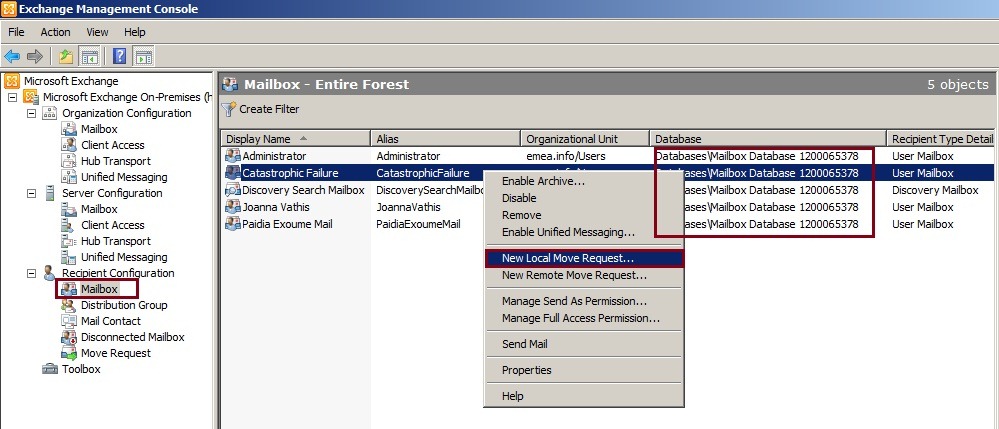

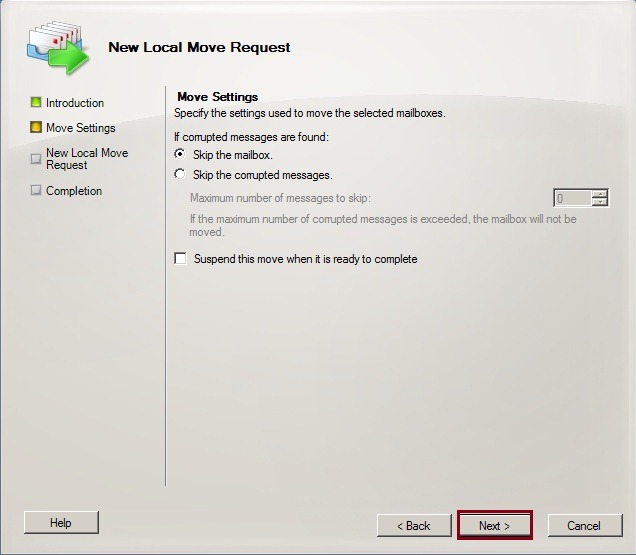
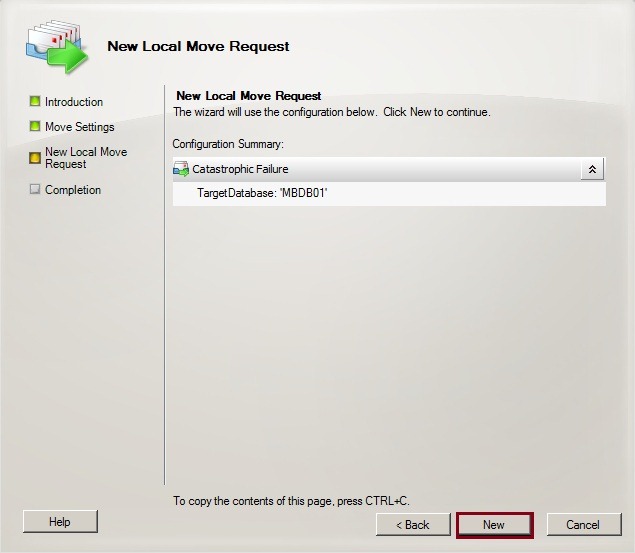
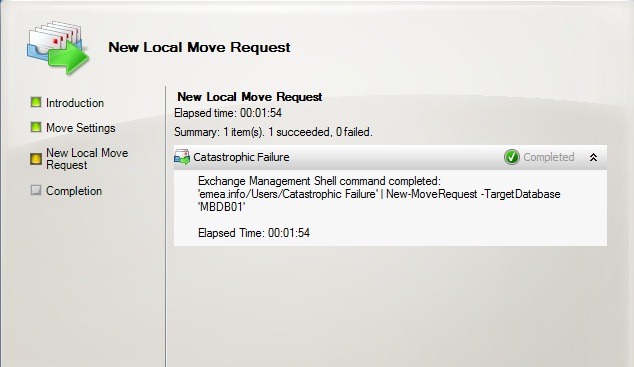



 Catastrophic Failure