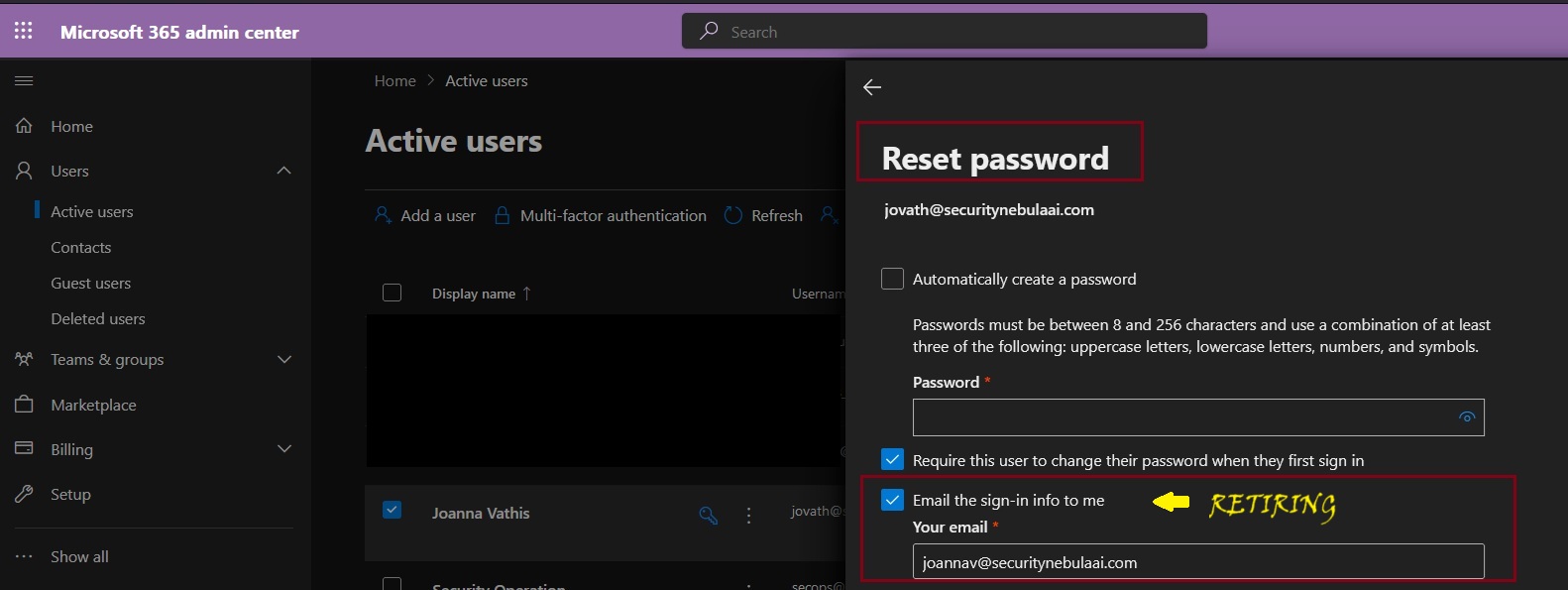
Microsoft will be retiring the Send password in email feature from Microsoft 365 admin center starting August 30, 2024. Instead, Microsoft recommend using the new Printoption in the Microsoft admin center to save the user account details and share them in a secure manner with your users.
Admins will no longer be able to receive usernames and passwords in email after this change is implemented. This change will happen automatically by the specified date. No admin action is required.
Copilot for Microsoft 365 has introduced a feature that allows users to select their preferred language during a Teams meeting, even if transcripts or captions are not activated. This option is available when the ‘Allow Copilot’ setting is configured to ‘Only during the meeting’. The rollout of this feature began in mid-June 2024, and it does not require any administrative action to be enabled.
This ensures that responses from Copilot for Microsoft 365 are in the language chosen by the user. When this feature is selected, a language selector screen will appear, and a language must be chosen for the meeting to start Copilot for Microsoft 365. It’s designed to enhance the user experience by providing support in the user’s preferred language during the meeting.
When this will happen General Availability: Microsoft will begin rolling out late July 2024 (previously mid-June) and expect to complete by early August 2024 (previously late June).
How this will affect your organization Users will receive a language selection dialog box in Teams when Allow Copilot is set to Only during the meeting, transcript is off, and Copilot is selected to ensure that Copilot for Microsoft 365 responses are in the appropriate language.
What you need to do to prepare: This rollout will happen automatically with no admin action required. You may want to notify your users about this change and update any relevant documentation as appropriate.


 Catastrophic Failure