Microsoft Purview DSI Gets Smarter with OCR

Microsoft is continuing to strengthen Purview Data Security Investigations (DSI) by adding AI‑powered Optical Character Recognition (OCR) capabilities. This new enhancement allows DSI to read and analyze text that appears inside images, something traditional investigations often miss.

With OCR built in, DSI can now surface sensitive information hidden in screenshots, scanned documents, and embedded visuals within files. The result? Deeper investigations, better context, and more accurate risk detection across your organization.

This update is tracked under Microsoft 365 Roadmap ID 561489.

When is this rolling out?
  • Public Preview (Worldwide):
    Rolling out in late May 2026, with completion expected by early June 2026
  • General Availability (Worldwide):
    Rolling out in mid‑July 2026, with completion expected by late July 2026
Who is impacted?

This update is relevant for:

  • Admins and security analysts using Microsoft Purview Data Security Investigations
  • Organizations investigating data security risks with Purview
What’s changing?

Once OCR is enabled (and it will be on by default), DSI will automatically:

  • Extract text from image‑based content, including:
    • Images
    • Screenshots
    • Visuals embedded in documents
  • Add the extracted text to investigation datasets
  • Improve search, analysis, and risk detection using this newly visible content

The good news?
No workflow changes are required. Existing investigations will continue to work as they do today—just with richer insights.

Even better, all existing Purview controls and protections still apply. Sensitivity labels, DLP policies, and other compliance settings continue to be fully respected.

Why this matters

Sensitive information doesn’t always live in plain text. Credentials, personal data, or confidential details often end up in screenshots or images—especially in collaboration tools. OCR helps close that gap and gives security teams greater visibility into data risks that were previously hard to detect.

What do you need to do?

No action is required before rollout. However, you may want to:

  • Inform your security and compliance teams about the improved image‑based detection
  • Update internal investigation procedures to account for OCR‑driven findings
  • Refresh training materials or documentation that reference DSI capabilities

Microsoft Purview DLP Gets Smarter Troubleshooting with Guided Diagnostics

If you’ve ever tried to troubleshoot why a Data Loss Prevention (DLP) policy behaved the way it did, you’ll know it’s not always obvious what happened behind the scenes. Microsoft is looking to change that.

Microsoft is rolling out a new guided diagnostics experience in Microsoft Purview Data Loss Prevention (DLP), designed to help administrators quickly understand, diagnose, and resolve DLP policy issues. The goal is simple: make DLP behavior easier to explain, easier to fix, and easier to optimize.

This update is tracked under Microsoft 365 Roadmap ID 561032.

When is this coming?
  • Public Preview: Mid‑May 2026 to Mid‑June 2026
  • General Availability (Worldwide): Late June 2026 to July 2026
Who does this affect?

This update is primarily aimed at:

  • Microsoft 365 administrators managing DLP policies in Microsoft Purview
  • Commercial Microsoft 365 tenants

If your organization has Microsoft 365 E5 and Copilot licensing, you’ll also benefit from Security Copilot‑powered insights, which add intelligent recommendations during troubleshooting.

What’s changing?

A new guided diagnostics experience will appear directly in the Microsoft Purview portal, making it much easier to understand what your DLP policies are doing and why.

With this experience, admins can:

  • See the order in which DLP policies are evaluated
  • Understand which conditions were matched
  • Clearly identify what action was taken (allow, block, or audit)

In other words, instead of guessing or piecing together logs, you’ll get a clearer, step‑by‑step explanation of how a DLP decision was made.

Security Copilot‑powered insights (for eligible tenants)

For organizations with the right licensing, Microsoft brings Copilot into the experience to help:

  • Spot potential policy misconfigurations
  • Speed up DLP troubleshooting
  • Get recommendations for improving and optimizing policies
What’s not changing?
  • Existing DLP policies continue to work exactly as they do today
  • Enforcement behavior is unchanged
  • There is no impact on end‑user workflows

This update is purely about visibility and diagnostics, not policy enforcement.

That said, you may want to:

  • Update internal DLP troubleshooting documentation to reference the new guided diagnostics experience
  • Make sure your security and compliance teams are aware of the new diagnostics flow in the Purview portal
  • Review your Copilot and E5 licensing to understand whether Security Copilot‑powered insights will be available in your tenant

Copilot Cowork is now available in Frontier

Copilot Cowork has officially landed in Frontier for Microsoft 365 Copilot (Premium) users. This release brings a more collaborative way for Copilot to work across apps, handling multi‑step tasks while keeping you in control.

With Copilot Cowork, tasks can span multiple Microsoft 365 apps, with clear user approvals along the way and built‑in progress tracking so you always know what’s happening. It’s designed to feel less like a single command and more like a coworker helping you get things done.

To use Copilot Cowork, users need to be enrolled in Frontier. It currently works with Microsoft‑built agents and uses Anthropic as a subprocessor. For customers in the EU, data boundary controls are in place to help meet regional compliance requirements.

The good news? No admin action is required to get started eligible users can simply explore the experience once Frontier is enabled.

When is this happening?

Copilot Cowork is already rolling out and is available today in Frontier.
General availability for all customers will be announced later—Microsoft will share details once it’s ready for broader release.

What this means for your organization

This update introduces a new way for Copilot to work alongside users—taking on longer, multi‑step tasks across Microsoft 365 apps while keeping people firmly in control. Think of it as Copilot stepping up from quick help to ongoing collaboration.

Who can use Copilot Cowork?

Copilot Cowork is available to:

  • Users with a Microsoft 365 Copilot (Premium) license
  • Users who are enabled for Frontier
  • English‑language users (for now)
Prerequisites and controls to be aware of

Before Copilot Cowork can be used, a few requirements need to be in place:

  • The tenant must be enrolled in the Frontier program
  • Microsoft‑built agents must be enabled
  • Anthropic must be enabled as a subprocessor (this is on by default)

For organizations based in the European Union (EU):

  • Anthropic is turned off by default to meet EU Data Boundary requirements
  • It must be explicitly enabled for Copilot Cowork to function
  • If Anthropic remains off, users may see Copilot Cowork listed but won’t be able to use it

Admins also need to be enrolled in Frontier to see Copilot Cowork listed in the Agent Inventory.

What users can expect

Once available, users can:

  • Install Copilot Cowork directly from the Agent Store in the Microsoft 365 Copilot app
  • Pin it to the left rail for easy access

From there, users can simply describe what they want to achieve—in plain, natural language—and Copilot Cowork will:

  • Create a multi‑step plan based on the user’s Microsoft 365 context
  • Coordinate work across apps like Word, PowerPoint, Outlook, and more
  • Continue working over time, with clear checkpoints and progress tracking

Importantly, Copilot Cowork never acts without permission. It will always propose actions first and wait for explicit user approval before doing things like:

  • Sending emails or Teams messages
  • Scheduling, declining, or rescheduling meetings
  • Editing, moving, or organizing files

Users stay in control at all times—they can pause, adjust, or stop execution whenever they want, and come back later to review progress.

Default behavior and governance

For eligible tenants, Copilot Cowork is enabled by default and respects existing Microsoft 365 permissions and policies. The only exception is where EU Data Boundary settings apply, which may limit functionality unless explicitly configured.

(Updated) Microsoft 365 Copilot: Graph APIs for agent and app management

Microsoft is rolling out two new Microsoft Graph APIs that make it much easier for administrators to discover, monitor, and manage Copilot agents and apps across their organization.

Instead of relying on manual checks through the admin UI, these new APIs allow admins to programmatically access a complete inventory of agents and apps. This opens the door to richer reporting, automation, and seamless integration with existing tools and workflows.

This update is tracked under Microsoft 365 Roadmap ID 502875.

When is this happening?
  • Frontier (Preview): Available now
  • General Availability (Worldwide):
    Deployment will start in mid‑April 2026 (previously end of March) and is expected to complete by early May 2026 (previously end of February).
How does this affect your organization?
Who is impacted?

This change is relevant for admins who manage Copilot agents and apps within Microsoft 365 environments.

What’s changing?

Microsoft is introducing new Graph API endpoints that provide visibility into all agents and apps in your tenant:

  • Retrieve all agents and apps GET graph.microsoft.com/copilot/admin/catalog/packages Returns a full inventory of Microsoft, External, Shared, and Custom agents and apps.
  • Retrieve details for a specific agent or app GET graph.microsoft.com/copilot/admin/catalog/packages/{id} Returns detailed metadata, including properties and manifest information.

These endpoints enable:

  • Automated reporting
  • Easier integrations with internal tools
  • Better visibility into what’s deployed across your organization
What’s not changing?
  • There are no changes to existing admin UI workflows
  • There are no changes to current policies
  • No additional licenses are required — the APIs are available with an existing Microsoft 365 license

New in Microsoft Purview: Smarter Credential Scanning to Strengthen Your Data Security

Microsoft is rolling out a major update to the Data Security Posture Agent in Microsoft Purview, and it’s a big step forward for organizations looking to stay ahead of credential‑related risks.

The newest addition is a credential scanning capability designed to help you uncover exposed credentials, like Microsoft Entra ID details, private keys, API tokens, and other sensitive access points across your selected data locations. With this update, Purview doesn’t just spot the issues; it also gives you risk scores, AI‑generated insights, confidence levels, and credential categories so you can quickly understand what matters and what needs attention.

All findings are surfaced in one streamlined task board, making it easier than ever to review, confirm, and take action.

This enhancement is listed as Microsoft 365 Roadmap ID 558436.

Rollout Timeline
  • Public Preview: Starts late March 2026, expected to finish by early April 2026
  • General Availability (Worldwide): Starts late June 2026, wrapping up by early July 2026

What This Means for Your Organization

Who will notice the change?

Admins who manage Microsoft Purview and use the Data Security Posture Agent within Microsoft 365 tenants will see the new feature appear under the Explore Agent section.

What’s changing?

A brand‑new credential scanning experience is being introduced, including:

  • LLM-powered detection of exposed credentials across selected data locations
  • Automated identification of:
    • Microsoft Entra ID credentials
    • Private keys
    • API tokens
    • Additional sensitive credential types

Each detection comes with:

  • A risk score
  • AI-generated insights
  • A confidence rating
  • A credential category

And to help you stay organized, Purview provides a task board where you can follow up on findings, track progress, and take recommended actions, all in one place.

How to Prepare

Wave 3 of Microsoft 365 Copilot – The Ultimate Game Changer

Today Microsoft is rolling out some major updates that truly reshape how AI shows up in everyday work. Here’s what’s new:

  • Wave 3 of Microsoft 365 Copilot
  • More model diversity, with Claude and next‑gen OpenAI models available starting today
  • Agent 365 becoming generally available on May 1 at $15 per user
  • Microsoft 365 E7: The Frontier Suite, also coming May 1, priced at $99 per user

Wave 3 is honestly the biggest shift I’ve seen in Copilot so far. It doesn’t feel like “AI that helps you write or summarize” anymore, it feels like Microsoft is moving Copilot into a true agent that can actually do work for you, not just respond to prompts. And this changes everything in how we’ll use Microsoft 365.

Frontier Transformation – What It Really Means

Microsoft is talking about “Frontier Transformation” but at its core, it’s actually simple: AI should help people achieve their highest goals — not just make processes a little faster.

Copilot Cowork – The game changer

The main highlight is Copilot Cowork, built together with Anthropic (the team behind Claude). What I love about it is that it can finally take on a whole piece of work, break it into steps, run those steps in Word, Excel, PowerPoint, Outlook, and keep you updated as it goes.

Not instantly, but over minutes or even hours.
So instead of: “Write a one‑page summary”
It becomes: “Prepare the full report, build the Excel analysis, create the PowerPoint, and draft the email to the team.”
And it actually moves this work forward across the apps we already use daily.

Edit with Copilot – In-app agentic editing

Another thing I like is that “Agent Mode” is gone.
It’s now simply called Edit with Copilot, and it works right inside the apps:

  • Word: turns your messy draft into something polished
  • Excel: actually builds formulas and charts (not just suggests)
  • PowerPoint: creates slides using your real templates and brand
  • Outlook: drafts or refines emails in the compose window

No more copy-paste. No more losing sensitivity labels. Everything stays governed and saved where it should be.

Work IQ – Copilot that “knows how you work”

Wave 3 also introduces Work IQ, which gives Copilot a deeper understanding of:

  • Your organization’s content
  • Your collaboration patterns
  • The apps and workflows you use
  • The context behind your requests

This is what helps Copilot choose the right model (Claude or OpenAI) depending on the task.

Multi‑model Copilot (Claude + OpenAI)

For the first time, Copilot becomes model-agnostic.
You’ll be able to pick or automatically use:

  • Anthropic Claude (via the Frontier program)
  • OpenAI models

A model selector is coming to Copilot Chat so you can choose which model works best, depending on the task.

New licensing tier: Microsoft 365 E7 “The Frontier Suite”

Microsoft also launched a brand new enterprise tier — their first in 11 years:
Microsoft 365 E7 (The Frontier Suite)

It bundles:

  • M365 E5
  • Copilot
  • Agent 365
  • Additional security + analytics tools

This shows how seriously Microsoft is betting on agentic AI becoming the new standard.

Rollout timeline

Wave 3 features are:

  • Already in research preview for selected customers
  • Expanding via the Frontier Program starting March 2026

With Wave 3, Agent 365, Work IQ, and the new E7 suite, AI is shifting from early experimentation to real, scalable, enterprise-wide value. Microsoft is not only imagining what AI could be it’s giving organizations the tools to build that future right now.

You can read more in the official Microsoft article here.

Data Security Investigations introduces new soft purge mitigation action

Microsoft is introducing a new soft purge action in Data Security Investigations (DSI), giving admins a quick and safe way to remove sensitive or overshared files during an investigation. With soft purge, items can be deleted immediately but still recovered later as long as they’re within their deleted‑item retention period, so admins get speed without risking permanent data loss.

This builds on DSI’s growing set of AI‑powered tools like intelligent categorization, AI search, and automated risk insights making it easier than ever for organizations to spot issues and take action fast.

New update coming to Microsoft 365 Roadmap ID 558109. A soft purge action will soon be available in Data Security Investigations (DSI), giving admins a safer and more flexible way to remove sensitive or overshared content during an investigation.

When it’s rolling out
  • General Availability (Worldwide): Begins early April 2026
  • Expected completion: late May 2026

What this means for your organization

Who is affected?

Admins who use Data Security Investigations (DSI) in the Microsoft Purview compliance portal.

What’s changing

A new soft purge option will appear in DSI. With this action, admins can:

  • Remove items that match an investigation query
  • Keep those items recoverable until the retention period expires
  • Act quickly without risking accidental permanent deletion

And the best part:

  • The feature is on by default
  • No configuration needed
  • No changes to existing DLP, labeling, or retention policies
  • End users will not see any changes in their workflows

Once the rollout finishes, the feature simply appears for eligible tenants.

How to prepare

There is nothing you need to do in advance.
If you want to get ahead, you may consider:

  • Reviewing how soft purge works in DSI
  • Updating any internal guidance on investigation processes
  • Informing your security or compliance teams about the new action

Overall, this update gives organizations a safer and more controlled way to remove sensitive content during investigations—without adding extra steps or complexity.

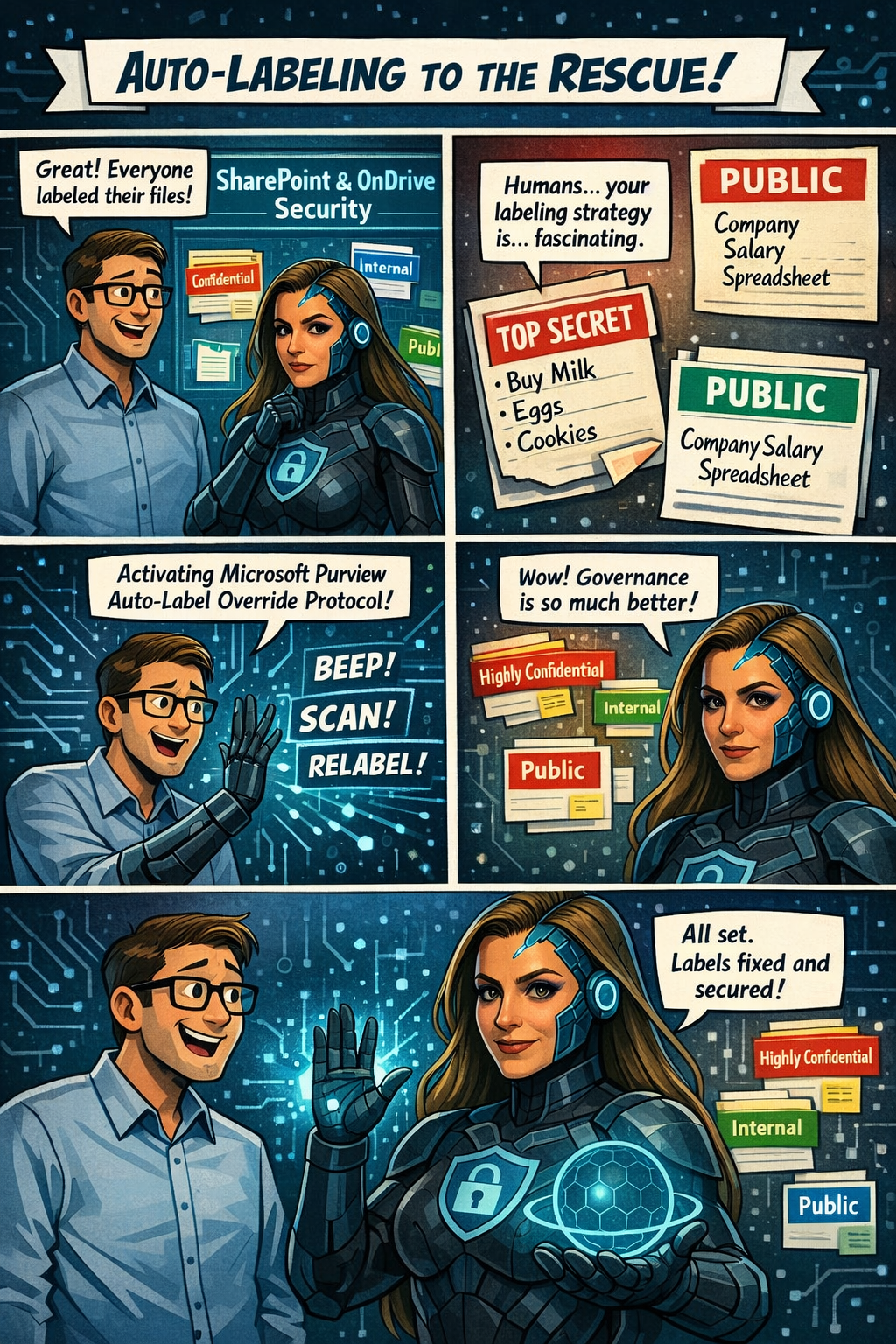
Microsoft Purview Information Protection: Override Manually Applied Labels and Remove Labels Using Auto‑Labeling

Microsoft Purview is rolling out a great new capability for SharePoint and OneDrive: automatic actions for sensitivity labels.

Until now, if someone manually applied the wrong label to a file, admins had limited options—especially when large volumes of content were involved. With this update, Purview can now automatically override or remove manually applied sensitivity labels when they don’t match your organization’s policies.

In simple terms:
Your data stays correctly classified, even when humans make mistakes.

Rollout begins mid‑April 2026, and the feature will be off by default, giving administrators full control over when and how they want to enable it. It’s another step toward stronger, more accurate data governance across Microsoft 365.

Microsoft Purview is getting a meaningful upgrade as part of its ongoing integration with Microsoft Defender for Cloud Apps. The latest improvement brings new auto‑labeling actions to SharePoint and OneDrive, giving organizations more control over how sensitive information is classified across their environment.

What’s new?
Admins can now automatically override sensitivity labels that were applied manually or remove labels entirely when a file no longer meets the criteria for that classification. This means large volumes of content can stay properly labeled—even as information changes—without relying on users to update labels themselves.

This update appears under Microsoft 365 Roadmap ID 558342.

📅 Rollout Timeline

  • General Availability (Worldwide): Starting mid‑April 2026
  • Completion expected by mid‑April 2026

A fast rollout for a very impactful capability.

Who will be impacted

This update mainly affects:

  • Microsoft 365 admins managing Purview Information Protection
  • Organizations using auto‑labeling policies for SharePoint or OneDrive

What’s changing

Admins will now see new actions inside the auto‑labeling configuration panel in the Purview portal.

Auto‑labeling policies can now:

Override existing sensitivity labels

Even if a user applied the label manually, Purview can replace it if the file meets a different policy condition.

Remove a specific sensitivity label

If a file no longer qualifies for a certain label, Purview can automatically strip it from the document.

Applies to files at rest

These changes affect existing content already stored in:

  • SharePoint Online
  • OneDrive for Business

Admin-controlled

Nothing changes until an admin enables these new actions.
By default, the feature is off.

Compliance Considerations

AreaWhat It Means
Does this change how customer data is processed?Yes—files in SharePoint and OneDrive may now have labels automatically overridden or removed based on rules you configure.
Does this modify Information Protection capabilities?Yes—it expands auto‑labeling to include overriding manual labels and removing specific labels.
Does this affect monitoring or compliance evidence?Yes—it improves consistency and auditability because label changes follow formal Purview policies.
Is there an admin control?Absolutely. Admins must explicitly configure these new actions in Purview. Nothing changes automatically.

Enhancing AI Analysis in Data Security Investigations: What’s Coming Next

Microsoft Purview is rolling out a series of improvements designed to make AI analysis in Data Security Investigations (DSI) faster, smoother, and easier for analysts to use.

With these updates, items added to an investigation will now be automatically prepared for AI analysis—removing a repetitive manual step and helping analysts get to insights sooner. Purview is also introducing a new standard categorization option, giving organizations a quicker and more cost‑efficient way to group and review investigation items. For deeper insights, advanced categorization, including AI‑generated topics, will continue to be available.

These changes are part of Microsoft 365 Roadmap ID 557556.

Rollout Timeline

  • Public Preview: Mid‑March 2026 → Mid‑April 2026
  • General Availability (Worldwide): Mid‑April 2026 → Mid‑May 2026

What This Means for Your Organization

Who will notice the changes?

  • Microsoft Purview administrators
  • Analysts and security teams using Data Security Investigations
  • Any Microsoft 365 tenant with access to DSI capabilities

What’s changing?

  • Automatic AI preparation:
    Items added to an investigation will automatically get ready for AI analysis. No extra clicks or steps required.
  • New standard categorization option:
    A streamlined way to categorize items, ideal for scenarios where speed and simplicity matter.
  • Advanced categorization remains:
    Organizations can still use richer AI‑powered topic grouping when deeper analysis is needed.
  • No configuration changes needed:
    Everything is enabled by default—no admin setup required.

What users may see

  • Faster time from “item added” to “item ready for analysis”
  • A refreshed UI for choosing between standard and advanced categorization

How to Prepare

There’s nothing you need to configure ahead of time. However, it’s helpful to:

  1. Inform analysts and SOC teams about the new categorization options and automatic AI preparation.
  2. Update internal documentation if you maintain guides or SOPs that describe DSI workflows.
  3. Review training materials so teams know when to choose standard vs. advanced categorization.

Microsoft Office for the web: Apply sensitivity labels with user-defined permissions

Updated February 13, 2026: The roll-out timeline has been updated!!

Microsoft 365 Office for the web will support applying sensitivity labels with user-defined permissions in Word, Excel, and PowerPoint starting mid-March 2026. This aligns with desktop app permissions dialogs, requires no admin changes, and enhances document access control without compliance impacts.

Office for the web now supports sensitivity labels with user‑defined permissions

Microsoft 365 Office for the web (Word, Excel, and PowerPoint) now includes the ability to apply sensitivity labels with user‑defined permissions, giving organizations greater flexibility and control over document access directly in the browser. This update aligns the web experience with the modern permissions dialog available in the desktop apps.

Roadmap ID: 468888

Rollout timeline

General Availability

  • Worldwide & GCC:
    Rollout begins mid‑March 2026 (previously mid‑February) and is expected to complete by early April 2026 (previously early March).
  • GCCH & DoD:
    Rollout begins mid‑March 2026 (previously mid‑February) and is expected to complete by early May 2026 (previously early April).

Who is affected

Compliance considerations

No new compliance impacts have been identified. Organisations may review the change as needed.