Data Loss Prevention: Restrict Microsoft 365 Copilot from processing emails with sensitivity labels


Microsoft Purview’s Data Loss Prevention (DLP) now allows you to prevent Microsoft 365 Copilot from processing emails and other content marked with specific sensitivity labels by configuring DLP policies in the Microsoft Purview portal.

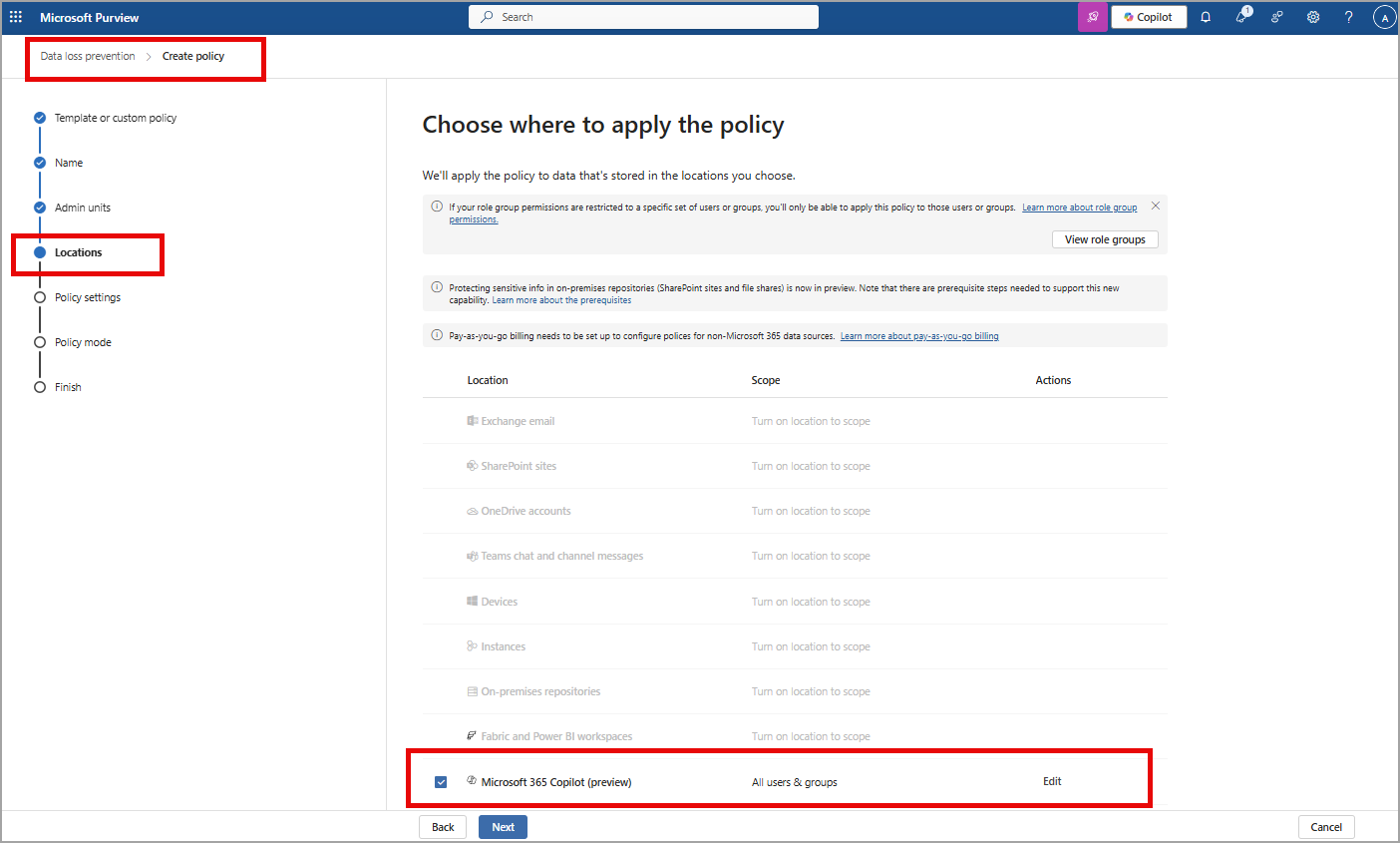
By creating a DLP policy with the “Content contains > Sensitivity labels” condition for the Microsoft 365 Copilot policy location, you can restrict Copilot from using this sensitive content in its responses and summarizations, thereby enhancing data protection.

This feature will allow DLP policies to provide detection of sensitivity labels in emails as enterprise grounding data and restrict access of the labeled emails in Microsoft 365 Copilot chat experiences. This feature only works for emails on or after 1/1/2025.

How this will affect your organization:

Organizations with no existing DLP for Microsoft 365 Copilot policies are not impacted. Customers with the required licenses will be able to go to the Microsoft Purview portal to create policies in the Data Loss Prevention solution. Admins can also go to Data Security Posture Management for AI (DSPM for AI) to see recommendations for creating Microsoft 365 Copilot policies.

Admins should create a new DLP policy using the Copilot location to use this feature:

Check also Microsoft Rodmap

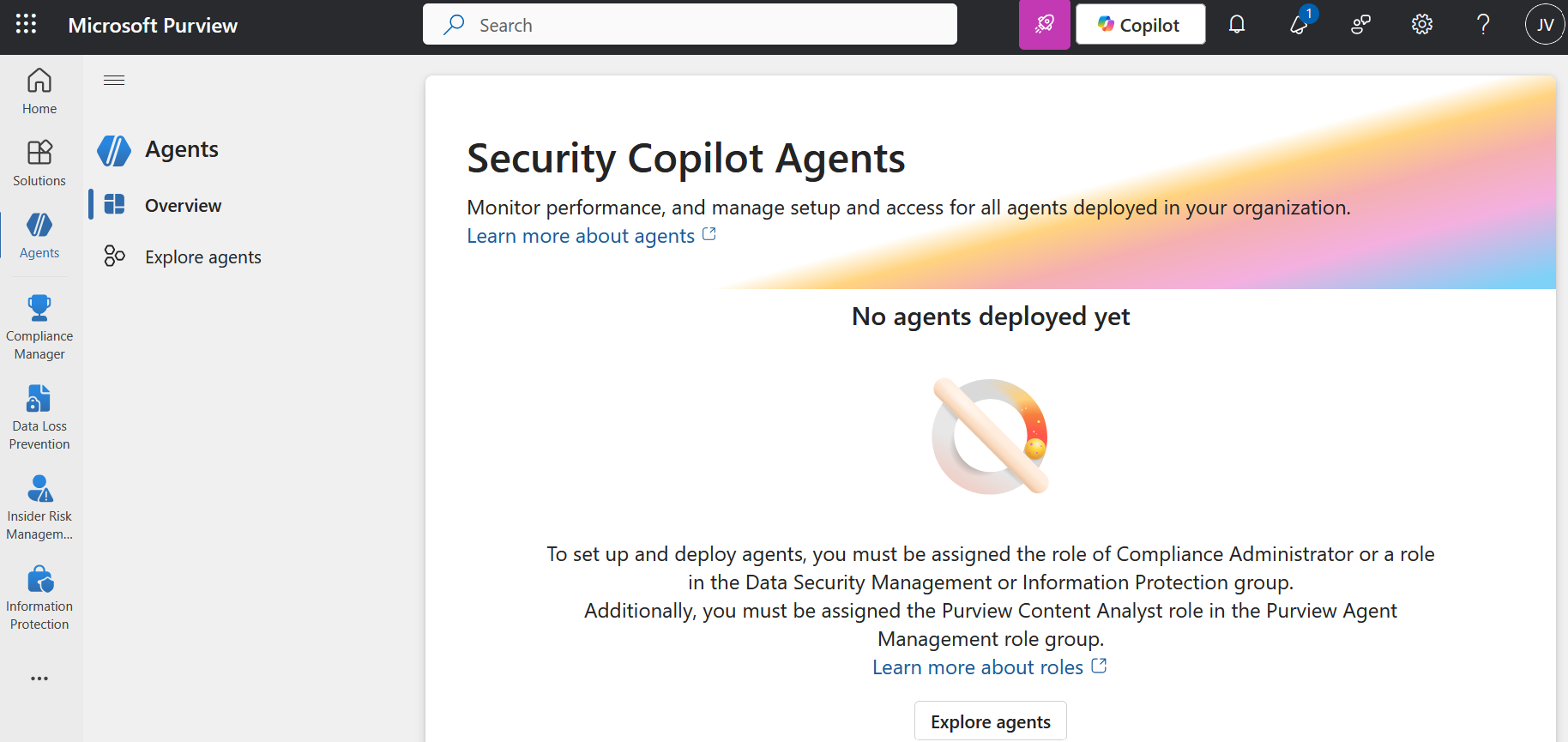
Security Copilot Agent in Microsoft Purview Overview (preview)


Microsoft has introduced Security Copilot agents in Microsoft Purview (preview) to assist organizations automate and scale triage across Data Loss Prevention (DLP) and Insider Risk Management (IRM). These AI-powered agents are built on the Microsoft Security Copilot platform and leverage Security Compute Units (SCUs) to reason over alerts, analyze content, and priorities risk—at scale.

The Microsoft Purview Triage Agents run on Security Compute Units (SCU). Your organization must have SCUs provisioned for the agents to run SKU/subscriptions licensing.

When you deploy an agent, and when you edit triggers, you can select whether the agent will run automatically based on a set schedule or Agent will run manually on one alert at a time . If you select Run automatically based on a set schedule, the agent will triage the alerts that are included in the Select Alert timeframe setting.