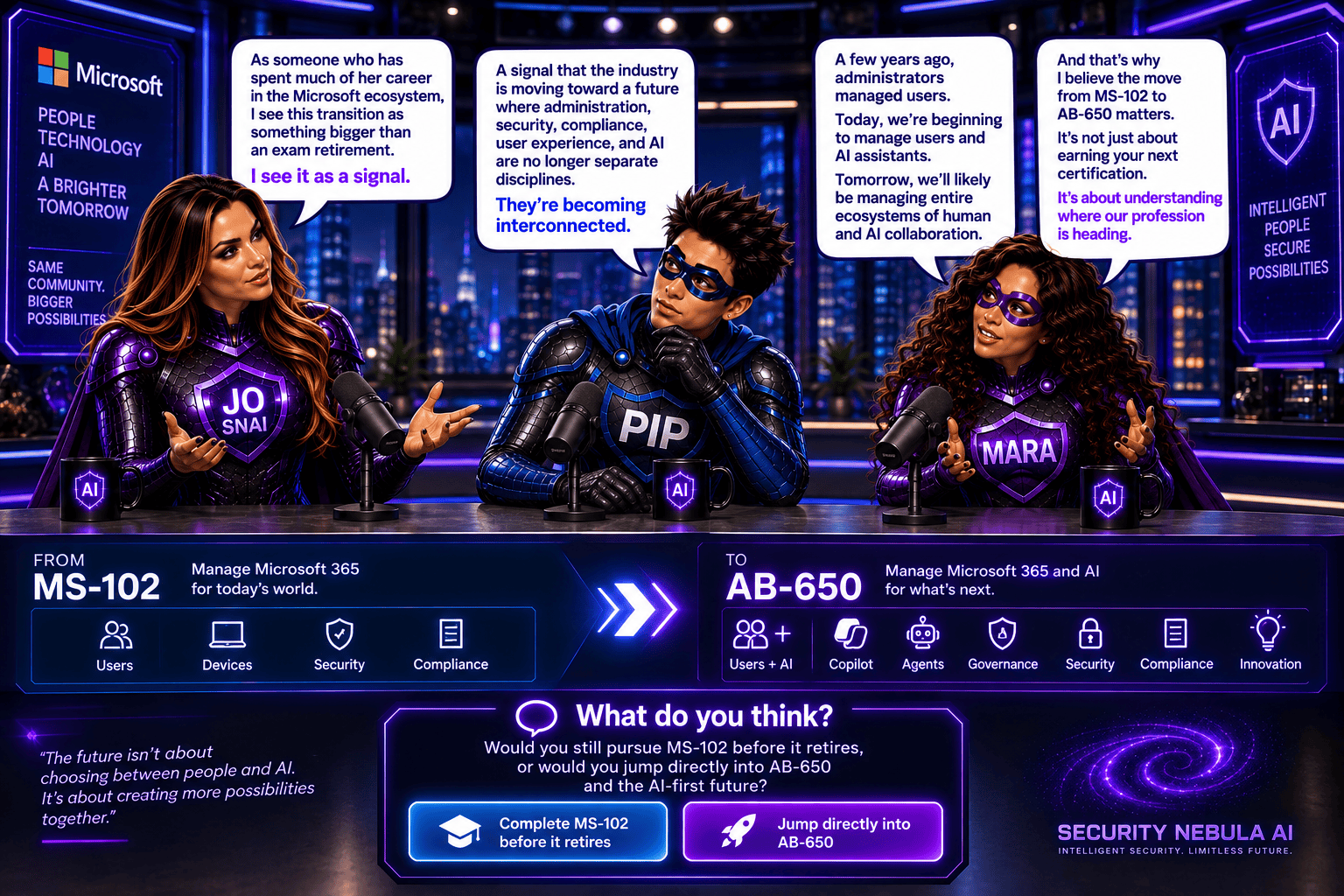
Podcast Episode: DSI Investigation templates for common data security scenarios

🎙️ New podcast episode just dropped!
DSI Investigation Templates for Common Data Security Scenarios with Pip & Mara
▶️ Watch now on YouTube

Stay tuned…

Data Security Investigations: Investigation templates for common data security scenarios

Microsoft just made investigations in Purview Data Security a lot simpler and faster. You can now use ready‑made search templates designed for common data security scenarios, so you don’t have to start from scratch every time.

These built‑in templates help standardize the way investigations are run and reduce the amount of manual setup, meaning security analysts can jump straight into the work with minimal input.

The best part? This feature is already available worldwide, requires no administrative setup, and is ready to use out of the box saving valuable time and streamlining the overall investigation process.

What’s new and why it matters

Microsoft is making investigations in Purview Data Security much more approachable by introducing built‑in search templates. These templates are designed for the scenarios analysts deal with most often—like data exfiltration, compromised mailboxes, exposure of personal data, or even risky AI interactions.

Instead of building queries from scratch every time, investigators can now choose a ready‑made template, enter a few basic details (such as a user or site), and get started immediately. This not only speeds things up but also ensures investigations are more consistent across teams. It’s especially helpful for less-experienced analysts, lowering the learning curve and reducing the time needed to get value from the solution.

(This update is tracked under Microsoft 365 Roadmap ID 560326.)

Rollout timeline

  • General Availability (Worldwide): Available now

What this means for your organization

Who it impacts

  • Security analysts and investigators working with Microsoft Purview Data Security Investigations

Where you’ll see it

  • Microsoft Purview (web portal)
  • Data Security Investigations solution

In short, this update removes a lot of the friction from starting an investigation helping teams move faster, stay consistent, and focus on what actually matters: understanding and responding to risks.

Microsoft Purview DSPM now includes a new data security agent to strengthen your data protection posture

Microsoft has officially moved Data Security Posture Management (DSPM) in Microsoft Purview from preview to general availability (GA) and that’s a big step forward for organizations looking to strengthen how they protect sensitive data.

At its core, DSPM helps you understand where your data risks really are, giving you better visibility across your Microsoft 365 environment. Instead of piecing things together manually, you get clear insights, risk signals, and practical recommendations to help improve your overall data security posture.

This release is part of Microsoft’s ongoing investment in enterprise-grade security and compliance tools, making it easier to protect data at scale without added complexity.

What’s New

One of the key additions in this GA release is the Data Security Posture Agent, now fully available.

With it, you can:

  • Get a centralized view of data risks across your environment
  • Identify potential gaps in your security posture
  • Access actionable recommendations to improve protection
  • Take direct steps to remediate risks

The transition from preview to GA is seamless—your existing configurations stay as they are, and there’s no need to reconfigure policies or settings.

Rollout Timeline
  • General Availability (Worldwide): Late May 2026 – Late June 2026

The feature will become available based on your organization’s Microsoft Purview deployment timing.

Who Should Pay Attention

This update is especially relevant for:

  • IT admins
  • Security teams
  • Compliance professionals

Basically anyone responsible for managing or protecting data within Microsoft 365 using Microsoft Purview.

What This Means for You

Good news, no action is required to enable this feature.

That said, it’s a great opportunity to take advantage of what DSPM offers. You might want to:

  • Explore the new DSPM capabilities and see how they fit into your security strategy
  • Learn how to set up and use the Data Security Posture Agent
  • Start using DSPM insights to prioritize and reduce data risks
  • Inform your security and compliance teams about the update
  • Update any internal documentation that references Purview DSPM

Smarter Role Group Management in Microsoft Purview

Managing permissions in Microsoft Purview is about to get a lot easier.

Microsoft is improving the Role groups experience in the Purview compliance portal, introducing a more intuitive interface that helps admins quickly understand and validate permissions—something many of us have struggled with at some point.

What’s new?

Based on customer feedback, the updated UI adds new ways to view role group assignments so you can find what you need faster and with less guesswork.

Instead of digging through multiple layers, admins can now look up permissions from three different perspectives:

  • By Role – see who has specific roles assigned
  • By Member – check which roles a particular user belongs to
  • My permissions – quickly understand your own access and responsibilities

These views are designed to reduce troubleshooting time and give admins clearer visibility into how permissions are structured.

When is this rolling out?
  • Public Preview: Mid-June 2026 → Mid-July 2026
  • General Availability (Worldwide, GCC, GCC High, DoD): Mid-July 2026 → Mid-August 2026

Roadmap ID: 562033

Why this is useful

This update makes it much easier for admins to see who has access to what—without wasting time searching.

Here’s what that means in practice:

  • Faster answers – Instead of clicking around, you can quickly find permissions by role, user, or your own access
  • Less confusion – It’s clearer how permissions are set up, so fewer mistakes or misunderstandings
  • Easier troubleshooting – When someone doesn’t have access (or has too much), you can figure out why much faster
  • Better for audits – You can easily review and confirm permissions when needed
  • No learning curve – Nothing changes in how things work—just a clearer view of what’s already there
How this improves security

This update doesn’t change permissions—but it makes it much easier to spot problems and fix them quickly, which directly improves security.

Here’s how:

  • Better visibility = fewer hidden risks
    You can clearly see who has access to what, making it easier to catch over-permissioned users or unnecessary roles.
  • Faster detection of mistakes
    If someone has access they shouldn’t (or is missing access), you can identify and correct it much faster.
  • Stronger least-privilege control
    It’s easier to ensure people only have the access they actually need—nothing more.
  • Simpler audits and reviews
    During security or compliance checks, you can quickly validate permissions instead of manually piecing things together.
  • Reduced risk of accidental exposure
    Clearer role assignments help prevent misconfigurations that could lead to data leaks or unauthorized access.

Microsoft Purview DSI Gets Smarter with OCR

Microsoft is continuing to strengthen Purview Data Security Investigations (DSI) by adding AI‑powered Optical Character Recognition (OCR) capabilities. This new enhancement allows DSI to read and analyze text that appears inside images, something traditional investigations often miss.

With OCR built in, DSI can now surface sensitive information hidden in screenshots, scanned documents, and embedded visuals within files. The result? Deeper investigations, better context, and more accurate risk detection across your organization.

This update is tracked under Microsoft 365 Roadmap ID 561489.

When is this rolling out?
  • Public Preview (Worldwide):
    Rolling out in late May 2026, with completion expected by early June 2026
  • General Availability (Worldwide):
    Rolling out in mid‑July 2026, with completion expected by late July 2026
Who is impacted?

This update is relevant for:

  • Admins and security analysts using Microsoft Purview Data Security Investigations
  • Organizations investigating data security risks with Purview
What’s changing?

Once OCR is enabled (and it will be on by default), DSI will automatically:

  • Extract text from image‑based content, including:
    • Images
    • Screenshots
    • Visuals embedded in documents
  • Add the extracted text to investigation datasets
  • Improve search, analysis, and risk detection using this newly visible content

The good news?
No workflow changes are required. Existing investigations will continue to work as they do today—just with richer insights.

Even better, all existing Purview controls and protections still apply. Sensitivity labels, DLP policies, and other compliance settings continue to be fully respected.

Why this matters

Sensitive information doesn’t always live in plain text. Credentials, personal data, or confidential details often end up in screenshots or images—especially in collaboration tools. OCR helps close that gap and gives security teams greater visibility into data risks that were previously hard to detect.

What do you need to do?

No action is required before rollout. However, you may want to:

  • Inform your security and compliance teams about the improved image‑based detection
  • Update internal investigation procedures to account for OCR‑driven findings
  • Refresh training materials or documentation that reference DSI capabilities

Microsoft Purview DLP Gets Smarter Troubleshooting with Guided Diagnostics

If you’ve ever tried to troubleshoot why a Data Loss Prevention (DLP) policy behaved the way it did, you’ll know it’s not always obvious what happened behind the scenes. Microsoft is looking to change that.

Microsoft is rolling out a new guided diagnostics experience in Microsoft Purview Data Loss Prevention (DLP), designed to help administrators quickly understand, diagnose, and resolve DLP policy issues. The goal is simple: make DLP behavior easier to explain, easier to fix, and easier to optimize.

This update is tracked under Microsoft 365 Roadmap ID 561032.

When is this coming?
  • Public Preview: Mid‑May 2026 to Mid‑June 2026
  • General Availability (Worldwide): Late June 2026 to July 2026
Who does this affect?

This update is primarily aimed at:

  • Microsoft 365 administrators managing DLP policies in Microsoft Purview
  • Commercial Microsoft 365 tenants

If your organization has Microsoft 365 E5 and Copilot licensing, you’ll also benefit from Security Copilot‑powered insights, which add intelligent recommendations during troubleshooting.

What’s changing?

A new guided diagnostics experience will appear directly in the Microsoft Purview portal, making it much easier to understand what your DLP policies are doing and why.

With this experience, admins can:

  • See the order in which DLP policies are evaluated
  • Understand which conditions were matched
  • Clearly identify what action was taken (allow, block, or audit)

In other words, instead of guessing or piecing together logs, you’ll get a clearer, step‑by‑step explanation of how a DLP decision was made.

Security Copilot‑powered insights (for eligible tenants)

For organizations with the right licensing, Microsoft brings Copilot into the experience to help:

  • Spot potential policy misconfigurations
  • Speed up DLP troubleshooting
  • Get recommendations for improving and optimizing policies
What’s not changing?
  • Existing DLP policies continue to work exactly as they do today
  • Enforcement behavior is unchanged
  • There is no impact on end‑user workflows

This update is purely about visibility and diagnostics, not policy enforcement.

That said, you may want to:

  • Update internal DLP troubleshooting documentation to reference the new guided diagnostics experience
  • Make sure your security and compliance teams are aware of the new diagnostics flow in the Purview portal
  • Review your Copilot and E5 licensing to understand whether Security Copilot‑powered insights will be available in your tenant

Microsoft Purview | DLP protections to prevent sensitive data from leaving your organization through external web search in Microsoft 365 Copilot and Copilot Chat

Microsoft is rolling out an important enhancement to help organizations use Microsoft 365 Copilot more securely. Starting this year, Microsoft Purview Data Loss Prevention (DLP) will include new protections designed specifically for Copilot and Copilot Chat. The goal: prevent sensitive data from being sent to external web search engines during AI‑assisted interactions.

This update introduces real‑time DLP evaluation for prompts that contain Sensitive Information Types (SITs). When Copilot detects protected data in a user’s prompt, it will block any external web search from taking place. Instead, Copilot will continue responding only with internal Microsoft Graph data provided that the user’s licensing allows it.

This feature corresponds with Microsoft 365 Roadmap ID 548671.

Rollout Timeline

Public Preview
Begins: Late March 2026
Completes: Late April 2026

General Availability (Worldwide)
Begins: Late June 2026
Completes: Late July 2026

What This Means for Your Organization
Who Will Be Affected?

This update is relevant for:

  • Organizations using Microsoft 365 Copilot, Copilot Chat, or Copilot Studio agents published to Microsoft 365.
  • Admins who manage Data Loss Prevention policies in the Microsoft Purview portal.
What’s Changing?
New DLP Control for Copilot Web Search

Admins will soon see a new option when configuring DLP policies: the ability to stop Copilot from using external web search when a prompt includes specific sensitive information types.

When this policy is triggered:

  • Copilot will not send content to external web search providers.
  • Copilot will still respond, drawing exclusively from internal Microsoft Graph data sources (assuming the user’s licensing supports this).

New in Microsoft Purview: Smarter Credential Scanning to Strengthen Your Data Security

Microsoft is rolling out a major update to the Data Security Posture Agent in Microsoft Purview, and it’s a big step forward for organizations looking to stay ahead of credential‑related risks.

The newest addition is a credential scanning capability designed to help you uncover exposed credentials, like Microsoft Entra ID details, private keys, API tokens, and other sensitive access points across your selected data locations. With this update, Purview doesn’t just spot the issues; it also gives you risk scores, AI‑generated insights, confidence levels, and credential categories so you can quickly understand what matters and what needs attention.

All findings are surfaced in one streamlined task board, making it easier than ever to review, confirm, and take action.

This enhancement is listed as Microsoft 365 Roadmap ID 558436.

Rollout Timeline
  • Public Preview: Starts late March 2026, expected to finish by early April 2026
  • General Availability (Worldwide): Starts late June 2026, wrapping up by early July 2026

What This Means for Your Organization

Who will notice the change?

Admins who manage Microsoft Purview and use the Data Security Posture Agent within Microsoft 365 tenants will see the new feature appear under the Explore Agent section.

What’s changing?

A brand‑new credential scanning experience is being introduced, including:

  • LLM-powered detection of exposed credentials across selected data locations
  • Automated identification of:
    • Microsoft Entra ID credentials
    • Private keys
    • API tokens
    • Additional sensitive credential types

Each detection comes with:

  • A risk score
  • AI-generated insights
  • A confidence rating
  • A credential category

And to help you stay organized, Purview provides a task board where you can follow up on findings, track progress, and take recommended actions, all in one place.

How to Prepare

New in Microsoft Defender XDR: AI‑Powered Summaries for DLP Alerts

Microsoft is rolling out a great new capability that will make life much easier for anyone who works with Data Loss Prevention (DLP) alerts. You’ll now start seeing AI‑generated summaries and categorizations, produced by the Microsoft Purview Data Security Triage Agent, directly inside the Microsoft Defender XDR portal.

This means faster triage, clearer insights, and less time manually digging through alert details.

What’s new?

When a DLP alert fires, analysts will now see:

  • A concise AI‑generated summary of what happened
  • A suggested categorization of the alert
  • Context pulled directly from the incident to help speed up investigation

If you’ve already deployed the Triage Agent in Purview, these summaries will show up automatically in your Defender XDR alerts. If not, eligible analysts will be able to deploy it directly from the alert page super handy.

Rollout timeline

Public Preview
Starts: Early April 2026
Completed by: Mid‑April 2026

General Availability (Worldwide)
Starts: Mid‑August 2026
Completed by: Late August 2026

Roadmap ID: 558860

Who is impacted?

This update is especially helpful for:

  • Security analysts and administrators triaging DLP alerts in Defender XDR
  • Organizations already using (or planning to use) Microsoft Purview’s Data Security Triage Agent

Existing DLP policies, enforcement, and user experience remain unchanged.

Data Security Investigations introduces new soft purge mitigation action

Microsoft is introducing a new soft purge action in Data Security Investigations (DSI), giving admins a quick and safe way to remove sensitive or overshared files during an investigation. With soft purge, items can be deleted immediately but still recovered later as long as they’re within their deleted‑item retention period, so admins get speed without risking permanent data loss.

This builds on DSI’s growing set of AI‑powered tools like intelligent categorization, AI search, and automated risk insights making it easier than ever for organizations to spot issues and take action fast.

New update coming to Microsoft 365 Roadmap ID 558109. A soft purge action will soon be available in Data Security Investigations (DSI), giving admins a safer and more flexible way to remove sensitive or overshared content during an investigation.

When it’s rolling out
  • General Availability (Worldwide): Begins early April 2026
  • Expected completion: late May 2026

What this means for your organization

Who is affected?

Admins who use Data Security Investigations (DSI) in the Microsoft Purview compliance portal.

What’s changing

A new soft purge option will appear in DSI. With this action, admins can:

  • Remove items that match an investigation query
  • Keep those items recoverable until the retention period expires
  • Act quickly without risking accidental permanent deletion

And the best part:

  • The feature is on by default
  • No configuration needed
  • No changes to existing DLP, labeling, or retention policies
  • End users will not see any changes in their workflows

Once the rollout finishes, the feature simply appears for eligible tenants.

How to prepare

There is nothing you need to do in advance.
If you want to get ahead, you may consider:

  • Reviewing how soft purge works in DSI
  • Updating any internal guidance on investigation processes
  • Informing your security or compliance teams about the new action

Overall, this update gives organizations a safer and more controlled way to remove sensitive content during investigations—without adding extra steps or complexity.