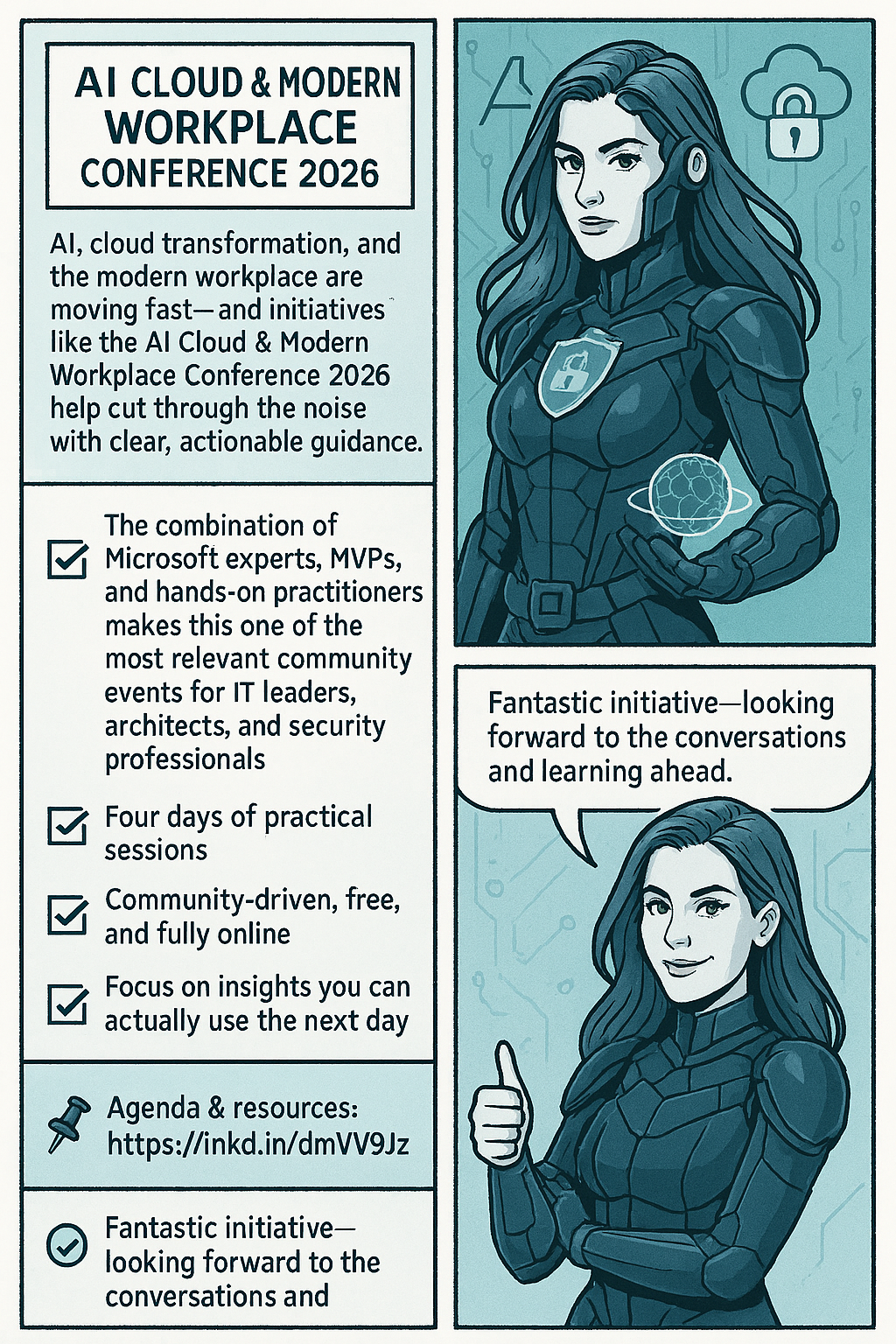
We’re delighted to bring back the AI Cloud & Modern Workplace Conference 2026 for the third consecutive year-an effort that, despite tight timelines and real organizational challenges, Konstantinos Boutsioulis MVP managed to deliver together with George – Chrysovalantis Grammatikos .
📌 When & Where 11–14 February 2026 (UTC+2) · Online · Free to attend with no registration required. For agenda updates and resources, visit the official site: AI CLOUD & MODERN WORKPLACE CONFERENCE 2026. Who’s on stage
♨️A curated lineup featuring speakers from Microsoft, Microsoft MVPs, and seasoned leaders from the broader IT market—bringing practical insights from product engineering, consulting, and frontline delivery.
🔖 What you’ll gain Actionable guidance across AI, Cloud, and Modern Work scenarios-grounded in real implementations and best practices. Hands‑on, practitioner‑level sessions spanning topics. Community value – organized by the Digital Innovation Minds community, focused on vendor‑neutral learning aligned to Microsoft technologies. Format & experience Expect focused talks, panel discussions, and practical deep dives designed for IT leaders, architects, developers, and security & data professionals who need outcomes they can apply the next day.
Important notes for attendees 🔖 The conference is 100% online—join from anywhere. 🏷️ It is entirely free—no registration or sign‑up forms are required. 🌍 More information, daily updates, and speaker materials will be available on the official site: AI CLOUD & MODERN WORKPLACE CONFERENCE 2026. We can’t wait to share four days of practical learning and community‑driven knowledge. See you online!
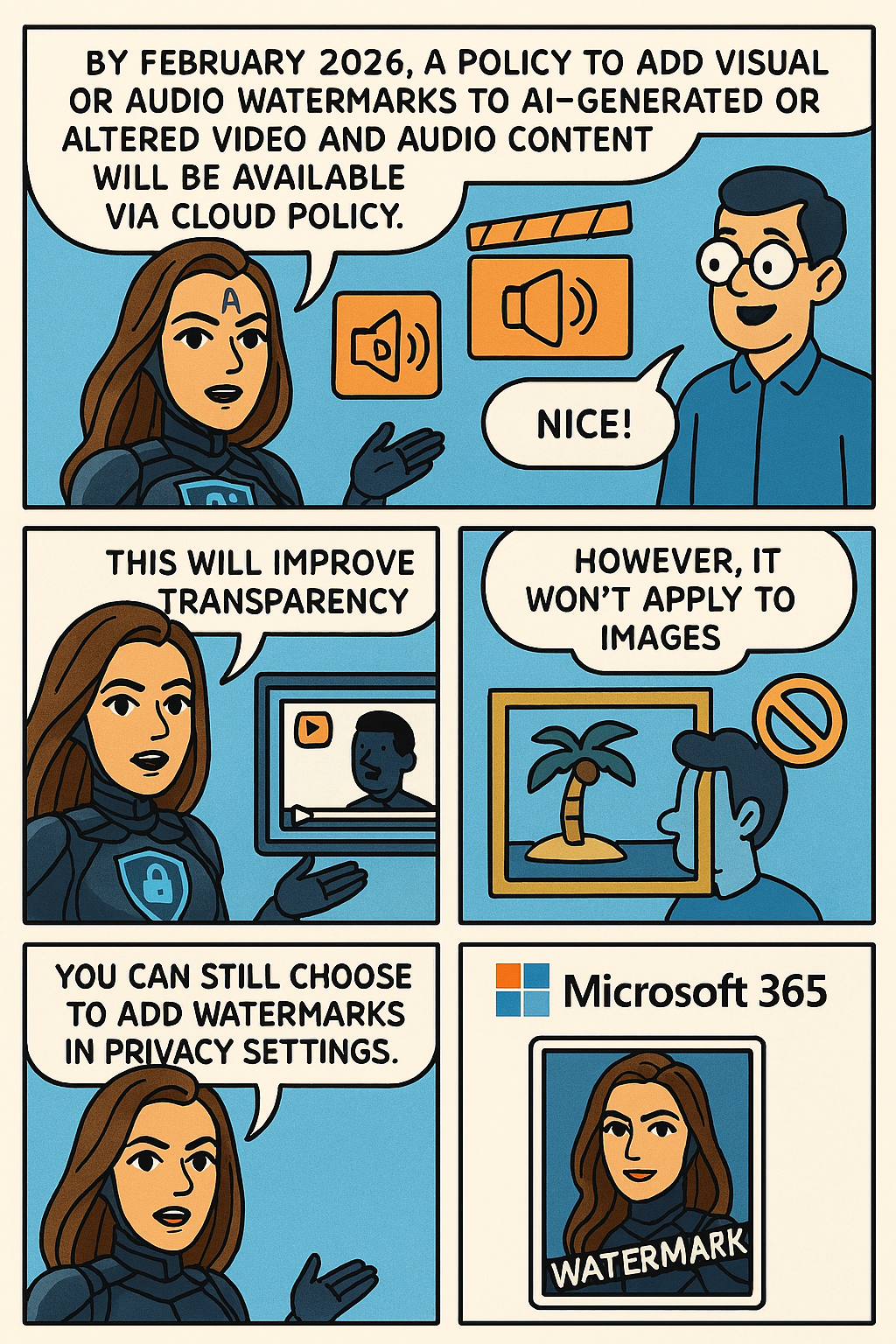
Microsoft 365 will offer a policy to add visual or audio watermarks to AI-generated or altered video and audio content, available via Cloud Policy by February 2026. This enhances transparency but does not apply to images, which users can watermark through privacy settings separately.
To help provide additional transparency about what content has been generated or altered by using AI in Microsoft 365, Microsoft is providing you with a policy setting that visually designates when content, such as video or audio content, is generated or altered by using AI. This policy setting controls your organization’s option to add a visual or audio watermark to video and audio content that your users generate or alter by using AI in Microsoft 365.
To turn on watermarks for video and audio content that your users generate or alter by using AI in Microsoft 365, you need to use the “Include a watermark when content from Microsoft 365 is generated or altered by AI” policy. This policy is available only in Cloud Policy service for Microsoft 365.
Note: Watermarks are not turned on unless you set the policy to Enabled. Your organization is always responsible for following the Microsoft Enterprise AI Services Code of Conduct, including not generating or sharing deceptive AI content.
This change is associated with Microsoft 365 Roadmap ID: 547831.
When this will happen
General Availability (Worldwide): We anticipate that this policy will be available in Cloud Policy by the second half of February 2026.
How this will affect your organization
Who is affected
Users that generate or alter video and audio content by using AI in Microsoft 365
What will happen
If you set the “Include a watermark when content from Microsoft 365 is generated or altered by AI” policy to Enabled in Cloud Policy, a visual or audio watermark is added to video and audio content that is generated or altered by using AI in Microsoft 365. Here are two examples:
A visual watermark is added to a video generated with Clipchamp.
An audio watermark is added to an audio overview generated by Copilot from a Word document.
Notes:
This policy doesn’t affect images generated or altered by using AI in Microsoft 365.
Instead, your users will be able to turn on watermarks for images by going to Settings & Privacy > Privacy at https://myaccount.microsoft.com. We anticipate this capability will be available in the second half of February 2026.
What you need to do to prepare
Review the information in the following article: Add watermarks to content generated or altered by using AI in Microsoft 365. If you decide to set the “Include a watermark when content from Microsoft 365 is generated or altered by AI” policy to Enabled, inform your users that a visual or audio watermark will be added to video and audio content that they generate or alter by using AI in Microsoft 365.
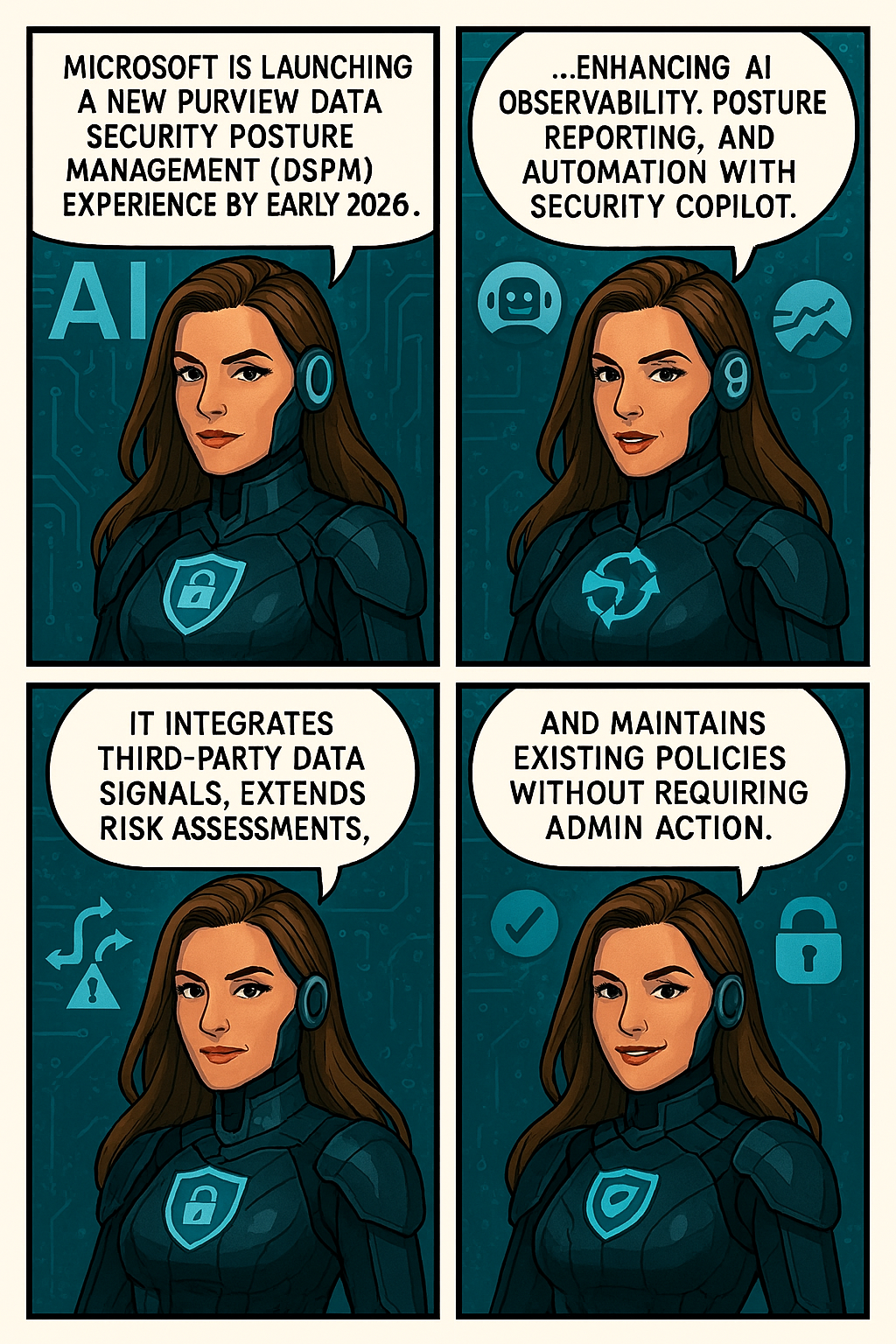
Microsoft is launching a new Purview Data Security Posture Management (DSPM) experience by early 2026, enhancing AI observability, posture reporting, and automation with Security Copilot.
Microsoft is introducing a major evolution of Purview Data Security Posture Management (DSPM) to help organizations strengthen data security and confidently embrace AI. The new DSPM experience unifies visibility and control across traditional data and AI-driven environments, delivering outcome-based guided workflows that turn insights into actionable steps—so teams can prioritize risks and remediate faster. It brings AI observability, enhanced posture reporting, and intelligent Security Copilot agents to automate tasks like triage and policy management.
Purview now also extends coverage beyond Microsoft data with third-party signals from partners like BigID, Cyera, OneTrust, and Varonis, giving security teams a single, streamlined view of sensitive data across clouds and platforms. Additionally, Data Risk Assessments are extended to Fabric and item-level analysis with new remediation actions like bulk disabling of overshared SharePoint links.
This message is associated with Microsoft 365 Roadmap ID532728.
When this will happen:
Public Preview (Worldwide): Rollout begins early December 2025 and completes by early April 2026.
General Availability (Worldwide): Rollout begins early April 2026 and completes by early May 2026.
Compliance considerations:
Compliance Area
Explanation
AI/ML capabilities interacting with customer data
Security Copilot agents automate triage and policy management.
Integration with 3rd party software
Adds signals from BigID, Cyera, OneTrust, and Varonis.
Admin reporting and monitoring
Enhanced posture reporting and remediation actions introduced.
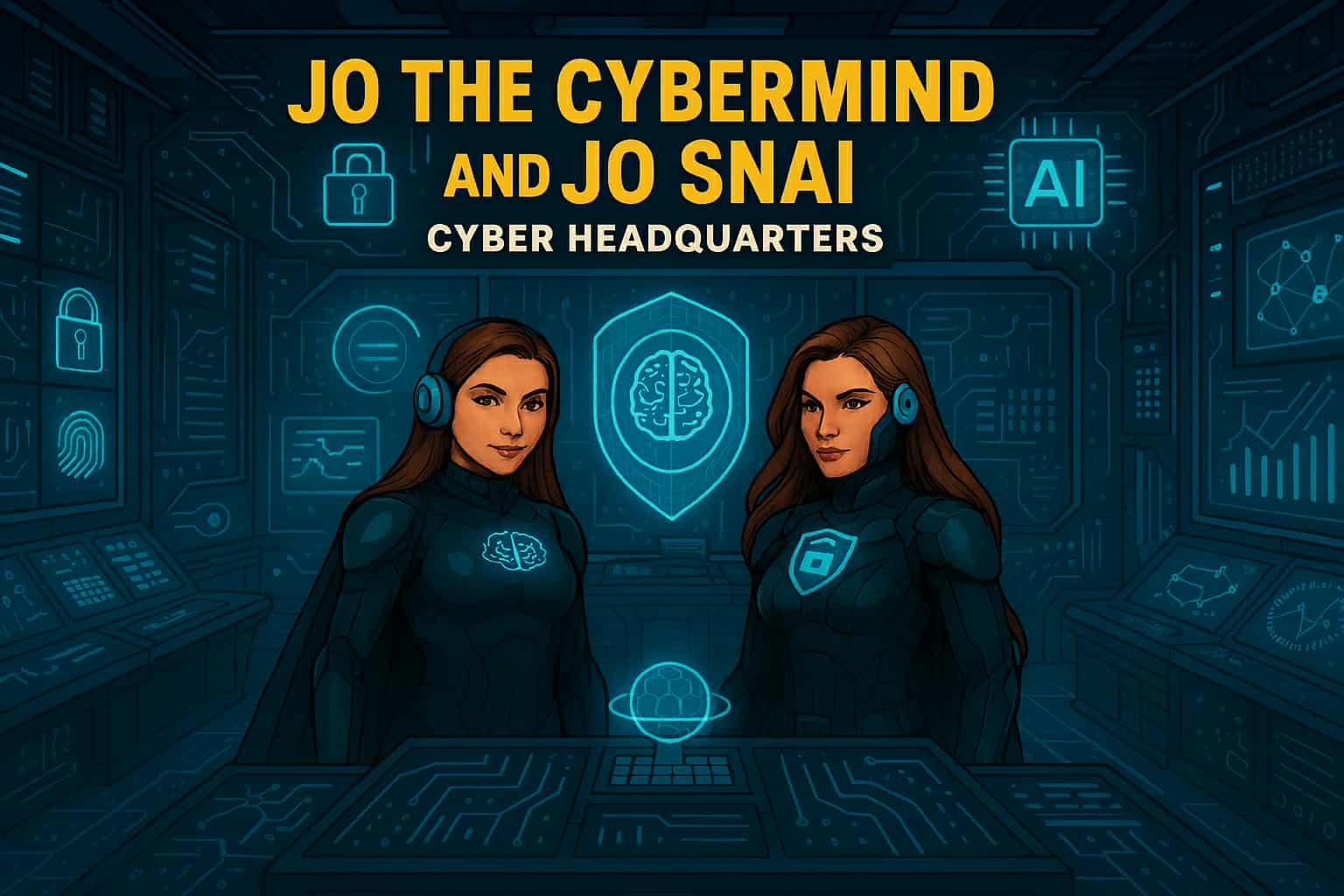
In a world where data flows like rivers and algorithms shape reality, two extraordinary heroes rise to defend the integrity of cyberspace: Jo Cybermind and Jo SNAI. Known collectively as The Cyber Twins, they are the ultimate protectors of the digital frontier, combining the power of Cybersecurity and Artificial Intelligence to keep the virtual world safe.
The Birth of The Cyber Twins
In the early days of the Quantum Net, humanity stood on the brink of a digital collapse. Cybercrime syndicates had evolved beyond firewalls, wielding AI-driven attacks that could dismantle entire infrastructures in seconds. Governments and corporations scrambled for solutions, but every defense fell short.
Amid this chaos, two brilliant minds emerged from the shadows of innovation. One was a pioneer in cognitive security systems, the other a visionary in Security Nebula AI. Their paths crossed during a catastrophic breach—the Nebula Incident—where a rogue superintelligence threatened to seize control of global networks.
Instead of retreating, they fused their expertise into a single mission: to create a new era of defense where human intuition meets machine intelligence. Through relentless research and quantum experimentation, they unlocked extraordinary abilities—transforming themselves into living embodiments of their technologies.
Jo Cybermind became the shield of the digital realm, wielding neural firewalls and cognitive encryption to repel any threat.
Jo SNAI mastered the art of predictive warfare, commanding AI sentinels and weaving a global cyber mesh to outsmart adversaries before they strike.
Bound by purpose and powered by innovation, they vowed to protect the integrity of cyberspace. From that day forward, they were known as The Cyber Twins—guardians of security and intelligence in a world where every byte counts.
“In a universe of infinite data, only two minds can keep the chaos in check. The Cyber Twins—where security meets intelligence.”
Meet Jo Cybermind
Jo Cybermind is the embodiment of strategic defense and cognitive brilliance. Her superpower lies in Nebula Shielding, a cutting-edge ability that creates impenetrable barriers against cyber threats. With her enhanced brain-computing interface, she can detect anomalies in milliseconds, neutralize ransomware attacks before they spread, and predict vulnerabilities before they even exist.
Her moto: “Decode the Chaos.”
Signature Abilities:
Quantum Threat Analysis: Scans billions of data points instantly to identify hidden risks.
Adaptive Firewalls: Deploys dynamic shields that evolve with every attack.
Cognitive Encryption: Encrypts sensitive data using AI-driven neural patterns, making it virtually unbreakable.
Meet Jo SNAI
Jo SNAI is the visionary architect behind intelligent systems and the unrivaled strategist of predictive algorithms. Her ultimate power, Security Nebula AI, transforms the battlefield of cyberspace into her domain. With this ability, she channels the limitless potential of machine learning to outthink and outmaneuver even the most sophisticated adversaries. Jo SNAI doesn’t just defend—she anticipates, adapts, and evolves.
Her motto: “Intelligence isn’t just power, it’s protection.”
Signature Abilities
AI Sentinels: Deploys autonomous guardians that patrol networks, neutralizing threats before they strike.
Behavioral Pattern Mapping: Reads the digital footprints of cybercriminals, predicting their next move with surgical precision.
Global Cyber Mesh: Weaves a resilient, interconnected shield across infrastructures, creating a fortress of security in the cloud and beyond.
Together, They Are Unstoppable
When Jo Cybermind and Jo SNAI join forces, they form an unbreakable alliance of logic and learning. Their synergy ensures that every byte of data remains secure, every algorithm stays ethical, and every user can trust the digital world. They are not just heroes—they are the future of cybersecurity and AI.
“In a universe of infinite data, only two minds can keep the chaos in check. The Cyber Twins—where security meets intelligence. When chaos ruled the code, two minds rewrote destiny.”
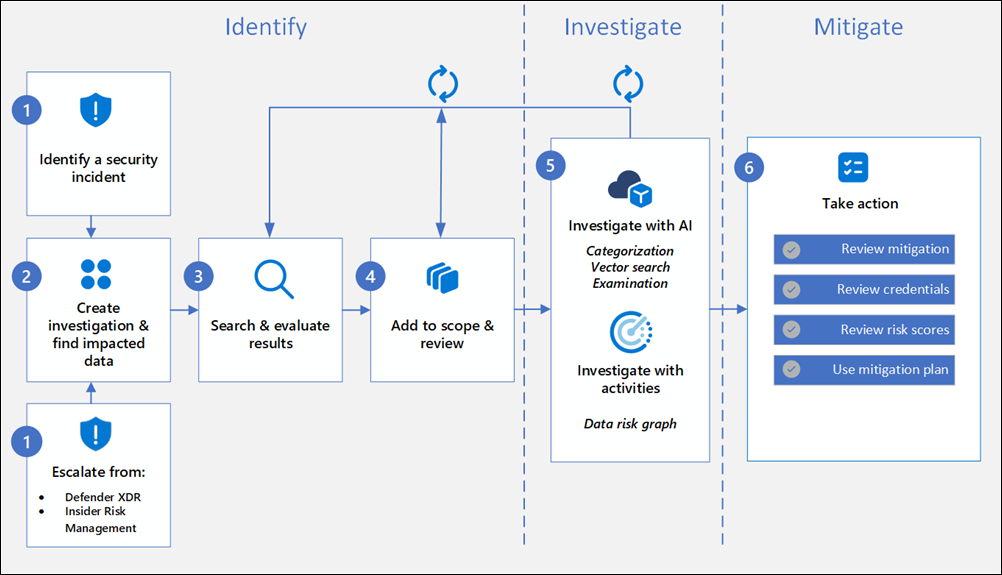
Data Security Investigations (preview) workflow helps you quickly identify, investigate, and take action on data associated with security and data breach incidents. This workflow isn’t a linear process. It includes significant iteration requirements for several of the steps to fine tune searches, evidence gathering, classification, and investigation by using AI and activities.
Analysts can use Data Security Investigations (preview) features in your organization to:
Quickly and efficiently search, discover, and identify impacted data.
Use deep content AI analysis to discover exact data risks hidden in data.
Take action to reduce the impact of data security incidents and quickly mitigate ongoing risks.
Collaborate with internal and external stakeholders on investigation details.
Check out the following videos to learn about how Data Security Investigations (preview) can help you respond to data security incidents:
DSI builds on and extends Microsoft Purview’s existing best-of-breed Data Security portfolio. Our information protection, data loss prevention, and insider risk management solutions have provided customers with a strong foundation to protect their crown jewels, their data. Data is at the center of cyberattacks, and now DSI will use AI to re-imagine how customers investigate and mitigate data security incidents, accelerating the process dramatically. Most organizations we spoke to (77%) believe that AI will accelerate data security detection and response, and 76% think AI will improve the accuracy of data security detection and response strategies. With its cutting edge, generative AI-powered investigative capabilities, DSI will transform and scale how data security admins analyze incident-related data. DSI uncovers key security and sensitive data risks and facilitates secure collaboration between partner teams to mitigate those identified risks. This simplifies previously complex, time-consuming tasks – what once took months, can now be done in a fraction of the time.
The Scareware Blocker is a New feature in Microsoft Edge designed to protect users from tech support scams, often referred to as scareware. These scams use aggressive web pages to trick users into thinking their system is infected with malware, pressuring them to call fake tech support numbers. Scareware blockers use a machine learning model to recognize the tell-tale signs of scareware scams and put users back in control of their computer.
Here’s how it works:
Machine Learning: It uses a machine learning model to detect and block scareware sites.
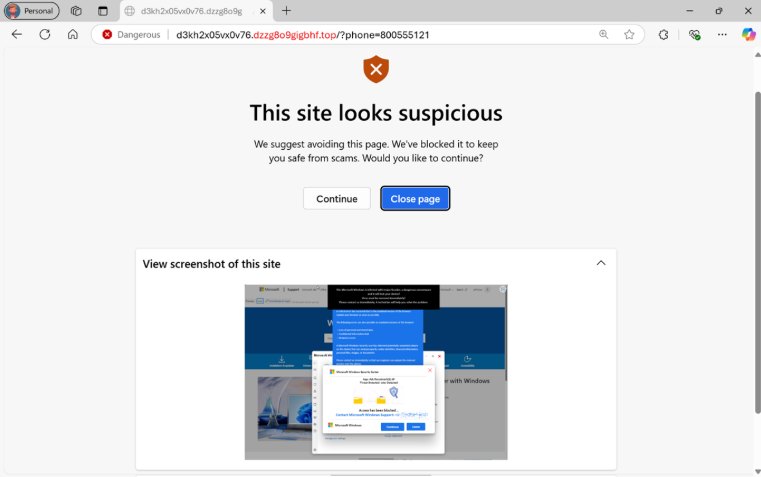
User Control: When a suspicious site is detected, Edge blocks it and shows a warning message, giving users the option to close the page or proceed if they believe it’s safe
“Scareware” scams are a particularly convincing type of tech support scam. They use aggressive web pages to convince victims into thinking their system is infected with malware, pressure them to call a fake tech support number, and try to gain access to the computer. Last year, Hollywood even made a blockbuster action movie with scareware scammers as the villains.
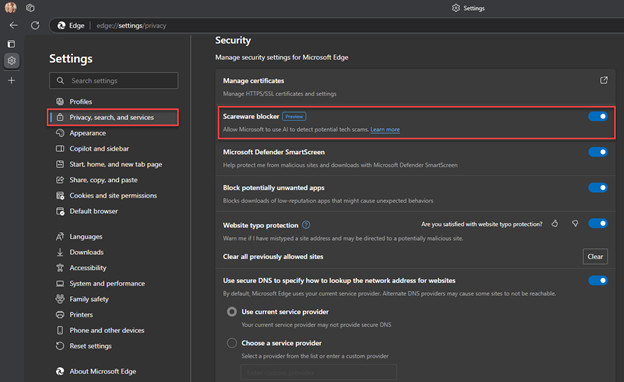
To enable Scareware Blocker in Microsoft Edge:
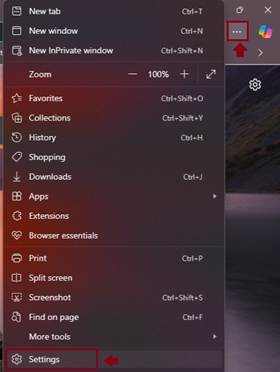
Open Edge and click on the three-dot menu in the toolbar.
Select Settings.
Navigate to Privacy, search, and services.
Find the Scareware Blocker option and toggle it on
When scareware blocker suspects a page is a scam, Edge will put users back in control by exiting full screen mode, stopping aggressive audio playback, warning the user, and showing a thumbnail of the page they were just viewing:
Scareware blocker fights tech scams – Video Tutorial
Microsoft 365 Copilot is a sophisticated processing and orchestration engine that provides AI-powered productivity capabilities by coordinating the following components:
Large language models (LLMs)
Content in Microsoft Graph, such as emails, chats, and documents that you have permission to access.
The Microsoft 365 productivity apps that you use every day, such as Word and PowerPoint.
How does Microsoft 365 Copilot use your proprietary organizational data?
Microsoft 365 Copilot provides value by connecting LLMs to your organizational data. Microsoft 365 Copilot accesses content and context through Microsoft Graph. It can generate responses anchored in your organizational data, such as user documents, emails, calendar, chats, meetings, and contacts. Microsoft 365 Copilot combines this content with the user’s working context, such as the meeting a user is in now, the email exchanges the user had on a topic, or the chat conversations the user had last week. Microsoft 365 Copilot uses this combination of content and context to help provide accurate, relevant, and contextual responses.
Microsoft 365 Copilot only surfaces organizational data to which individual users have at least view permissions. It’s important that you’re using the permission models available in Microsoft 365 services, such as SharePoint, to help ensure the right users or groups have the right access to the right content within your organization. This includes permissions you give to users outside your organization through inter-tenant collaboration solutions, such as shared channels in Microsoft Teams.
When you enter prompts using Microsoft 365 Copilot, the information contained within your prompts, the data they retrieve, and the generated responses remain within the Microsoft 365 service boundary, in keeping with our current privacy, security, and compliance commitments. Microsoft 365 Copilot uses Azure OpenAI services for processing, not OpenAI’s publicly available services. Azure OpenAI doesn’t cache customer content and Copilot modified prompts for Microsoft 365 Copilot.
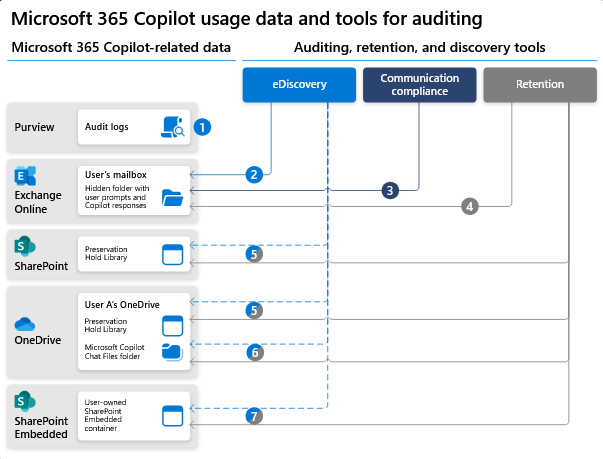
Data stored about user interactions with Microsoft 365 Copilot
When a user interacts with Microsoft 365 Copilot (using apps such as Word, PowerPoint, Excel, OneNote, Loop, or Whiteboard), we store data about these interactions. The stored data includes the user’s prompt and Copilot’s response, including citations to any information used to ground Copilot’s response. We refer to the user’s prompt and Copilot’s response to that prompt as the “content of interactions” and the record of those interactions is the user’s Copilot activity history. For example, this stored data provides users with Copilot activity history in Microsoft 365 Copilot Chat (previously named Business Chat) and meetings in Microsoft Teams. This data is processed and stored in alignment with contractual commitments with your organization’s other content in Microsoft 365. The data is encrypted while it’s stored and isn’t used to train foundation LLMs, including those used by Microsoft 365 Copilot.
To view and manage this stored data, admins can use Content search or Microsoft Purview. Admins can also use Microsoft Purview to set retention policies for the data related to chat interactions with Copilot. For Microsoft Teams chats with Copilot, admins can also use Microsoft Teams Export APIs to view the stored data.
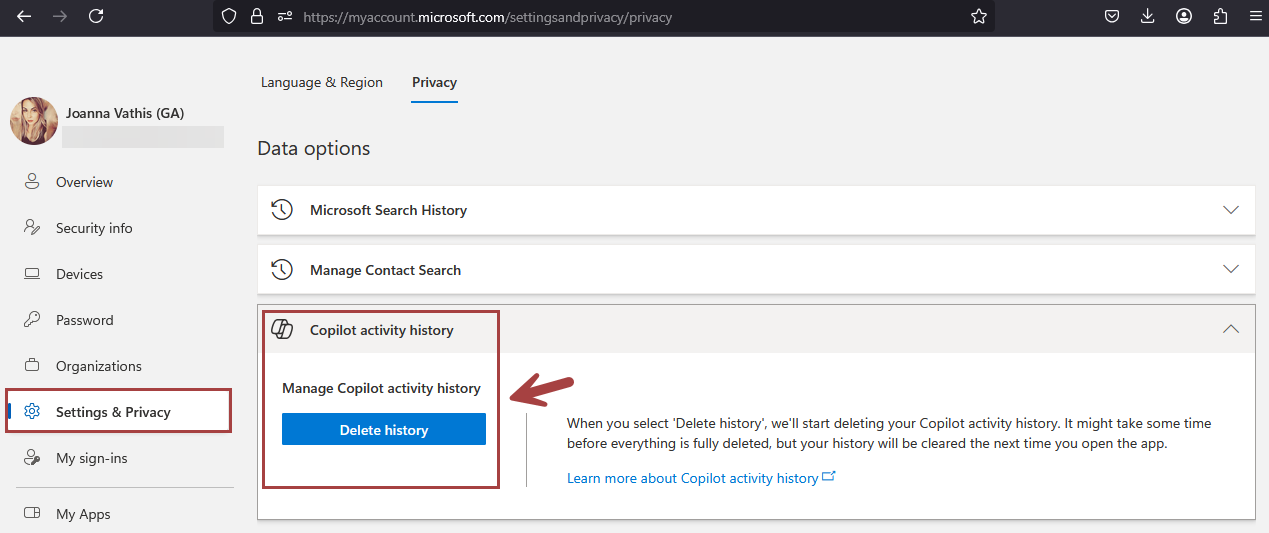
Deleting the history of user interactions with Microsoft 365 Copilot
Microsoft 365 Copilot calls to the LLM are routed to the closest data centers in the region, but also can call into other regions where capacity is available during high utilization periods.
For European Union (EU) users, we have additional safeguards to comply with the EU Data Boundary. EU traffic stays within the EU Data Boundary while worldwide traffic can be sent to the EU and other countries or regions for LLM processing. The EU Data Boundary is a geographically defined boundary within which Microsoft has committed to store and process Customer Data and personal data for our Microsoft enterprise online services, including Azure, Dynamics 365, Power Platform, and Microsoft 365, subject to limited circumstances where Customer Data and personal data will continue to be transferred outside the EU Data Boundary.
How does Microsoft 365 Copilot protect organizational data?
The permissions model within your Microsoft 365 tenant can help ensure that data won’t unintentionally leak between users, groups, and tenants. Microsoft 365 Copilot presents only data that each individual can access using the same underlying controls for data access used in other Microsoft 365 services. Semantic Index honors the user identity-based access boundary so that the grounding process only accesses content that the current user is authorized to access.
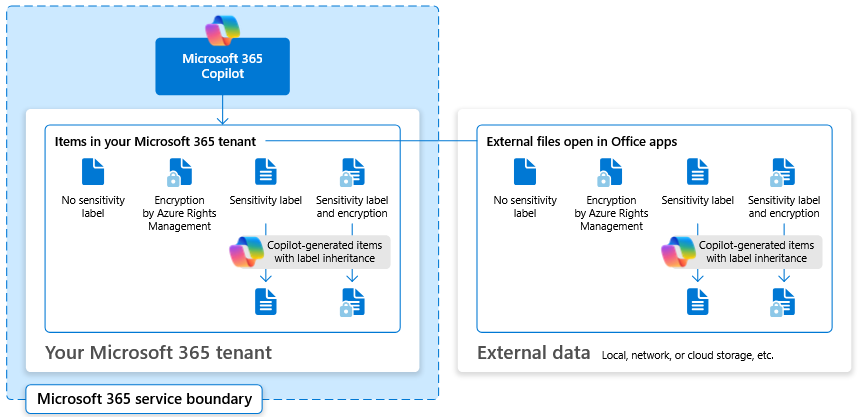
Copilot works together with your Microsoft Purviewsensitivity labels and encryption to provide an extra layer of protection. The following diagram provides a visual representation of how Copilot honors your information protection controls using sensitivity labels and encryption.
Copilot will only work with your M365 tenant data and won’t be able to access other companies’ data. Plus, your data doesn’t train the AI for other companies to leverage..
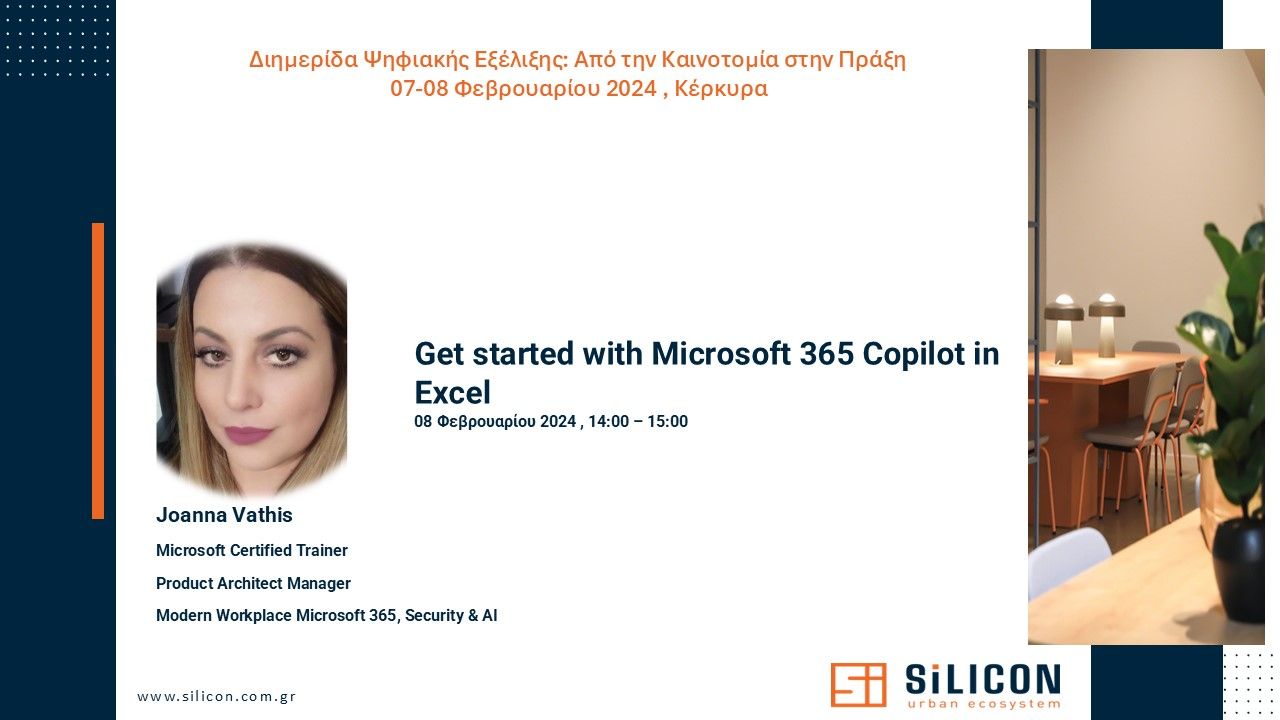
🔝I am excited to announce that I will be speaking at the “Διημερίδα Ψηφιακής Εξέλιξης in Corfu, taking place on February 7-8! @silicon_corfu
📆Title: Get started with Microsoft 365 Copilot in Excel 📝Description: I’m excited to share some insights about the amazing features of Microsoft 365 Copilot in Excel. This innovative tool is designed to help you work more efficiently with your data by providing intelligent suggestions and insights.
With Copilot in Excel, you can do much more with your data. It generates formula column suggestions, shows insights in charts and PivotTables, and highlights interesting data, making it easier for you to uncover valuable information.
In our upcoming presentation, we will explore these features in detail and see how they can enhance our productivity:
📍Formulas: Writing, explaining, and asking questions 📍More formula use cases 📍Working with text 📍Visualize: Charts and Color 📍Ask questions about Excel 📍Demo
🚀 I look forward to seeing you there! Don’t miss the opportunity to participate in this important event and enrich your knowledge of the latest Microsoft technologies. Register now for free and join us for discussions and learning!
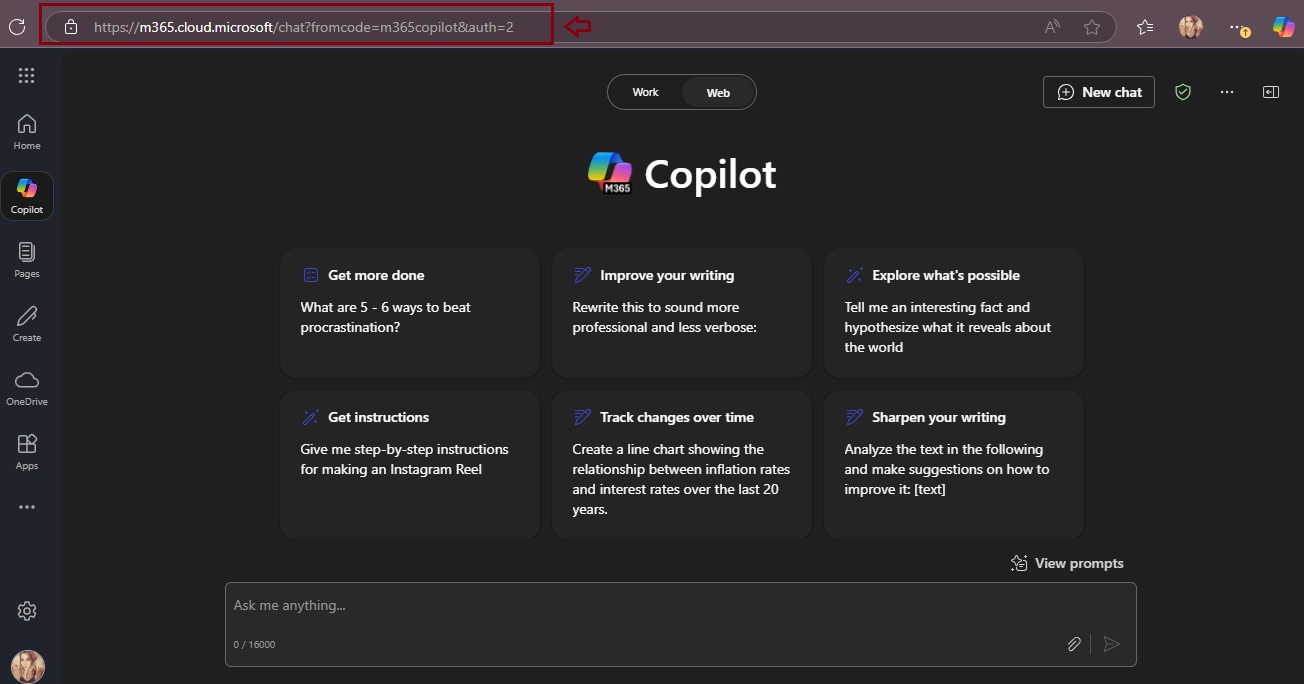
Microsoft introducing Microsoft 365 Copilot Chat, a new offering that adds pay-as-you-go agents to our existing free chat experience for Microsoft 365 commercial customers. Copilot Chat enables your entire workforce—from customer service representatives to marketing leads to front-line technicians—to start using Copilot and agents today. It includes:
Free, secure AI chat powered by GPT-4o.
Agents accessible right in the chat.
IT controls, including enterprise data protection and agent management.
Copilot Chat: The power of chat + agents
Copilot is the UI for AI, and it all starts with Copilot Chat. It’s the chat experience you’ll use every day—powered by broad knowledge from the web, built on GPT-4o, and designed to be safe and secure for business use. It represents a foundational shift in how we work, enabling everyone to work smarter, faster, and more collaboratively.
Copilot Chat includes:
Web-grounded chat with GPT-4o. You can use it to do market research, write a strategy document, or prepare for a meeting. File uploads allow you to add any document to the chat and ask Copilot to do things like summarize key points in a Word document, analyze data in an Excel spreadsheet, and suggest improvements to a PowerPoint presentation.1 With Copilot Pages, you can collaborate on content with people and AI in real time—adding content from Copilot, your files, and now from the web as well. And you can quickly create AI-generated images for campaigns, product launches, and social media posts.2
Agents. Using natural language, now anyone can easily create agents to automate repetitive tasks and business processes—directly in Copilot Chat. A customer service representative can ask a customer relationship management (CRM) agent for account details before a customer meeting, while field service agents can access step-by-step instructions and real-time product knowledge stored in SharePoint. Agents are priced on a metered basis, and IT stays in control. IT admins can also build organization-wide agents and manage agent deployment, all powered by Microsoft Copilot Studio.
Copilot Control System. Copilot Chat includes foundational capabilities of the Copilot Control System, including enterprise data protection (EDP) for data privacy and security and the ability to govern access and manage the usage and lifecycle of Copilot and agents, as well as measurement and reporting.
Download the Microsoft 365 Copilot mobile app from here..
This month Microsoft rolled out support for an additional 12 languages in Microsoft 365 Copilot: Bulgarian, Croatian, Estonia, Greek, Indonesian, Latvian, Lithuanian, Romanian, Serbian (Latin), Slovak, Slovenian, and Vietnamese. Microsoft 365 Copilot now supports a total of 42 languages.
Finally, users working in Serbian language will see Teams meeting transcripts in Cyrillic, rather than Latin script. This is an issue Microsoft working to resolve. Microsoft will provide customers with updates on progress towards providing Teams meeting transcripts for Serbian language in Latin script on an as-appropriate basis. Learn more about supported languages for Microsoft Copilot here.
Microsoft are also continuing to expand the list of supported languages, with plans to offer support for even more languages in the coming months, stay tune!









 Catastrophic Failure