🚀 What an amazing session yesterday!


🙌 A huge thank you to everyone who joined our live event: Securing Productivity with Microsoft 365 Copilot! 💻✨

It was such a pleasure to connect with so many of you, share ideas, and dive deep into how we can boost productivity while keeping security front and center. 🔐💡

Your questions and engagement made the discussion truly insightful and interactive. This is exactly what makes these sessions so valuable—learning together and exchanging perspectives!

🎥 Missed the session? No worries!

We’ve got you covered. You can catch the full recording here 👇

✨ Grab a coffee ☕, sit back, and enjoy the insights—we hope you find some great takeaways to apply in your organization.

💬 I’d love to hear from you:

👉 How are you planning to use Microsoft 365 Copilot securely in your organization?

👉 What challenges or opportunities do you see when combining AI and security?

Drop your thoughts below! 👇💭 Let’s keep the conversation going and learn from each other.

#Microsoft365 #Copilot #Security #Productivity #AI #ModernWorkplace #Innovation #FutureOfWork #CyberSecurity #DigitalTransformation

📢 You’re Invited! M365 Copilot Data Protection, Security and Compliance


🚨 Live Event Alert! 🚨
We’re thrilled to invite you to an exclusive live session where we’ll unpack some of the most pressing topics in the Microsoft 365 Copilot ecosystem:

🔐 Data Protection
🛡️ Security & Compliance
🤖 Responsible AI

📅 Date: November 12
🕗 Time: 8:00 p.m. EET (GMT +2)
🔗 Join us live: https://lnkd.in/dqtspW5K

Whether you’re an IT pro, security enthusiast, or just curious about the future of AI in the workplace, this session is packed with insights you won’t want to miss.

📌 Stay in the loop! Subscribe to our channel for updates on future sessions and expert content:
https://lnkd.in/dxfbWSUA

👀 Looking forward to seeing you there!

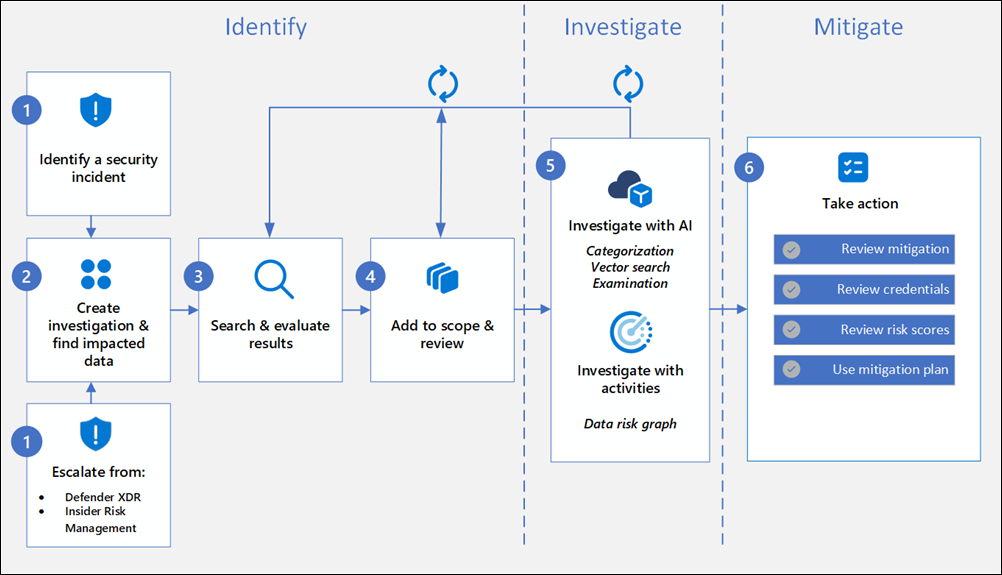
Empowering Cybersecurity with Microsoft Purview Data Security Investigations (Preview)


Data Security Investigations (preview) workflow helps you quickly identify, investigate, and take action on data associated with security and data breach incidents. This workflow isn’t a linear process. It includes significant iteration requirements for several of the steps to fine tune searches, evidence gathering, classification, and investigation by using AI and activities.

Analysts can use Data Security Investigations (preview) features in your organization to:

  • Quickly and efficiently search, discover, and identify impacted data.
  • Use deep content AI analysis to discover exact data risks hidden in data.
  • Take action to reduce the impact of data security incidents and quickly mitigate ongoing risks.
  • Collaborate with internal and external stakeholders on investigation details.

Check out the following videos to learn about how Data Security Investigations (preview) can help you respond to data security incidents:

DSI builds on and extends Microsoft Purview’s existing best-of-breed Data Security portfolio. Our information protection, data loss prevention, and insider risk management solutions have provided customers with a strong foundation to protect their crown jewels, their data. Data is at the center of cyberattacks, and now DSI will use AI to re-imagine how customers investigate and mitigate data security incidents, accelerating the process dramatically.  Most organizations we spoke to (77%) believe that AI will accelerate data security detection and response, and 76% think AI will improve the accuracy of data security detection and response strategies. With its cutting edge, generative AI-powered investigative capabilities, DSI will transform and scale how data security admins analyze incident-related data. DSI uncovers key security and sensitive data risks and facilitates secure collaboration between partner teams to mitigate those identified risks. This simplifies previously complex, time-consuming tasks – what once took months, can now be done in a fraction of the time.

Read more:
Get started with Data Security Investigations (preview)
Learn about Data Security Investigations (preview)

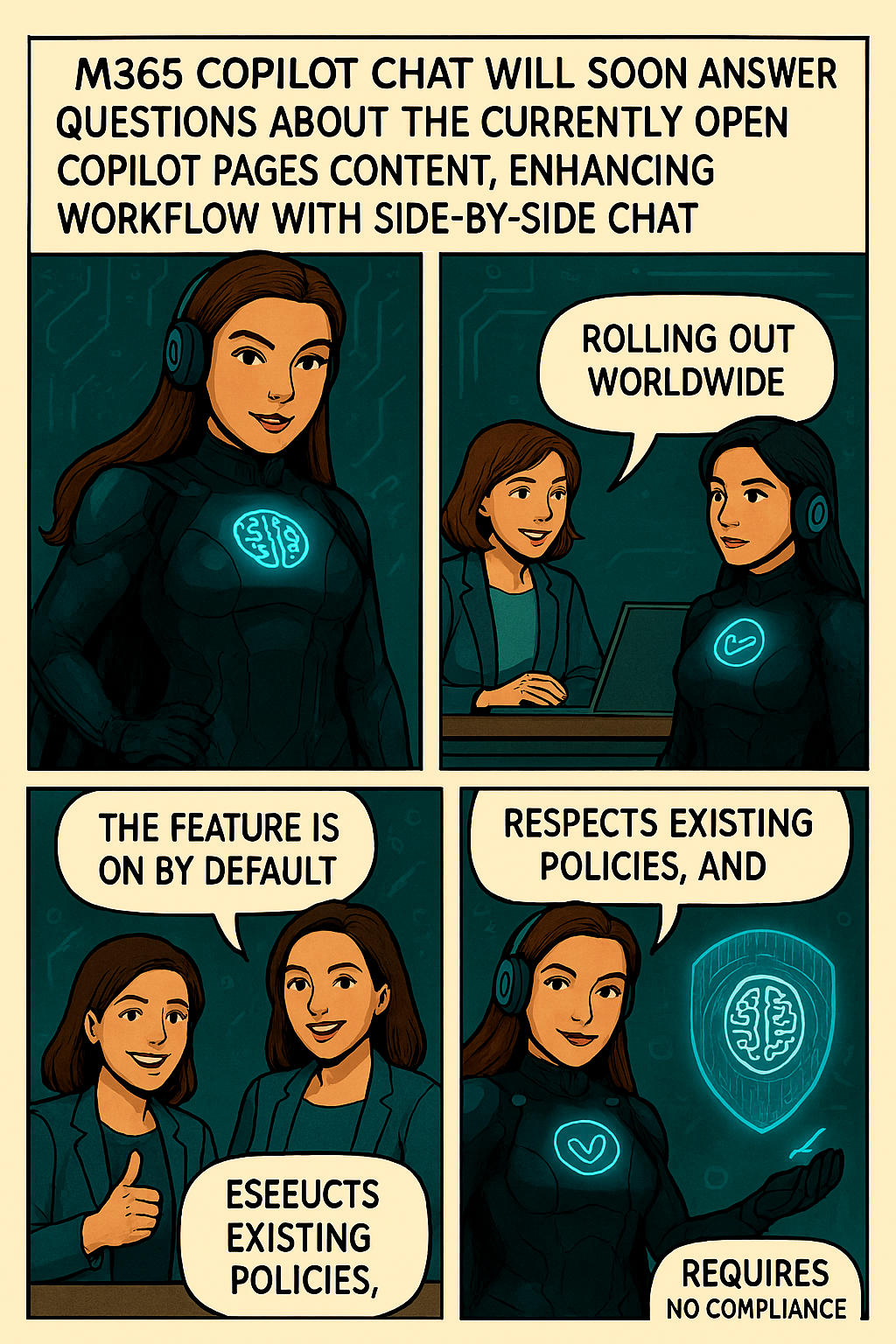
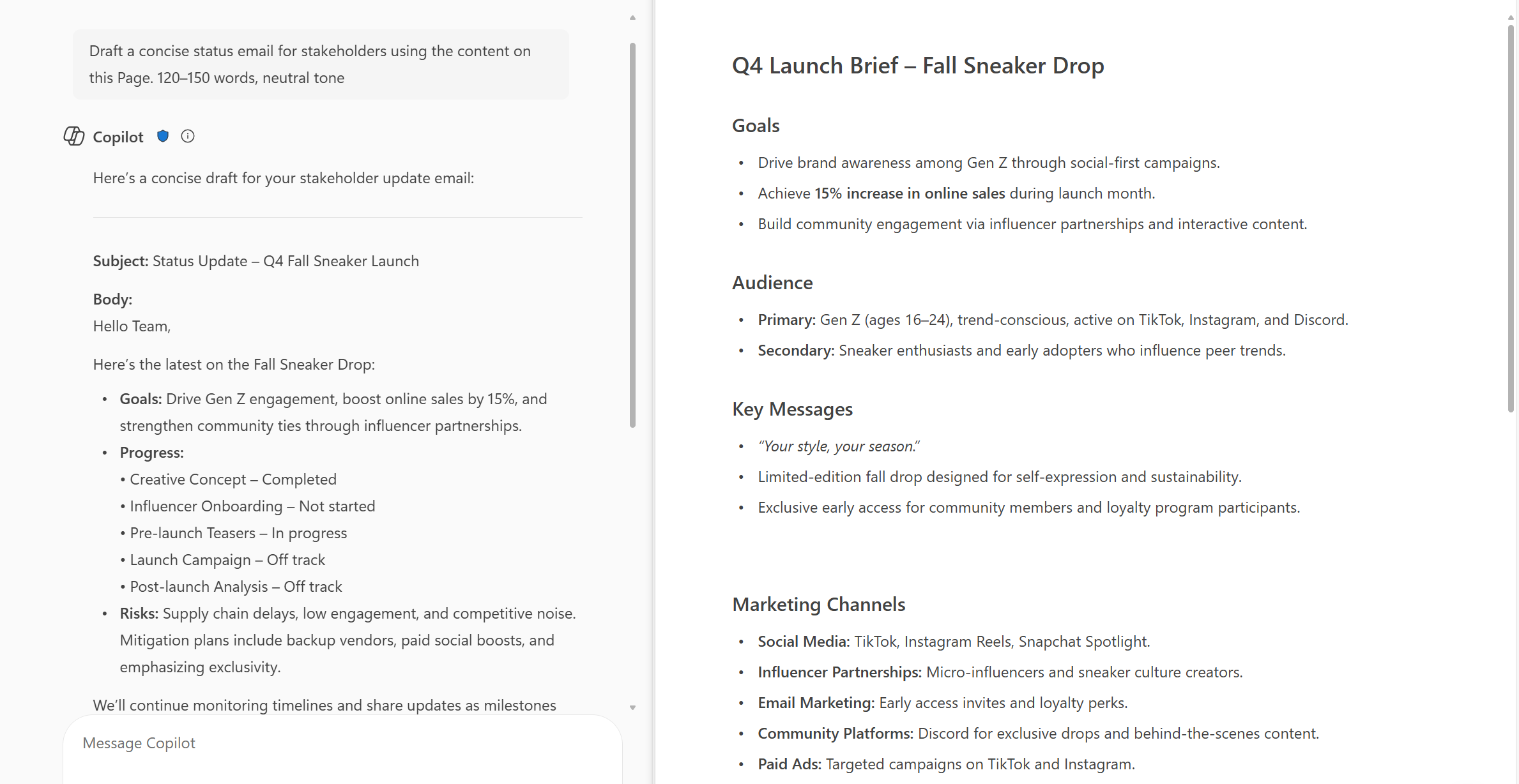
New feature-M365 Copilot Chat can now answer questions about the currently open page


Microsoft introducing a new capability in Copilot Pages that allows Copilot Chat to answer questions based on the contents of the currently open page. This enhancement supports more efficient workflows by enabling users to get contextual answers directly within the side-by-side Chat experience, without needing to switch views or search manually.

When this will happen:
General Availability (Worldwide): We will begin rolling out in early October 2025 and expect to complete by early November 2025.

How this affects your organization:

  • Who is affected: Users with access to Copilot in Microsoft 365 who use Copilot Pages and Copilot Chat in side-by-side mode.
  • What will happen:
    • Users will be able to ask questions in Copilot Chat about the currently open page in Copilot Pages.
  • Copilot will respond using the content of the open page to provide contextual answers.
  • The feature will be ON by default for eligible tenants to configure.
  • Existing admin policies are respected; no policy changes are required.

What you can do to prepare:

  • Communicate this change to helpdesk and support staff.
  • Update internal documentation or training materials that reference Copilot Pages or Chat functionality.
  • Review user guidance to ensure users understand how to use Copilot effectively in side-by-side mode.

Learn more:  Manage Copilot Pages and Copilot Notebooks in your organization | Microsoft Learn

Compliance considerations
No compliance considerations identified, all compliance capabilities will be the same as the Microsoft 365 Copilot Pages experience.

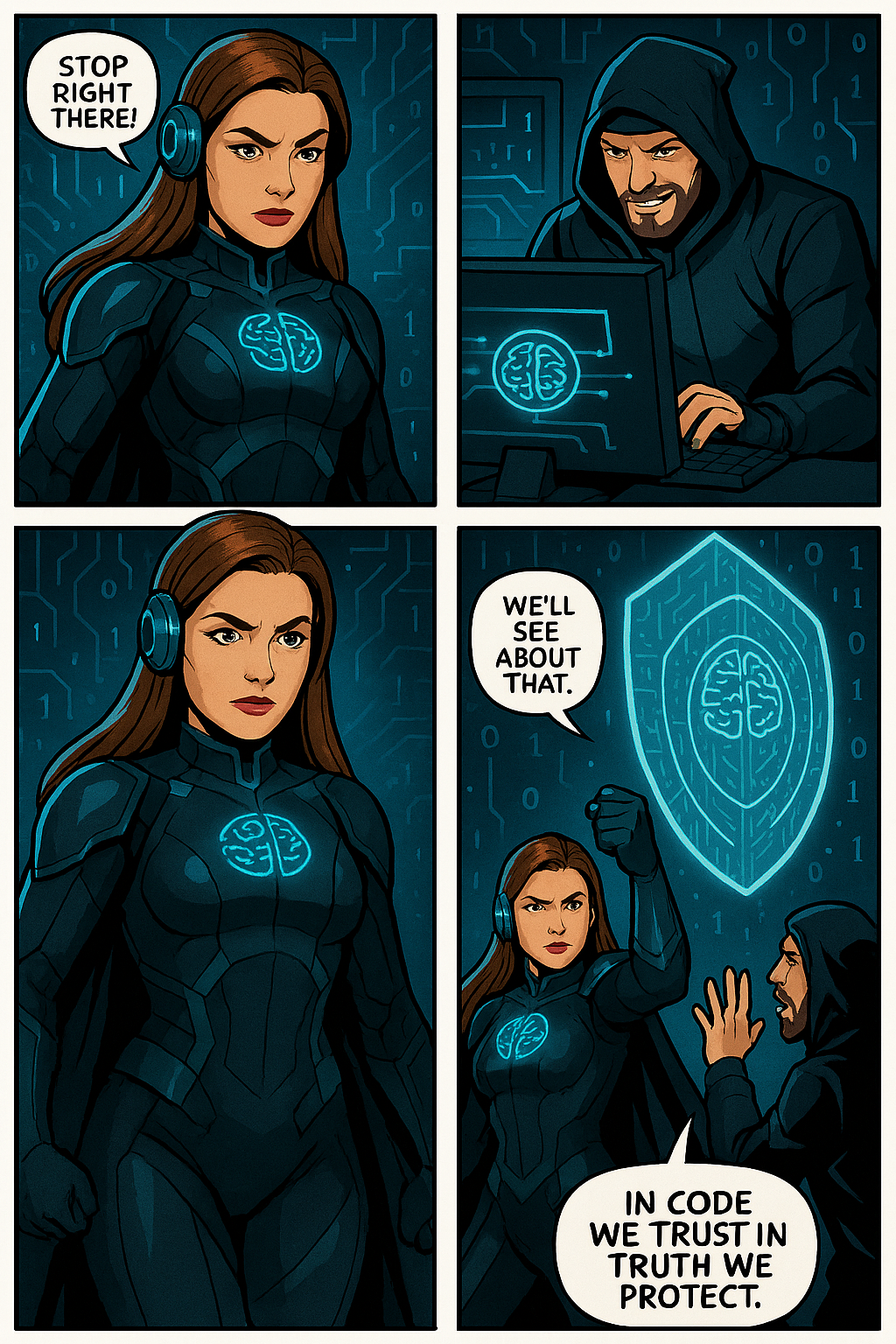
Jo The Ciphermind: A Comic Journey Through Data, Privacy, and Security in Microsoft 365 Copilot


Hello Friday 🎉 !
It’s time to unwind with a great story. Who doesn’t love comics?
I certainly do! So, let’s dive into my comic story and introduce you my character…
My new Tech Comic: Meet Jo Valiant the Guardian of Digital Realms & AI Ethics


🆕 Character
🦸 Name: Jo Valiant
✍ Alias: The Ciphermind
🚨 Role: Guardian of Digital Realms & AI Ethics
🗒️ Catchphrase: “Decode The Chaos.”


In a futuristic digital landscape where data flows like storms and privacy is constantly under threat, emerges Jo The Ciphermind—a guardian clad in encrypted armor and equipped with a mind shielded by advanced privacy protocols. Jo is not just a character but a symbol of resilience and vigilance in the realm of Microsoft 365 Copilot. With glowing blue accents and a brain symbol illuminated on the chest, Jo represents the fusion of human cognition and artificial intelligence. The headphones signify constant connectivity, while the surrounding icons—a padlock, AI chip, shield with a brain, and fingerprint—highlight Jo’s mission to protect data, ensure privacy, and uphold security. This slide introduces Jo as the protagonist of our comic-style journey, setting the stage for an engaging exploration of how Microsoft 365 Copilot integrates these critical elements into its ecosystem.

Balance of Innovation and Integrity
Jo’s journey highlights the balance between advancing AI innovation and upholding responsible data stewardship.

Jo’s Mission
Jo The Ciphermind’s mission transcends individual battles—it’s about empowering users with transparency, control, and trust in Microsoft 365 Copilot.

To be continue…

Data Loss Prevention: Restrict Microsoft 365 Copilot from processing emails with sensitivity labels


Microsoft Purview’s Data Loss Prevention (DLP) now allows you to prevent Microsoft 365 Copilot from processing emails and other content marked with specific sensitivity labels by configuring DLP policies in the Microsoft Purview portal.

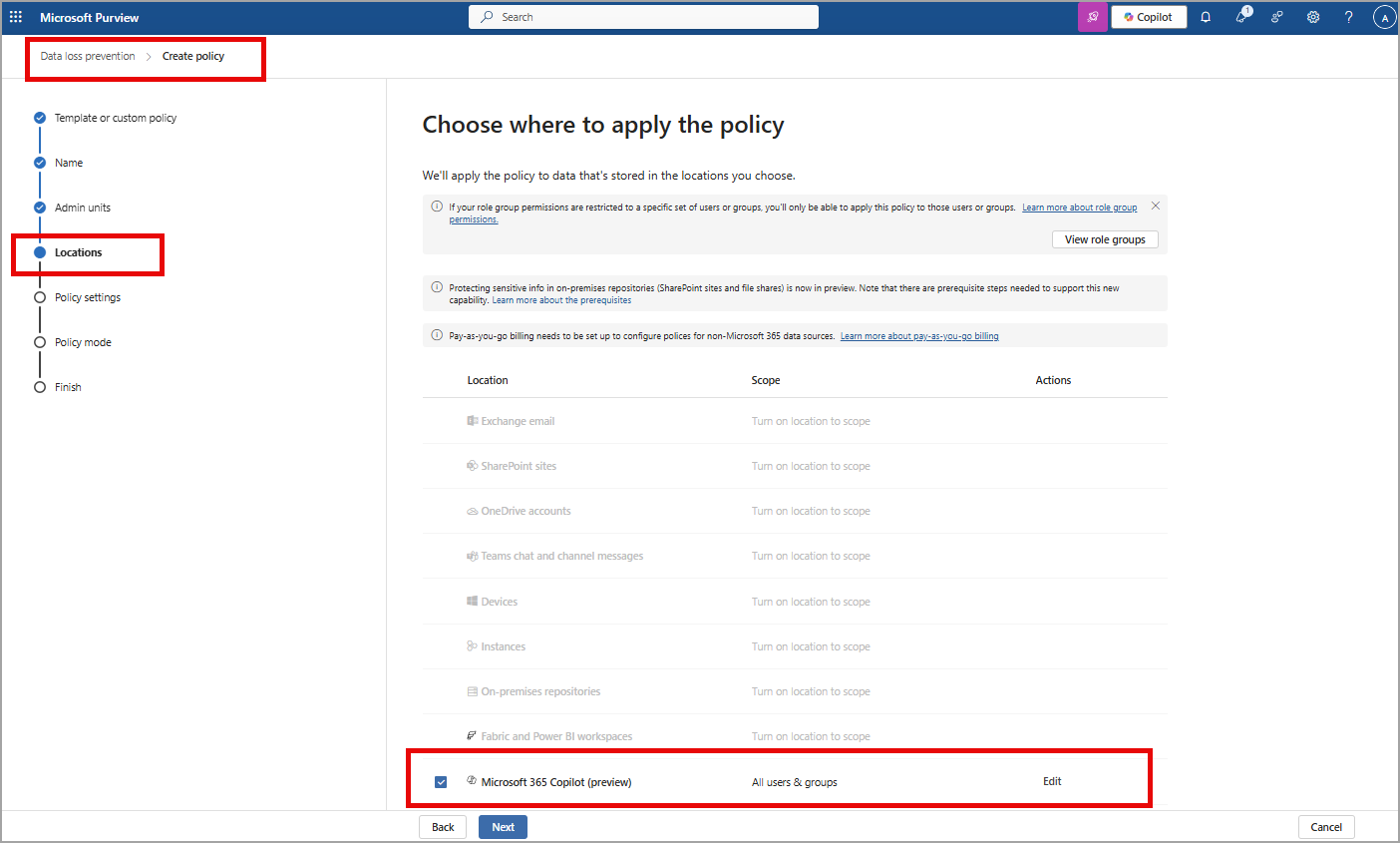
By creating a DLP policy with the “Content contains > Sensitivity labels” condition for the Microsoft 365 Copilot policy location, you can restrict Copilot from using this sensitive content in its responses and summarizations, thereby enhancing data protection.

This feature will allow DLP policies to provide detection of sensitivity labels in emails as enterprise grounding data and restrict access of the labeled emails in Microsoft 365 Copilot chat experiences. This feature only works for emails on or after 1/1/2025.

How this will affect your organization:

Organizations with no existing DLP for Microsoft 365 Copilot policies are not impacted. Customers with the required licenses will be able to go to the Microsoft Purview portal to create policies in the Data Loss Prevention solution. Admins can also go to Data Security Posture Management for AI (DSPM for AI) to see recommendations for creating Microsoft 365 Copilot policies.

Admins should create a new DLP policy using the Copilot location to use this feature:

Check also Microsoft Rodmap

Microsoft Teams: Copilot in Teams can analyze content shared on-screen during a meeting (Roadmap ID 325873)


Microsoft Copilot will be able to answer questions based on content shared onscreen during a Teams meeting.

Microsoft: “Copilot will be able to understand slides, documents, spreadsheets, and websites, or anything else shared onscreen. Users will be able to ask simple recall questions, such as “Show me the content that was shared on the screen” or more specific questions like “what was the Sales target number” if it was shared on a previous slide. Users will also be able to combine screen-share with transcript and chat data to ask, “Show me all the slides and the feedback on each slide,” or “Rewrite the paragraph based on the comments from the audience”.”

Microsoft Update at August 2025

After further review, we are not able to continue rolling this out at this time. We apologize for any inconvenience. Now, Copilot in Teams can analyze content shared on-screen during a meeting when recording is enabled. This, along with meeting transcript and meeting chat, enables users to ask Copilot to summarize or find specific information from screen-shared content (e.g., ‘Which products had the highest sales?’), consolidate insights across both the conversation and presentation (e.g., ‘What was the feedback per slide?’), and draft new content based on the entire meeting (e.g., ‘Rewrite the paragraph shared on the screen incorporating the feedback from the chat’). This works for any content shared while sharing your desktop screen (including but not limited to documents, slides, spreadsheets, and websites, irrespective of platform or app). Support for PowerPoint Live and Whiteboard in Teams will be available at a later date.

Expected Release: August 2026

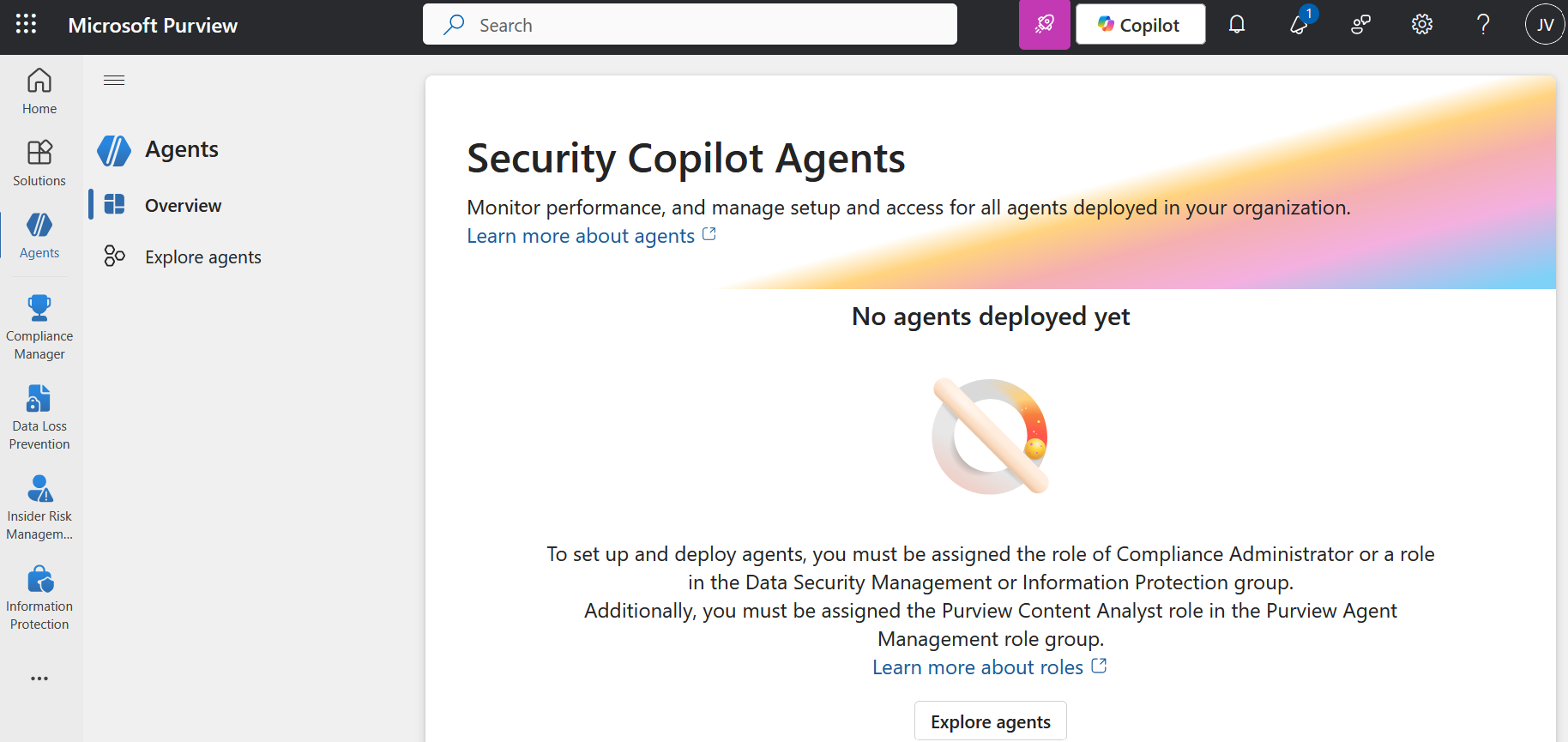
Security Copilot Agent in Microsoft Purview Overview (preview)


Microsoft has introduced Security Copilot agents in Microsoft Purview (preview) to assist organizations automate and scale triage across Data Loss Prevention (DLP) and Insider Risk Management (IRM). These AI-powered agents are built on the Microsoft Security Copilot platform and leverage Security Compute Units (SCUs) to reason over alerts, analyze content, and priorities risk—at scale.

The Microsoft Purview Triage Agents run on Security Compute Units (SCU). Your organization must have SCUs provisioned for the agents to run SKU/subscriptions licensing.

When you deploy an agent, and when you edit triggers, you can select whether the agent will run automatically based on a set schedule or Agent will run manually on one alert at a time . If you select Run automatically based on a set schedule, the agent will triage the alerts that are included in the Select Alert timeframe setting.

MAJOR UPDATE: Upcoming Changes for M365 Copilot Chat with Link Safety


Microsoft announce some important updates to M365 Copilot Chat that will enhance security and user experience, following: 

  1. Integration with SafeLinks:
    • M365 Copilot Chat will integrate with SafeLinks in Defender for Office 365 to provide time-of-click URL protection for the hyperlinks included in its chat responses. 
    • This change applies to users with Microsoft Defender for Office 365 Plan 1 or Plan 2 service plans. No policy configuration is needed within the SafeLinks policy.
    • Within Microsoft Defender for Office 365 Security Center, URL protection report will show the relevant summary and trend views for threats detected and actions taken on URL clicks.
  2. Native Time-of-Click URL Reputation Check:
    • For users without SafeLinks protection (which is available as part of Microsoft Defender for Office 365), M365 Copilot Chat will natively enable time-of-click URL reputation check for the hyperlinks returned in its chat responses. 
  3. Hyperlink Redaction Changes:
    • M365 Copilot Chat will no longer redact hyperlinks in its chat responses if they are found in the grounding data used to generate the responses.

When this will happen:

General Availability (Worldwide): We will begin rolling out in late March 2025 and expect to complete by late May 2025.

Rollout will start on desktop and web and will complete with mobile versions. We plan to extend these updates to Copilot Chat experiences in Office apps in the future.

How this will affect your organization:

These updates are designed to enhance the security of the links included in M365 Copilot Chat response, ensuring that users are protected from malicious URLs.

What you need to do to prepare:

You may consider updating your training and documentation as appropriate to ensure users are aware of the change in behavior with hyperlinks in M365 Copilot Chat.

Microsoft introduce scareware blocker! Now available in preview in Microsoft Edge


The Scareware Blocker is a New feature in Microsoft Edge designed to protect users from tech support scams, often referred to as scareware. These scams use aggressive web pages to trick users into thinking their system is infected with malware, pressuring them to call fake tech support numbers. Scareware blockers use a machine learning model to recognize the tell-tale signs of scareware scams and put users back in control of their computer.

Here’s how it works:

  • Machine Learning: It uses a machine learning model to detect and block scareware sites.
  • User Control: When a suspicious site is detected, Edge blocks it and shows a warning message, giving users the option to close the page or proceed if they believe it’s safe

“Scareware” scams are a particularly convincing type of tech support scam. They use aggressive web pages to convince victims into thinking their system is infected with malware, pressure them to call a fake tech support number, and try to gain access to the computer. Last year, Hollywood even made a blockbuster action movie with scareware scammers as the villains.

To enable Scareware Blocker in Microsoft Edge:

  1. Open Edge and click on the three-dot menu in the toolbar.
  2. Select Settings.
  1. Navigate to Privacy, search, and services.
  2. Find the Scareware Blocker option and toggle it on

When scareware blocker suspects a page is a scam, Edge will put users back in control by exiting full screen mode, stopping aggressive audio playback, warning the user, and showing a thumbnail of the page they were just viewing:

Scareware blocker fights tech scams – Video Tutorial