
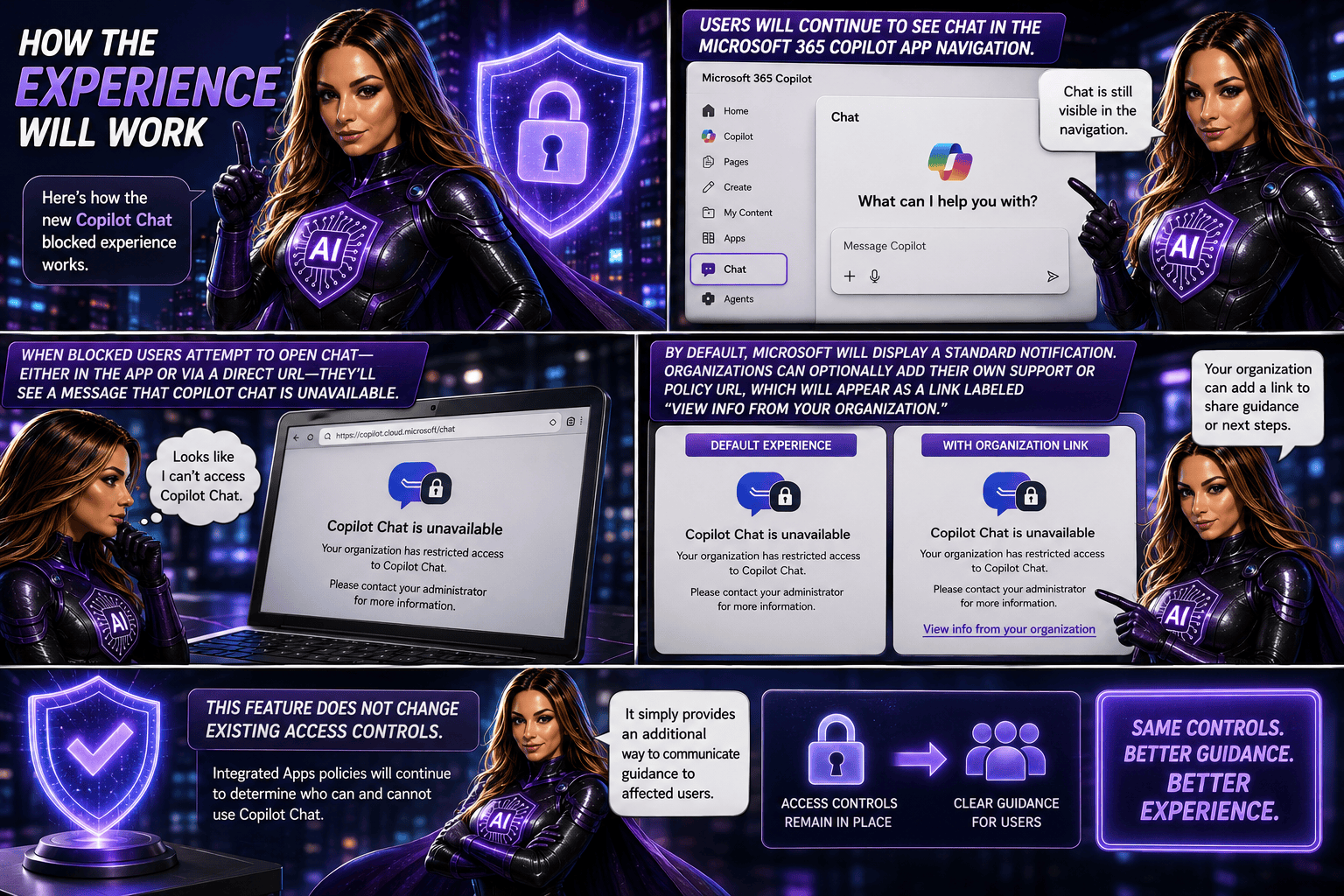
Starting in July 2026, Microsoft 365 Copilot will introduce a new optional feature that allows administrators to add a custom policy or guidance link for users who are blocked from accessing Copilot Chat. When restricted users attempt to open Copilot Chat, they’ll be directed to organisation-specific information that can explain access requirements and provide next steps. The feature can be configured through the Microsoft 365 admin centre and does not affect existing access controls or policies. No administrative action is required unless organisations choose to enable and customise this experience.

What’s changing?
Organisations will now have the option to add a custom policy or support link for users who are blocked from Copilot Chat through administrative policies. Instead of only seeing a standard Microsoft message, affected users can be directed to organization-specific guidance that explains why access is restricted and outlines the appropriate next steps.
This enhancement is designed to reduce confusion, improve communication, and make it easier for users to find the information they need when access is unavailable.
Rollout timeline
- General Availability (Worldwide): Starting in July 2026
- Expected completion: August 2026
Who is affected?
This update may be relevant for:
- Organizations using the Microsoft 365 Copilot app
- Administrators managing Copilot access through Integrated Apps policies
- Users whose access to Copilot Chat has been restricted by policy
What admins should know
This feature is optional and disabled by default. Organisations that want to provide customised guidance can configure a support URL in the Microsoft 365 admin centre under Copilot settings.
Potential uses include:
- Explaining why access is restricted
- Sharing internal Copilot adoption policies
- Providing licensing information
- Directing users to support resources or help-desk contacts
- Outlining the process for requesting access

Recommended actions
No action is required.
However, organizations that want to take advantage of this feature should consider:
- Reviewing their current Copilot access policies
- Identifying relevant internal guidance or support resources
- Configuring a custom URL in the Microsoft 365 admin center
- Preparing helpdesk teams for the updated experience
- Monitoring Microsoft Learn documentation for additional setup guidance
