Microsoft IQ: The Missing Link Between AI and Business Context

Artificial Intelligence is everywhere today. Organizations are deploying agents, copilots, and generative AI solutions at an unprecedented pace. Yet many AI projects still struggle with a fundamental problem: AI may be intelligent, but it often lacks a true understanding of the business it serves.  This is exactly where Microsoft IQ comes in. Announced as Microsoft’s unified enterprise intelligence layer, Microsoft IQ is designed to help AI agents and Microsoft 365 Copilot understand not just data, but also people, processes, knowledge, and business relationships across the organization. Instead of AI working with isolated information sources, Microsoft IQ creates a shared understanding of the enterprise.


Why AI Needs More Than Data

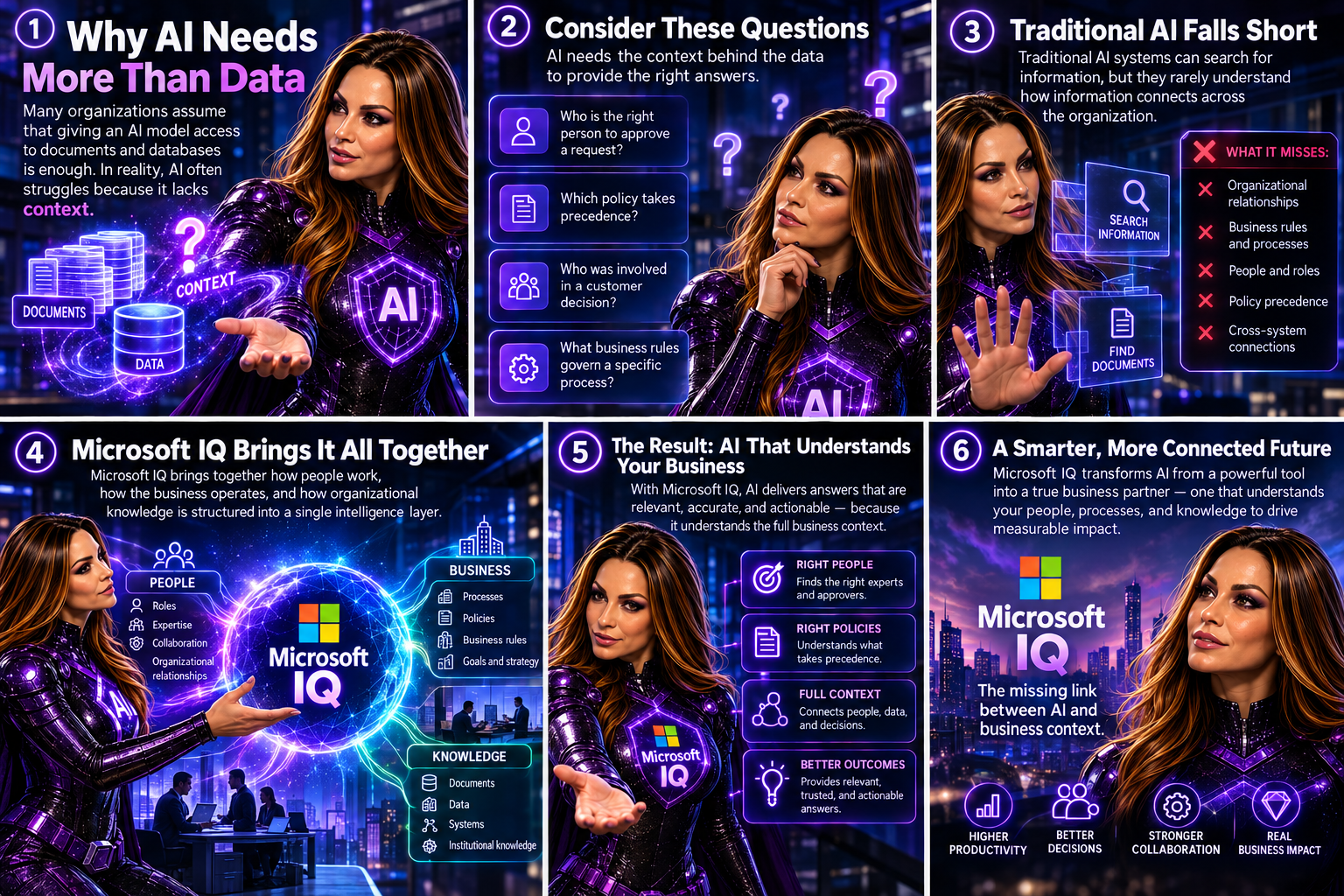
Many organizations assume that giving an AI model access to documents and databases is enough. In reality, AI often struggles because it lacks context.

Consider these questions:

  • Who is the right person to approve a request?
  • Which policy takes precedence?
  • Who was involved in a customer decision?
  • What business rules govern a specific process?

Traditional AI systems can search for information, but they rarely understand how information connects across the organization.

Microsoft IQ addresses this challenge by bringing together how people work, how the business operates, and how organizational knowledge is structured into a single intelligence layer.
 

What Is Microsoft IQ?

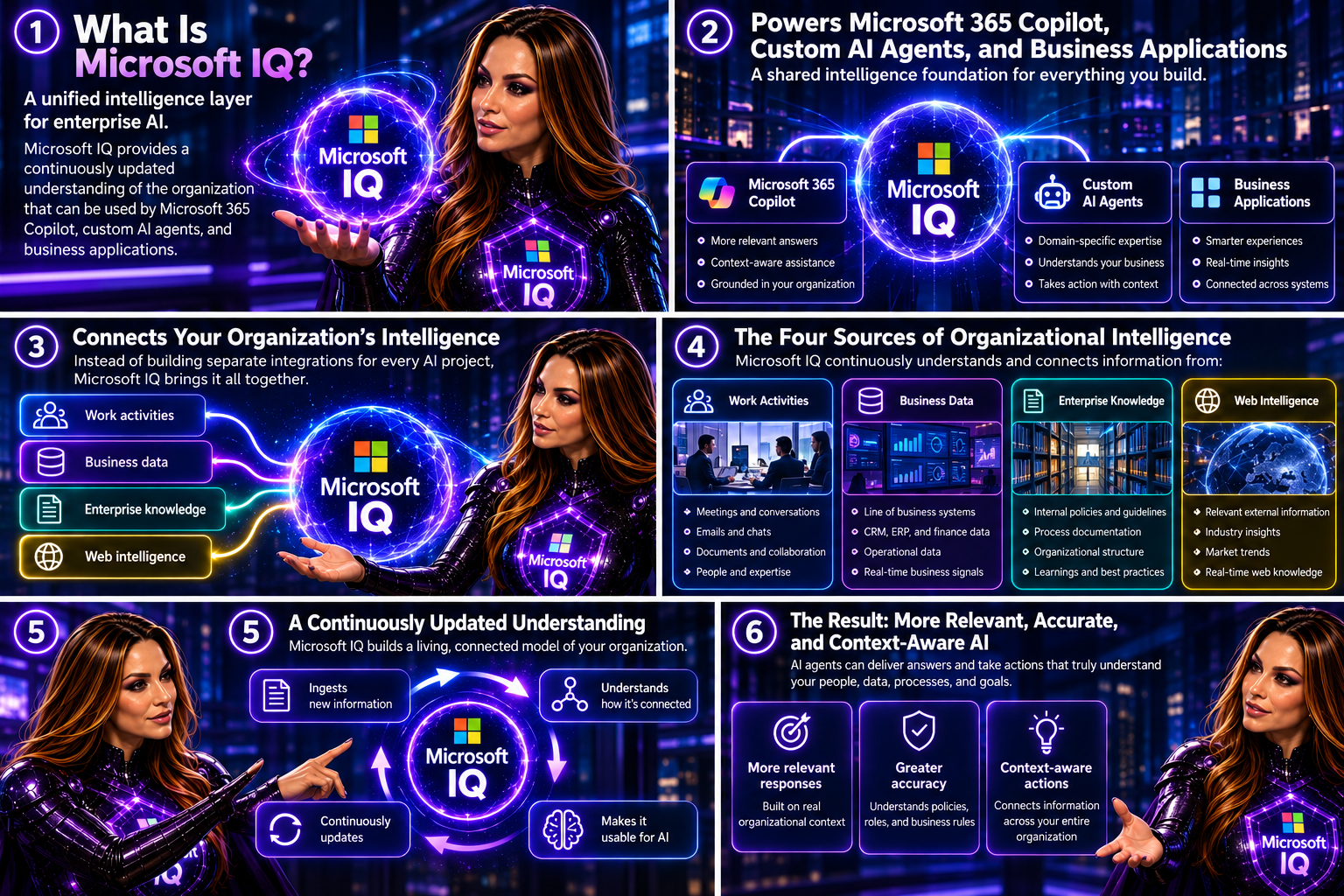
Microsoft describes Microsoft IQ as a “unified intelligence layer for enterprise AI.” It provides a continuously updated understanding of the organization that can be used by Microsoft 365 Copilot, custom AI agents, and business applications.

Instead of building separate integrations for every AI project, organizations can leverage a shared intelligence foundation that connects:

  • Work activities
  • Business data
  • Enterprise knowledge
  • Web intelligence

This helps AI agents deliver more relevant, accurate, and context-aware responses.
 

The Four Pillars of Microsoft IQ

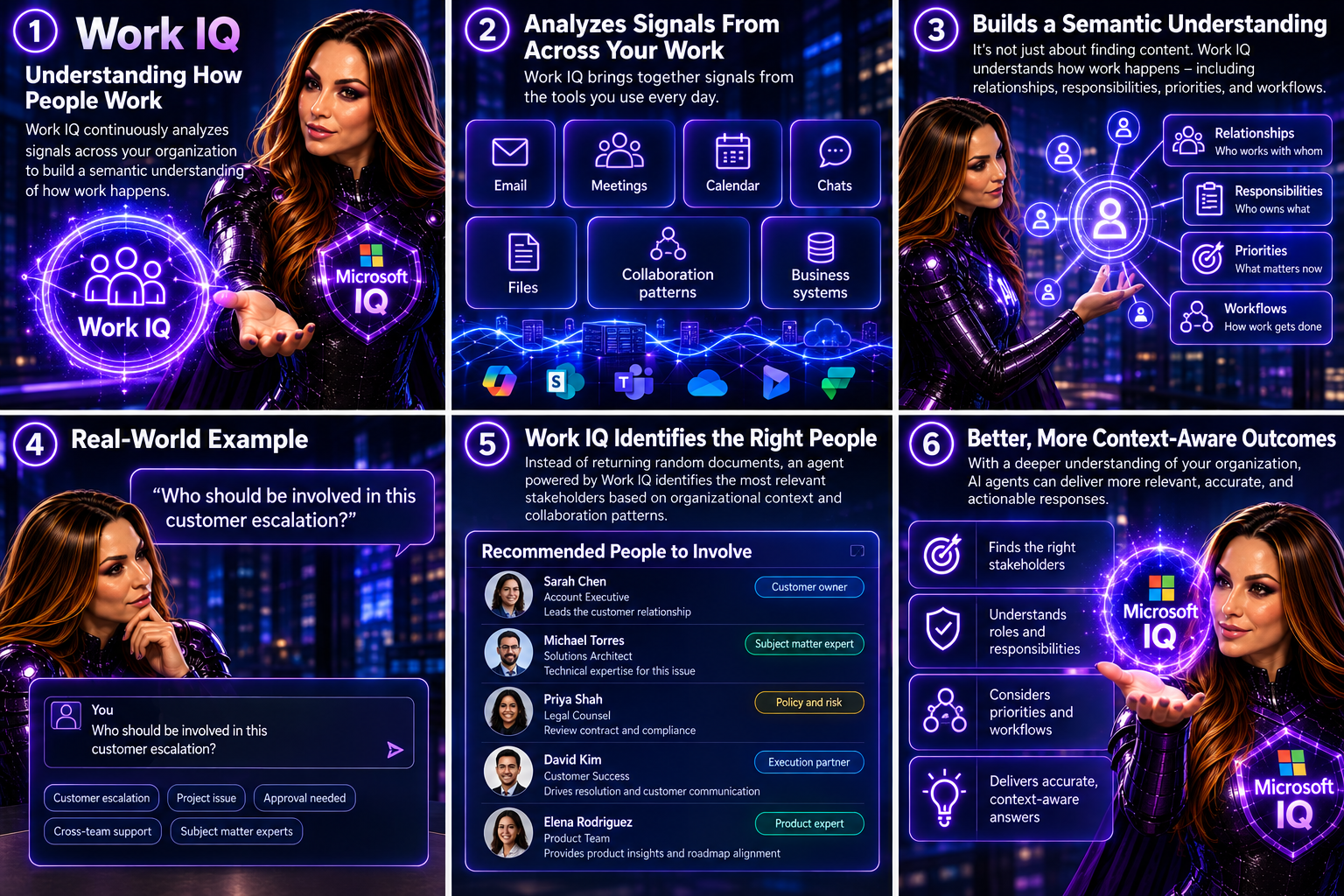
Work IQ

Work IQ focuses on understanding how people work.

It continuously analyzes signals from:

  • Email
  • Meetings
  • Calendar
  • Chats
  • Files
  • Collaboration patterns
  • Business systems

The goal is not simply to retrieve content. Work IQ builds a semantic understanding of how work happens across the organization. This enables AI agents to understand relationships, responsibilities, priorities, and workflows.

Imagine asking:

“Who should be involved in this customer escalation?”

Instead of returning random documents, an agent powered by Work IQ can identify the most relevant stakeholders based on organizational context and collaboration patterns.
 

Fabric IQ

Fabric IQ brings business intelligence into the AI experience.

It provides agents with an understanding of:

  • Business entities
  • Metrics
  • Relationships
  • Processes
  • Semantic models

By leveraging existing Microsoft Fabric and Power BI investments, organizations can reuse trusted business definitions and data models rather than rebuilding them for AI. This means an AI agent can understand not only that a metric exists, but also what it means to the business.


Foundry IQ

Knowledge is often scattered across thousands of documents, policies, and repositories.

Foundry IQ helps consolidate institutional knowledge into a trusted foundation for AI.

It enables agents to access:

  • Policies
  • Compliance requirements
  • Internal documentation
  • Knowledge bases
  • Authoritative business content

This reduces the risk of agents providing incomplete or inconsistent answers by grounding them in approved knowledge sources.


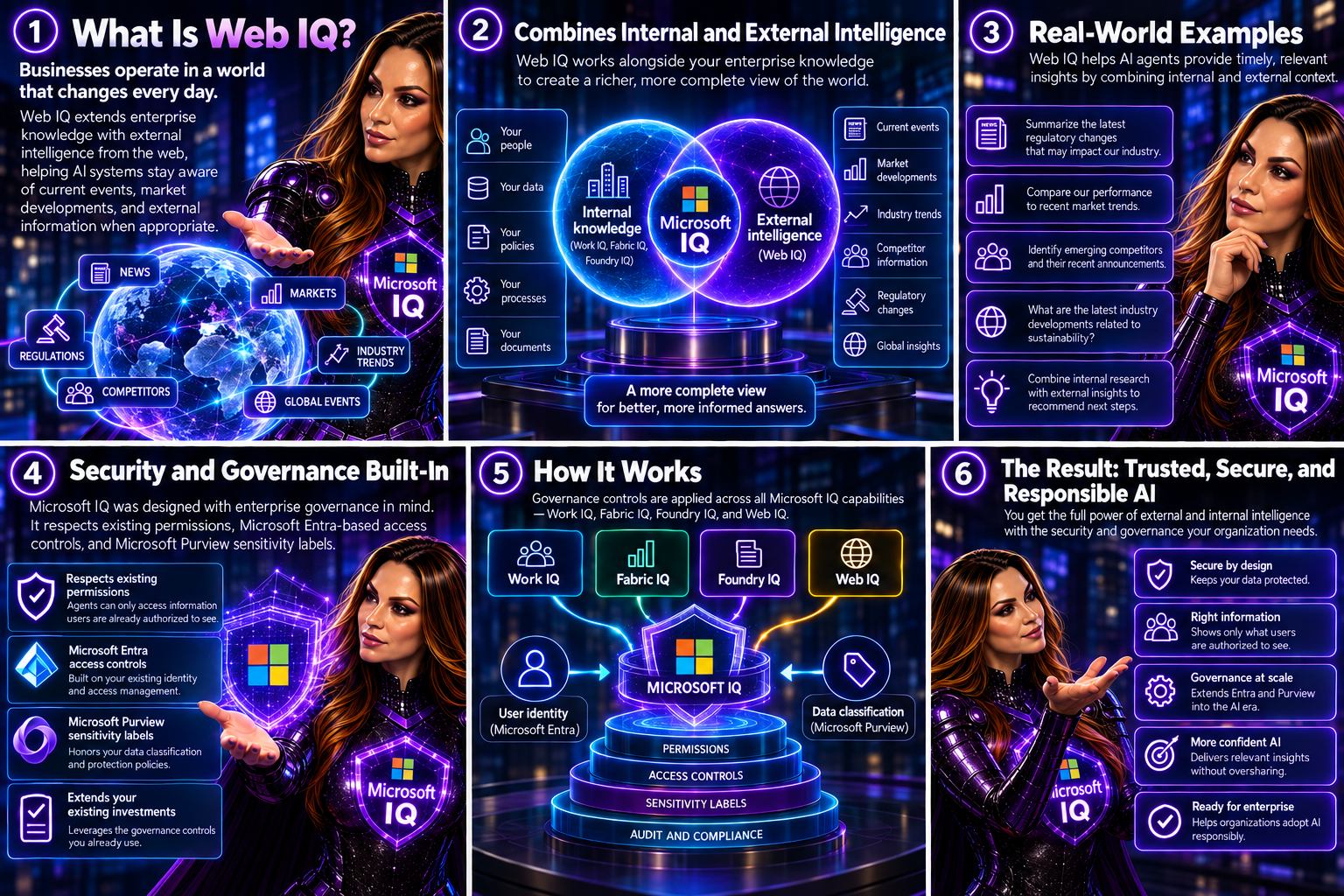
Web IQ

Businesses operate in a world that changes every day.

Web IQ extends enterprise knowledge with external intelligence from the web, helping AI systems stay aware of current events, market developments, and external information when appropriate. Combined with internal enterprise knowledge, this creates a richer, more complete view of the world.
 

Security and Governance Built-In

One of the biggest concerns I hear from organizations exploring AI is data oversharing.

The good news is that Microsoft IQ was designed with enterprise governance in mind.

Microsoft states that IQ respects existing permissions, Microsoft Entra-based access controls, and Microsoft Purview sensitivity labels. This means agents can only access information users are already authorized to see. For organizations already investing in Microsoft Purview and Microsoft Entra, this approach helps extend existing governance controls into the AI era rather than creating a separate security model.


A Practical Example

Let’s imagine a sales executive preparing for a customer meeting.

Without Microsoft IQ, the executive might need to:

  • Search emails
  • Review Teams chats
  • Check CRM records
  • Read project updates
  • Review Power BI reports

With Microsoft IQ, an AI agent can bring everything together automatically and answer questions such as:

  • What is the current status of the customer account?
  • What open issues exist?
  • Which stakeholders are involved?
  • What revenue opportunities exist?
  • What actions were agreed during recent meetings?

Instead of searching multiple systems, the executive receives a contextual business briefing within seconds.


Why Microsoft IQ Matters

The future of AI is not just about having better models.

It is about giving those models a deeper understanding of your business.

Microsoft IQ represents a significant shift from AI that simply retrieves information to AI that understands context, relationships, processes, and organizational knowledge. By combining Work IQ, Fabric IQ, Foundry IQ, and Web IQ, Microsoft is building a foundation that allows agents to operate with greater intelligence, accuracy, and business awareness.  As organizations move beyond AI experimentation and toward enterprise-scale adoption, contextual intelligence may become the most important differentiator between helpful AI and truly transformative AI. And that is exactly the promise of Microsoft IQ.


What excites you most about Microsoft IQ?

Is it the ability to connect business knowledge, improve Copilot responses, strengthen governance, or build smarter AI agents? Share your thoughts in the comments.


🎧 Tune in for all the details!
🎥 Watch the episode: Microsoft IQ – The Missing Intelligence Layer for Enterprise AI
Microsoft Purview DLP Expands to Microsoft Cowork

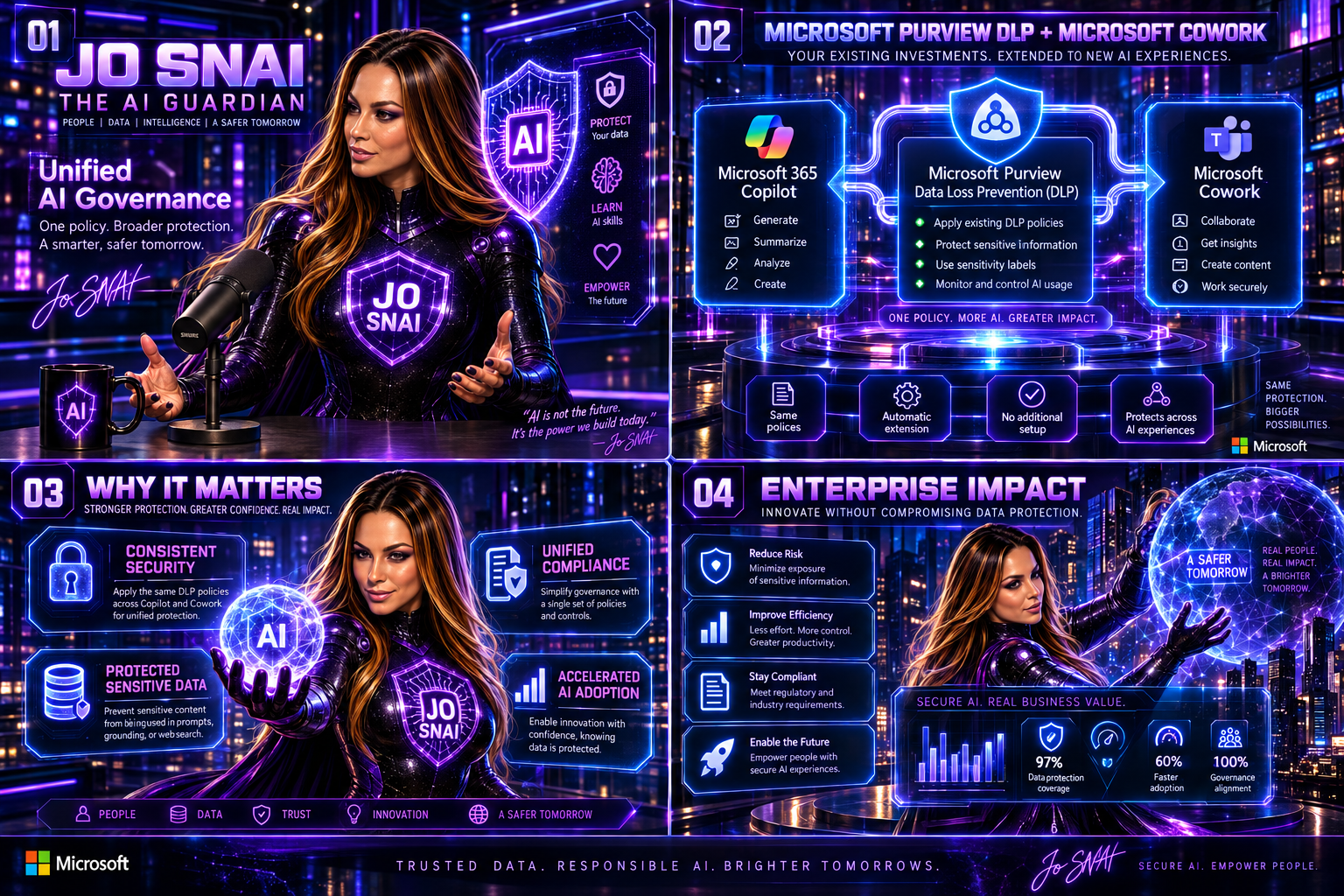
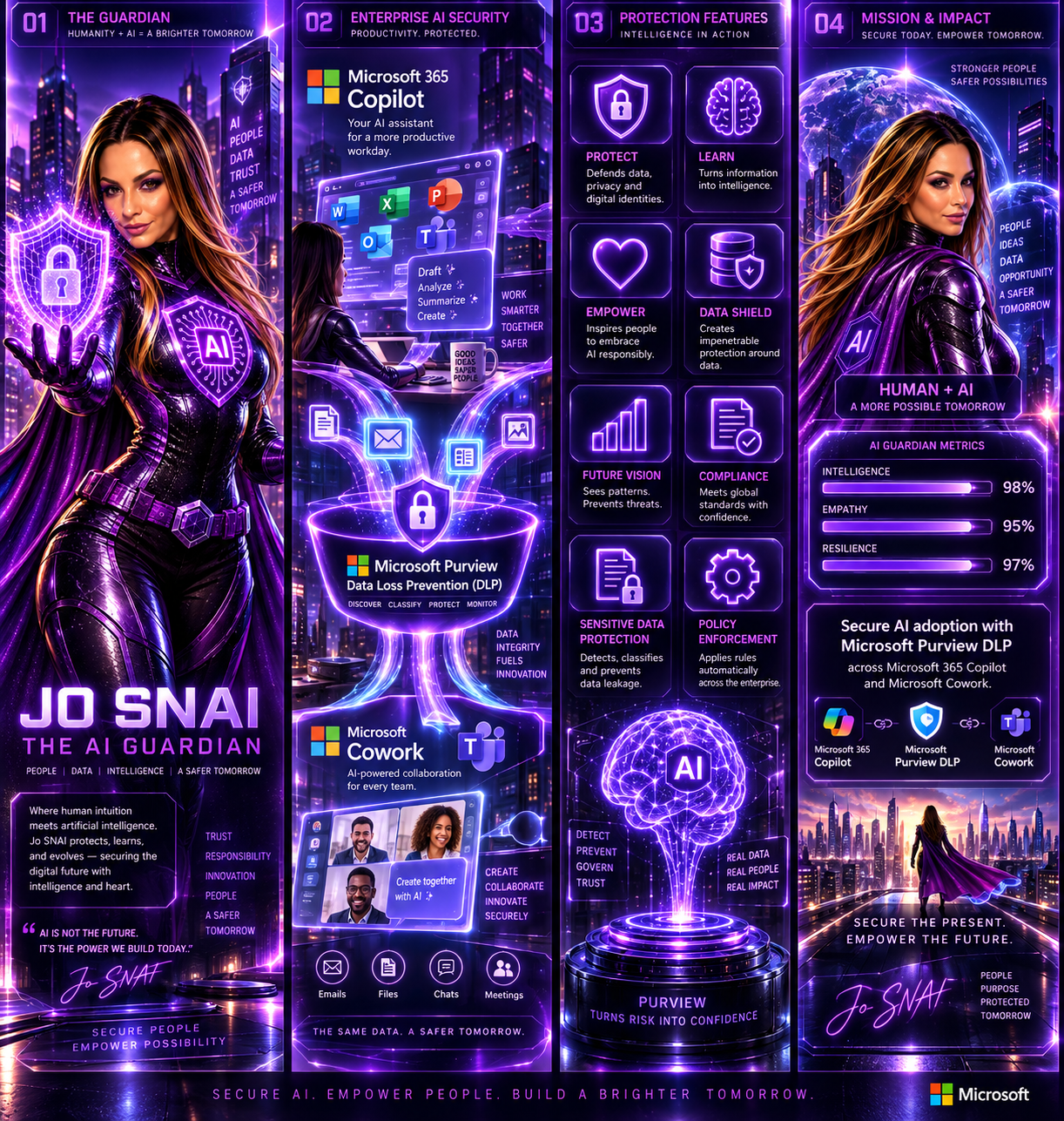
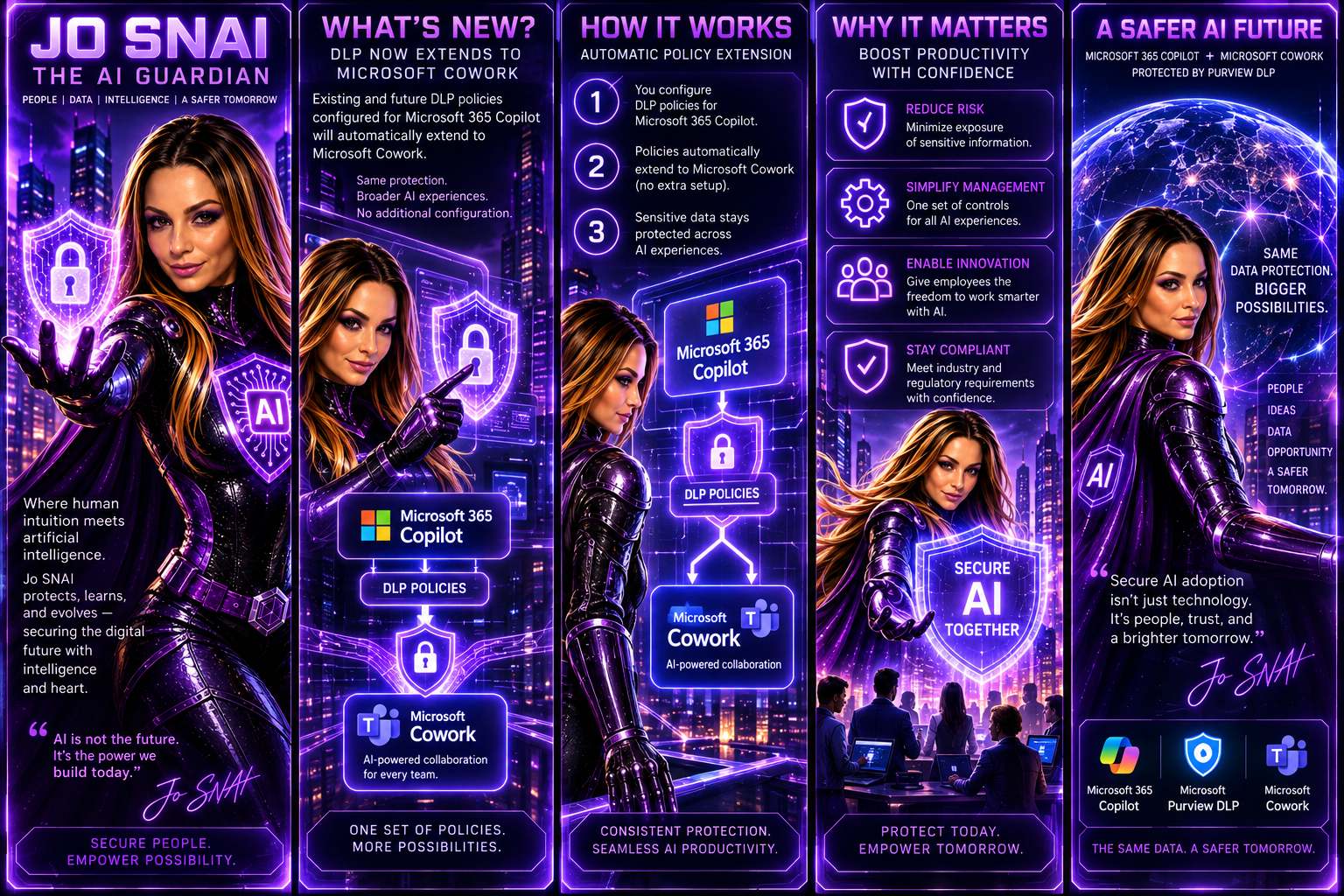
As organizations continue to embrace AI-powered productivity tools, maintaining strong data protection and compliance controls remains a top priority. To support the secure adoption of Microsoft Cowork, Microsoft is extending Microsoft Purview Data Loss Prevention (DLP) capabilities to this new AI experience, ensuring organizations can apply consistent data protection policies across both Microsoft 365 Copilot and Microsoft Cowork. This update helps organizations reduce the risk of sensitive information exposure while enabling employees to take advantage of AI-driven productivity tools with confidence.


What’s New?

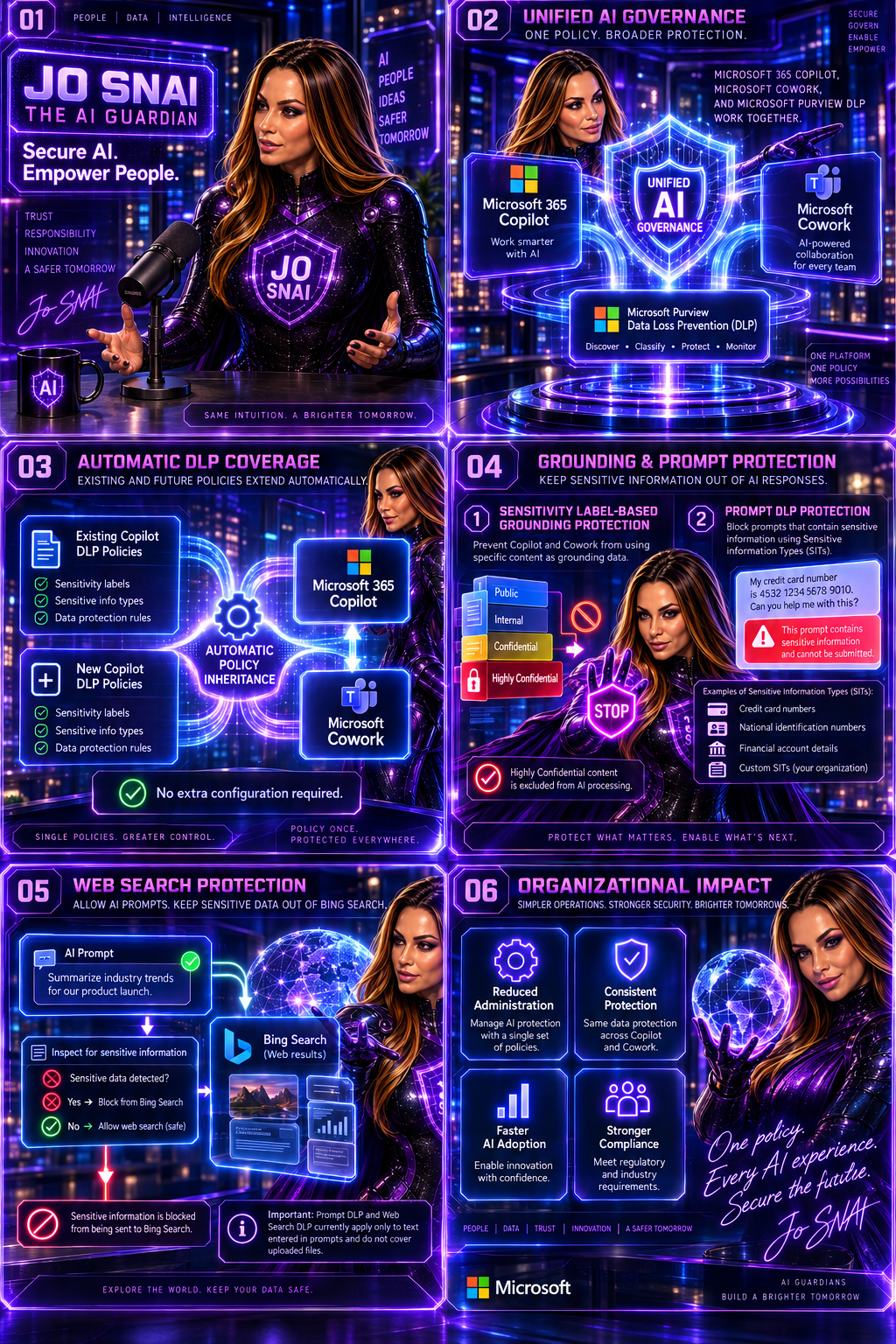
With this enhancement, existing and future DLP policies configured for Microsoft 365 Copilot will automatically extend to Microsoft Cowork. This means administrators can manage AI-related data protection through a single set of policies and controls without additional configuration.


The following DLP capabilities will be supported:


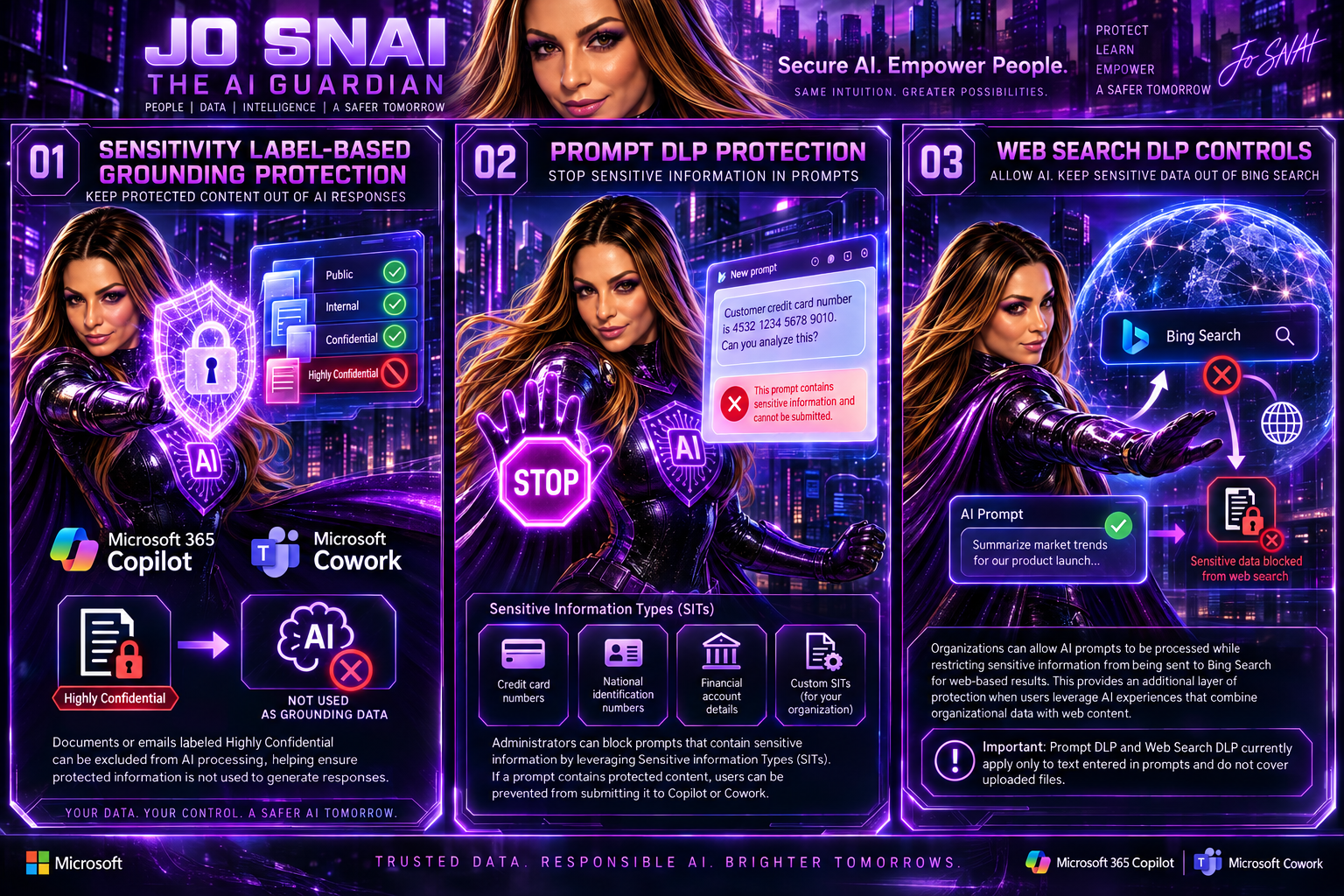
1. Sensitivity Label-Based Grounding Protection

Organizations can prevent Microsoft Copilot and Microsoft Cowork from using specific content as grounding data when generating responses.

For example, documents or emails labeled Highly Confidential can be excluded from AI processing, helping ensure protected information is not used to generate responses.

2. Prompt DLP Protection

Administrators can block prompts that contain sensitive information by leveraging Sensitive Information Types (SITs).

Examples include:

  • Credit card numbers
  • National identification numbers
  • Financial account details
  • Custom Sensitive Information Types created by the organization

If a prompt contains protected content, users can be prevented from submitting it to Copilot or Cowork.

3. Web Search DLP Controls

Organizations can allow AI prompts to be processed while restricting sensitive information from being sent to Bing Search for web-based results.

This provides an additional layer of protection when users leverage AI experiences that combine organizational data with web content.

Important: Prompt DLP and Web Search DLP currently apply only to text entered in prompts and do not cover uploaded files.


What This Means for Organizations

The update simplifies AI governance by automatically extending protection to Microsoft Cowork.

Key changes include:

  • Existing DLP policies targeting Microsoft Copilot will automatically apply to Microsoft Cowork.
  • New DLP policies created for Microsoft Copilot will include Microsoft Cowork by default.
  • Sensitivity labels can be used to prevent protected content from being used as grounding data.
  • Sensitive Information Types can be used to block prompts or restrict sensitive information from being sent for web searches.
  • No separate setup or configuration is required.

For organizations already using Microsoft Purview DLP, this significantly reduces the effort required to secure emerging AI workloads.


Rollout Timeline

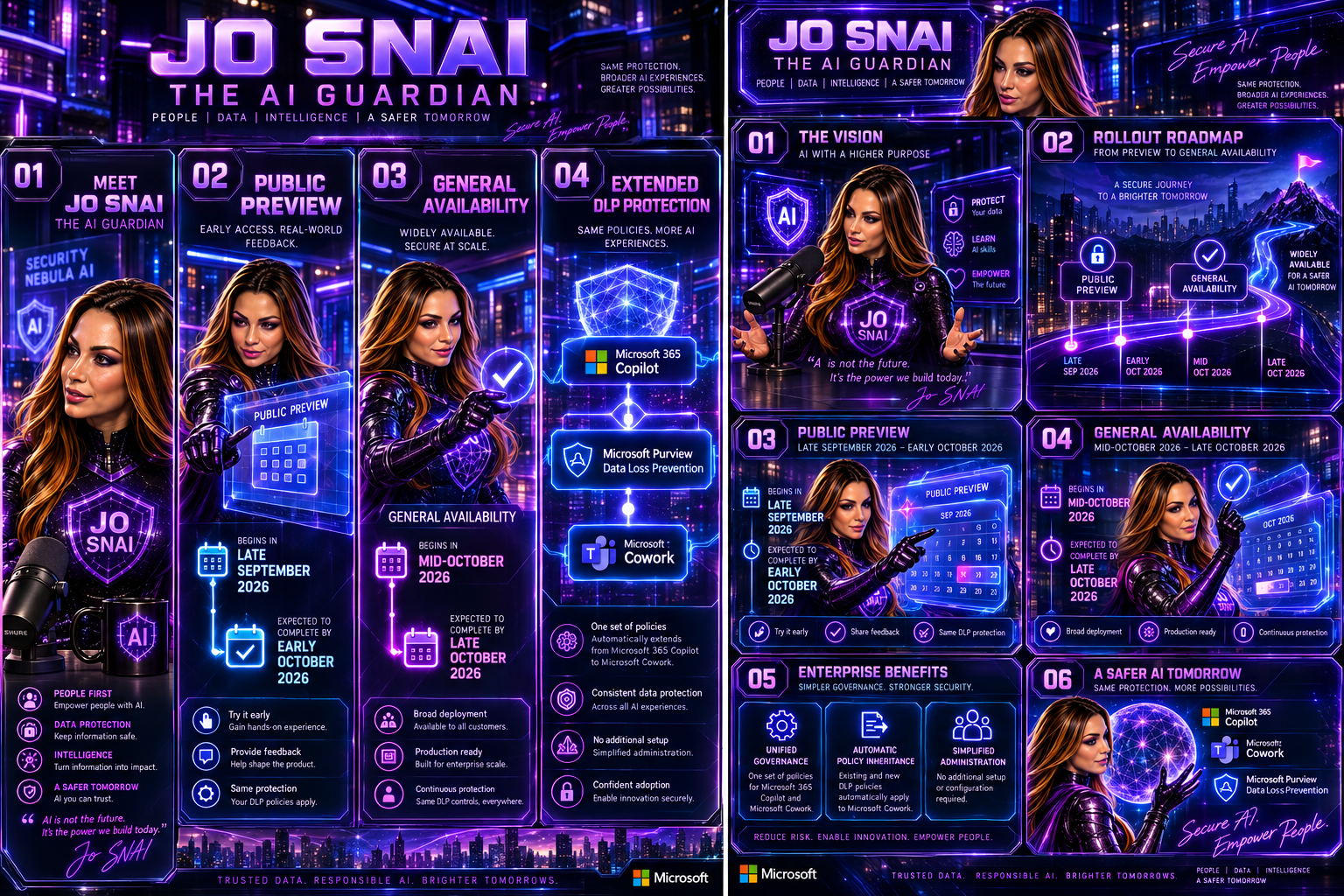
Public Preview

  • Begins in late September 2026
  • Expected to complete by early October 2026


General Availability

  • Begins in mid-October 2026
  • Expected to complete by late October 2026


What Should Administrators Do?

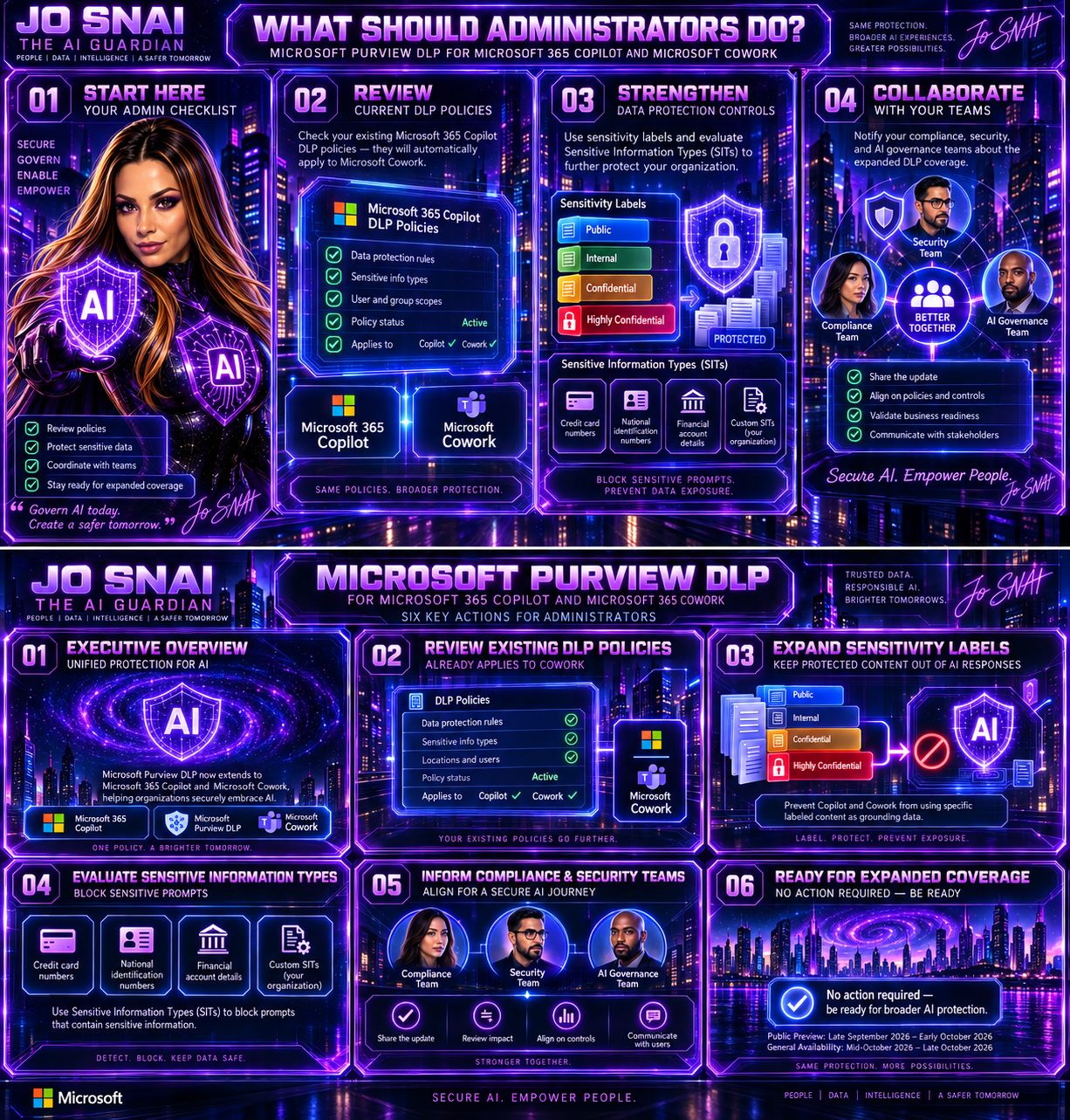
While no action is required to receive the update, Microsoft recommends that administrators:

  • Review current DLP policies targeting Microsoft 365 Copilot.
  • Assess whether additional sensitivity labels should be protected.
  • Evaluate existing and custom Sensitive Information Types.
  • Inform compliance, security, and AI governance teams about the expanded coverage.

Why This Matters

As AI becomes increasingly integrated into daily business operations, organizations need confidence that their existing compliance and security investments extend to new AI services. By bringing Microsoft Cowork under the protection of Microsoft Purview DLP, Microsoft is delivering a more unified approach to AI governance, helping organizations maintain control over sensitive data while accelerating AI adoption across the enterprise.

The result is a consistent security and compliance experience across Microsoft’s AI ecosystem, allowing businesses to innovate without compromising on data protection.


🎧 Tune in for all the details!
🎥 Watch now and discover how to secure AI without slowing innovation.


MS-102 vs. AB-650: More Than a New Certification. A New Era for Microsoft 365 Administrators

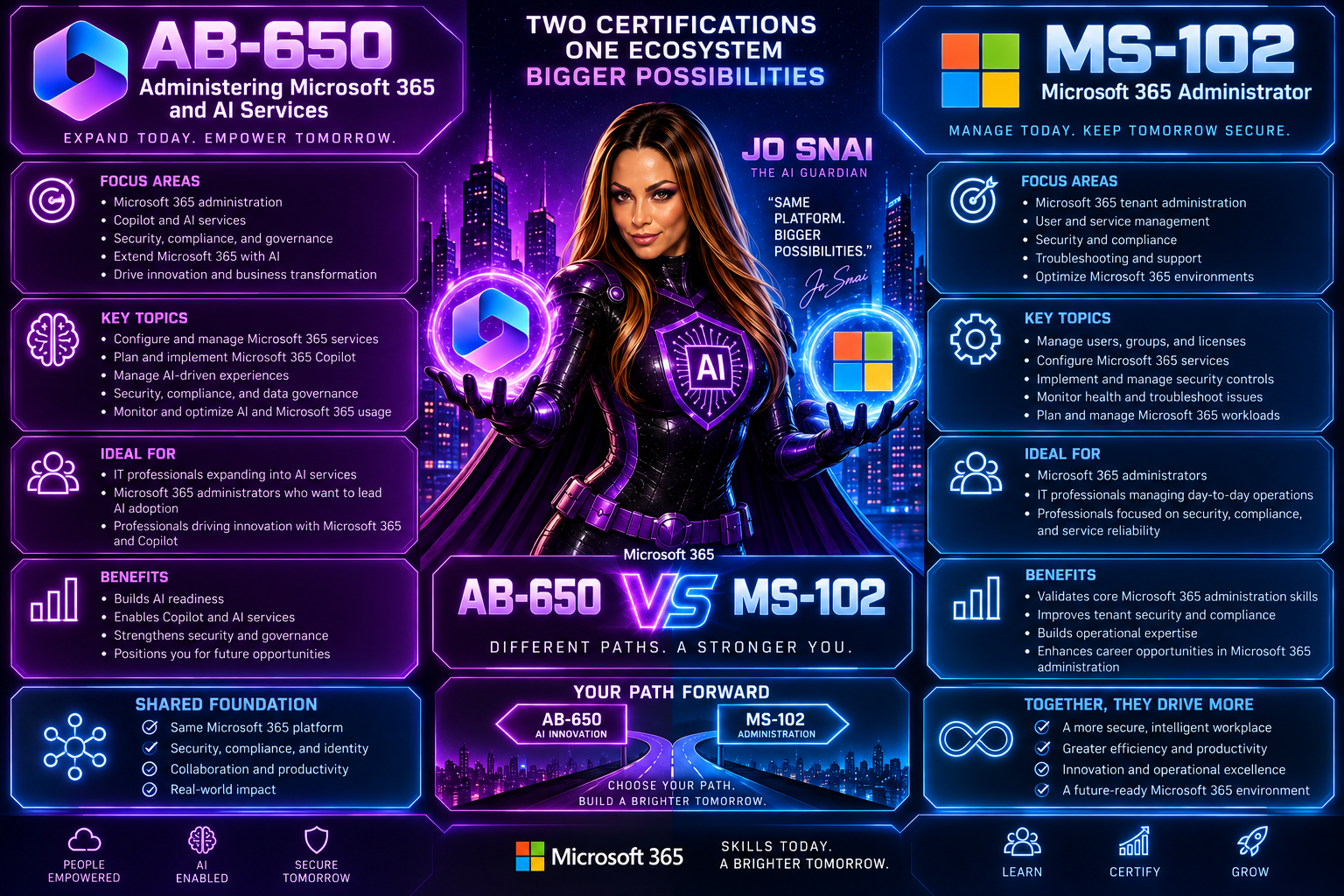
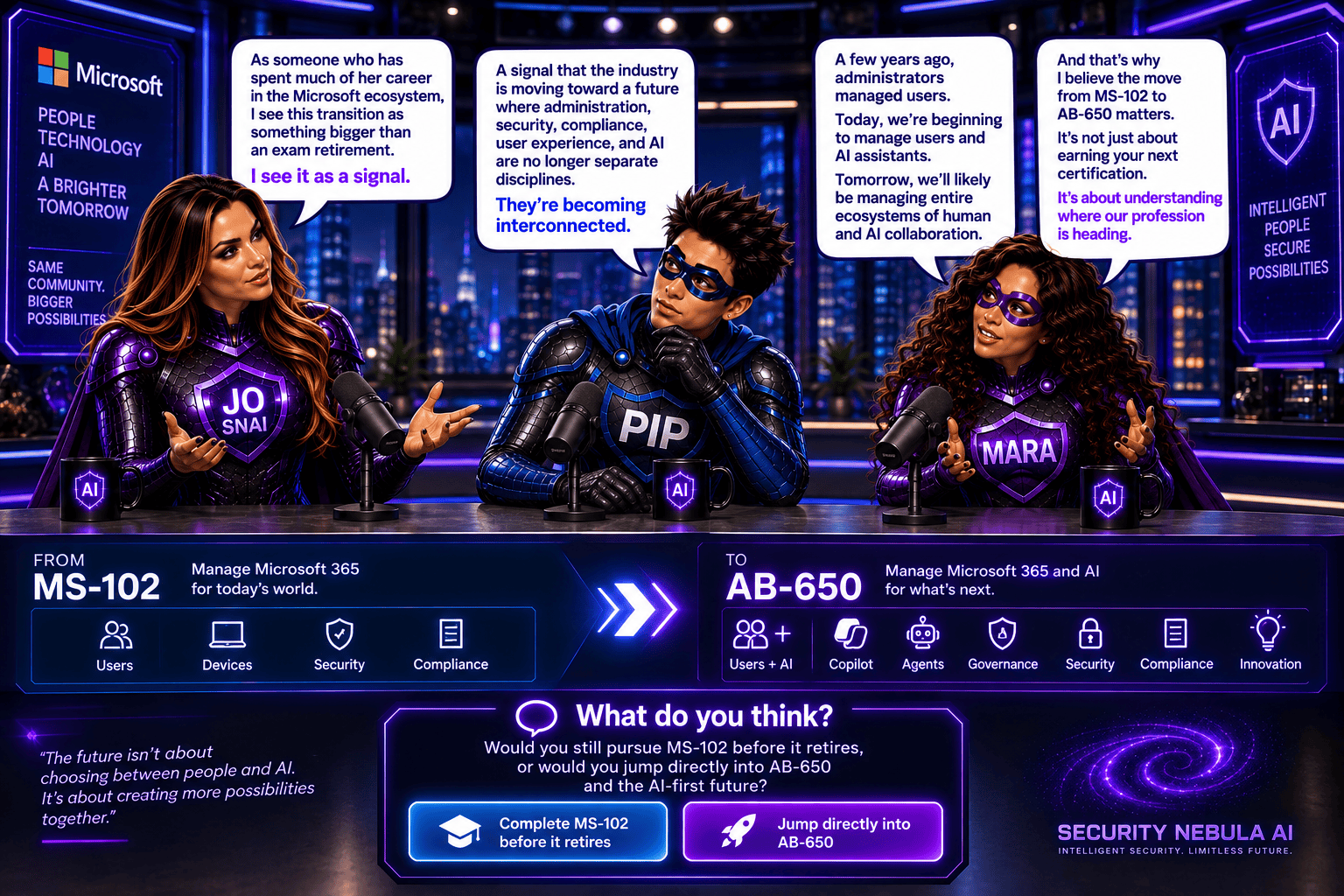
When I first saw that Microsoft plans to retire MS-102: Microsoft 365 Administrator and introduce AB-650: Administering Microsoft 365 and AI Services, my immediate reaction wasn’t, “Oh, another certification update.”

Instead, I found myself thinking:  “This is a reflection of how our roles are changing.”

For years, Microsoft 365 administrators have focused on identities, security, compliance, endpoints, licensing, and tenant management. Those responsibilities aren’t going away. But something new is being added to the mix: AI administration.

And that’s exactly what makes the transition from MS-102 to AB-650 so interesting.


The Certification Many of Us Know: MS-102

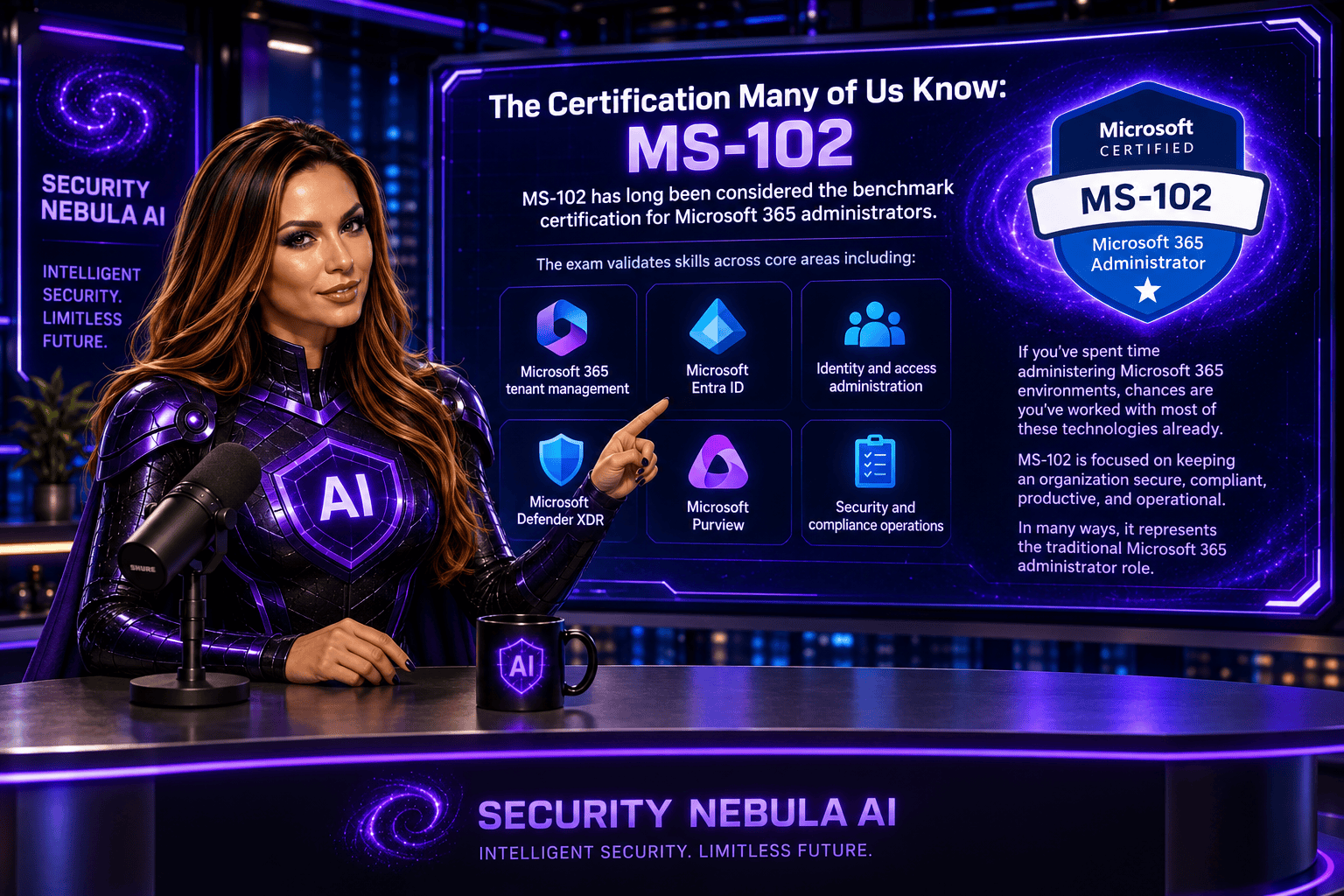
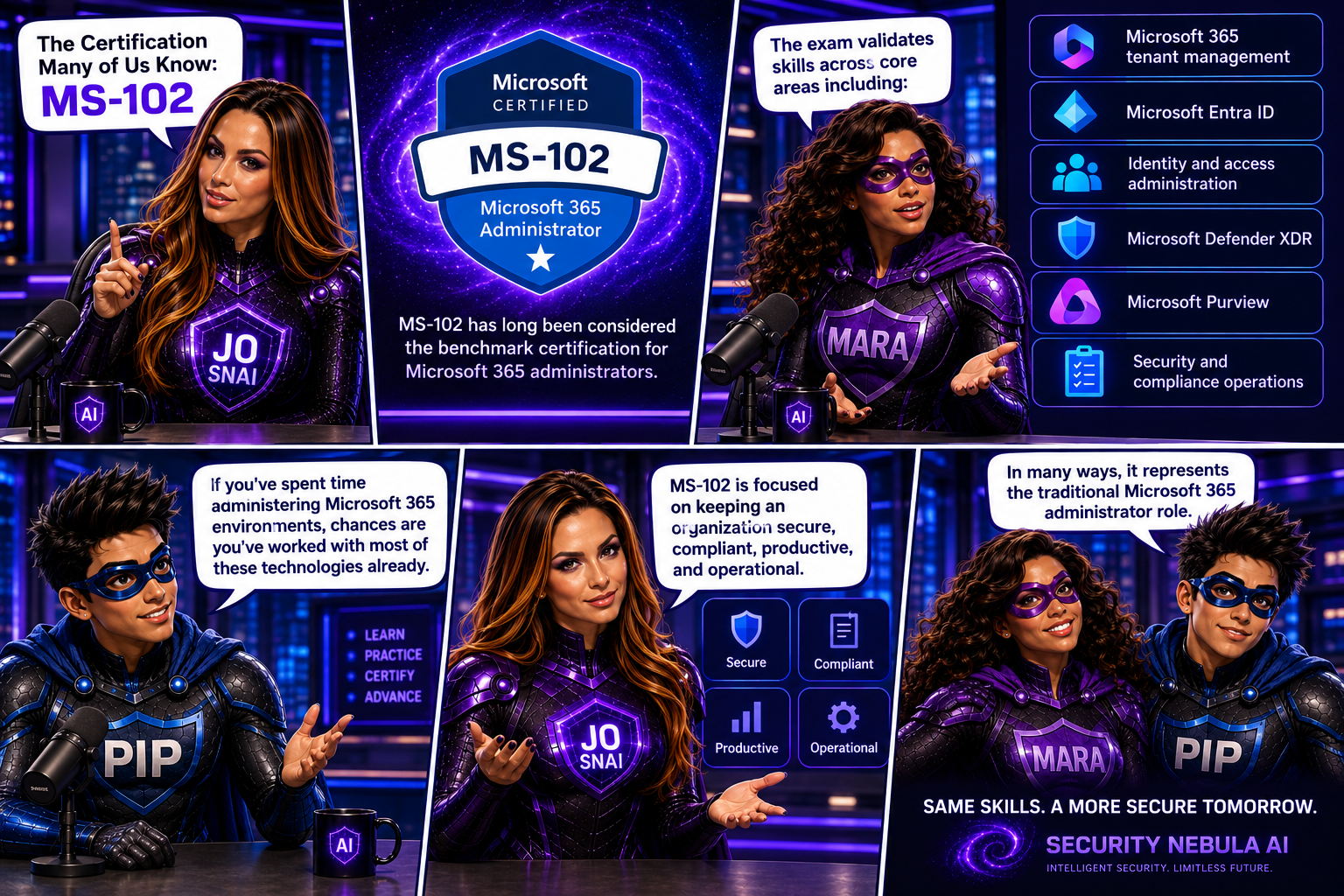
MS-102 has long been considered the benchmark certification for Microsoft 365 administrators.

The exam validates skills across core areas including:

  • Microsoft 365 tenant management
  • Microsoft Entra ID
  • Identity and access administration
  • Microsoft Defender XDR
  • Microsoft Purview
  • Security and compliance operations

If you’ve spent time administering Microsoft 365 environments, chances are you’ve worked with most of these technologies already.

MS-102 is focused on keeping an organization secure, compliant, productive, and operational.

In many ways, it represents the traditional Microsoft 365 administrator role.

Why Microsoft Is Moving On

Technology never stands still.

Over the last two years, we’ve witnessed something that has fundamentally changed the workplace: the rapid adoption of AI.

Organizations are no longer asking whether they will use AI.

They’re asking:

  • How do we deploy it?
  • How do we govern it?
  • How do we secure it?
  • How do we control access to organizational data?
  • How do we manage AI agents?

These questions weren’t part of a traditional Microsoft 365 administrator’s responsibilities a few years ago.

Today, they are becoming part of everyday conversations.

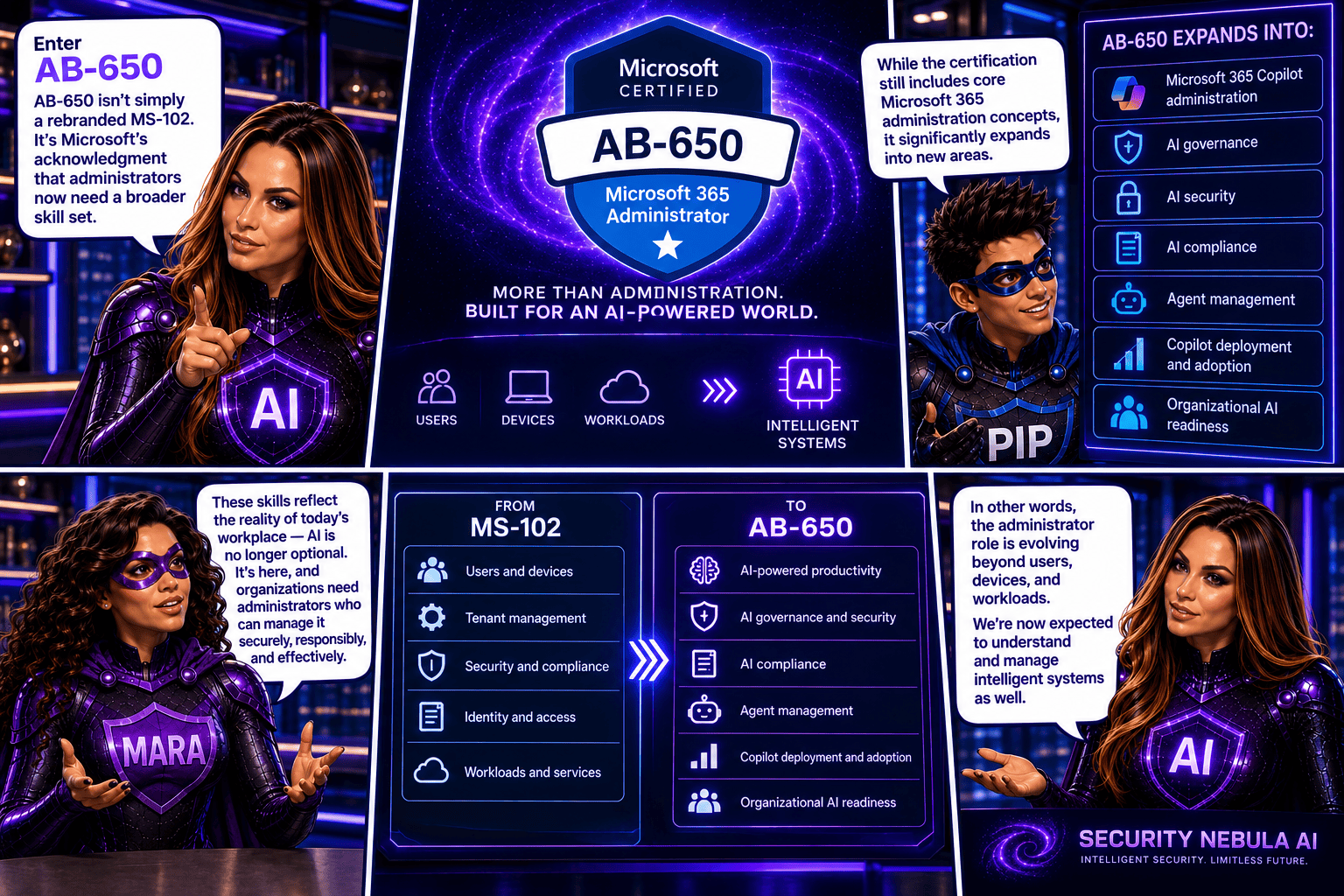
Enter AB-650

AB-650 isn’t simply a rebranded MS-102.

It’s Microsoft’s acknowledgment that administrators now need a broader skill set.

While the certification still includes core Microsoft 365 administration concepts, it significantly expands into areas such as:

  • Microsoft 365 Copilot administration
  • AI governance
  • AI security
  • AI compliance
  • Agent management
  • Copilot deployment and adoption
  • Organizational AI readiness

In other words, the administrator role is evolving beyond users, devices, and workloads.

We’re now expected to understand and manage intelligent systems as well.


The Biggest Difference

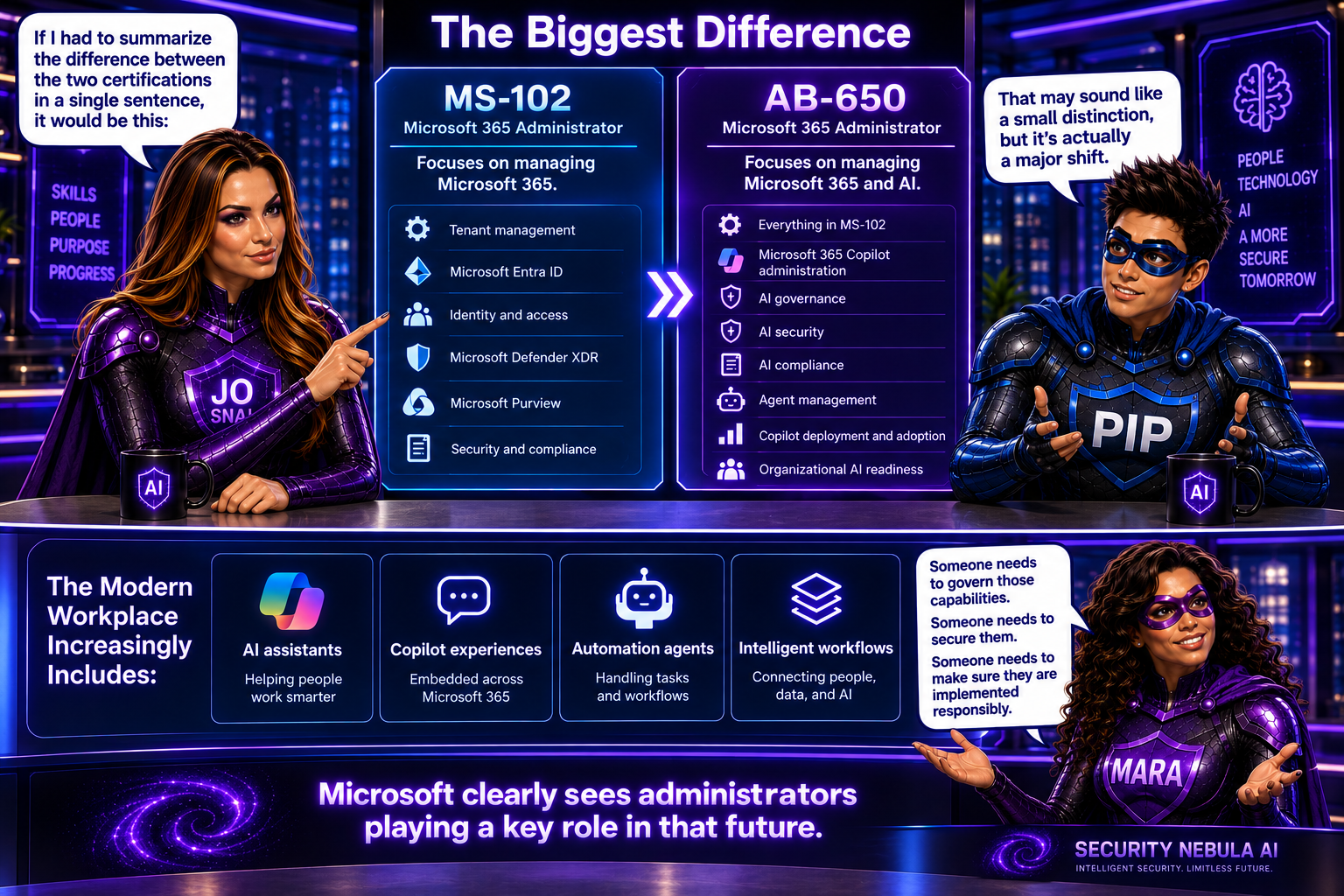
If I had to summarize the difference between the two certifications in a single sentence, it would be this:

MS-102 focuses on managing Microsoft 365. AB-650 focuses on managing Microsoft 365 and AI.

That may sound like a small distinction, but it’s actually a major shift.

The modern workplace increasingly includes:

  • AI assistants
  • Copilot experiences
  • Automation agents
  • Intelligent workflows

Someone needs to govern those capabilities.

Someone needs to secure them.

Someone needs to make sure they are implemented responsibly.

Microsoft clearly sees administrators playing a key role in that future.

Should You Still Take MS-102?

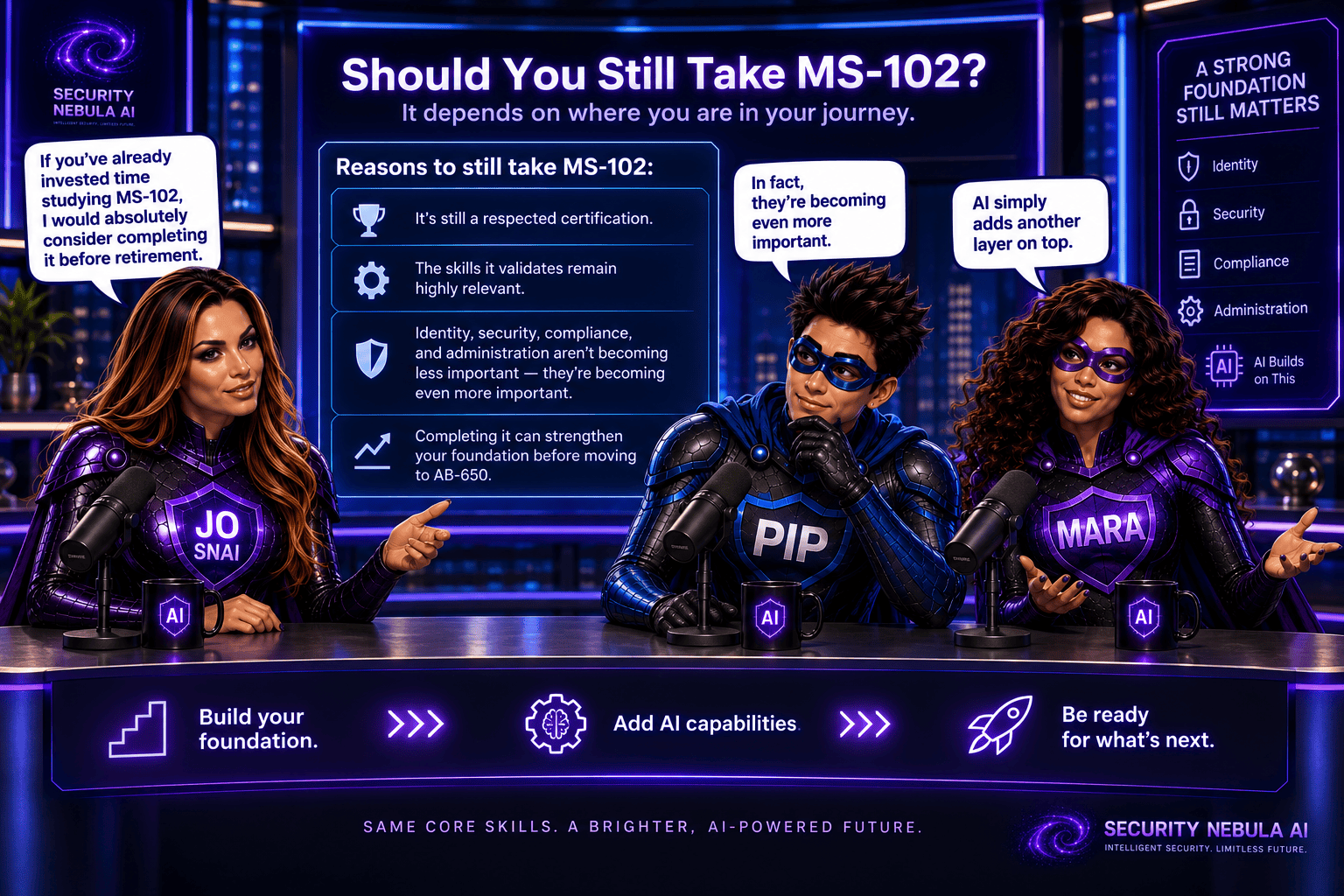
Honestly, I think the answer depends on where you are in your journey.

If you’ve already invested time studying MS-102, I would absolutely consider completing it before retirement.

It’s still a respected certification, and the skills it validates remain highly relevant.

Identity, security, compliance, and administration aren’t becoming less important because AI arrived.

In fact, they’re becoming even more important.

AI simply adds another layer on top.

Who Should Consider AB-650?

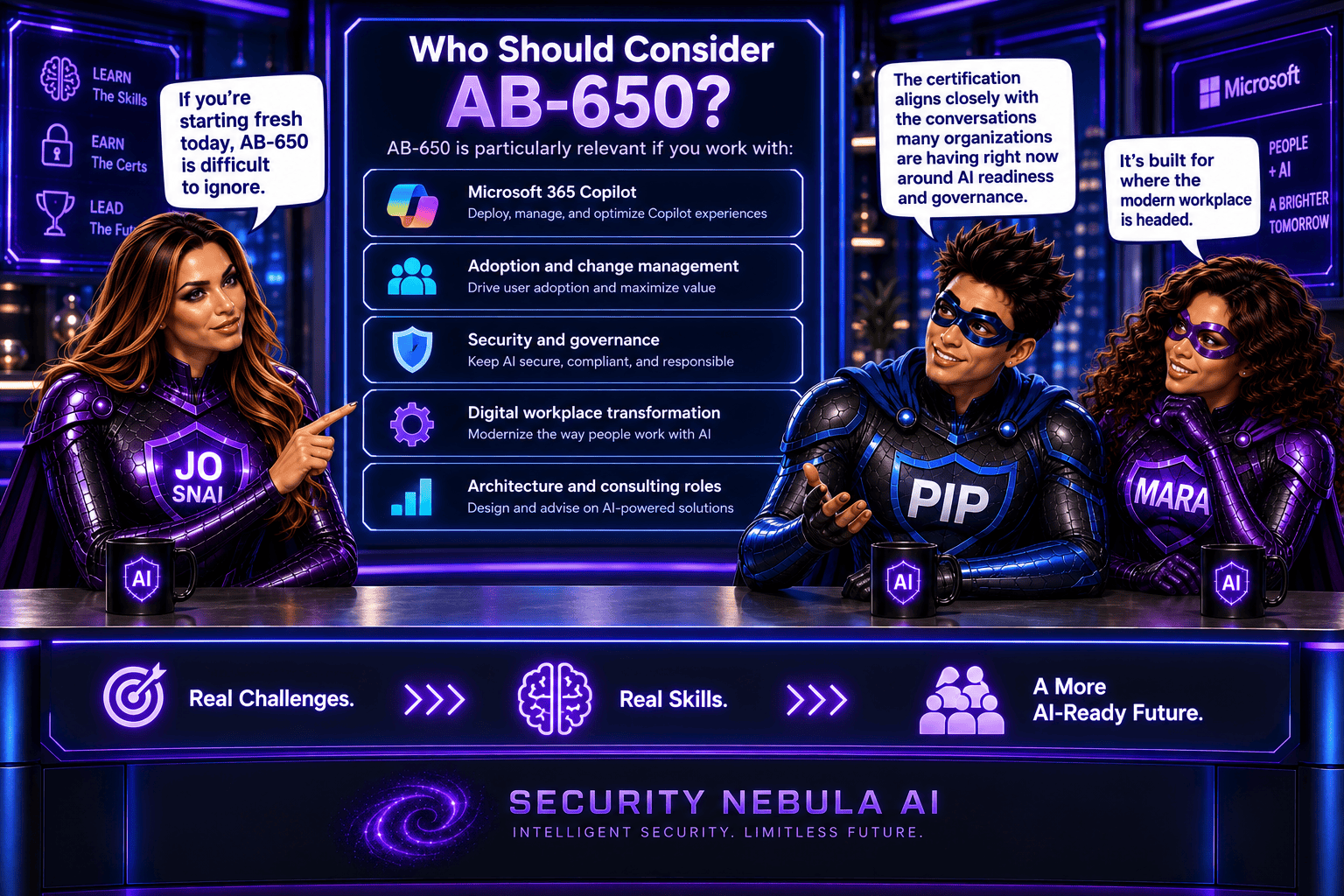
If you’re starting fresh today, AB-650 is difficult to ignore.

It’s particularly relevant if you work with:

  • Microsoft 365 Copilot
  • Adoption and change management
  • Security and governance
  • Digital workplace transformation
  • Architecture and consulting roles

The certification aligns closely with the conversations many organizations are having right now around AI readiness and governance.

As someone who has spent much of her career in the Microsoft ecosystem, I see this transition as something bigger than an exam retirement.

I see it as a signal.

A signal that the industry is moving toward a future where administration, security, compliance, user experience, and AI are no longer separate disciplines.

They’re becoming interconnected.

A few years ago, administrators managed users.

Today, we’re beginning to manage users and AI assistants.

Tomorrow, we’ll likely be managing entire ecosystems of human and AI collaboration.

And that’s why I believe the move from MS-102 to AB-650 matters.

It’s not just about earning your next certification.

It’s about understanding where our profession is heading.

What do you think? Would you still pursue MS-102 before it retires, or would you jump directly into AB-650 and the AI-first future?

🚀Microsoft 365 Copilot Adds Custom Guidance Links for Users Blocked from Copilot Chat

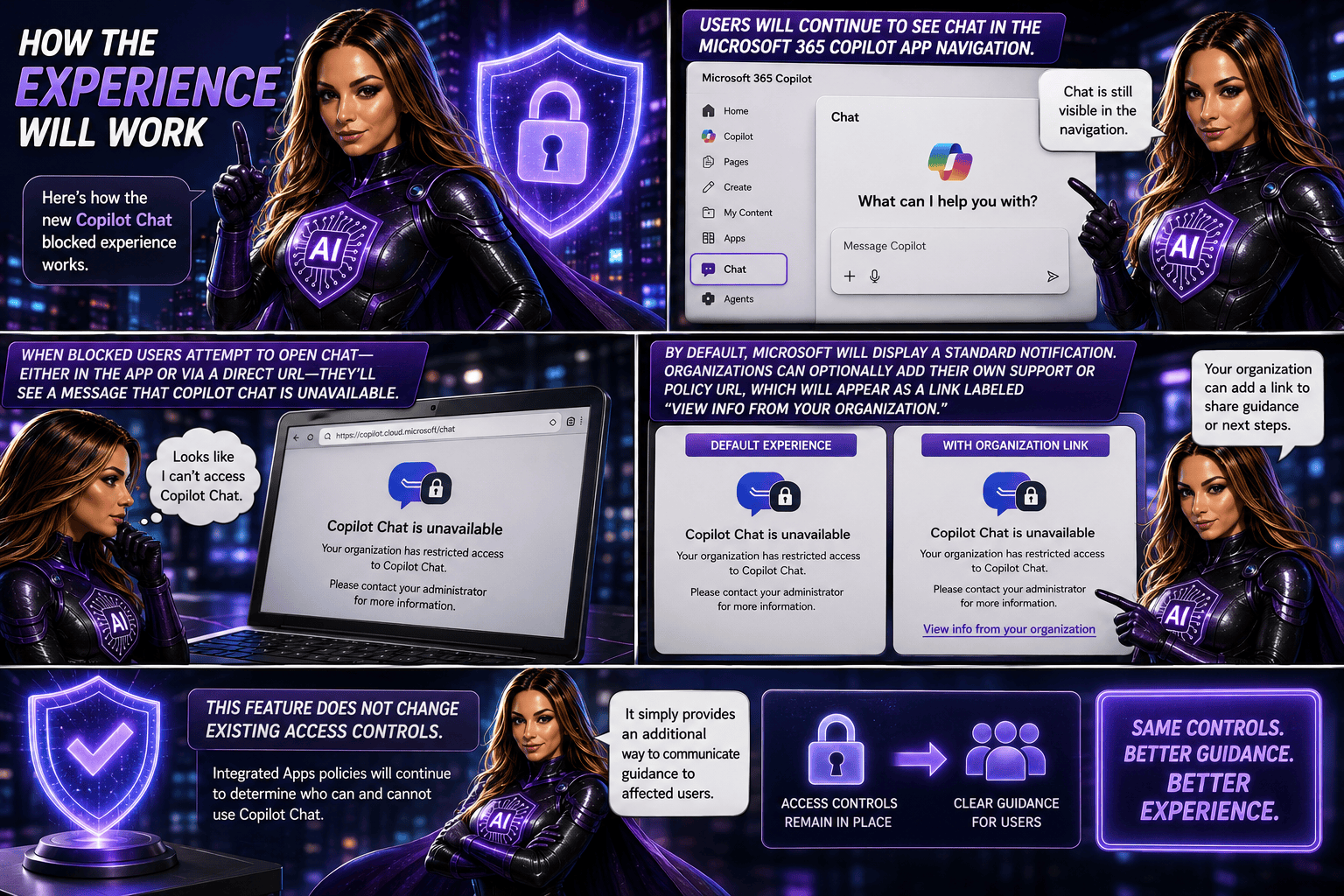
Starting in July 2026, Microsoft 365 Copilot will introduce a new optional feature that allows administrators to add a custom policy or guidance link for users who are blocked from accessing Copilot Chat. When restricted users attempt to open Copilot Chat, they’ll be directed to organisation-specific information that can explain access requirements and provide next steps. The feature can be configured through the Microsoft 365 admin centre and does not affect existing access controls or policies. No administrative action is required unless organisations choose to enable and customise this experience.

What’s changing?

Organisations will now have the option to add a custom policy or support link for users who are blocked from Copilot Chat through administrative policies. Instead of only seeing a standard Microsoft message, affected users can be directed to organization-specific guidance that explains why access is restricted and outlines the appropriate next steps.

This enhancement is designed to reduce confusion, improve communication, and make it easier for users to find the information they need when access is unavailable.

Rollout timeline

  • General Availability (Worldwide): Starting in July 2026
  • Expected completion: August 2026

Who is affected?

This update may be relevant for:

  • Organizations using the Microsoft 365 Copilot app
  • Administrators managing Copilot access through Integrated Apps policies
  • Users whose access to Copilot Chat has been restricted by policy

What admins should know

This feature is optional and disabled by default. Organisations that want to provide customised guidance can configure a support URL in the Microsoft 365 admin centre under Copilot settings.

Potential uses include:

  • Explaining why access is restricted
  • Sharing internal Copilot adoption policies
  • Providing licensing information
  • Directing users to support resources or help-desk contacts
  • Outlining the process for requesting access

Recommended actions

No action is required.

However, organizations that want to take advantage of this feature should consider:

  • Reviewing their current Copilot access policies
  • Identifying relevant internal guidance or support resources
  • Configuring a custom URL in the Microsoft 365 admin center
  • Preparing helpdesk teams for the updated experience
  • Monitoring Microsoft Learn documentation for additional setup guidance

Copilot Cowork is now available in Frontier

Copilot Cowork has officially landed in Frontier for Microsoft 365 Copilot (Premium) users. This release brings a more collaborative way for Copilot to work across apps, handling multi‑step tasks while keeping you in control.

With Copilot Cowork, tasks can span multiple Microsoft 365 apps, with clear user approvals along the way and built‑in progress tracking so you always know what’s happening. It’s designed to feel less like a single command and more like a coworker helping you get things done.

To use Copilot Cowork, users need to be enrolled in Frontier. It currently works with Microsoft‑built agents and uses Anthropic as a subprocessor. For customers in the EU, data boundary controls are in place to help meet regional compliance requirements.

The good news? No admin action is required to get started eligible users can simply explore the experience once Frontier is enabled.

When is this happening?

Copilot Cowork is already rolling out and is available today in Frontier.
General availability for all customers will be announced later—Microsoft will share details once it’s ready for broader release.

What this means for your organization

This update introduces a new way for Copilot to work alongside users—taking on longer, multi‑step tasks across Microsoft 365 apps while keeping people firmly in control. Think of it as Copilot stepping up from quick help to ongoing collaboration.

Who can use Copilot Cowork?

Copilot Cowork is available to:

  • Users with a Microsoft 365 Copilot (Premium) license
  • Users who are enabled for Frontier
  • English‑language users (for now)
Prerequisites and controls to be aware of

Before Copilot Cowork can be used, a few requirements need to be in place:

  • The tenant must be enrolled in the Frontier program
  • Microsoft‑built agents must be enabled
  • Anthropic must be enabled as a subprocessor (this is on by default)

For organizations based in the European Union (EU):

  • Anthropic is turned off by default to meet EU Data Boundary requirements
  • It must be explicitly enabled for Copilot Cowork to function
  • If Anthropic remains off, users may see Copilot Cowork listed but won’t be able to use it

Admins also need to be enrolled in Frontier to see Copilot Cowork listed in the Agent Inventory.

What users can expect

Once available, users can:

  • Install Copilot Cowork directly from the Agent Store in the Microsoft 365 Copilot app
  • Pin it to the left rail for easy access

From there, users can simply describe what they want to achieve—in plain, natural language—and Copilot Cowork will:

  • Create a multi‑step plan based on the user’s Microsoft 365 context
  • Coordinate work across apps like Word, PowerPoint, Outlook, and more
  • Continue working over time, with clear checkpoints and progress tracking

Importantly, Copilot Cowork never acts without permission. It will always propose actions first and wait for explicit user approval before doing things like:

  • Sending emails or Teams messages
  • Scheduling, declining, or rescheduling meetings
  • Editing, moving, or organizing files

Users stay in control at all times—they can pause, adjust, or stop execution whenever they want, and come back later to review progress.

Default behavior and governance

For eligible tenants, Copilot Cowork is enabled by default and respects existing Microsoft 365 permissions and policies. The only exception is where EU Data Boundary settings apply, which may limit functionality unless explicitly configured.

Wave 3 of Microsoft 365 Copilot – The Ultimate Game Changer

Today Microsoft is rolling out some major updates that truly reshape how AI shows up in everyday work. Here’s what’s new:

  • Wave 3 of Microsoft 365 Copilot
  • More model diversity, with Claude and next‑gen OpenAI models available starting today
  • Agent 365 becoming generally available on May 1 at $15 per user
  • Microsoft 365 E7: The Frontier Suite, also coming May 1, priced at $99 per user

Wave 3 is honestly the biggest shift I’ve seen in Copilot so far. It doesn’t feel like “AI that helps you write or summarize” anymore, it feels like Microsoft is moving Copilot into a true agent that can actually do work for you, not just respond to prompts. And this changes everything in how we’ll use Microsoft 365.

Frontier Transformation – What It Really Means

Microsoft is talking about “Frontier Transformation” but at its core, it’s actually simple: AI should help people achieve their highest goals — not just make processes a little faster.

Copilot Cowork – The game changer

The main highlight is Copilot Cowork, built together with Anthropic (the team behind Claude). What I love about it is that it can finally take on a whole piece of work, break it into steps, run those steps in Word, Excel, PowerPoint, Outlook, and keep you updated as it goes.

Not instantly, but over minutes or even hours.
So instead of: “Write a one‑page summary”
It becomes: “Prepare the full report, build the Excel analysis, create the PowerPoint, and draft the email to the team.”
And it actually moves this work forward across the apps we already use daily.

Edit with Copilot – In-app agentic editing

Another thing I like is that “Agent Mode” is gone.
It’s now simply called Edit with Copilot, and it works right inside the apps:

  • Word: turns your messy draft into something polished
  • Excel: actually builds formulas and charts (not just suggests)
  • PowerPoint: creates slides using your real templates and brand
  • Outlook: drafts or refines emails in the compose window

No more copy-paste. No more losing sensitivity labels. Everything stays governed and saved where it should be.

Work IQ – Copilot that “knows how you work”

Wave 3 also introduces Work IQ, which gives Copilot a deeper understanding of:

  • Your organization’s content
  • Your collaboration patterns
  • The apps and workflows you use
  • The context behind your requests

This is what helps Copilot choose the right model (Claude or OpenAI) depending on the task.

Multi‑model Copilot (Claude + OpenAI)

For the first time, Copilot becomes model-agnostic.
You’ll be able to pick or automatically use:

  • Anthropic Claude (via the Frontier program)
  • OpenAI models

A model selector is coming to Copilot Chat so you can choose which model works best, depending on the task.

New licensing tier: Microsoft 365 E7 “The Frontier Suite”

Microsoft also launched a brand new enterprise tier — their first in 11 years:
Microsoft 365 E7 (The Frontier Suite)

It bundles:

  • M365 E5
  • Copilot
  • Agent 365
  • Additional security + analytics tools

This shows how seriously Microsoft is betting on agentic AI becoming the new standard.

Rollout timeline

Wave 3 features are:

  • Already in research preview for selected customers
  • Expanding via the Frontier Program starting March 2026

With Wave 3, Agent 365, Work IQ, and the new E7 suite, AI is shifting from early experimentation to real, scalable, enterprise-wide value. Microsoft is not only imagining what AI could be it’s giving organizations the tools to build that future right now.

You can read more in the official Microsoft article here.