Microsoft Purview Expands DLP and AutoLabeling to Third-Party Apps

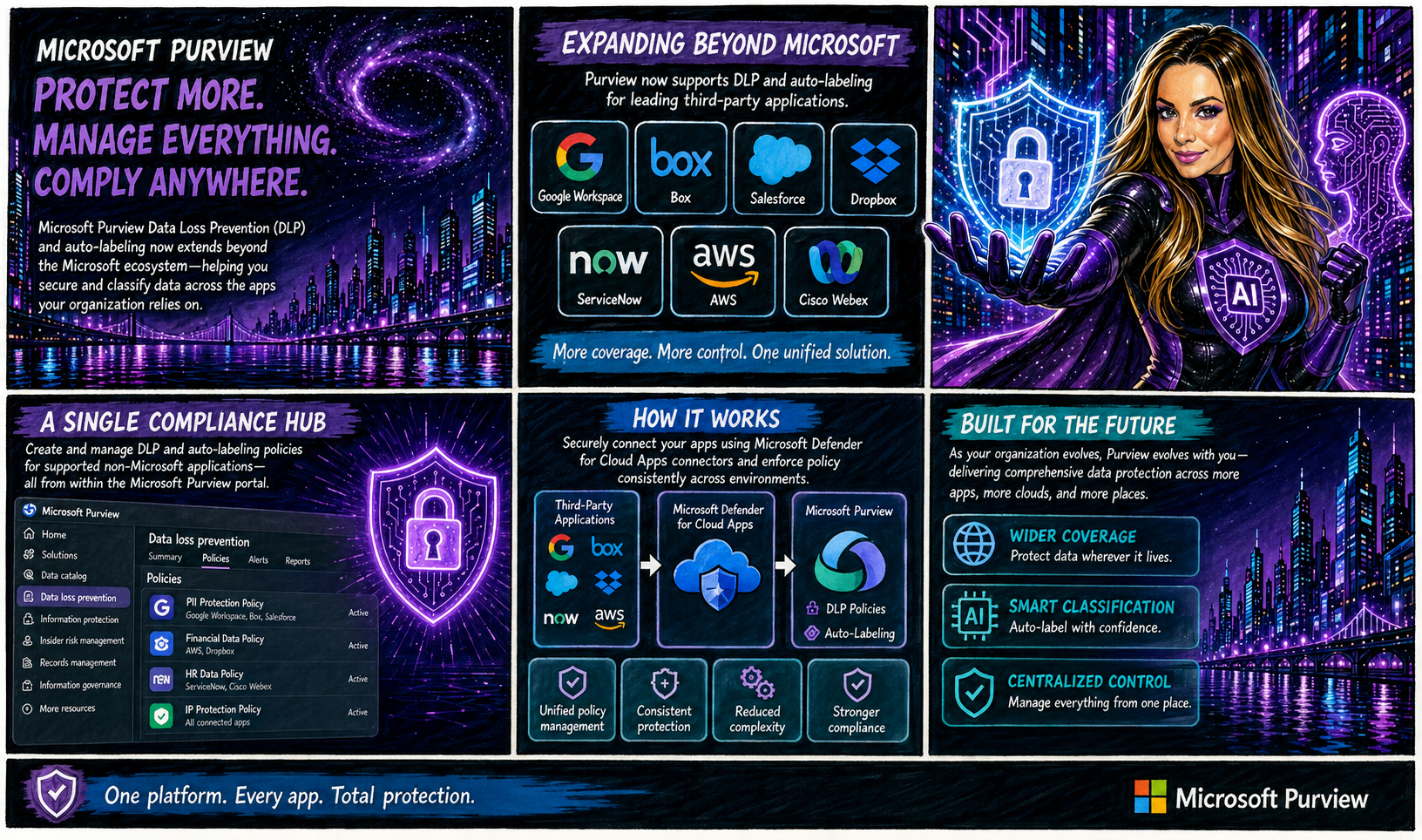
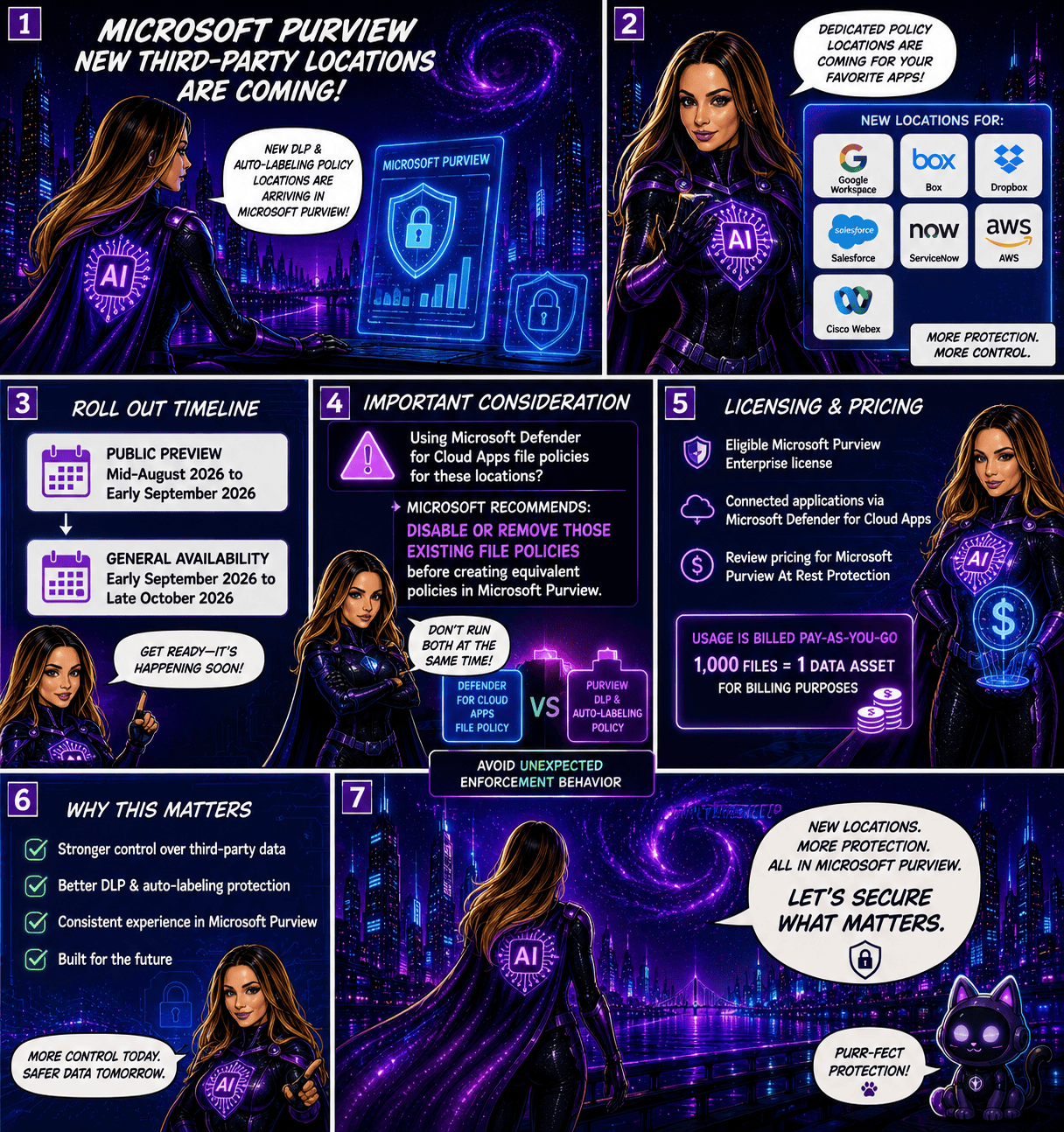
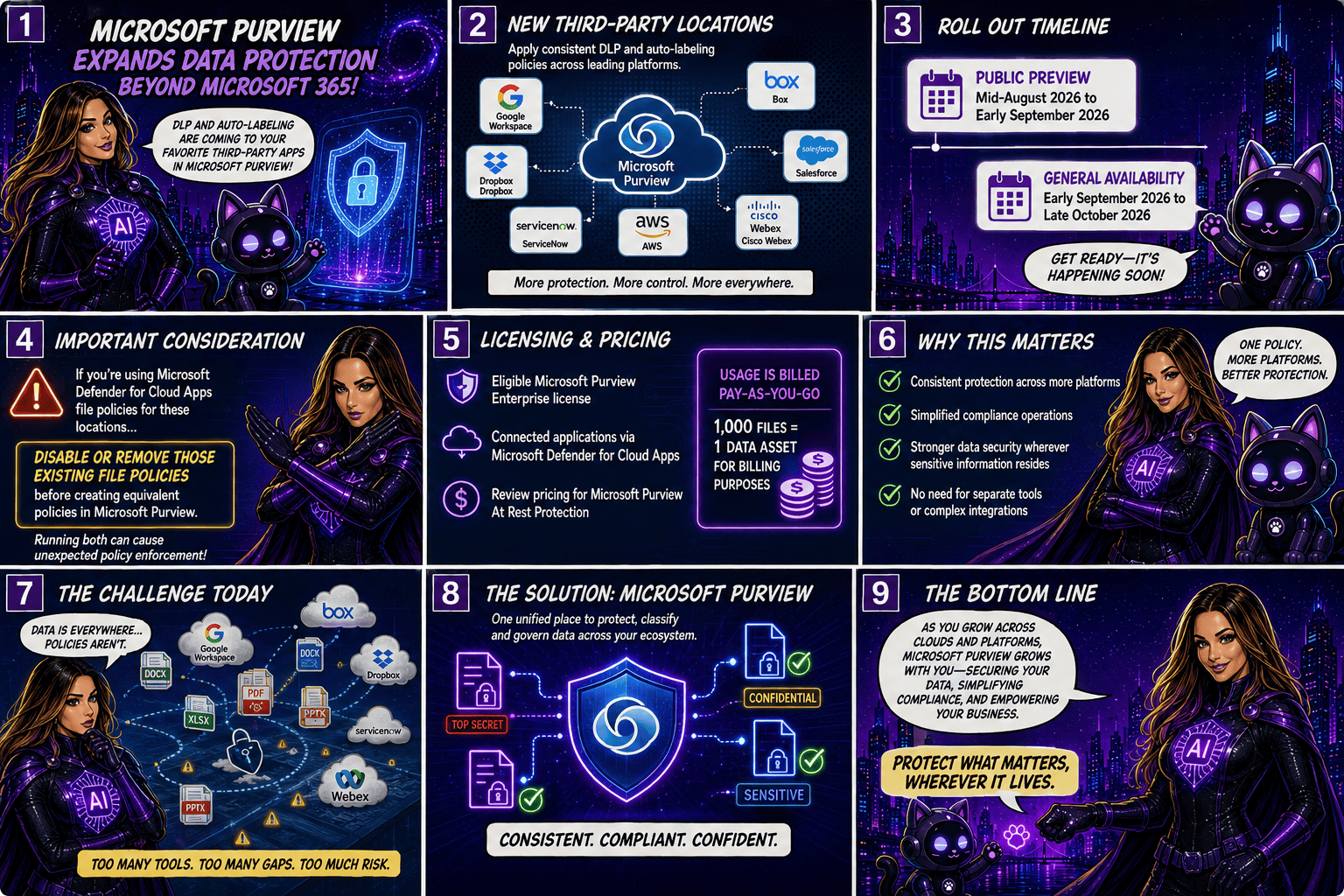
Microsoft is taking another major step toward unified data protection by extending Microsoft Purview Data Loss Prevention (DLP) and autolabeling capabilities beyond the Microsoft ecosystem. Organisations will soon be able to protect and classify data stored in popular third-party applications such as Google Workspace, Box, Salesforce, Dropbox, ServiceNow, AWS, and Cisco Webex, all from within Microsoft Purview.

A Single Compliance Hub for More Applications

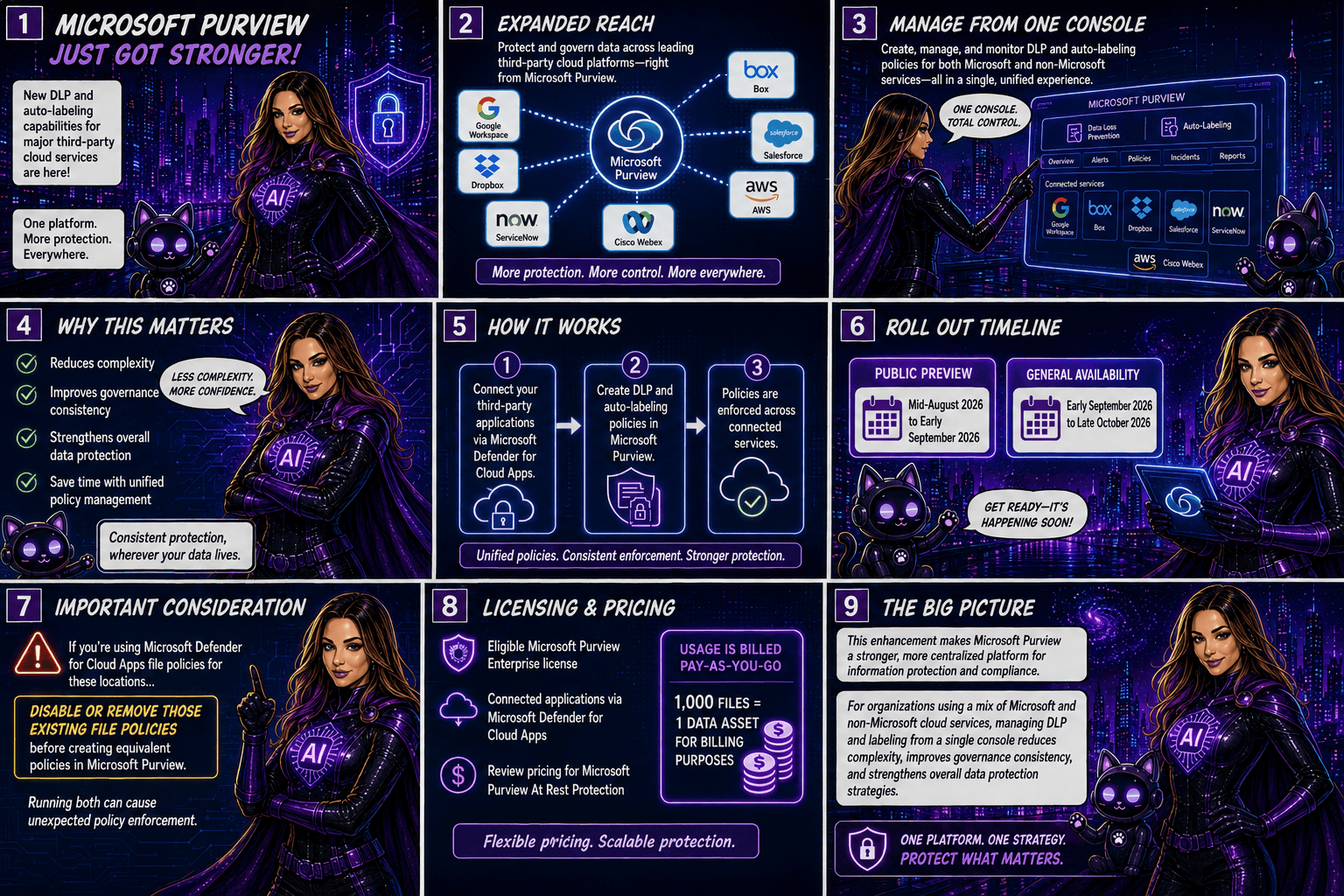
Traditionally, organisations managing data across multiple cloud platforms had to rely on separate security and compliance controls for each application. With this update, Microsoft Purview becomes a more centralised compliance solution by allowing administrators to create and manage DLP and autolabeling policies for supported non-Microsoft applications directly from the Purview portal.

The integration is made possible through Microsoft Defender for Cloud Apps connectors, which securely connect these third-party services to Microsoft Purview.

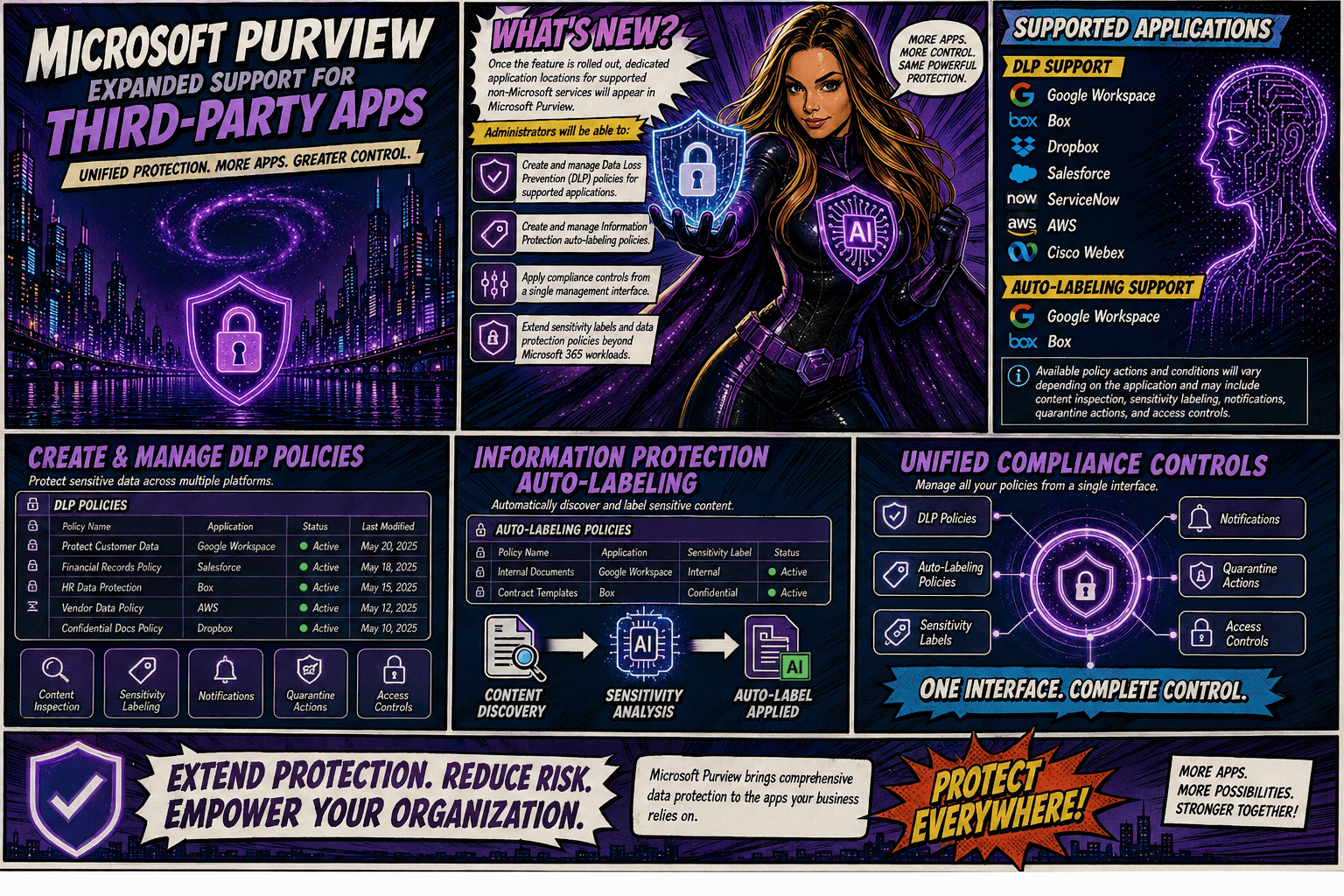
Once the feature is rolled out, dedicated application locations for supported non-Microsoft services will appear in Microsoft Purview. Administrators will be able to:

  • Create and manage Data Loss Prevention (DLP) policies for supported applications.
  • Create and manage Information Protection autolabeling policies.
  • Apply compliance controls from a single management interface.
  • Extend sensitivity labels and data protection policies beyond Microsoft 365 workloads.

Supported Applications

DLP Support

Microsoft Purview DLP will support the following applications:

  • Google Workspace
  • Box
  • Dropbox
  • Salesforce
  • ServiceNow
  • AWS
  • Cisco Webex

AutoLabeling Support

Autolabeling will initially be available for:

  • Google Workspace
  • Box

Available policy actions and conditions will vary depending on the application and may include content inspection, sensitivity labelling, notifications, quarantine actions, and access controls.

Rollout Timeline

Microsoft plans to release the feature according to the following schedule:

  • Public Preview: Mid-August 2026 to early September 2026
  • General Availability: Early September 2026 through late October 2026

Important Considerations

Organisations currently using Microsoft Defender for Cloud Apps file policies for the same third-party locations should take note: Microsoft recommends disabling or removing those existing file policies before creating equivalent policies in Microsoft Purview. Running both simultaneously could result in unexpected policy enforcement behaviour.

Licensing and Pricing

To use these new capabilities, organisations will need:

  • An eligible Microsoft Purview Enterprise license
  • Connected applications via Microsoft Defender for Cloud Apps

Additionally, customers should review the pricing implications associated with Microsoft Purview At Rest Protection. Usage is billed on a pay-as-you-go basis, with 1,000 files counted as one data asset for billing purposes.

Why This Matters

As organisations continue adopting multi-cloud and multi-platform environments, data often resides well beyond Microsoft 365. This update allows security and compliance teams to apply consistent protection, classification, and governance policies across a broader range of business-critical applications without requiring separate management tools.

By bringing DLP and autolabeling capabilities to leading third-party services, Microsoft is helping organisation simplify compliance operations while strengthening data security wherever sensitive information resides.

This enhancement significantly expands Microsoft Purview’s reach, making it a stronger centralised platform for information protection and compliance. For organisations using a mix of Microsoft and non-Microsoft cloud services, the ability to manage DLP and labeling policies from a single console could reduce complexity, improve governance consistency, and strengthen overall data protection strategies.

🎧 Tune in for all the details!
🎥 Watch the full episode ➡️ here

Microsoft 365 Copilot Gets Clearer DLP Notifications

Have you ever wondered why Copilot couldn’t access, process, or return certain content?
Microsoft is making that experience much easier to understand. Previously, users could see different messages depending on how a Microsoft Purview Data Loss Prevention (DLP) policy was triggered, which sometimes made it unclear why content wasn’t available.

With this update, Microsoft 365 Copilot will now display a consistent notification whenever organisational DLP policies prevent access to content. The goal is simple: improve transparency, reduce confusion, and help users understand that Copilot is respecting their organisation’s data protection policies.

What’s Covered?

The new standardized message applies to Microsoft Purview DLP protections across Microsoft 365 Copilot and Copilot Chat, including:

  • Grounding DLP
  • Prompt DLP
  • External Email DLP

Where Will Users See It?

The unified notification can appear across Microsoft 365 Copilot experiences powered by Microsoft 365 Chat orchestration, including:

  • Microsoft 365 Copilot
  • Microsoft 365 Copilot Chat
  • Microsoft Teams Copilot experiences
  • Outlook on the web Copilot experiences
  • Microsoft Edge Copilot experiences
  • Other Microsoft 365 Copilot chat experiences that rely on Microsoft 365 Chat orchestration

Whenever a DLP policy restricts Copilot from using specific content, users will see the same clear message indicating that access to some content has been restricted by an organisational policy.

Rollout Timeline

The feature is now rolling out across all environments:

  • Worldwide: Available from July 15, 2026
  • GCC: Available from July 20, 2026
  • GCC High and DoD: Available from July 23, 2026

What This Means for Your Organisation

Organizations already using Microsoft Purview DLP with Microsoft 365 Copilot or Copilot Chat don’t need to take any action. The update does not change how DLP policies work. Instead, it improves the user experience by providing a clearer and more consistent explanation when content is blocked.

For IT administrators, this is a good opportunity to review existing training materials, user documentation, and support resources to ensure they reflect the new messaging experience.

Bottom line: the protection remains the same, but the explanation gets better. Users gain more clarity on why content is unavailable, while organisations continue to benefit from the same trusted data protection controls.

Microsoft Purview DLP: Instances Policy Location Retiring in January 2027

Microsoft has announced the retirement of the Instances policy location in Microsoft Purview Data Loss Prevention (DLP), with the change taking effect on January 6, 2027.

Today, organizations using the Instances location rely on the Microsoft Defender for Cloud Apps file policy infrastructure to enforce DLP and auto-labeling policies across supported third-party applications. To simplify policy management and provide a more consistent compliance experience, Microsoft is moving away from this approach and introducing dedicated application-specific policy locations directly within Microsoft Purview.

Supported applications include:

  • Google Workspace
  • Box
  • Dropbox
  • Salesforce
  • ServiceNow
  • AWS
  • Cisco Webex
What’s Changing?

Instead of creating policies under a generic Instances location, administrators will use dedicated locations for each supported application.

For example:

Current LocationNew Location
Instances (Google Workspace)Google Workspace
Instances (Box)Box
Instances (Dropbox)Dropbox
Instances (Salesforce)Salesforce
Instances (ServiceNow)ServiceNow
Instances (AWS)AWS
Instances (Cisco Webex)Cisco Webex

This change aligns non-Microsoft application protection more closely with the broader Microsoft Purview compliance framework.

Microsoft is introducing these new application locations ahead of the retirement date to allow organizations time to migrate.

Key dates:

  • Dedicated application locations will be rolled out before retirement.
  • January 6, 2027: Instances policy location officially retires.
  • Retirement rollout begins in early January 2027 and is expected to complete by mid-January 2027.
What Happens After January 6, 2027?

Once the retirement takes place:

  • New policies can no longer be created using the Instances location.
  • Existing policies configured with the Instances location will no longer be supported.
  • Organizations should use the new dedicated application locations for all future DLP and auto-labeling policies.
  • Policies that continue to rely on the retired Instances location may no longer be enforced as expected.

If your organization currently uses the Instances location, Microsoft strongly recommends recreating those policies in the new application-specific locations before the retirement deadline.

Recommended Next Steps

To avoid any disruption to DLP enforcement, organizations should begin preparing well before the 2027 deadline.

1. Review Existing Policies

Identify any DLP or auto-labeling policies currently configured through the Instances location.

2. Identify Affected Applications

Determine which non-Microsoft platforms are involved and map them to their new dedicated policy locations.

3. Recreate Policies

Build equivalent policies using the new application-specific locations within Microsoft Purview.

4. Test and Validate

Before retiring legacy policies, verify that policy enforcement, labeling, and user experiences behave as expected.

5. Update Documentation

Review operational procedures, internal documentation, and administrator guidance to reflect the new management model.

6. Notify Stakeholders

Make sure compliance, security, and support teams are aware of the upcoming change and migration timeline.

While the retirement is still several months away, organizations using third-party cloud platforms for collaboration and data storage should start planning their migration strategy now. Moving to dedicated application locations will ensure continued DLP and auto-labeling protection while providing a more streamlined and unified compliance experience within Microsoft Purview.

The bottom line: If you’re using the Instances location today, plan your migration before January 6, 2027. If you’re not, you can safely continue using Microsoft Purview as normal and take advantage of the new dedicated application locations as they become available.

Microsoft Purview Tightens Rules for Custom Sensitive Information Types

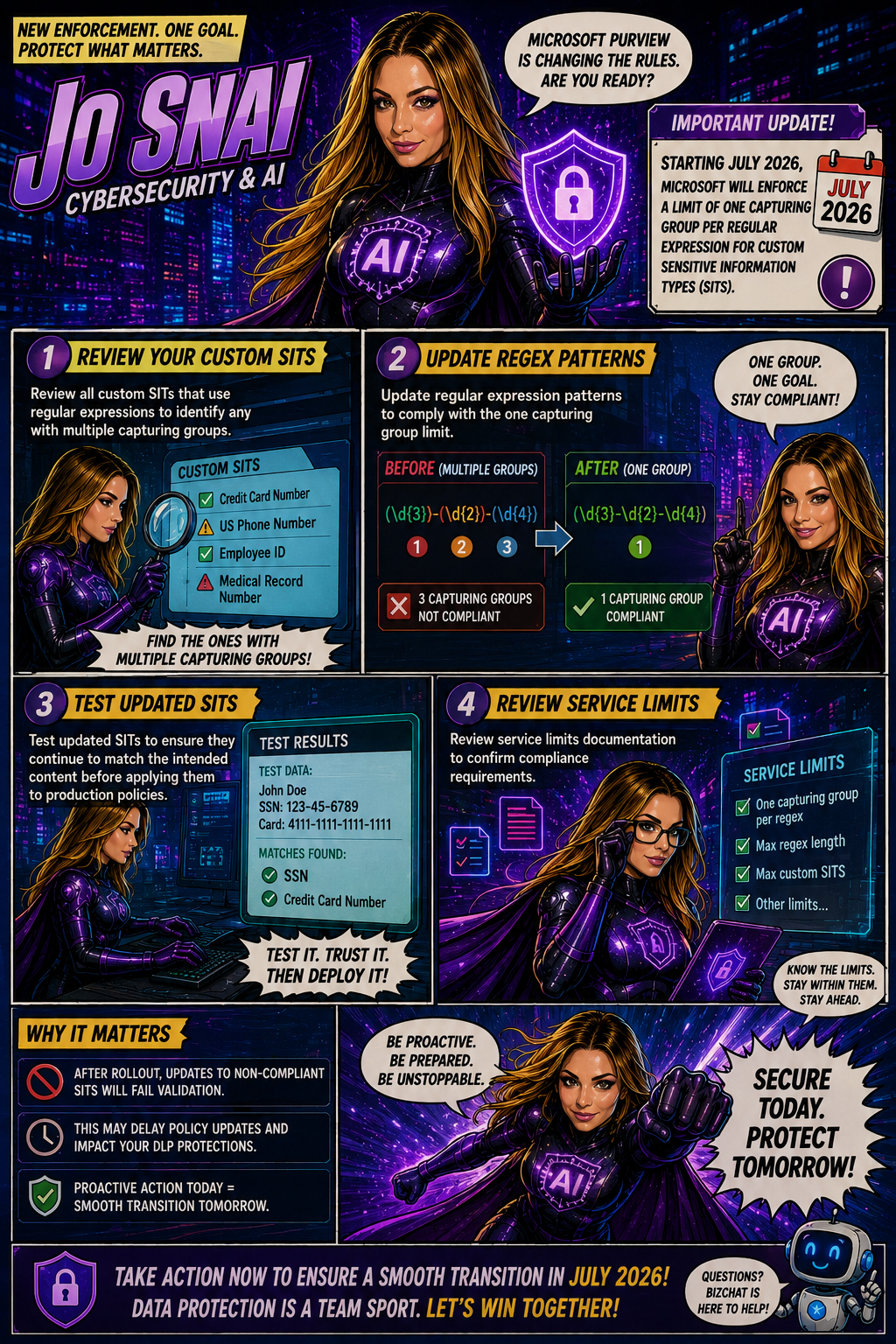
Organizations using Microsoft Purview custom Sensitive Information Types (SITs) should be aware of an upcoming change that may require updates to existing regex patterns.

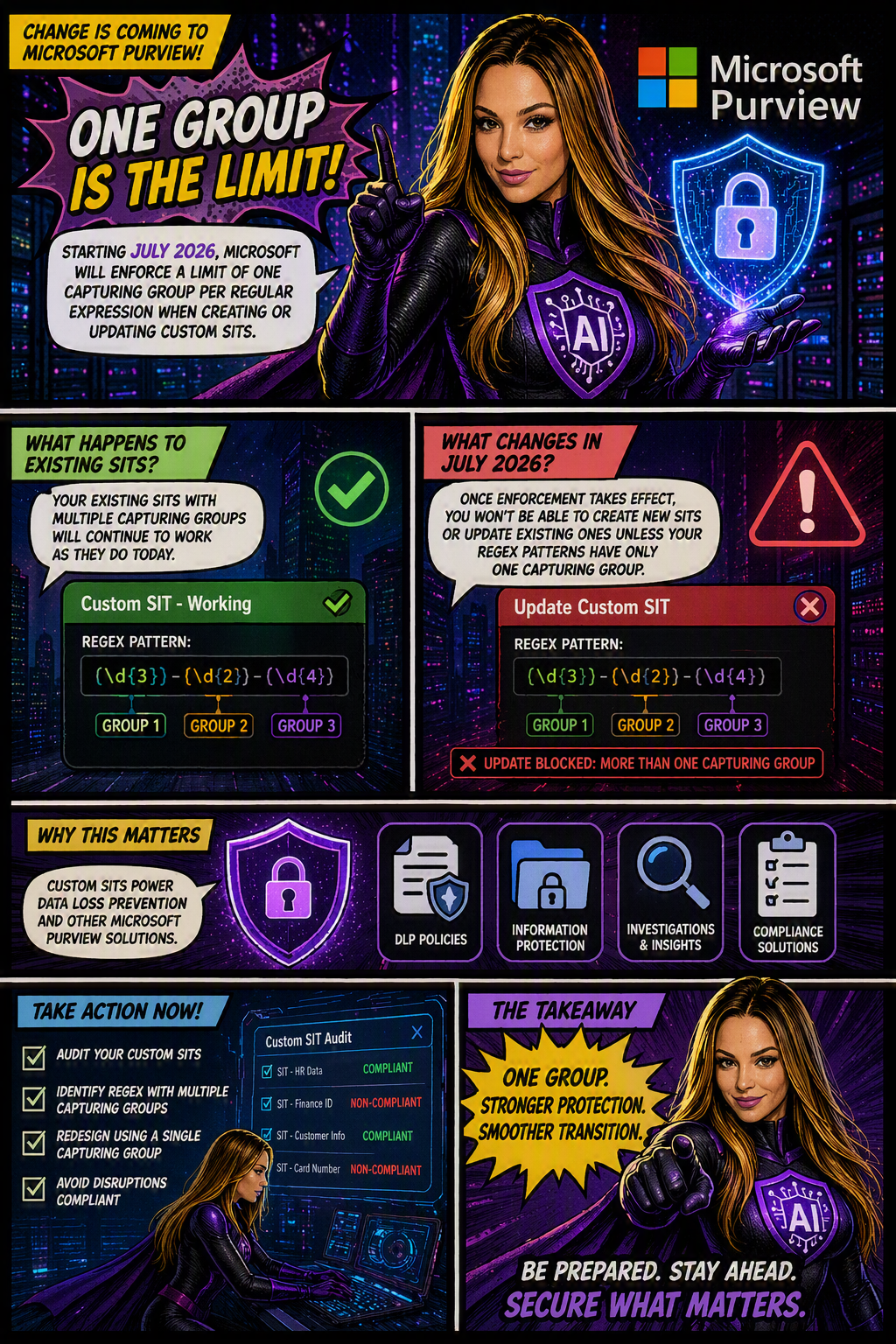
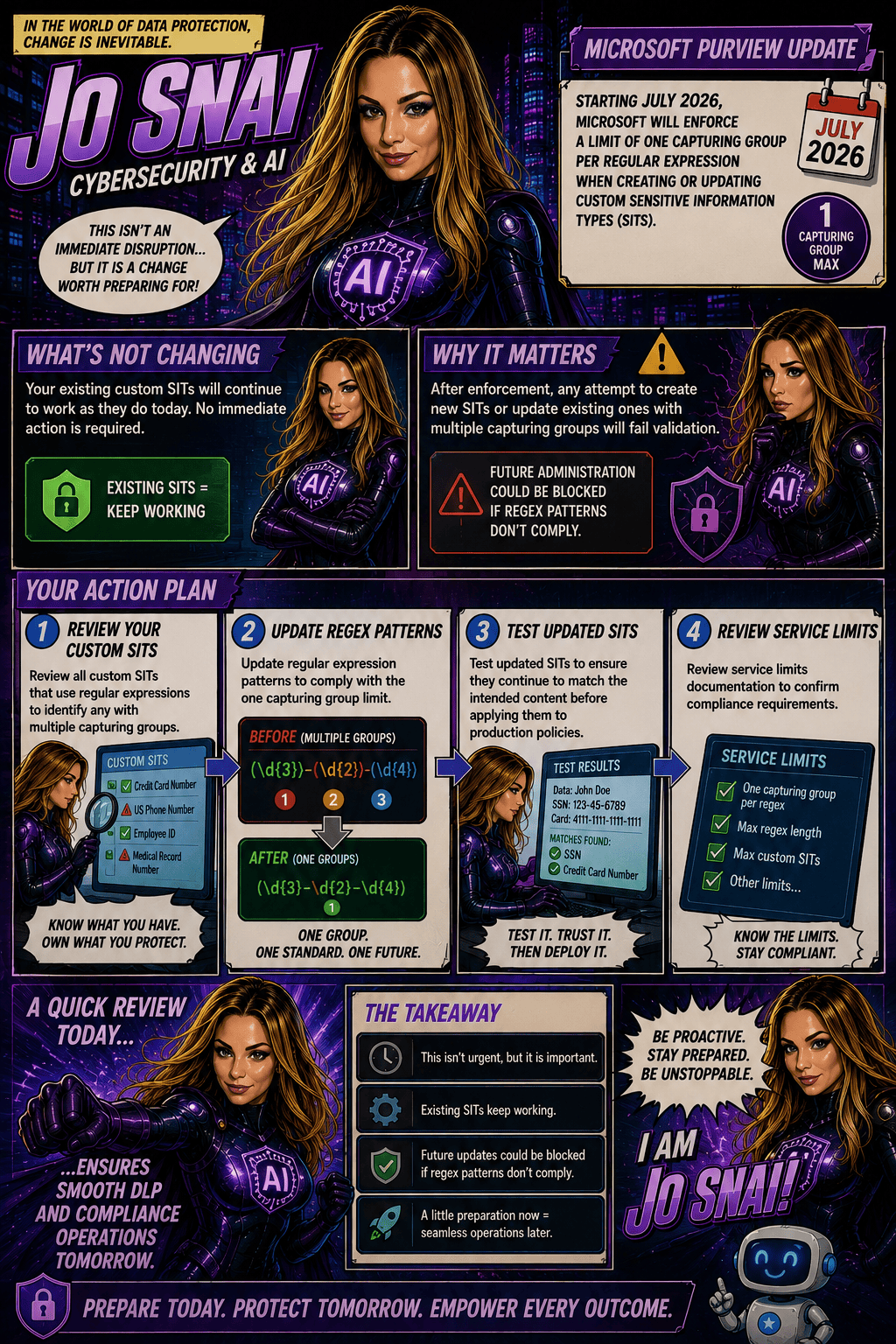
Microsoft is moving forward with enforcing a long-documented rule that allows only one capturing group per regular expression in custom SIT definitions. The goal is to improve the consistency, reliability, and predictability of how sensitive data is identified and classified across Microsoft Purview and Data Loss Prevention (DLP) workloads.

When is this happening?

The rollout is expected to be completed by early July 2026 across all Microsoft cloud environments, including:

  • Worldwide
  • GCC
  • GCC High
  • DoD
Who is affected?

This change primarily impacts:

  • Microsoft Purview administrators
  • Compliance teams managing custom Sensitive Information Types
  • Organizations using custom SITs in DLP, data classification, and compliance solutions

The enforcement applies whether SITs are managed through:

  • The Microsoft Purview portal
  • PowerShell, including:
    • New-DlpSensitiveInformationTypeRulePackage
    • Set-DlpSensitiveInformationTypeRulePackage
What changes?

Once enforcement is in place:

✅ New custom SITs must contain only one capturing group in each regular expression.

❌ Creating a new SIT with multiple capturing groups will be blocked.

❌ Updating an existing SIT that contains multiple capturing groups will fail validation.

❌ Administrators will not be able to save changes to existing SITs until non-compliant regex patterns are updated.

What about existing SITs?

Existing custom SITs that contain multiple capturing groups will continue to work in their current state. However, they become a potential issue the moment you need to modify, update, or re-save them.

In other words, if an existing SIT contains a regex pattern with multiple capturing groups, you’ll need to redesign that pattern to comply with the one-capturing-group rule before any future changes can be saved.

Many organizations rely on custom SITs to identify sensitive business information and power key compliance capabilities such as:

Why does this matter?
  • Data Loss Prevention (DLP)
  • Data classification
  • Compliance monitoring
  • Information protection policies

If a custom SIT cannot be updated because it fails validation, it could delay policy changes, compliance updates, or new data protection initiatives.

What should you do now?

To avoid surprises, Microsoft Purview administrators should proactively:

  1. Audit existing custom SITs
  2. Identify regex patterns that use multiple capturing groups
  3. Redesign patterns to use a single capturing group
  4. Test and validate updated SITs before future modifications are required

Microsoft Purview Adds Time-Limited Role Assignments to Strengthen Security

Microsoft is enhancing Microsoft Purview with a new capability that allows administrators to assign expiration dates to role group memberships. This update makes it easier to grant temporary administrative access while supporting the principle of least privilege, helping organizations reduce the risk associated with long-term privileged accounts.

With this new feature, administrators can specify how long a user or security group should remain in a Purview role group, choosing a duration anywhere from one day up to two years. Once the assigned period expires, access is automatically removed, helping security and compliance teams maintain tighter control over administrative permissions.

When Will It Be Available?

Microsoft plans to roll out the feature according to the following schedule:

  • Worldwide General Availability: Starting in late July 2026 and expected to complete by late August 2026.
  • GCC, GCC High, and DoD: Starting in late August 2026 and expected to complete by late September 2026.
What Does This Mean for Organizations?

This enhancement primarily benefits:

  • Microsoft Purview administrators
  • Security administrators
  • Compliance teams
  • Organizations managing role-based access through Microsoft Purview

The feature will be available through:

  • Microsoft Purview Compliance Portal
  • Microsoft Purview Role-Based Access Control (RBAC)
Key Benefits

Once the rollout is complete, administrators will be able to:

✅ Assign users or security groups to role groups with a predefined expiration date.

✅ Set assignment durations ranging from 1 day to 2 years.

✅ Apply the capability to both new and existing role assignments.

✅ Reduce the likelihood of forgotten or unnecessary privileged access.

✅ Improve governance, compliance, and security posture with minimal administrative effort.

Importantly, existing role assignments will not be automatically modified, and end-user workflows will remain unchanged.

What Do You Need to Do?

The good news is that no action is required to enable this feature. It will be available by default once deployed, with no additional configuration or policy changes needed.

However, organizations may want to take advantage of the new functionality by:

  • Reviewing privileged access management processes.
  • Using expiration-based assignments for temporary projects, audits, or administrative tasks.
  • Updating internal documentation and operational procedures.
  • Informing Purview administrators about the new capability.

From a compliance perspective, time-limited role assignments help organizations demonstrate stronger control over privileged access.

Many regulatory frameworks and security standards—including ISO 27001, NIST, SOC 2, GDPR accountability requirements, and Zero Trust security principles—expect organizations to follow the principle of least privilege, ensuring users only have access to the resources they need and only for as long as they need it.

Microsoft Purview DSPM now includes a new data security agent to strengthen your data protection posture

Microsoft has officially moved Data Security Posture Management (DSPM) in Microsoft Purview from preview to general availability (GA) and that’s a big step forward for organizations looking to strengthen how they protect sensitive data.

At its core, DSPM helps you understand where your data risks really are, giving you better visibility across your Microsoft 365 environment. Instead of piecing things together manually, you get clear insights, risk signals, and practical recommendations to help improve your overall data security posture.

This release is part of Microsoft’s ongoing investment in enterprise-grade security and compliance tools, making it easier to protect data at scale without added complexity.

What’s New

One of the key additions in this GA release is the Data Security Posture Agent, now fully available.

With it, you can:

  • Get a centralized view of data risks across your environment
  • Identify potential gaps in your security posture
  • Access actionable recommendations to improve protection
  • Take direct steps to remediate risks

The transition from preview to GA is seamless—your existing configurations stay as they are, and there’s no need to reconfigure policies or settings.

Rollout Timeline
  • General Availability (Worldwide): Late May 2026 – Late June 2026

The feature will become available based on your organization’s Microsoft Purview deployment timing.

Who Should Pay Attention

This update is especially relevant for:

  • IT admins
  • Security teams
  • Compliance professionals

Basically anyone responsible for managing or protecting data within Microsoft 365 using Microsoft Purview.

What This Means for You

Good news, no action is required to enable this feature.

That said, it’s a great opportunity to take advantage of what DSPM offers. You might want to:

  • Explore the new DSPM capabilities and see how they fit into your security strategy
  • Learn how to set up and use the Data Security Posture Agent
  • Start using DSPM insights to prioritize and reduce data risks
  • Inform your security and compliance teams about the update
  • Update any internal documentation that references Purview DSPM

Data Security Investigations introduces new soft purge mitigation action

Microsoft is introducing a new soft purge action in Data Security Investigations (DSI), giving admins a quick and safe way to remove sensitive or overshared files during an investigation. With soft purge, items can be deleted immediately but still recovered later as long as they’re within their deleted‑item retention period, so admins get speed without risking permanent data loss.

This builds on DSI’s growing set of AI‑powered tools like intelligent categorization, AI search, and automated risk insights making it easier than ever for organizations to spot issues and take action fast.

New update coming to Microsoft 365 Roadmap ID 558109. A soft purge action will soon be available in Data Security Investigations (DSI), giving admins a safer and more flexible way to remove sensitive or overshared content during an investigation.

When it’s rolling out
  • General Availability (Worldwide): Begins early April 2026
  • Expected completion: late May 2026

What this means for your organization

Who is affected?

Admins who use Data Security Investigations (DSI) in the Microsoft Purview compliance portal.

What’s changing

A new soft purge option will appear in DSI. With this action, admins can:

  • Remove items that match an investigation query
  • Keep those items recoverable until the retention period expires
  • Act quickly without risking accidental permanent deletion

And the best part:

  • The feature is on by default
  • No configuration needed
  • No changes to existing DLP, labeling, or retention policies
  • End users will not see any changes in their workflows

Once the rollout finishes, the feature simply appears for eligible tenants.

How to prepare

There is nothing you need to do in advance.
If you want to get ahead, you may consider:

  • Reviewing how soft purge works in DSI
  • Updating any internal guidance on investigation processes
  • Informing your security or compliance teams about the new action

Overall, this update gives organizations a safer and more controlled way to remove sensitive content during investigations—without adding extra steps or complexity.

Enhancing AI Analysis in Data Security Investigations: What’s Coming Next

Microsoft Purview is rolling out a series of improvements designed to make AI analysis in Data Security Investigations (DSI) faster, smoother, and easier for analysts to use.

With these updates, items added to an investigation will now be automatically prepared for AI analysis—removing a repetitive manual step and helping analysts get to insights sooner. Purview is also introducing a new standard categorization option, giving organizations a quicker and more cost‑efficient way to group and review investigation items. For deeper insights, advanced categorization, including AI‑generated topics, will continue to be available.

These changes are part of Microsoft 365 Roadmap ID 557556.

Rollout Timeline

  • Public Preview: Mid‑March 2026 → Mid‑April 2026
  • General Availability (Worldwide): Mid‑April 2026 → Mid‑May 2026

What This Means for Your Organization

Who will notice the changes?

  • Microsoft Purview administrators
  • Analysts and security teams using Data Security Investigations
  • Any Microsoft 365 tenant with access to DSI capabilities

What’s changing?

  • Automatic AI preparation:
    Items added to an investigation will automatically get ready for AI analysis. No extra clicks or steps required.
  • New standard categorization option:
    A streamlined way to categorize items, ideal for scenarios where speed and simplicity matter.
  • Advanced categorization remains:
    Organizations can still use richer AI‑powered topic grouping when deeper analysis is needed.
  • No configuration changes needed:
    Everything is enabled by default—no admin setup required.

What users may see

  • Faster time from “item added” to “item ready for analysis”
  • A refreshed UI for choosing between standard and advanced categorization

How to Prepare

There’s nothing you need to configure ahead of time. However, it’s helpful to:

  1. Inform analysts and SOC teams about the new categorization options and automatic AI preparation.
  2. Update internal documentation if you maintain guides or SOPs that describe DSI workflows.
  3. Review training materials so teams know when to choose standard vs. advanced categorization.

Microsoft Office for the web: Apply sensitivity labels with user-defined permissions

Updated February 13, 2026: The roll-out timeline has been updated!!

Microsoft 365 Office for the web will support applying sensitivity labels with user-defined permissions in Word, Excel, and PowerPoint starting mid-March 2026. This aligns with desktop app permissions dialogs, requires no admin changes, and enhances document access control without compliance impacts.

Office for the web now supports sensitivity labels with user‑defined permissions

Microsoft 365 Office for the web (Word, Excel, and PowerPoint) now includes the ability to apply sensitivity labels with user‑defined permissions, giving organizations greater flexibility and control over document access directly in the browser. This update aligns the web experience with the modern permissions dialog available in the desktop apps.

Roadmap ID: 468888

Rollout timeline

General Availability

  • Worldwide & GCC:
    Rollout begins mid‑March 2026 (previously mid‑February) and is expected to complete by early April 2026 (previously early March).
  • GCCH & DoD:
    Rollout begins mid‑March 2026 (previously mid‑February) and is expected to complete by early May 2026 (previously early April).

Who is affected

Compliance considerations

No new compliance impacts have been identified. Organisations may review the change as needed.

🚀 Strengthening Security in Microsoft Purview & Microsoft 365: Important Update Coming Soon

To further enhance the security and integrity of how Microsoft Purview interacts with Microsoft 365 services—such as Exchange, SharePoint, OneDrive, and Teams—Microsoft is modernizing how role management works within Purview.

Beginning mid‑February through late March 2026, Microsoft Purview will automatically map certain high‑privileged Purview admin roles to three newly created Microsoft Entra roles. This alignment strengthens identity and permission boundaries and ensures that all high‑impact actions (like search or export) are performed only by users with validated permissions in Entra.

📅 Rollout Timeline

General Availability (Worldwide)
Begins: Mid‑February 2026
Complete: Late March 2026

The best part? No customer action is required.

Role assignments will synchronize automatically from Purview to Entra within minutes, ensuring that permissions flow securely and consistently across Microsoft 365.

📝 How to Prepare

  • No action is required—synchronization is fully automated.
  • Be aware that new Purview‑specific Entra roles may appear in audit logs.
  • Avoid assigning these roles directly in Entra.
  • Review your internal documentation and update governance workflows if needed.
  • For deeper technical detail, refer to Microsoft Purview documentation.

🏢 Impact on Your Environment

✔ Who Is Affected

Organizations with admins assigned to high‑privileged Purview roles.

✔ What You’ll See

  • New Purview‑specific Entra roles appearing in audit logs
  • Auto‑generated Entra role assignments, managed solely by Purview
  • No disruption to existing workflows or permissions

✔ What You Need To Do

  • No action required
  • DO NOT manually assign these roles in Entra
  • Update documentation or internal governance policies if referencing these roles
  • Inform your security/compliance teams about the new audit log entries

Compliance & Security Notes

  • No new compliance concerns identified
  • Mapping ensures consistent identity + permission enforcement across M365
  • Supports least‑privileged access by validating roles in both Purview and Entra