Artificial Intelligence is everywhere today. Organizations are deploying agents, copilots, and generative AI solutions at an unprecedented pace. Yet many AI projects still struggle with a fundamental problem: AI may be intelligent, but it often lacks a true understanding of the business it serves. This is exactly where Microsoft IQ comes in. Announced as Microsoft’s unified enterprise intelligence layer, Microsoft IQ is designed to help AI agents and Microsoft 365 Copilot understand not just data, but also people, processes, knowledge, and business relationships across the organization. Instead of AI working with isolated information sources, Microsoft IQ creates a shared understanding of the enterprise.

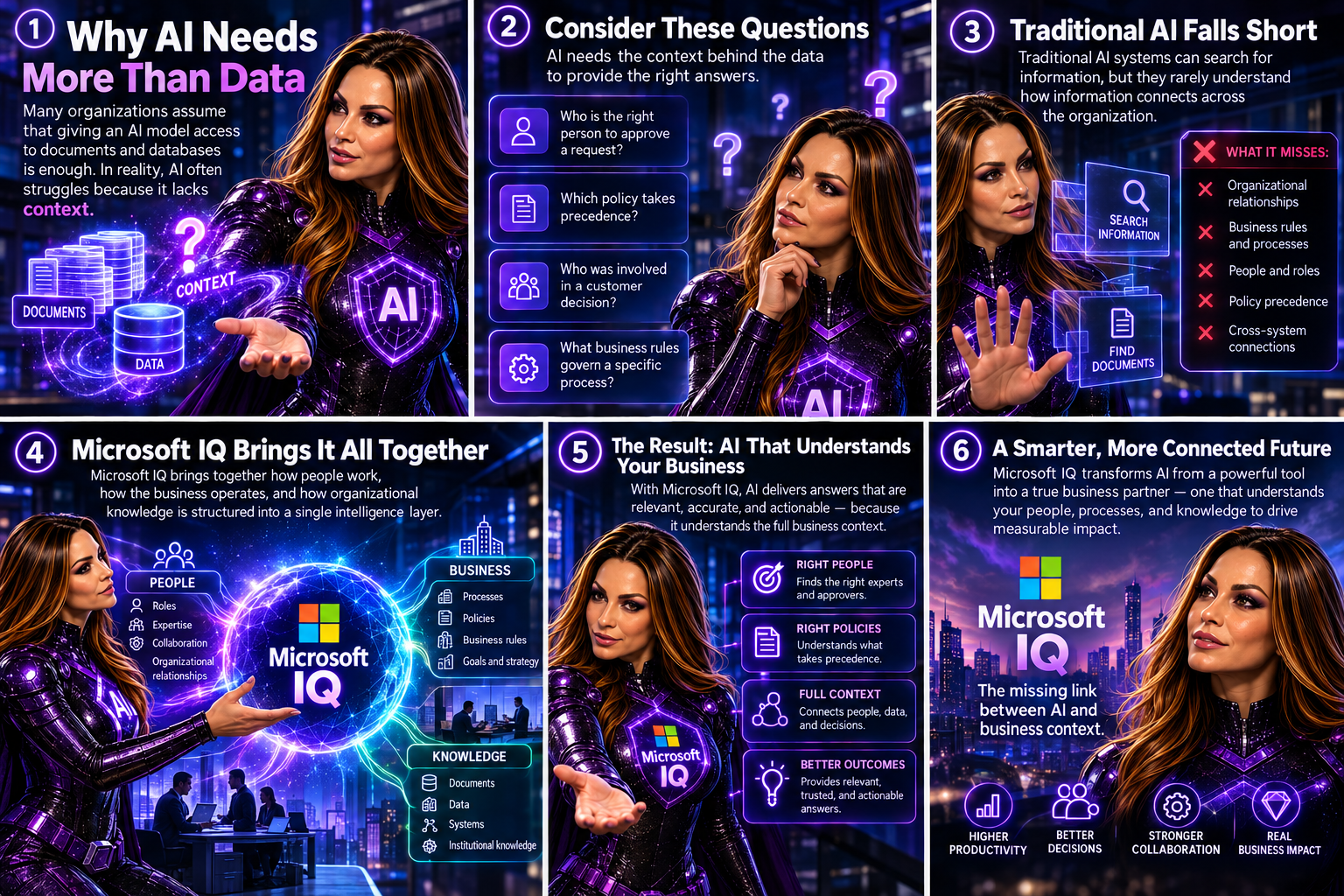
Why AI Needs More Than Data
Many organizations assume that giving an AI model access to documents and databases is enough. In reality, AI often struggles because it lacks context.
Consider these questions:
- Who is the right person to approve a request?
- Which policy takes precedence?
- Who was involved in a customer decision?
- What business rules govern a specific process?
Traditional AI systems can search for information, but they rarely understand how information connects across the organization.
Microsoft IQ addresses this challenge by bringing together how people work, how the business operates, and how organizational knowledge is structured into a single intelligence layer.
What Is Microsoft IQ?
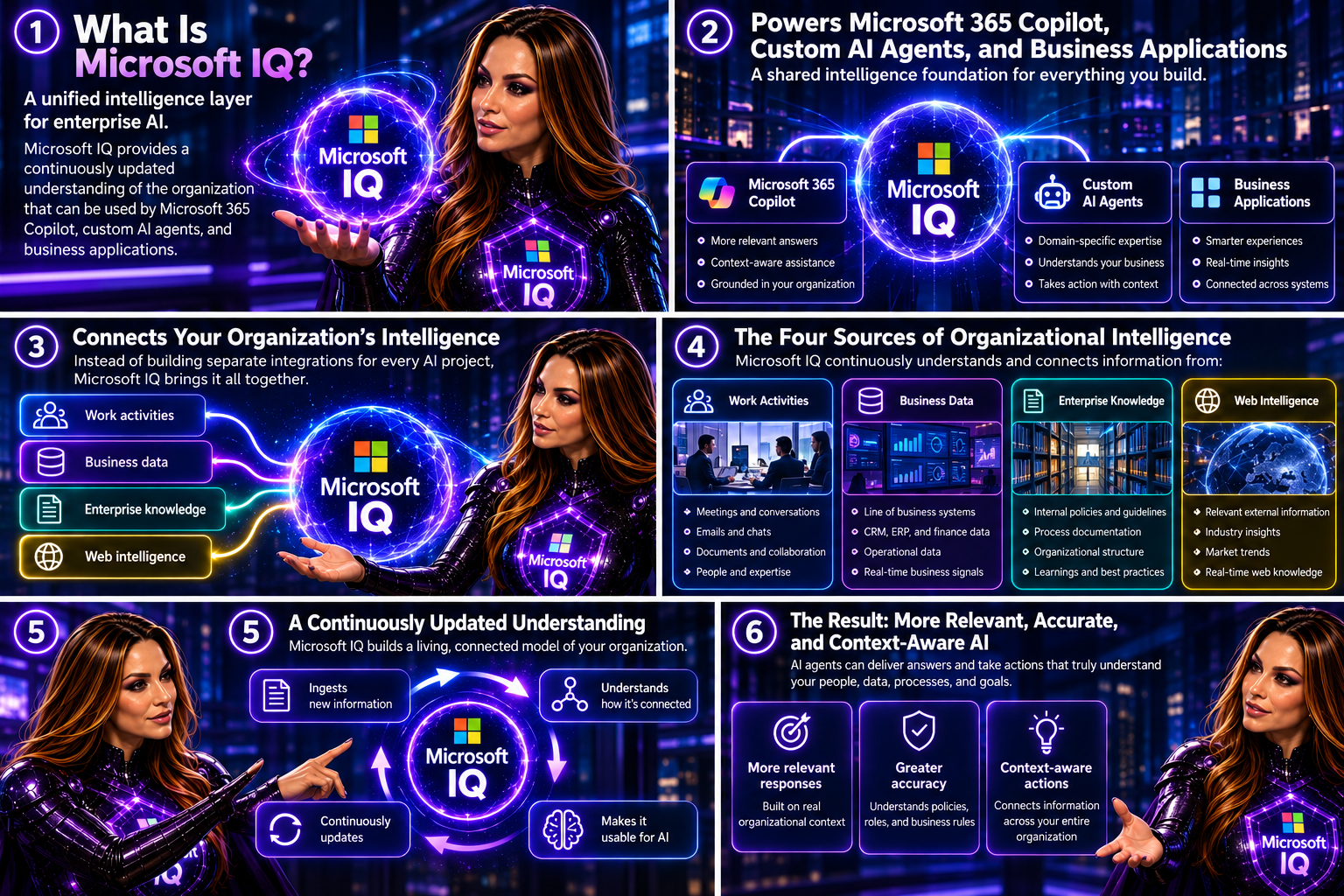
Microsoft describes Microsoft IQ as a “unified intelligence layer for enterprise AI.” It provides a continuously updated understanding of the organization that can be used by Microsoft 365 Copilot, custom AI agents, and business applications.
Instead of building separate integrations for every AI project, organizations can leverage a shared intelligence foundation that connects:
- Work activities
- Business data
- Enterprise knowledge
- Web intelligence
This helps AI agents deliver more relevant, accurate, and context-aware responses.
The Four Pillars of Microsoft IQ
Work IQ
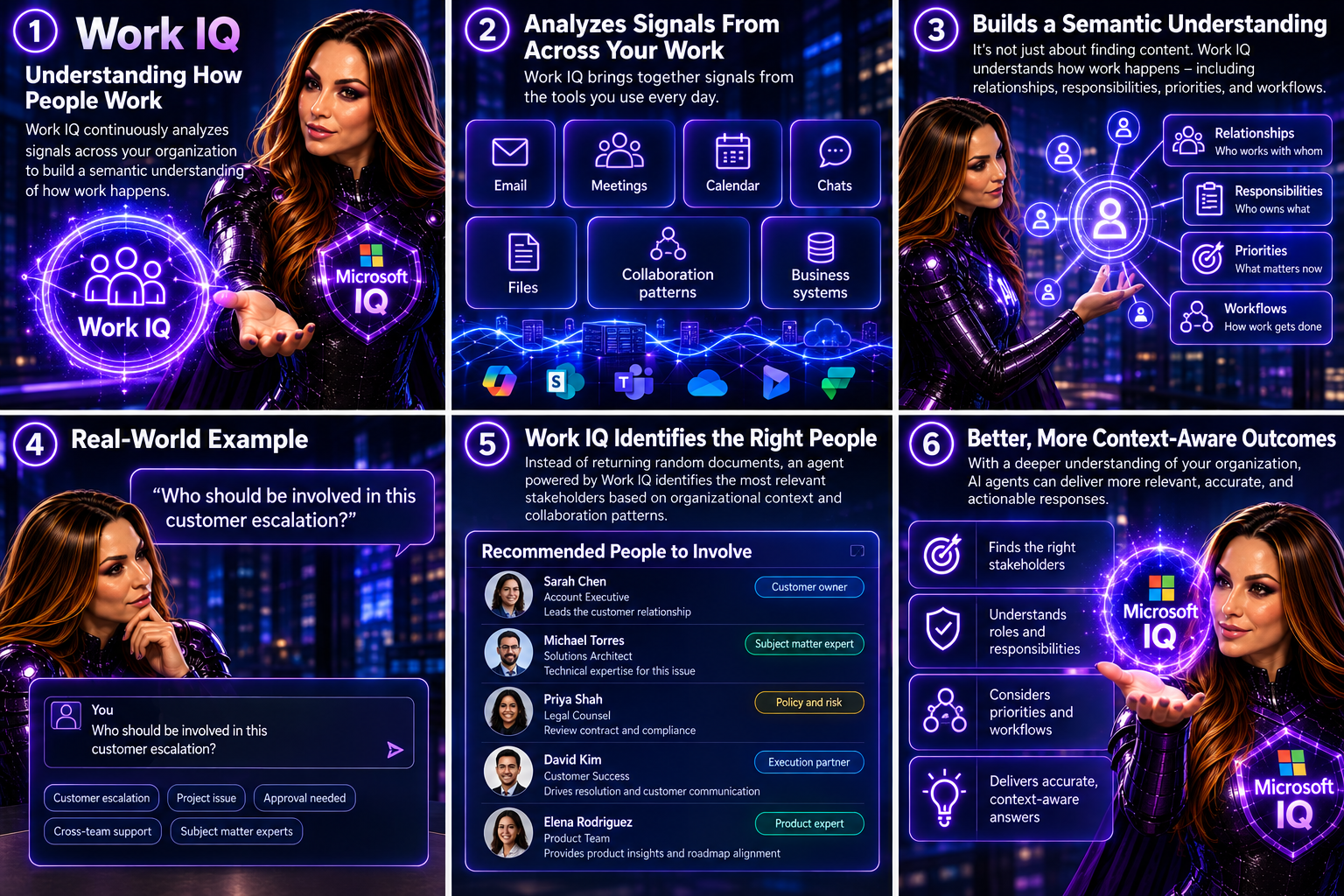
Work IQ focuses on understanding how people work.
It continuously analyzes signals from:
- Meetings
- Calendar
- Chats
- Files
- Collaboration patterns
- Business systems
The goal is not simply to retrieve content. Work IQ builds a semantic understanding of how work happens across the organization. This enables AI agents to understand relationships, responsibilities, priorities, and workflows.
Imagine asking:
“Who should be involved in this customer escalation?”
Instead of returning random documents, an agent powered by Work IQ can identify the most relevant stakeholders based on organizational context and collaboration patterns.
Fabric IQ
Fabric IQ brings business intelligence into the AI experience.
It provides agents with an understanding of:
- Business entities
- Metrics
- Relationships
- Processes
- Semantic models
By leveraging existing Microsoft Fabric and Power BI investments, organizations can reuse trusted business definitions and data models rather than rebuilding them for AI. This means an AI agent can understand not only that a metric exists, but also what it means to the business.

Foundry IQ
Knowledge is often scattered across thousands of documents, policies, and repositories.
Foundry IQ helps consolidate institutional knowledge into a trusted foundation for AI.
It enables agents to access:
- Policies
- Compliance requirements
- Internal documentation
- Knowledge bases
- Authoritative business content
This reduces the risk of agents providing incomplete or inconsistent answers by grounding them in approved knowledge sources.

Web IQ
Businesses operate in a world that changes every day.
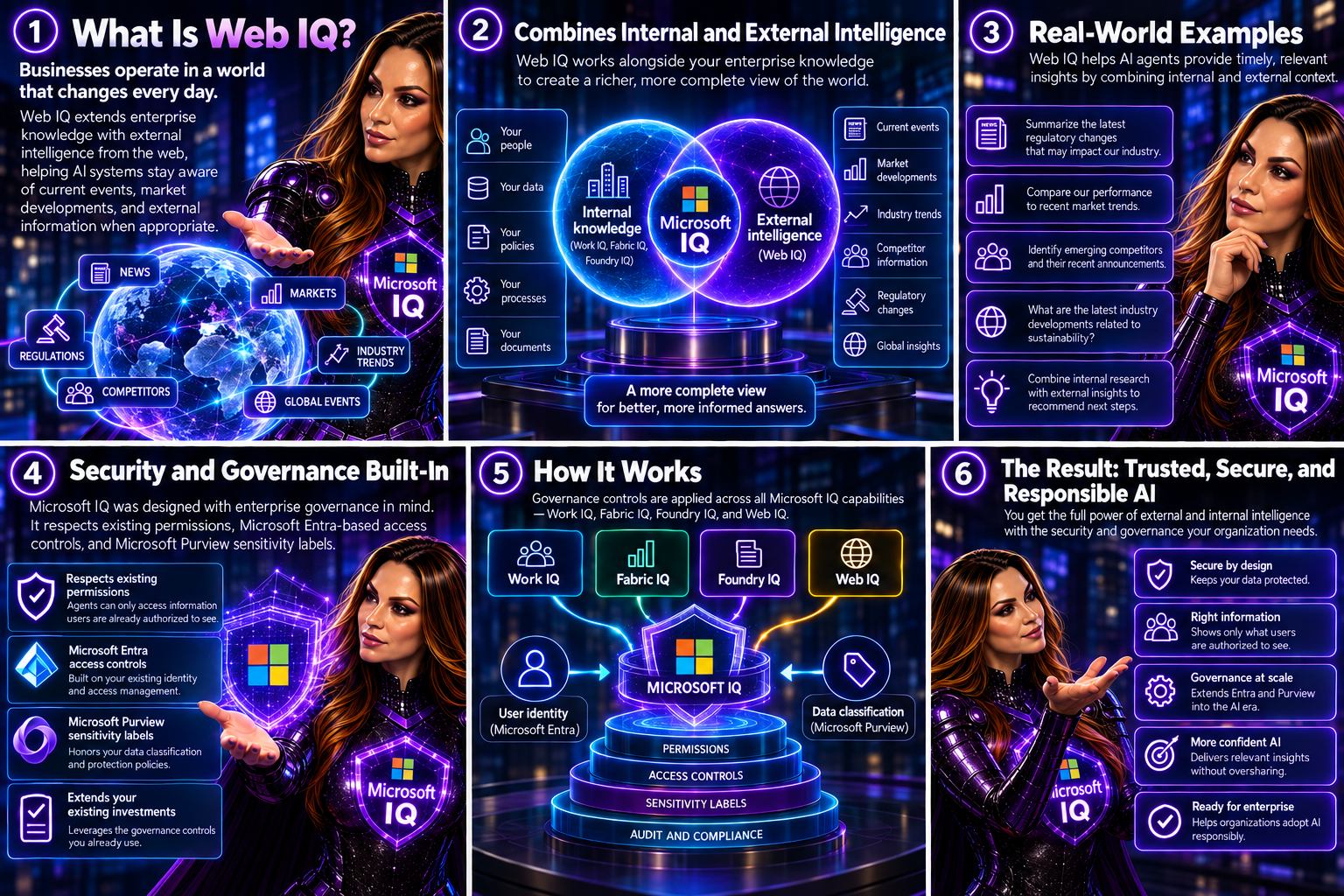
Web IQ extends enterprise knowledge with external intelligence from the web, helping AI systems stay aware of current events, market developments, and external information when appropriate. Combined with internal enterprise knowledge, this creates a richer, more complete view of the world.
Security and Governance Built-In
One of the biggest concerns I hear from organizations exploring AI is data oversharing.
The good news is that Microsoft IQ was designed with enterprise governance in mind.
Microsoft states that IQ respects existing permissions, Microsoft Entra-based access controls, and Microsoft Purview sensitivity labels. This means agents can only access information users are already authorized to see. For organizations already investing in Microsoft Purview and Microsoft Entra, this approach helps extend existing governance controls into the AI era rather than creating a separate security model.

A Practical Example
Let’s imagine a sales executive preparing for a customer meeting.
Without Microsoft IQ, the executive might need to:
- Search emails
- Review Teams chats
- Check CRM records
- Read project updates
- Review Power BI reports
With Microsoft IQ, an AI agent can bring everything together automatically and answer questions such as:
- What is the current status of the customer account?
- What open issues exist?
- Which stakeholders are involved?
- What revenue opportunities exist?
- What actions were agreed during recent meetings?
Instead of searching multiple systems, the executive receives a contextual business briefing within seconds.

Why Microsoft IQ Matters
The future of AI is not just about having better models.
It is about giving those models a deeper understanding of your business.
Microsoft IQ represents a significant shift from AI that simply retrieves information to AI that understands context, relationships, processes, and organizational knowledge. By combining Work IQ, Fabric IQ, Foundry IQ, and Web IQ, Microsoft is building a foundation that allows agents to operate with greater intelligence, accuracy, and business awareness. As organizations move beyond AI experimentation and toward enterprise-scale adoption, contextual intelligence may become the most important differentiator between helpful AI and truly transformative AI. And that is exactly the promise of Microsoft IQ.

What excites you most about Microsoft IQ?
Is it the ability to connect business knowledge, improve Copilot responses, strengthen governance, or build smarter AI agents? Share your thoughts in the comments.

🎧 Tune in for all the details!
🎥 Watch the episode: Microsoft IQ – The Missing Intelligence Layer for Enterprise AI