Microsoft Purview Expands DLP and AutoLabeling to Third-Party Apps

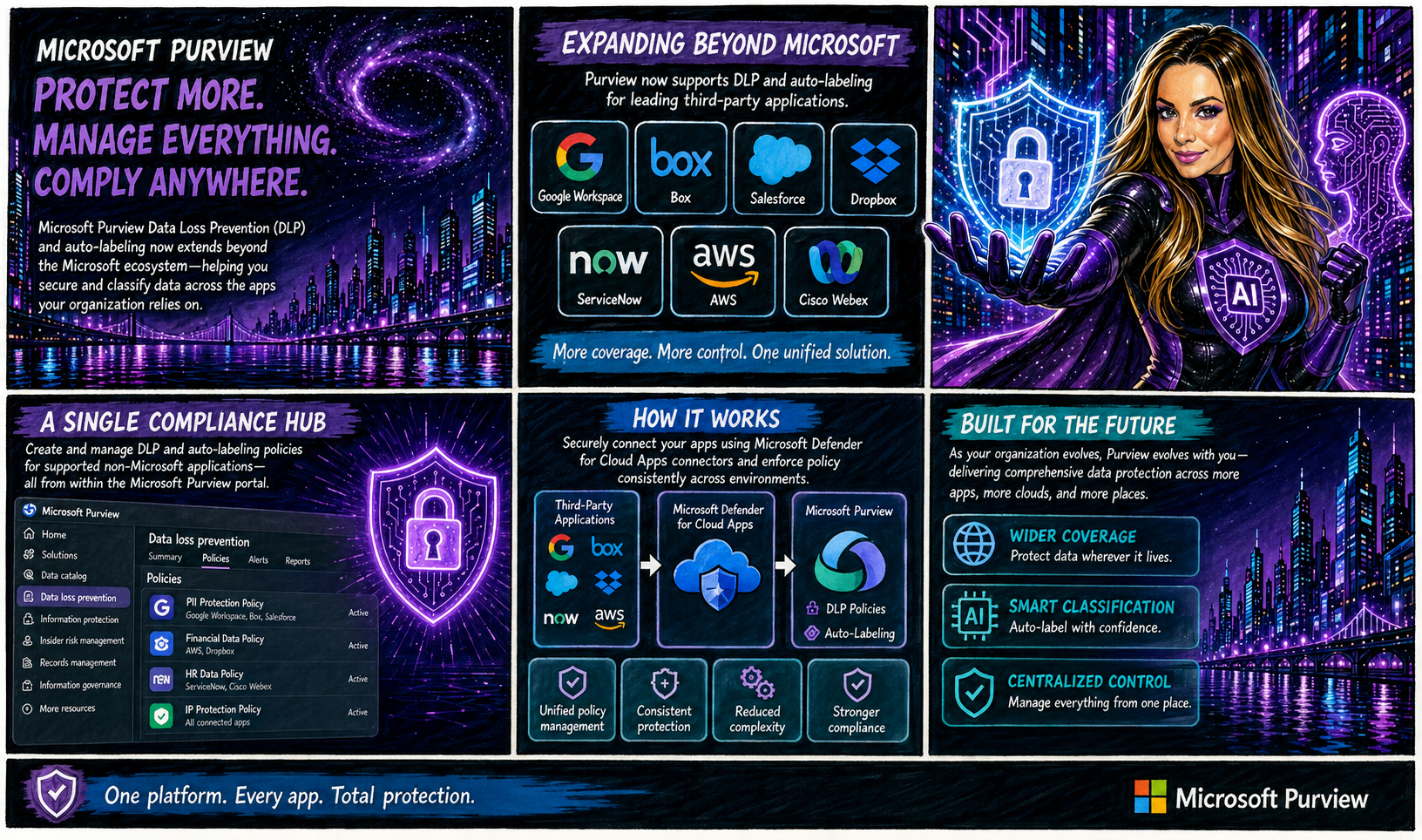
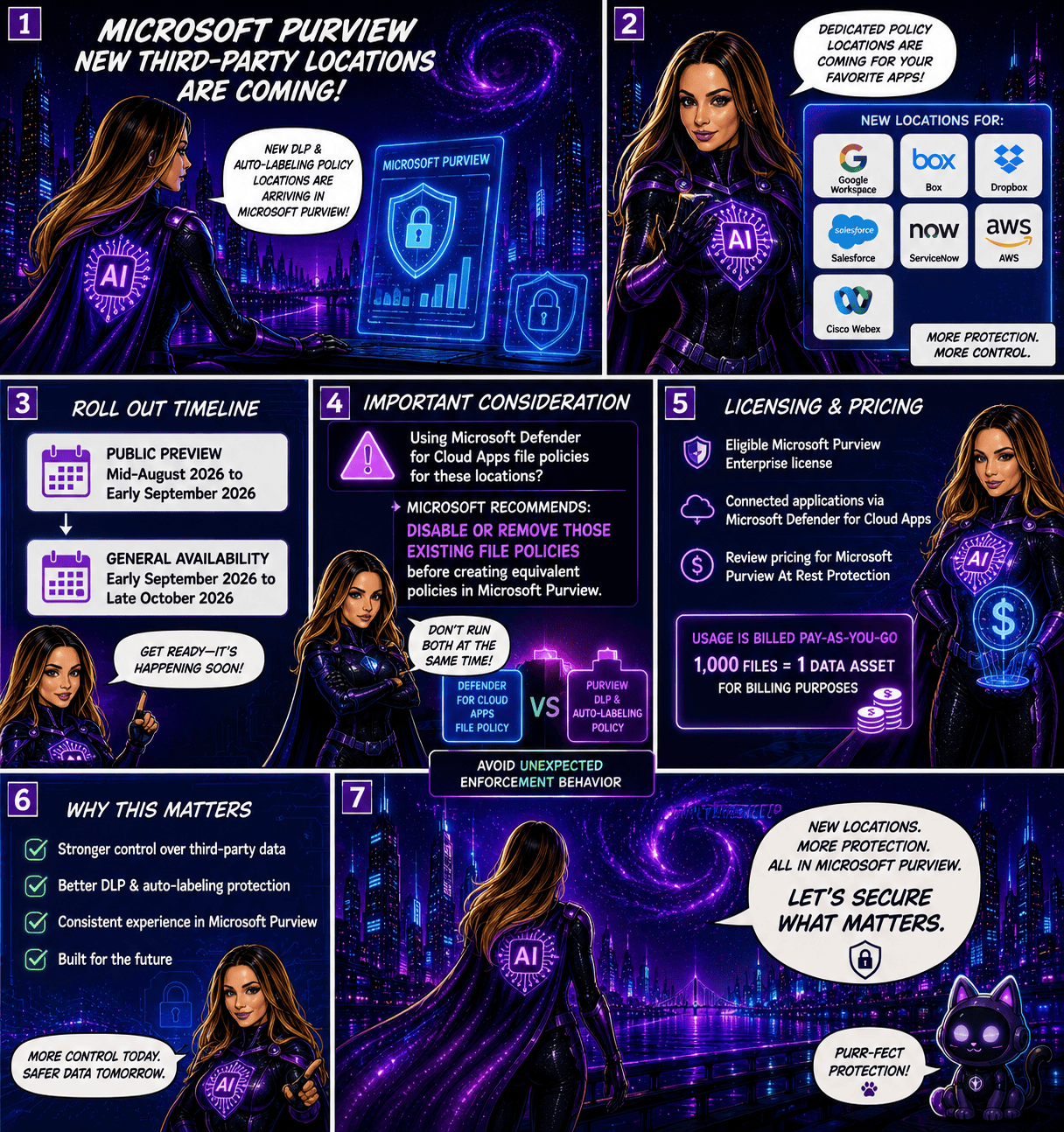
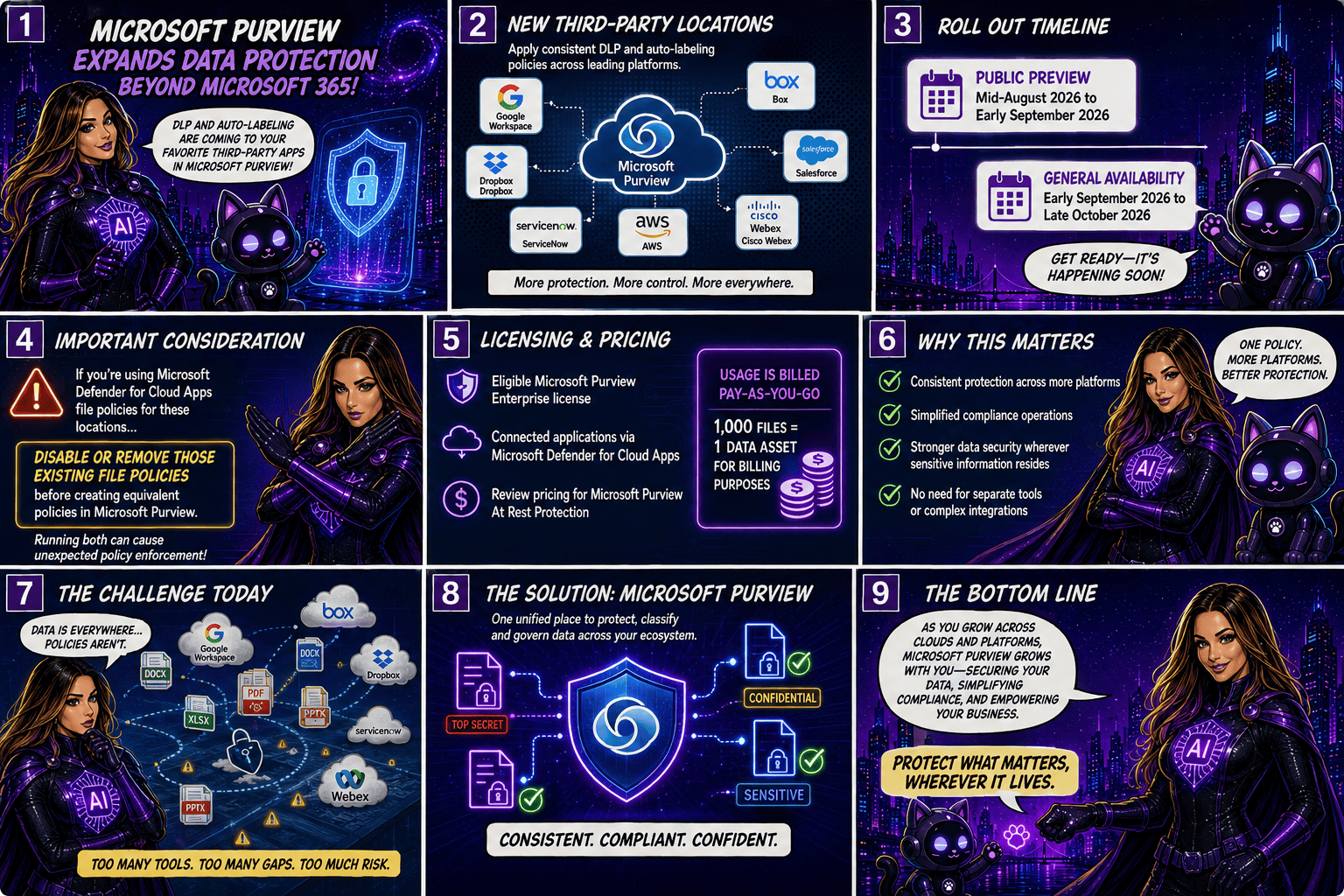
Microsoft is taking another major step toward unified data protection by extending Microsoft Purview Data Loss Prevention (DLP) and autolabeling capabilities beyond the Microsoft ecosystem. Organisations will soon be able to protect and classify data stored in popular third-party applications such as Google Workspace, Box, Salesforce, Dropbox, ServiceNow, AWS, and Cisco Webex, all from within Microsoft Purview.

A Single Compliance Hub for More Applications

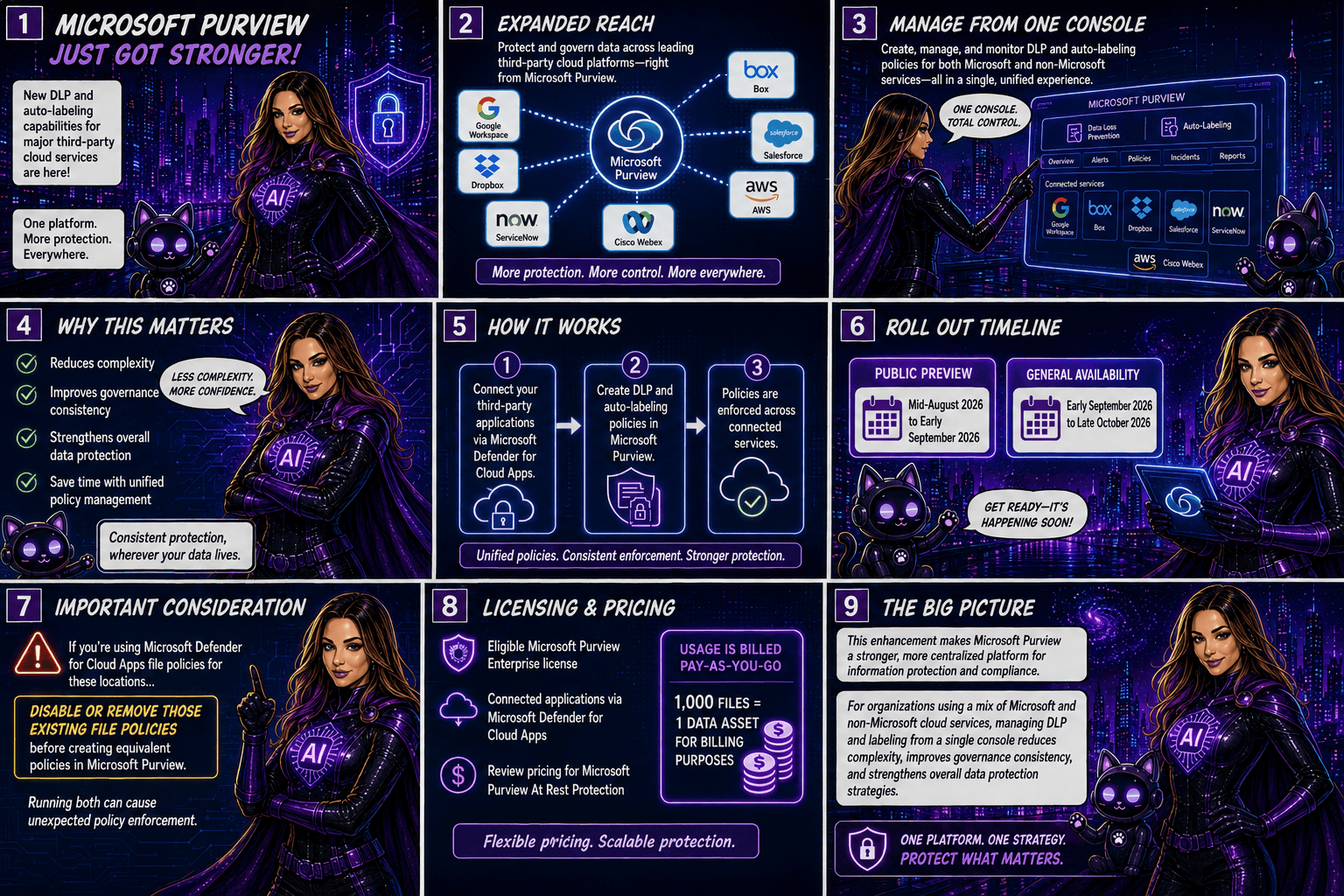
Traditionally, organisations managing data across multiple cloud platforms had to rely on separate security and compliance controls for each application. With this update, Microsoft Purview becomes a more centralised compliance solution by allowing administrators to create and manage DLP and autolabeling policies for supported non-Microsoft applications directly from the Purview portal.

The integration is made possible through Microsoft Defender for Cloud Apps connectors, which securely connect these third-party services to Microsoft Purview.

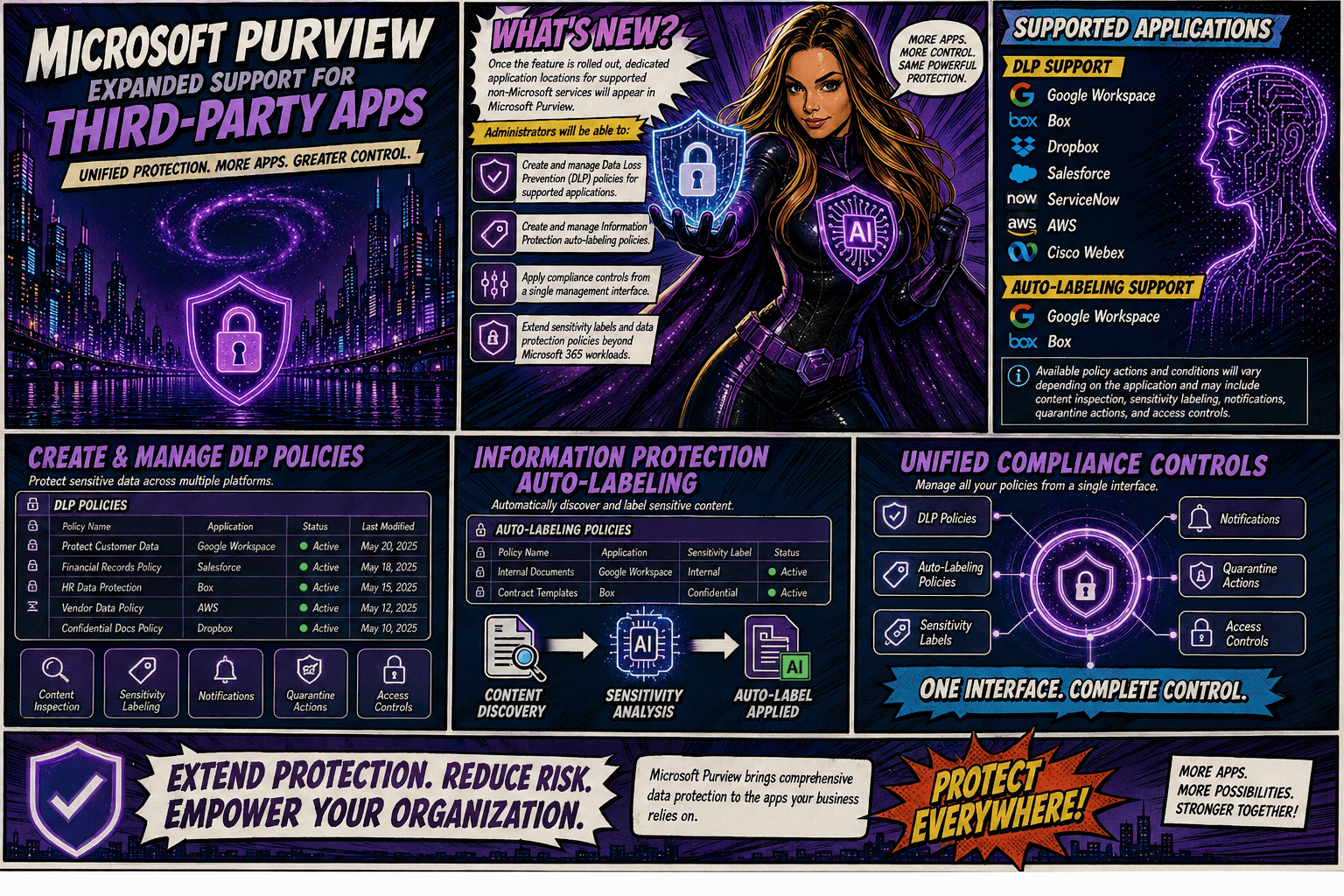
Once the feature is rolled out, dedicated application locations for supported non-Microsoft services will appear in Microsoft Purview. Administrators will be able to:

  • Create and manage Data Loss Prevention (DLP) policies for supported applications.
  • Create and manage Information Protection autolabeling policies.
  • Apply compliance controls from a single management interface.
  • Extend sensitivity labels and data protection policies beyond Microsoft 365 workloads.

Supported Applications

DLP Support

Microsoft Purview DLP will support the following applications:

  • Google Workspace
  • Box
  • Dropbox
  • Salesforce
  • ServiceNow
  • AWS
  • Cisco Webex

AutoLabeling Support

Autolabeling will initially be available for:

  • Google Workspace
  • Box

Available policy actions and conditions will vary depending on the application and may include content inspection, sensitivity labelling, notifications, quarantine actions, and access controls.

Rollout Timeline

Microsoft plans to release the feature according to the following schedule:

  • Public Preview: Mid-August 2026 to early September 2026
  • General Availability: Early September 2026 through late October 2026

Important Considerations

Organisations currently using Microsoft Defender for Cloud Apps file policies for the same third-party locations should take note: Microsoft recommends disabling or removing those existing file policies before creating equivalent policies in Microsoft Purview. Running both simultaneously could result in unexpected policy enforcement behaviour.

Licensing and Pricing

To use these new capabilities, organisations will need:

  • An eligible Microsoft Purview Enterprise license
  • Connected applications via Microsoft Defender for Cloud Apps

Additionally, customers should review the pricing implications associated with Microsoft Purview At Rest Protection. Usage is billed on a pay-as-you-go basis, with 1,000 files counted as one data asset for billing purposes.

Why This Matters

As organisations continue adopting multi-cloud and multi-platform environments, data often resides well beyond Microsoft 365. This update allows security and compliance teams to apply consistent protection, classification, and governance policies across a broader range of business-critical applications without requiring separate management tools.

By bringing DLP and autolabeling capabilities to leading third-party services, Microsoft is helping organisation simplify compliance operations while strengthening data security wherever sensitive information resides.

This enhancement significantly expands Microsoft Purview’s reach, making it a stronger centralised platform for information protection and compliance. For organisations using a mix of Microsoft and non-Microsoft cloud services, the ability to manage DLP and labeling policies from a single console could reduce complexity, improve governance consistency, and strengthen overall data protection strategies.

🎧 Tune in for all the details!
🎥 Watch the full episode ➡️ here

Microsoft 365 Copilot Gets Clearer DLP Notifications

Have you ever wondered why Copilot couldn’t access, process, or return certain content?
Microsoft is making that experience much easier to understand. Previously, users could see different messages depending on how a Microsoft Purview Data Loss Prevention (DLP) policy was triggered, which sometimes made it unclear why content wasn’t available.

With this update, Microsoft 365 Copilot will now display a consistent notification whenever organisational DLP policies prevent access to content. The goal is simple: improve transparency, reduce confusion, and help users understand that Copilot is respecting their organisation’s data protection policies.

What’s Covered?

The new standardized message applies to Microsoft Purview DLP protections across Microsoft 365 Copilot and Copilot Chat, including:

  • Grounding DLP
  • Prompt DLP
  • External Email DLP

Where Will Users See It?

The unified notification can appear across Microsoft 365 Copilot experiences powered by Microsoft 365 Chat orchestration, including:

  • Microsoft 365 Copilot
  • Microsoft 365 Copilot Chat
  • Microsoft Teams Copilot experiences
  • Outlook on the web Copilot experiences
  • Microsoft Edge Copilot experiences
  • Other Microsoft 365 Copilot chat experiences that rely on Microsoft 365 Chat orchestration

Whenever a DLP policy restricts Copilot from using specific content, users will see the same clear message indicating that access to some content has been restricted by an organisational policy.

Rollout Timeline

The feature is now rolling out across all environments:

  • Worldwide: Available from July 15, 2026
  • GCC: Available from July 20, 2026
  • GCC High and DoD: Available from July 23, 2026

What This Means for Your Organisation

Organizations already using Microsoft Purview DLP with Microsoft 365 Copilot or Copilot Chat don’t need to take any action. The update does not change how DLP policies work. Instead, it improves the user experience by providing a clearer and more consistent explanation when content is blocked.

For IT administrators, this is a good opportunity to review existing training materials, user documentation, and support resources to ensure they reflect the new messaging experience.

Bottom line: the protection remains the same, but the explanation gets better. Users gain more clarity on why content is unavailable, while organisations continue to benefit from the same trusted data protection controls.

Microsoft Purview DLP: Instances Policy Location Retiring in January 2027

Microsoft has announced the retirement of the Instances policy location in Microsoft Purview Data Loss Prevention (DLP), with the change taking effect on January 6, 2027.

Today, organizations using the Instances location rely on the Microsoft Defender for Cloud Apps file policy infrastructure to enforce DLP and auto-labeling policies across supported third-party applications. To simplify policy management and provide a more consistent compliance experience, Microsoft is moving away from this approach and introducing dedicated application-specific policy locations directly within Microsoft Purview.

Supported applications include:

  • Google Workspace
  • Box
  • Dropbox
  • Salesforce
  • ServiceNow
  • AWS
  • Cisco Webex
What’s Changing?

Instead of creating policies under a generic Instances location, administrators will use dedicated locations for each supported application.

For example:

Current LocationNew Location
Instances (Google Workspace)Google Workspace
Instances (Box)Box
Instances (Dropbox)Dropbox
Instances (Salesforce)Salesforce
Instances (ServiceNow)ServiceNow
Instances (AWS)AWS
Instances (Cisco Webex)Cisco Webex

This change aligns non-Microsoft application protection more closely with the broader Microsoft Purview compliance framework.

Microsoft is introducing these new application locations ahead of the retirement date to allow organizations time to migrate.

Key dates:

  • Dedicated application locations will be rolled out before retirement.
  • January 6, 2027: Instances policy location officially retires.
  • Retirement rollout begins in early January 2027 and is expected to complete by mid-January 2027.
What Happens After January 6, 2027?

Once the retirement takes place:

  • New policies can no longer be created using the Instances location.
  • Existing policies configured with the Instances location will no longer be supported.
  • Organizations should use the new dedicated application locations for all future DLP and auto-labeling policies.
  • Policies that continue to rely on the retired Instances location may no longer be enforced as expected.

If your organization currently uses the Instances location, Microsoft strongly recommends recreating those policies in the new application-specific locations before the retirement deadline.

Recommended Next Steps

To avoid any disruption to DLP enforcement, organizations should begin preparing well before the 2027 deadline.

1. Review Existing Policies

Identify any DLP or auto-labeling policies currently configured through the Instances location.

2. Identify Affected Applications

Determine which non-Microsoft platforms are involved and map them to their new dedicated policy locations.

3. Recreate Policies

Build equivalent policies using the new application-specific locations within Microsoft Purview.

4. Test and Validate

Before retiring legacy policies, verify that policy enforcement, labeling, and user experiences behave as expected.

5. Update Documentation

Review operational procedures, internal documentation, and administrator guidance to reflect the new management model.

6. Notify Stakeholders

Make sure compliance, security, and support teams are aware of the upcoming change and migration timeline.

While the retirement is still several months away, organizations using third-party cloud platforms for collaboration and data storage should start planning their migration strategy now. Moving to dedicated application locations will ensure continued DLP and auto-labeling protection while providing a more streamlined and unified compliance experience within Microsoft Purview.

The bottom line: If you’re using the Instances location today, plan your migration before January 6, 2027. If you’re not, you can safely continue using Microsoft Purview as normal and take advantage of the new dedicated application locations as they become available.

Microsoft Purview Tightens Rules for Custom Sensitive Information Types

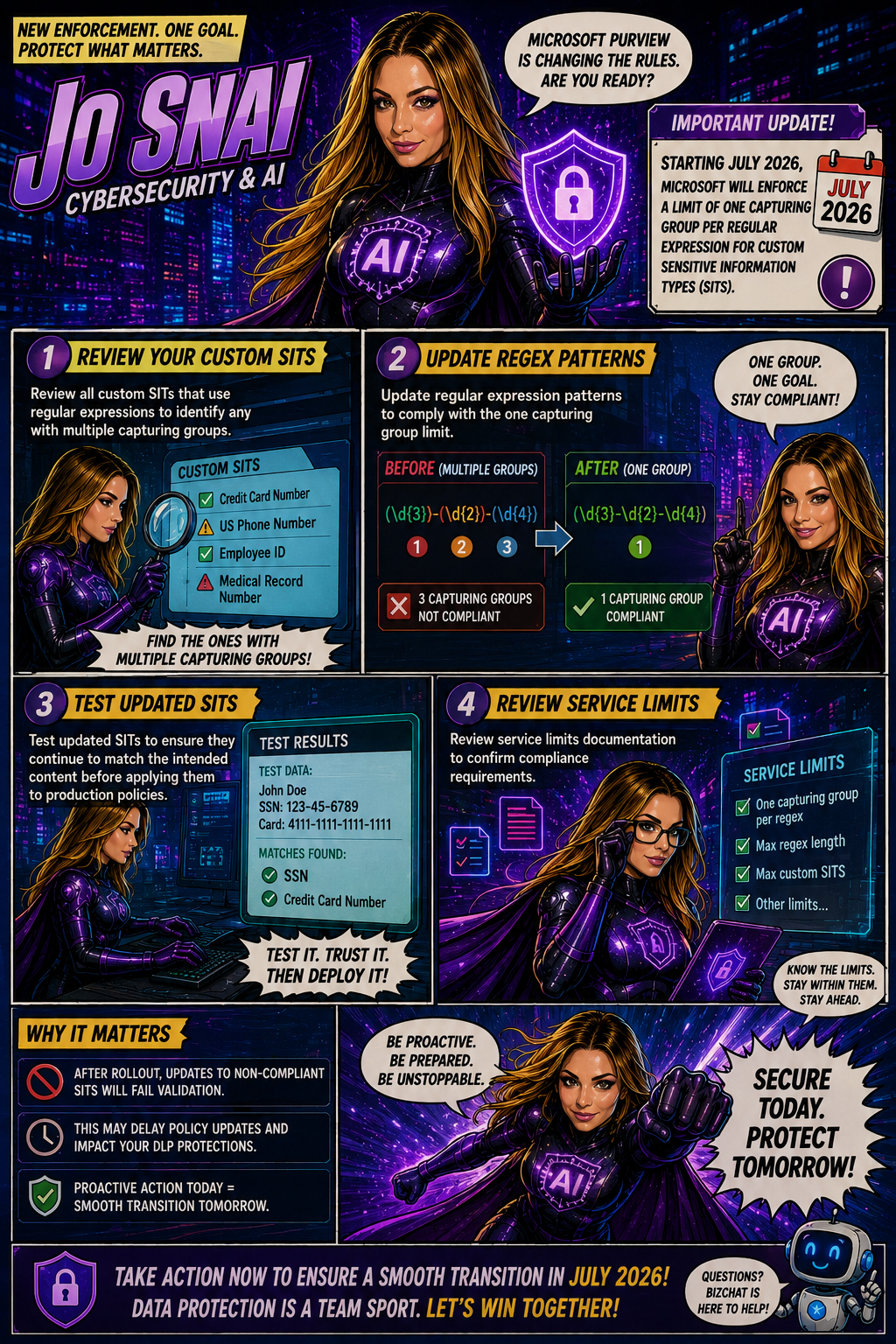
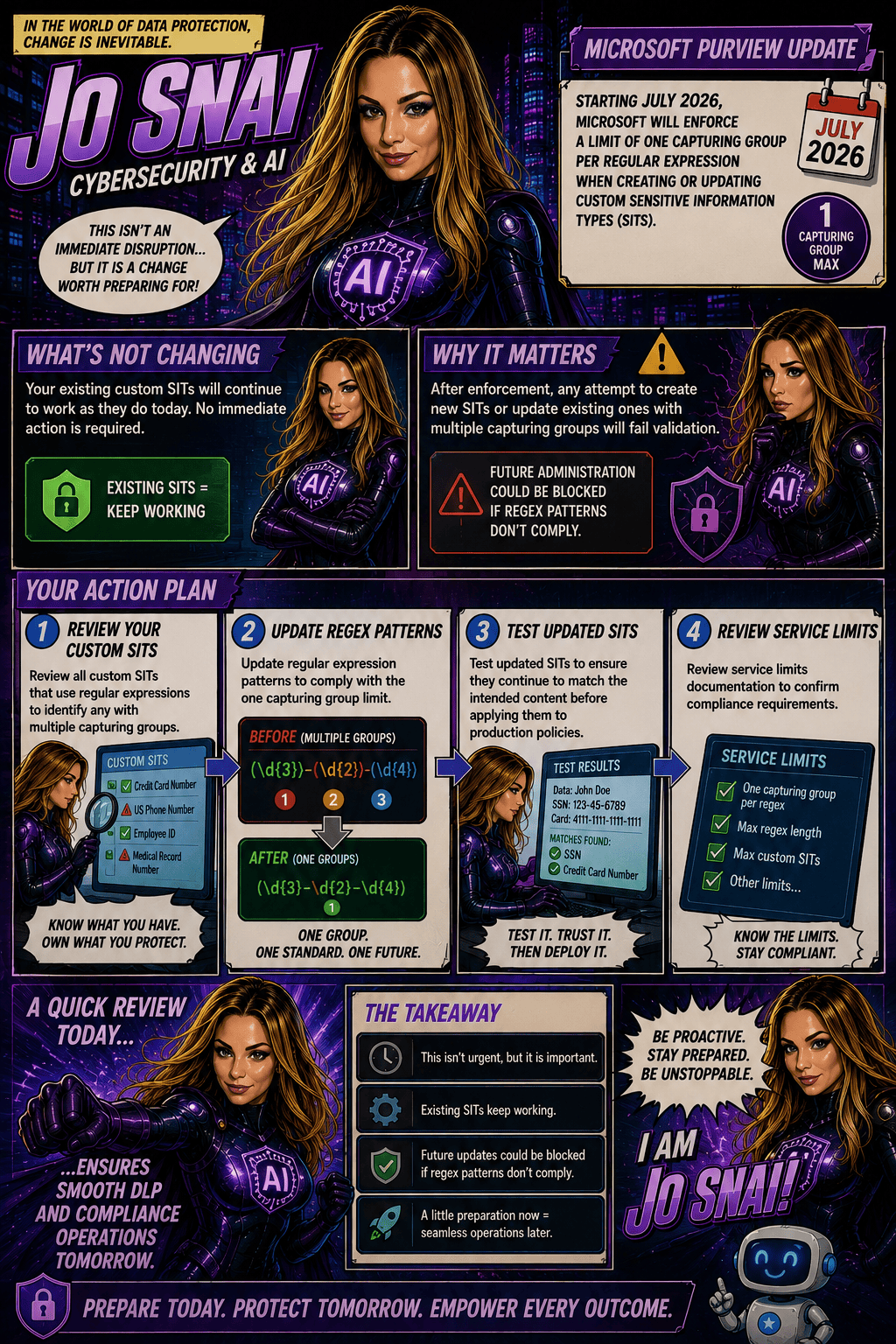
Organizations using Microsoft Purview custom Sensitive Information Types (SITs) should be aware of an upcoming change that may require updates to existing regex patterns.

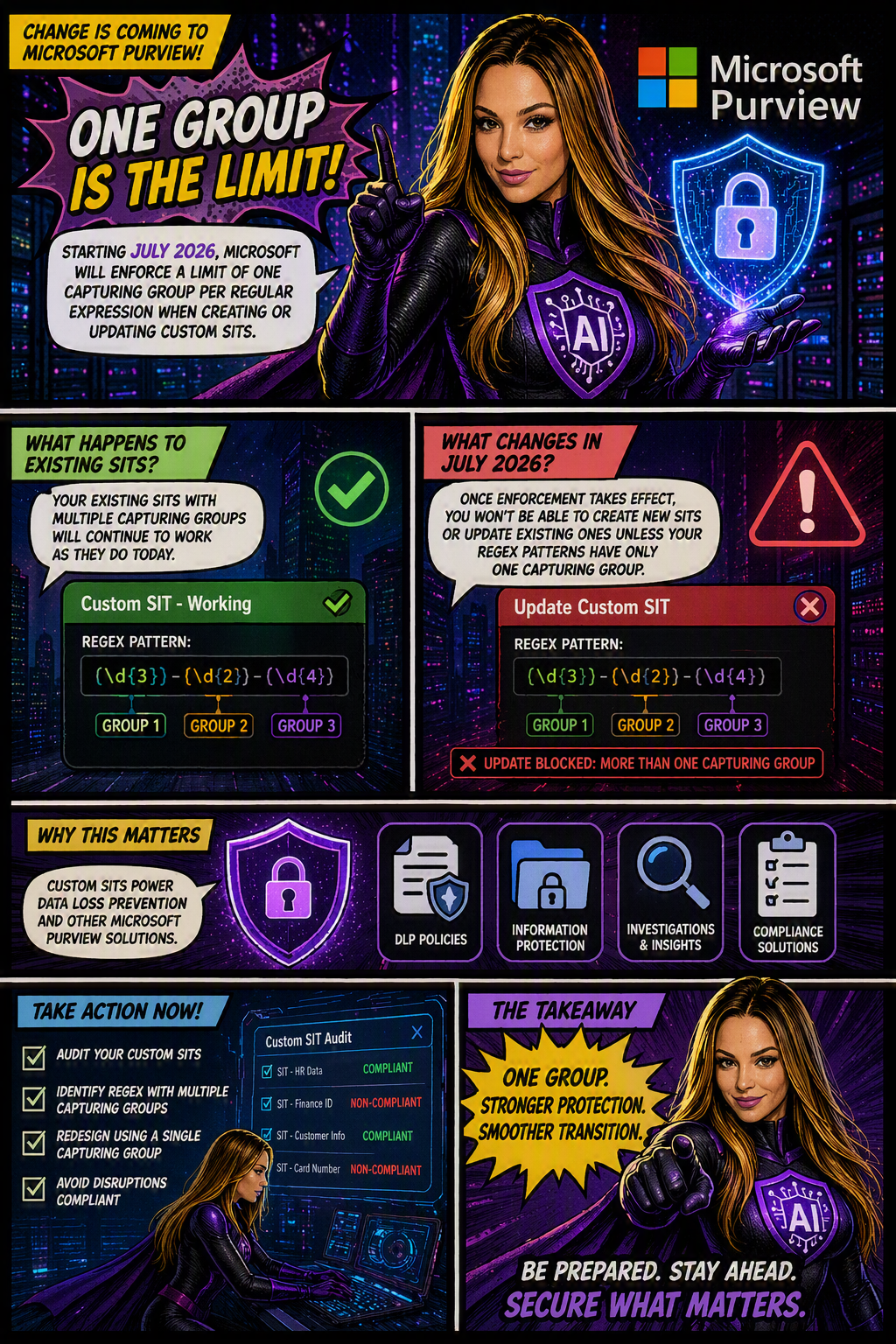
Microsoft is moving forward with enforcing a long-documented rule that allows only one capturing group per regular expression in custom SIT definitions. The goal is to improve the consistency, reliability, and predictability of how sensitive data is identified and classified across Microsoft Purview and Data Loss Prevention (DLP) workloads.

When is this happening?

The rollout is expected to be completed by early July 2026 across all Microsoft cloud environments, including:

  • Worldwide
  • GCC
  • GCC High
  • DoD
Who is affected?

This change primarily impacts:

  • Microsoft Purview administrators
  • Compliance teams managing custom Sensitive Information Types
  • Organizations using custom SITs in DLP, data classification, and compliance solutions

The enforcement applies whether SITs are managed through:

  • The Microsoft Purview portal
  • PowerShell, including:
    • New-DlpSensitiveInformationTypeRulePackage
    • Set-DlpSensitiveInformationTypeRulePackage
What changes?

Once enforcement is in place:

✅ New custom SITs must contain only one capturing group in each regular expression.

❌ Creating a new SIT with multiple capturing groups will be blocked.

❌ Updating an existing SIT that contains multiple capturing groups will fail validation.

❌ Administrators will not be able to save changes to existing SITs until non-compliant regex patterns are updated.

What about existing SITs?

Existing custom SITs that contain multiple capturing groups will continue to work in their current state. However, they become a potential issue the moment you need to modify, update, or re-save them.

In other words, if an existing SIT contains a regex pattern with multiple capturing groups, you’ll need to redesign that pattern to comply with the one-capturing-group rule before any future changes can be saved.

Many organizations rely on custom SITs to identify sensitive business information and power key compliance capabilities such as:

Why does this matter?
  • Data Loss Prevention (DLP)
  • Data classification
  • Compliance monitoring
  • Information protection policies

If a custom SIT cannot be updated because it fails validation, it could delay policy changes, compliance updates, or new data protection initiatives.

What should you do now?

To avoid surprises, Microsoft Purview administrators should proactively:

  1. Audit existing custom SITs
  2. Identify regex patterns that use multiple capturing groups
  3. Redesign patterns to use a single capturing group
  4. Test and validate updated SITs before future modifications are required

Smarter Insider Risk Coverage with Microsoft Purview

Microsoft is making Insider Risk Management in Purview even more useful with the introduction of a Policy Recommendation panel, a feature designed to help admins quickly spot gaps in their current risk coverage and strengthen their defenses.

Let’s face it: even with policies in place, it’s not always easy to know what you might be missing. That’s where this new capability comes in. It analyzes your existing setup and highlights missing or high-impact policies, offering clear, actionable suggestions to improve your security posture.

What’s new?

The Policy Recommendation panel lives directly on the Policies page and automatically reviews your current configuration. Using built-in analytics, it identifies areas where you could increase protection and recommends policies to cover common insider risk scenarios like:

  • Data leakage
  • Data theft
  • IP theft
  • Risky AI usage
  • Other security violations

It’s essentially a built-in advisor that helps you get more value from Insider Risk Management without needing to manually audit everything.

A quick reminder: what Insider Risk Management does

Microsoft Purview Insider Risk Management works by correlating signals across your environment to detect potentially risky behavior, whether intentional or accidental.

It’s also designed with privacy in mind, including:

  • Pseudonymization by default
  • Role-based access controls
  • Audit logs for transparency

So you can investigate risks while still protecting user privacy.

Rollout timeline
  • Public Preview: Mid–June 2026 → Late June 2026
  • General Availability: Mid–July 2026 → Late July 2026

This message is associated with Microsoft 365 Roadmap ID 560600.

Microsoft Purview DSI Gets Smarter with OCR

Microsoft is continuing to strengthen Purview Data Security Investigations (DSI) by adding AI‑powered Optical Character Recognition (OCR) capabilities. This new enhancement allows DSI to read and analyze text that appears inside images, something traditional investigations often miss.

With OCR built in, DSI can now surface sensitive information hidden in screenshots, scanned documents, and embedded visuals within files. The result? Deeper investigations, better context, and more accurate risk detection across your organization.

This update is tracked under Microsoft 365 Roadmap ID 561489.

When is this rolling out?
  • Public Preview (Worldwide):
    Rolling out in late May 2026, with completion expected by early June 2026
  • General Availability (Worldwide):
    Rolling out in mid‑July 2026, with completion expected by late July 2026
Who is impacted?

This update is relevant for:

  • Admins and security analysts using Microsoft Purview Data Security Investigations
  • Organizations investigating data security risks with Purview
What’s changing?

Once OCR is enabled (and it will be on by default), DSI will automatically:

  • Extract text from image‑based content, including:
    • Images
    • Screenshots
    • Visuals embedded in documents
  • Add the extracted text to investigation datasets
  • Improve search, analysis, and risk detection using this newly visible content

The good news?
No workflow changes are required. Existing investigations will continue to work as they do today—just with richer insights.

Even better, all existing Purview controls and protections still apply. Sensitivity labels, DLP policies, and other compliance settings continue to be fully respected.

Why this matters

Sensitive information doesn’t always live in plain text. Credentials, personal data, or confidential details often end up in screenshots or images—especially in collaboration tools. OCR helps close that gap and gives security teams greater visibility into data risks that were previously hard to detect.

What do you need to do?

No action is required before rollout. However, you may want to:

  • Inform your security and compliance teams about the improved image‑based detection
  • Update internal investigation procedures to account for OCR‑driven findings
  • Refresh training materials or documentation that reference DSI capabilities

Microsoft Purview DLP Gets Smarter Troubleshooting with Guided Diagnostics

If you’ve ever tried to troubleshoot why a Data Loss Prevention (DLP) policy behaved the way it did, you’ll know it’s not always obvious what happened behind the scenes. Microsoft is looking to change that.

Microsoft is rolling out a new guided diagnostics experience in Microsoft Purview Data Loss Prevention (DLP), designed to help administrators quickly understand, diagnose, and resolve DLP policy issues. The goal is simple: make DLP behavior easier to explain, easier to fix, and easier to optimize.

This update is tracked under Microsoft 365 Roadmap ID 561032.

When is this coming?
  • Public Preview: Mid‑May 2026 to Mid‑June 2026
  • General Availability (Worldwide): Late June 2026 to July 2026
Who does this affect?

This update is primarily aimed at:

  • Microsoft 365 administrators managing DLP policies in Microsoft Purview
  • Commercial Microsoft 365 tenants

If your organization has Microsoft 365 E5 and Copilot licensing, you’ll also benefit from Security Copilot‑powered insights, which add intelligent recommendations during troubleshooting.

What’s changing?

A new guided diagnostics experience will appear directly in the Microsoft Purview portal, making it much easier to understand what your DLP policies are doing and why.

With this experience, admins can:

  • See the order in which DLP policies are evaluated
  • Understand which conditions were matched
  • Clearly identify what action was taken (allow, block, or audit)

In other words, instead of guessing or piecing together logs, you’ll get a clearer, step‑by‑step explanation of how a DLP decision was made.

Security Copilot‑powered insights (for eligible tenants)

For organizations with the right licensing, Microsoft brings Copilot into the experience to help:

  • Spot potential policy misconfigurations
  • Speed up DLP troubleshooting
  • Get recommendations for improving and optimizing policies
What’s not changing?
  • Existing DLP policies continue to work exactly as they do today
  • Enforcement behavior is unchanged
  • There is no impact on end‑user workflows

This update is purely about visibility and diagnostics, not policy enforcement.

That said, you may want to:

  • Update internal DLP troubleshooting documentation to reference the new guided diagnostics experience
  • Make sure your security and compliance teams are aware of the new diagnostics flow in the Purview portal
  • Review your Copilot and E5 licensing to understand whether Security Copilot‑powered insights will be available in your tenant

New in Microsoft Defender XDR: AI‑Powered Summaries for DLP Alerts

Microsoft is rolling out a great new capability that will make life much easier for anyone who works with Data Loss Prevention (DLP) alerts. You’ll now start seeing AI‑generated summaries and categorizations, produced by the Microsoft Purview Data Security Triage Agent, directly inside the Microsoft Defender XDR portal.

This means faster triage, clearer insights, and less time manually digging through alert details.

What’s new?

When a DLP alert fires, analysts will now see:

  • A concise AI‑generated summary of what happened
  • A suggested categorization of the alert
  • Context pulled directly from the incident to help speed up investigation

If you’ve already deployed the Triage Agent in Purview, these summaries will show up automatically in your Defender XDR alerts. If not, eligible analysts will be able to deploy it directly from the alert page super handy.

Rollout timeline

Public Preview
Starts: Early April 2026
Completed by: Mid‑April 2026

General Availability (Worldwide)
Starts: Mid‑August 2026
Completed by: Late August 2026

Roadmap ID: 558860

Who is impacted?

This update is especially helpful for:

  • Security analysts and administrators triaging DLP alerts in Defender XDR
  • Organizations already using (or planning to use) Microsoft Purview’s Data Security Triage Agent

Existing DLP policies, enforcement, and user experience remain unchanged.

Data Security Investigations introduces new soft purge mitigation action

Microsoft is introducing a new soft purge action in Data Security Investigations (DSI), giving admins a quick and safe way to remove sensitive or overshared files during an investigation. With soft purge, items can be deleted immediately but still recovered later as long as they’re within their deleted‑item retention period, so admins get speed without risking permanent data loss.

This builds on DSI’s growing set of AI‑powered tools like intelligent categorization, AI search, and automated risk insights making it easier than ever for organizations to spot issues and take action fast.

New update coming to Microsoft 365 Roadmap ID 558109. A soft purge action will soon be available in Data Security Investigations (DSI), giving admins a safer and more flexible way to remove sensitive or overshared content during an investigation.

When it’s rolling out
  • General Availability (Worldwide): Begins early April 2026
  • Expected completion: late May 2026

What this means for your organization

Who is affected?

Admins who use Data Security Investigations (DSI) in the Microsoft Purview compliance portal.

What’s changing

A new soft purge option will appear in DSI. With this action, admins can:

  • Remove items that match an investigation query
  • Keep those items recoverable until the retention period expires
  • Act quickly without risking accidental permanent deletion

And the best part:

  • The feature is on by default
  • No configuration needed
  • No changes to existing DLP, labeling, or retention policies
  • End users will not see any changes in their workflows

Once the rollout finishes, the feature simply appears for eligible tenants.

How to prepare

There is nothing you need to do in advance.
If you want to get ahead, you may consider:

  • Reviewing how soft purge works in DSI
  • Updating any internal guidance on investigation processes
  • Informing your security or compliance teams about the new action

Overall, this update gives organizations a safer and more controlled way to remove sensitive content during investigations—without adding extra steps or complexity.