Microsoft Purview Adds Time-Limited Role Assignments to Strengthen Security

Microsoft is enhancing Microsoft Purview with a new capability that allows administrators to assign expiration dates to role group memberships. This update makes it easier to grant temporary administrative access while supporting the principle of least privilege, helping organizations reduce the risk associated with long-term privileged accounts.

With this new feature, administrators can specify how long a user or security group should remain in a Purview role group, choosing a duration anywhere from one day up to two years. Once the assigned period expires, access is automatically removed, helping security and compliance teams maintain tighter control over administrative permissions.

When Will It Be Available?

Microsoft plans to roll out the feature according to the following schedule:

  • Worldwide General Availability: Starting in late July 2026 and expected to complete by late August 2026.
  • GCC, GCC High, and DoD: Starting in late August 2026 and expected to complete by late September 2026.
What Does This Mean for Organizations?

This enhancement primarily benefits:

  • Microsoft Purview administrators
  • Security administrators
  • Compliance teams
  • Organizations managing role-based access through Microsoft Purview

The feature will be available through:

  • Microsoft Purview Compliance Portal
  • Microsoft Purview Role-Based Access Control (RBAC)
Key Benefits

Once the rollout is complete, administrators will be able to:

✅ Assign users or security groups to role groups with a predefined expiration date.

✅ Set assignment durations ranging from 1 day to 2 years.

✅ Apply the capability to both new and existing role assignments.

✅ Reduce the likelihood of forgotten or unnecessary privileged access.

✅ Improve governance, compliance, and security posture with minimal administrative effort.

Importantly, existing role assignments will not be automatically modified, and end-user workflows will remain unchanged.

What Do You Need to Do?

The good news is that no action is required to enable this feature. It will be available by default once deployed, with no additional configuration or policy changes needed.

However, organizations may want to take advantage of the new functionality by:

  • Reviewing privileged access management processes.
  • Using expiration-based assignments for temporary projects, audits, or administrative tasks.
  • Updating internal documentation and operational procedures.
  • Informing Purview administrators about the new capability.

From a compliance perspective, time-limited role assignments help organizations demonstrate stronger control over privileged access.

Many regulatory frameworks and security standards—including ISO 27001, NIST, SOC 2, GDPR accountability requirements, and Zero Trust security principles—expect organizations to follow the principle of least privilege, ensuring users only have access to the resources they need and only for as long as they need it.

Microsoft Purview DLP Gets Smarter Troubleshooting with Guided Diagnostics

If you’ve ever tried to troubleshoot why a Data Loss Prevention (DLP) policy behaved the way it did, you’ll know it’s not always obvious what happened behind the scenes. Microsoft is looking to change that.

Microsoft is rolling out a new guided diagnostics experience in Microsoft Purview Data Loss Prevention (DLP), designed to help administrators quickly understand, diagnose, and resolve DLP policy issues. The goal is simple: make DLP behavior easier to explain, easier to fix, and easier to optimize.

This update is tracked under Microsoft 365 Roadmap ID 561032.

When is this coming?
  • Public Preview: Mid‑May 2026 to Mid‑June 2026
  • General Availability (Worldwide): Late June 2026 to July 2026
Who does this affect?

This update is primarily aimed at:

  • Microsoft 365 administrators managing DLP policies in Microsoft Purview
  • Commercial Microsoft 365 tenants

If your organization has Microsoft 365 E5 and Copilot licensing, you’ll also benefit from Security Copilot‑powered insights, which add intelligent recommendations during troubleshooting.

What’s changing?

A new guided diagnostics experience will appear directly in the Microsoft Purview portal, making it much easier to understand what your DLP policies are doing and why.

With this experience, admins can:

  • See the order in which DLP policies are evaluated
  • Understand which conditions were matched
  • Clearly identify what action was taken (allow, block, or audit)

In other words, instead of guessing or piecing together logs, you’ll get a clearer, step‑by‑step explanation of how a DLP decision was made.

Security Copilot‑powered insights (for eligible tenants)

For organizations with the right licensing, Microsoft brings Copilot into the experience to help:

  • Spot potential policy misconfigurations
  • Speed up DLP troubleshooting
  • Get recommendations for improving and optimizing policies
What’s not changing?
  • Existing DLP policies continue to work exactly as they do today
  • Enforcement behavior is unchanged
  • There is no impact on end‑user workflows

This update is purely about visibility and diagnostics, not policy enforcement.

That said, you may want to:

  • Update internal DLP troubleshooting documentation to reference the new guided diagnostics experience
  • Make sure your security and compliance teams are aware of the new diagnostics flow in the Purview portal
  • Review your Copilot and E5 licensing to understand whether Security Copilot‑powered insights will be available in your tenant

(Updated) Microsoft 365 Copilot: Graph APIs for agent and app management

Microsoft is rolling out two new Microsoft Graph APIs that make it much easier for administrators to discover, monitor, and manage Copilot agents and apps across their organization.

Instead of relying on manual checks through the admin UI, these new APIs allow admins to programmatically access a complete inventory of agents and apps. This opens the door to richer reporting, automation, and seamless integration with existing tools and workflows.

This update is tracked under Microsoft 365 Roadmap ID 502875.

When is this happening?
  • Frontier (Preview): Available now
  • General Availability (Worldwide):
    Deployment will start in mid‑April 2026 (previously end of March) and is expected to complete by early May 2026 (previously end of February).
How does this affect your organization?
Who is impacted?

This change is relevant for admins who manage Copilot agents and apps within Microsoft 365 environments.

What’s changing?

Microsoft is introducing new Graph API endpoints that provide visibility into all agents and apps in your tenant:

  • Retrieve all agents and apps GET graph.microsoft.com/copilot/admin/catalog/packages Returns a full inventory of Microsoft, External, Shared, and Custom agents and apps.
  • Retrieve details for a specific agent or app GET graph.microsoft.com/copilot/admin/catalog/packages/{id} Returns detailed metadata, including properties and manifest information.

These endpoints enable:

  • Automated reporting
  • Easier integrations with internal tools
  • Better visibility into what’s deployed across your organization
What’s not changing?
  • There are no changes to existing admin UI workflows
  • There are no changes to current policies
  • No additional licenses are required — the APIs are available with an existing Microsoft 365 license

Data Security Investigations introduces new soft purge mitigation action

Microsoft is introducing a new soft purge action in Data Security Investigations (DSI), giving admins a quick and safe way to remove sensitive or overshared files during an investigation. With soft purge, items can be deleted immediately but still recovered later as long as they’re within their deleted‑item retention period, so admins get speed without risking permanent data loss.

This builds on DSI’s growing set of AI‑powered tools like intelligent categorization, AI search, and automated risk insights making it easier than ever for organizations to spot issues and take action fast.

New update coming to Microsoft 365 Roadmap ID 558109. A soft purge action will soon be available in Data Security Investigations (DSI), giving admins a safer and more flexible way to remove sensitive or overshared content during an investigation.

When it’s rolling out
  • General Availability (Worldwide): Begins early April 2026
  • Expected completion: late May 2026

What this means for your organization

Who is affected?

Admins who use Data Security Investigations (DSI) in the Microsoft Purview compliance portal.

What’s changing

A new soft purge option will appear in DSI. With this action, admins can:

  • Remove items that match an investigation query
  • Keep those items recoverable until the retention period expires
  • Act quickly without risking accidental permanent deletion

And the best part:

  • The feature is on by default
  • No configuration needed
  • No changes to existing DLP, labeling, or retention policies
  • End users will not see any changes in their workflows

Once the rollout finishes, the feature simply appears for eligible tenants.

How to prepare

There is nothing you need to do in advance.
If you want to get ahead, you may consider:

  • Reviewing how soft purge works in DSI
  • Updating any internal guidance on investigation processes
  • Informing your security or compliance teams about the new action

Overall, this update gives organizations a safer and more controlled way to remove sensitive content during investigations—without adding extra steps or complexity.

Copilot in Outlook Becomes Even Smarter: Shared & Delegate Mailboxes Now Supported

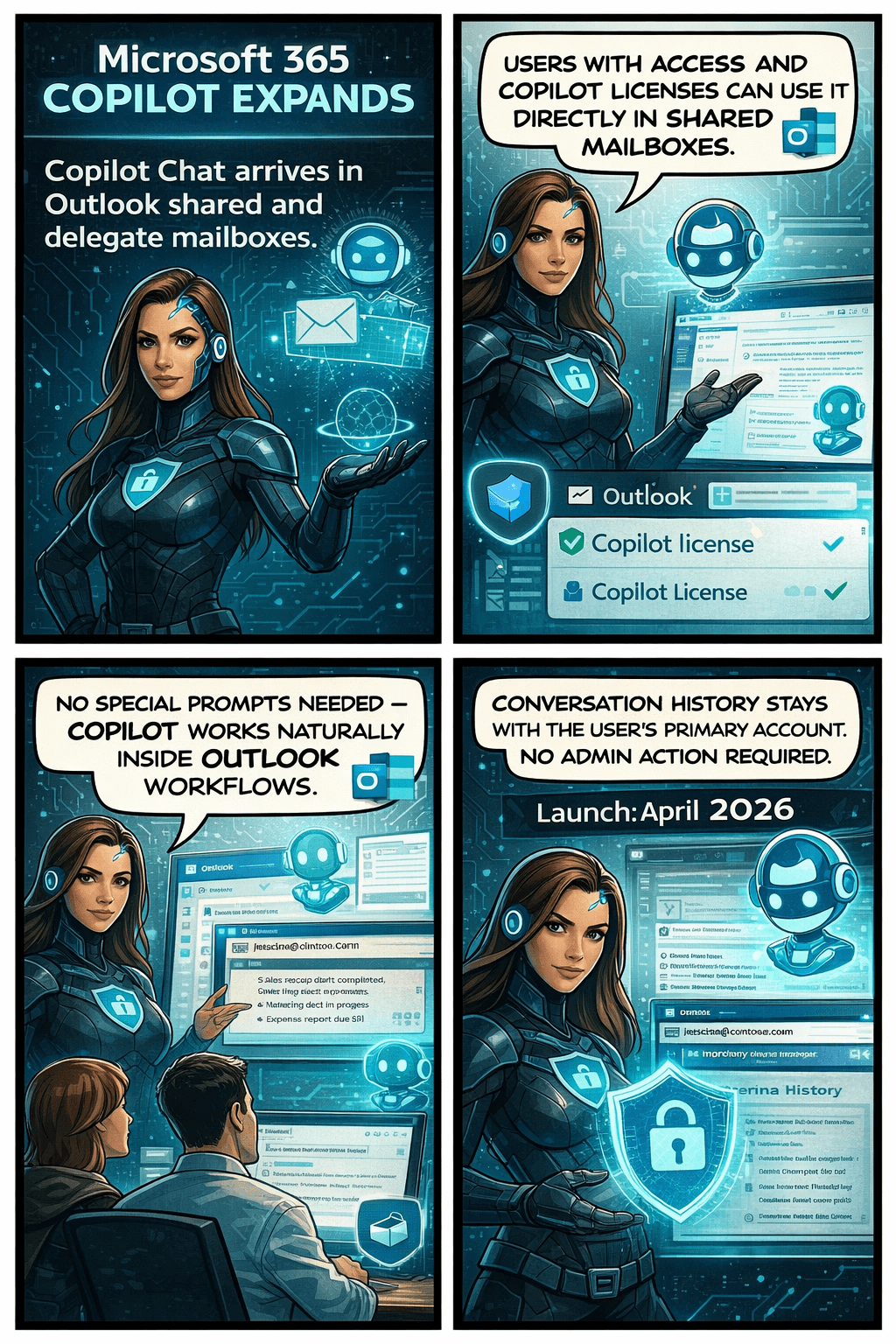
Microsoft is rolling out an exciting update that will make life noticeably easier for anyone who works with shared or delegated inboxes in Outlook. Whether you’re an executive assistant managing a busy calendar, part of an HR or finance team working from a shared mailbox, or supporting customers from a service desk account—Copilot is about to become your new best friend.

Until now, Copilot features like summarizing threads or drafting replies were only available when you were in your own mailbox. But that’s changing. With this update, Copilot will work natively inside the shared or delegated mailboxes you already use every day, bringing AI assistance directly to the place where your work actually happens.

This enhancement is tracked under Microsoft 365 Roadmap ID 554936, and it’s one of the most practical Copilot improvements so far for collaborative teams.

When is this coming?

  • Targeted Release: Rolling out from early April 2026 through early May 2026
  • General Availability: Rolling out from early May 2026 through early June 2026

In other words—it’s coming soon, and it will reach everyone within the next couple of months.

What’s changing and who benefits?

This update applies to:

  • People who work in shared or delegated Outlook mailboxes
  • Organizations where users are licensed for Microsoft 365 Copilot

Once enabled, users will be able to:

✔ Use Copilot Chat directly inside shared or delegated mailboxes

You no longer need to switch back to your primary inbox to engage Copilot.

✔ Access features like Summarize, Draft, and other Copilot prompts

These capabilities will now operate on the content of the shared mailbox itself.

✔ Skip awkward prompt wording

No more typing things like “in @domain.com…”.
You can simply ask Copilot naturally, and it understands the context of the mailbox you’re currently in.

✔ Benefit from full support for:

  • Full-access shared mailboxes
  • Shared folder permissions
  • Folder-level access models commonly used by support desks and admin teams

✔ Keep your Copilot history private

Even though multiple people may work in the same shared mailbox, the Copilot conversation history stays tied to your personal account, not the shared mailbox.
No cross-user visibility. No confusion.

What does this mean for your organization?

The good news:
There’s nothing you need to turn on.
This feature will light up automatically for licensed users once rollout reaches your tenant.

Still, it’s worth doing a quick review of:

  • Your shared mailbox permission structure
  • Folder-level roles (especially for teams with tiered access)
  • Training materials or internal FAQs that mention Copilot in Outlook

You may want to update your documentation so users understand they can now use Copilot directly within shared inboxes.

Compliance considerations