What’s New in Cloud, AI & Security Certifications

Microsoft is rolling out a new wave of Certifications that reflect today’s rapidly evolving cloud, AI, and security landscape. The first beta exams begin this month, with more releases over the next few months, and all new Certifications expected to become generally available later this year.

New Microsoft Certification Beta Timeline (2026)

Machine Learning Operations (MLOps) Engineer Associate
Perfect for professionals who deploy and manage machine learning and generative AI solutions in production.

  • Exam: AI‑300 (beta) — March 2026
  • Training: Available March 2026
  • Go-live: May 2026

Azure Databricks Data Engineer Associate
Ideal for data engineers who design secure, scalable pipelines using Azure Databricks to support real‑time analytics and AI.

  • Exam: DP‑750 (beta) — March 2026
  • Training: Available March 2026
  • Go-live: May 2026

SQL AI Developer Associate
Validates your ability to build AI‑powered, modern database applications using best‑practice governance and DevOps approaches.

  • Exam: DP‑800 (beta) — March 2026
  • Training: Available March 2026
  • Go-live: May 2026

Azure AI Fundamentals
A refreshed Fundamentals Certification focused on building modern AI apps and agents using Microsoft Foundry — great for beginners.

  • Exam: AI‑901 (beta) — April 2026
  • Training: March 2026
  • Go-live: June 2026

Azure AI App and Agent Developer Associate
Aligned with generative and agentic architectures. Covers building generative apps, multistep reasoning workflows, and production‑ready agent solutions.

  • Exam: AI‑103 (beta) — April 2026
  • Training: March 2026
  • Go-live: June 2026

Cybersecurity Business Professional
Validates your ability to recognize risks, apply secure-by-design practices, and support business decision‑making that enables secure AI adoption.

  • Exam: SC‑730 (beta) — April 2026
  • Training: May 2026
  • Go-live: July 2026

Azure AI Cloud Developer Associate
Designed for developers building and monitoring AI solutions on Azure using containers, vector databases, serverless components, and distributed observability.

  • Exam: AI‑200 (beta) — April 2026
  • Training: April 2026
  • Go-live: July 2026

Cloud and AI Security Engineer Associate
Focuses on securing cloud and AI workloads, protecting models, and applying enterprise‑grade security patterns.

  • Exam: SC‑500 (beta) — May 2026
  • Training: July 2026
  • Go-live: July 2026

Windows Server Hybrid Administrator
A unified Certification covering both Azure and on‑premises hybrid administration.

  • Exam: AZ‑802 (beta) — June 2026
  • Training: August 2026
  • Go-live: August 2026

Retiring Certifications: Key Dates & What Replaces Them

As Microsoft updates its Certification portfolio for modern AI‑driven roles, several existing Certifications are scheduled for retirement in 2026. If you hold one of these, make sure you renew it before the retirement date if renewal is available.

You can read more in the official Microsoft article here.

Wave 3 of Microsoft 365 Copilot – The Ultimate Game Changer

Today Microsoft is rolling out some major updates that truly reshape how AI shows up in everyday work. Here’s what’s new:

  • Wave 3 of Microsoft 365 Copilot
  • More model diversity, with Claude and next‑gen OpenAI models available starting today
  • Agent 365 becoming generally available on May 1 at $15 per user
  • Microsoft 365 E7: The Frontier Suite, also coming May 1, priced at $99 per user

Wave 3 is honestly the biggest shift I’ve seen in Copilot so far. It doesn’t feel like “AI that helps you write or summarize” anymore, it feels like Microsoft is moving Copilot into a true agent that can actually do work for you, not just respond to prompts. And this changes everything in how we’ll use Microsoft 365.

Frontier Transformation – What It Really Means

Microsoft is talking about “Frontier Transformation” but at its core, it’s actually simple: AI should help people achieve their highest goals — not just make processes a little faster.

Copilot Cowork – The game changer

The main highlight is Copilot Cowork, built together with Anthropic (the team behind Claude). What I love about it is that it can finally take on a whole piece of work, break it into steps, run those steps in Word, Excel, PowerPoint, Outlook, and keep you updated as it goes.

Not instantly, but over minutes or even hours.
So instead of: “Write a one‑page summary”
It becomes: “Prepare the full report, build the Excel analysis, create the PowerPoint, and draft the email to the team.”
And it actually moves this work forward across the apps we already use daily.

Edit with Copilot – In-app agentic editing

Another thing I like is that “Agent Mode” is gone.
It’s now simply called Edit with Copilot, and it works right inside the apps:

  • Word: turns your messy draft into something polished
  • Excel: actually builds formulas and charts (not just suggests)
  • PowerPoint: creates slides using your real templates and brand
  • Outlook: drafts or refines emails in the compose window

No more copy-paste. No more losing sensitivity labels. Everything stays governed and saved where it should be.

Work IQ – Copilot that “knows how you work”

Wave 3 also introduces Work IQ, which gives Copilot a deeper understanding of:

  • Your organization’s content
  • Your collaboration patterns
  • The apps and workflows you use
  • The context behind your requests

This is what helps Copilot choose the right model (Claude or OpenAI) depending on the task.

Multi‑model Copilot (Claude + OpenAI)

For the first time, Copilot becomes model-agnostic.
You’ll be able to pick or automatically use:

  • Anthropic Claude (via the Frontier program)
  • OpenAI models

A model selector is coming to Copilot Chat so you can choose which model works best, depending on the task.

New licensing tier: Microsoft 365 E7 “The Frontier Suite”

Microsoft also launched a brand new enterprise tier — their first in 11 years:
Microsoft 365 E7 (The Frontier Suite)

It bundles:

  • M365 E5
  • Copilot
  • Agent 365
  • Additional security + analytics tools

This shows how seriously Microsoft is betting on agentic AI becoming the new standard.

Rollout timeline

Wave 3 features are:

  • Already in research preview for selected customers
  • Expanding via the Frontier Program starting March 2026

With Wave 3, Agent 365, Work IQ, and the new E7 suite, AI is shifting from early experimentation to real, scalable, enterprise-wide value. Microsoft is not only imagining what AI could be it’s giving organizations the tools to build that future right now.

You can read more in the official Microsoft article here.

Data Security Investigations introduces new soft purge mitigation action

Microsoft is introducing a new soft purge action in Data Security Investigations (DSI), giving admins a quick and safe way to remove sensitive or overshared files during an investigation. With soft purge, items can be deleted immediately but still recovered later as long as they’re within their deleted‑item retention period, so admins get speed without risking permanent data loss.

This builds on DSI’s growing set of AI‑powered tools like intelligent categorization, AI search, and automated risk insights making it easier than ever for organizations to spot issues and take action fast.

New update coming to Microsoft 365 Roadmap ID 558109. A soft purge action will soon be available in Data Security Investigations (DSI), giving admins a safer and more flexible way to remove sensitive or overshared content during an investigation.

When it’s rolling out
  • General Availability (Worldwide): Begins early April 2026
  • Expected completion: late May 2026

What this means for your organization

Who is affected?

Admins who use Data Security Investigations (DSI) in the Microsoft Purview compliance portal.

What’s changing

A new soft purge option will appear in DSI. With this action, admins can:

  • Remove items that match an investigation query
  • Keep those items recoverable until the retention period expires
  • Act quickly without risking accidental permanent deletion

And the best part:

  • The feature is on by default
  • No configuration needed
  • No changes to existing DLP, labeling, or retention policies
  • End users will not see any changes in their workflows

Once the rollout finishes, the feature simply appears for eligible tenants.

How to prepare

There is nothing you need to do in advance.
If you want to get ahead, you may consider:

  • Reviewing how soft purge works in DSI
  • Updating any internal guidance on investigation processes
  • Informing your security or compliance teams about the new action

Overall, this update gives organizations a safer and more controlled way to remove sensitive content during investigations—without adding extra steps or complexity.

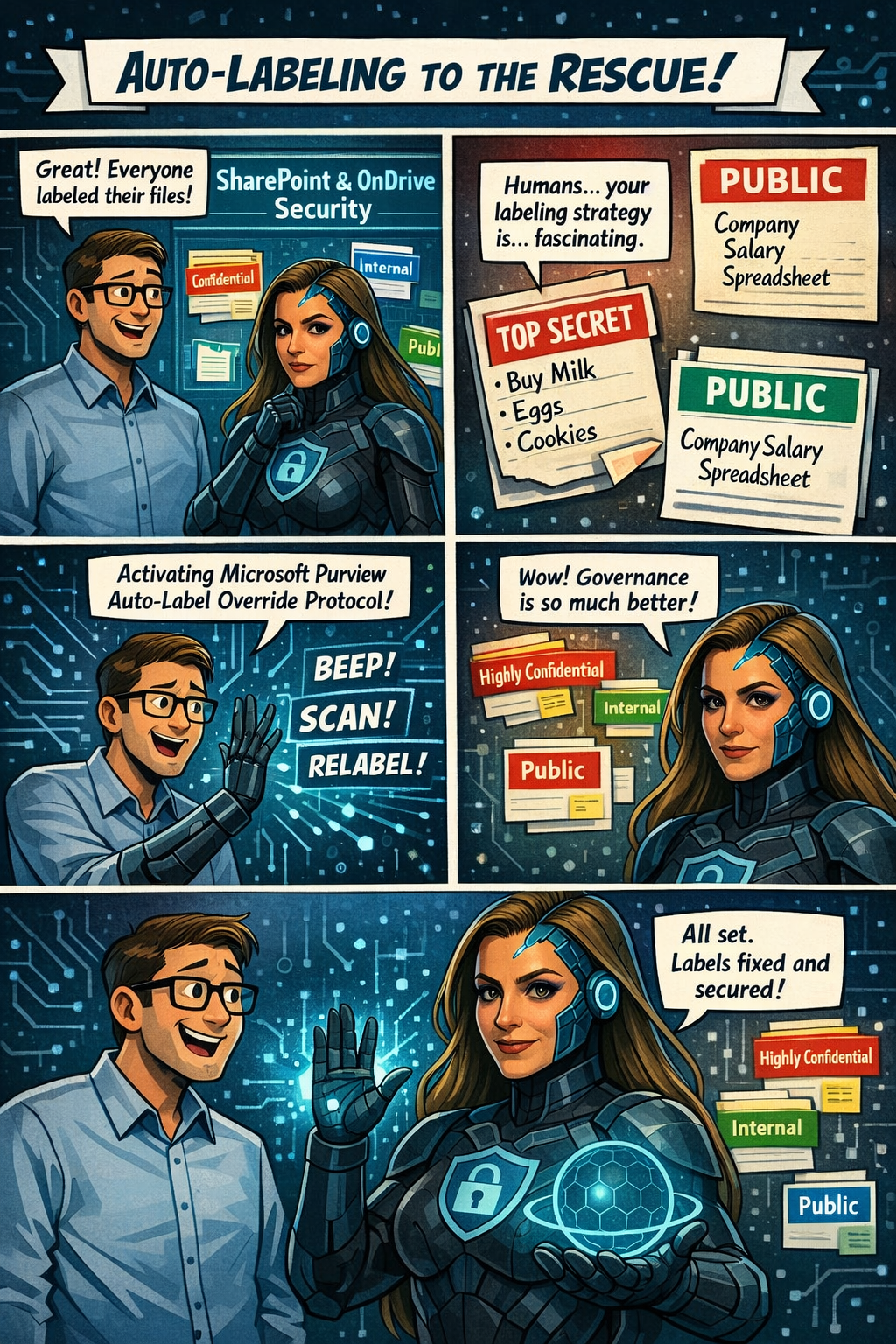
Microsoft Purview Information Protection: Override Manually Applied Labels and Remove Labels Using Auto‑Labeling

Microsoft Purview is rolling out a great new capability for SharePoint and OneDrive: automatic actions for sensitivity labels.

Until now, if someone manually applied the wrong label to a file, admins had limited options—especially when large volumes of content were involved. With this update, Purview can now automatically override or remove manually applied sensitivity labels when they don’t match your organization’s policies.

In simple terms:
Your data stays correctly classified, even when humans make mistakes.

Rollout begins mid‑April 2026, and the feature will be off by default, giving administrators full control over when and how they want to enable it. It’s another step toward stronger, more accurate data governance across Microsoft 365.

Microsoft Purview is getting a meaningful upgrade as part of its ongoing integration with Microsoft Defender for Cloud Apps. The latest improvement brings new auto‑labeling actions to SharePoint and OneDrive, giving organizations more control over how sensitive information is classified across their environment.

What’s new?
Admins can now automatically override sensitivity labels that were applied manually or remove labels entirely when a file no longer meets the criteria for that classification. This means large volumes of content can stay properly labeled—even as information changes—without relying on users to update labels themselves.

This update appears under Microsoft 365 Roadmap ID 558342.

📅 Rollout Timeline

  • General Availability (Worldwide): Starting mid‑April 2026
  • Completion expected by mid‑April 2026

A fast rollout for a very impactful capability.

Who will be impacted

This update mainly affects:

  • Microsoft 365 admins managing Purview Information Protection
  • Organizations using auto‑labeling policies for SharePoint or OneDrive

What’s changing

Admins will now see new actions inside the auto‑labeling configuration panel in the Purview portal.

Auto‑labeling policies can now:

✔ Override existing sensitivity labels

Even if a user applied the label manually, Purview can replace it if the file meets a different policy condition.

✔ Remove a specific sensitivity label

If a file no longer qualifies for a certain label, Purview can automatically strip it from the document.

✔ Applies to files at rest

These changes affect existing content already stored in:

  • SharePoint Online
  • OneDrive for Business

✔ Admin-controlled

Nothing changes until an admin enables these new actions.
By default, the feature is off.

Compliance Considerations

AreaWhat It Means
Does this change how customer data is processed?Yes—files in SharePoint and OneDrive may now have labels automatically overridden or removed based on rules you configure.
Does this modify Information Protection capabilities?Yes—it expands auto‑labeling to include overriding manual labels and removing specific labels.
Does this affect monitoring or compliance evidence?Yes—it improves consistency and auditability because label changes follow formal Purview policies.
Is there an admin control?Absolutely. Admins must explicitly configure these new actions in Purview. Nothing changes automatically.

Copilot in Outlook Becomes Even Smarter: Shared & Delegate Mailboxes Now Supported

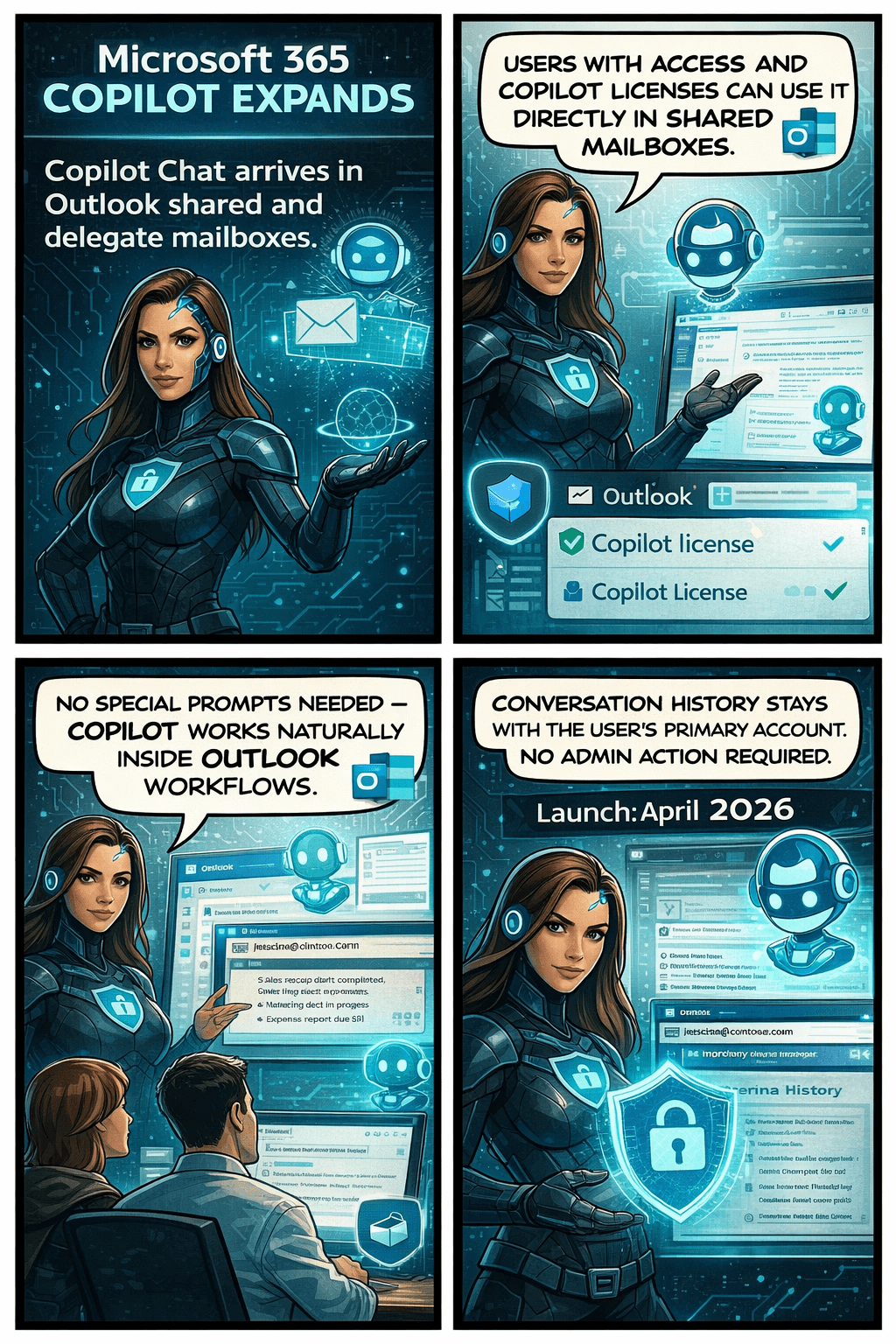
Microsoft is rolling out an exciting update that will make life noticeably easier for anyone who works with shared or delegated inboxes in Outlook. Whether you’re an executive assistant managing a busy calendar, part of an HR or finance team working from a shared mailbox, or supporting customers from a service desk account—Copilot is about to become your new best friend.

Until now, Copilot features like summarizing threads or drafting replies were only available when you were in your own mailbox. But that’s changing. With this update, Copilot will work natively inside the shared or delegated mailboxes you already use every day, bringing AI assistance directly to the place where your work actually happens.

This enhancement is tracked under Microsoft 365 Roadmap ID 554936, and it’s one of the most practical Copilot improvements so far for collaborative teams.

When is this coming?

  • Targeted Release: Rolling out from early April 2026 through early May 2026
  • General Availability: Rolling out from early May 2026 through early June 2026

In other words—it’s coming soon, and it will reach everyone within the next couple of months.

What’s changing and who benefits?

This update applies to:

  • People who work in shared or delegated Outlook mailboxes
  • Organizations where users are licensed for Microsoft 365 Copilot

Once enabled, users will be able to:

✔ Use Copilot Chat directly inside shared or delegated mailboxes

You no longer need to switch back to your primary inbox to engage Copilot.

✔ Access features like Summarize, Draft, and other Copilot prompts

These capabilities will now operate on the content of the shared mailbox itself.

✔ Skip awkward prompt wording

No more typing things like “in @domain.com…”.
You can simply ask Copilot naturally, and it understands the context of the mailbox you’re currently in.

✔ Benefit from full support for:

  • Full-access shared mailboxes
  • Shared folder permissions
  • Folder-level access models commonly used by support desks and admin teams

✔ Keep your Copilot history private

Even though multiple people may work in the same shared mailbox, the Copilot conversation history stays tied to your personal account, not the shared mailbox.
No cross-user visibility. No confusion.

What does this mean for your organization?

The good news:
There’s nothing you need to turn on.
This feature will light up automatically for licensed users once rollout reaches your tenant.

Still, it’s worth doing a quick review of:

  • Your shared mailbox permission structure
  • Folder-level roles (especially for teams with tiered access)
  • Training materials or internal FAQs that mention Copilot in Outlook

You may want to update your documentation so users understand they can now use Copilot directly within shared inboxes.

Compliance considerations

Enhancing AI Analysis in Data Security Investigations: What’s Coming Next

Microsoft Purview is rolling out a series of improvements designed to make AI analysis in Data Security Investigations (DSI) faster, smoother, and easier for analysts to use.

With these updates, items added to an investigation will now be automatically prepared for AI analysis—removing a repetitive manual step and helping analysts get to insights sooner. Purview is also introducing a new standard categorization option, giving organizations a quicker and more cost‑efficient way to group and review investigation items. For deeper insights, advanced categorization, including AI‑generated topics, will continue to be available.

These changes are part of Microsoft 365 Roadmap ID 557556.

Rollout Timeline

  • Public Preview: Mid‑March 2026 → Mid‑April 2026
  • General Availability (Worldwide): Mid‑April 2026 → Mid‑May 2026

What This Means for Your Organization

Who will notice the changes?

  • Microsoft Purview administrators
  • Analysts and security teams using Data Security Investigations
  • Any Microsoft 365 tenant with access to DSI capabilities

What’s changing?

  • Automatic AI preparation:
    Items added to an investigation will automatically get ready for AI analysis. No extra clicks or steps required.
  • New standard categorization option:
    A streamlined way to categorize items, ideal for scenarios where speed and simplicity matter.
  • Advanced categorization remains:
    Organizations can still use richer AI‑powered topic grouping when deeper analysis is needed.
  • No configuration changes needed:
    Everything is enabled by default—no admin setup required.

What users may see

  • Faster time from “item added” to “item ready for analysis”
  • A refreshed UI for choosing between standard and advanced categorization

How to Prepare

There’s nothing you need to configure ahead of time. However, it’s helpful to:

  1. Inform analysts and SOC teams about the new categorization options and automatic AI preparation.
  2. Update internal documentation if you maintain guides or SOPs that describe DSI workflows.
  3. Review training materials so teams know when to choose standard vs. advanced categorization.

🔒 Microsoft Advances Digital Sovereignty with Fully Disconnected Cloud Capabilities

Microsoft has announced major enhancements to its Sovereign Cloud, enabling governments, regulated industries, and high‑security organizations to run critical infrastructure, productivity workloads, and large AI models—even with zero internet connectivity.

🌐 What’s New

Microsoft introduced three key capabilities designed for environments with strict data‑sovereignty requirements:

  • Azure Local – Disconnected Operations: Run mission‑critical workloads with full Azure governance and policy enforcement without any cloud connection, ideal for sovereign, classified, or isolated environments.
  • Microsoft 365 Local – Fully Offline Productivity: Exchange, SharePoint, and Skype for Business can now run completely inside a customer‑controlled boundary, ensuring teams stay productive even when fully offline (supported through at least 2035).
  • Foundry Local – Large AI Models, Fully Air‑Gapped: Organizations can deploy and run multimodal, large‑scale AI models on local hardware using modern GPU infrastructure from partners like NVIDIA—all inside sovereign boundaries.

Unified Sovereign Private Cloud

These capabilities come together as the Sovereign Private Cloud, integrating Azure Local, Microsoft 365 Local, and Foundry Local into one stack that supports connected, hybrid, or completely disconnected modes—without sacrificing productivity or AI innovation.

Why It Matters

This expansion empowers organizations with:

  • Stronger regulatory compliance
  • Full data residency and control
  • Operational continuity in environments with limited or no connectivity
  • The ability to deploy advanced AI capabilities entirely on‑premises

✨ Excited to share this new Microsoft webinar that breaks down how Copilot empowers organizations with secure, privacy‑first AI.

🚀 Your Data. Your control. Your Copilot.
💡 The future of AI isn’t just powerful — it’s responsible.

Microsoft’s latest vision for Copilot reinforces something essential:
AI should empower you, not replace you. It should protect your data, not access it. And it should enhance your capabilities, not compromise your privacy.

In this new video, Microsoft breaks down how Copilot is designed with:
🔐 Enterprise‑grade security
🛡️ Built‑in data governance
💼 User control at the center
🤖 AI that respects boundaries and boosts productivity
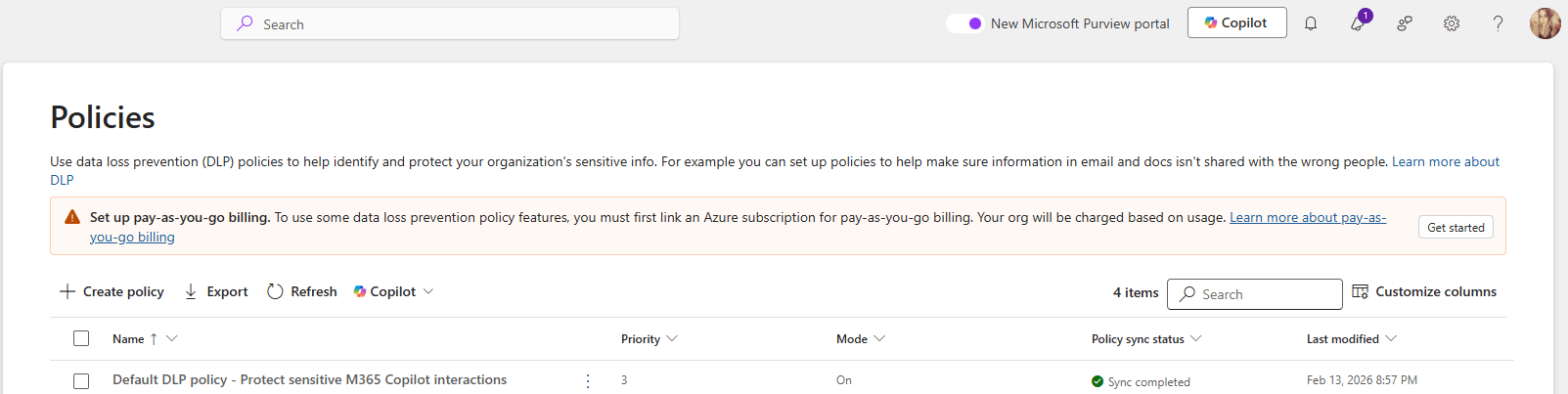
👉Check also the demo for the New DLP protections for Microsoft 365 Copilot

If you want to understand why responsible AI matters — and how organizations can adopt Copilot with confidence — this is a must‑watch.
YouTube 🎥👉 https://www.youtube.com/watch?v=ukjs4BnmPsM

AI is evolving fast, but one principle must stay constant:
Trust is not optional. Trust is engineered.

DLP Policies Now Block Copilot Processing Across All Storage Locations

Microsoft is improving how Microsoft Purview Data Loss Prevention (DLP) protects content used by Microsoft 365 Copilot. Until now, DLP rules that block Copilot from processing sensitivity‑labeled content only worked when files lived in SharePoint or OneDrive.

With this update, those same protections will work everywhere, including local files stored on a user’s device. Organizations have asked for more consistent protection across all file locations, and this update delivers exactly that.

This change is associated with Microsoft 365 Roadmap ID 557255.

When it’s coming

General Availability (Worldwide + GCC)
Rollout: Late March 2026 → Late April 2026

Who this impacts

  • Organizations using Microsoft Purview DLP to limit what Copilot can access
  • Admins who manage Purview DLP rules
  • Users working with Copilot in Word, Excel, or PowerPoint

What’s changing

DLP rules that block Copilot from processing certain sensitivity-labeled files will now apply to:

  • SharePoint
  • OneDrive for Business
  • Local device storage
  • Any other file location Office apps can open

So if a DLP policy says “Copilot cannot process Confidential files,” then Copilot will not process those files anywhere, including when they’re opened directly from the desktop.

Key notes:

  • Existing DLP rules continue to work as they do today—no reconfiguration needed.
  • The feature turns on automatically for tenants already using relevant DLP policies.
  • Users will experience consistent protection when using Copilot across Word, Excel, and PowerPoint.

How it works (technical detail)

This update doesn’t change what Copilot can do—it changes how Office apps share sensitivity label information with AugLoop (the Copilot orchestration layer).

Today:
AugLoop reads file labels through Microsoft Graph
This only works for SharePoint or OneDrive files

After the update:

  • Office apps will pass the sensitivity label directly to AugLoop
  • This means DLP rules can finally apply to local and other non-cloud storage files too

This results in uniform, predictable DLP enforcement across all file locations.

Microsoft Office for the web: Apply sensitivity labels with user-defined permissions

Updated February 13, 2026: The roll-out timeline has been updated!!

Microsoft 365 Office for the web will support applying sensitivity labels with user-defined permissions in Word, Excel, and PowerPoint starting mid-March 2026. This aligns with desktop app permissions dialogs, requires no admin changes, and enhances document access control without compliance impacts.

Office for the web now supports sensitivity labels with user‑defined permissions

Microsoft 365 Office for the web (Word, Excel, and PowerPoint) now includes the ability to apply sensitivity labels with user‑defined permissions, giving organizations greater flexibility and control over document access directly in the browser. This update aligns the web experience with the modern permissions dialog available in the desktop apps.

Roadmap ID: 468888

Rollout timeline

General Availability

  • Worldwide & GCC:
    Rollout begins mid‑March 2026 (previously mid‑February) and is expected to complete by early April 2026 (previously early March).
  • GCCH & DoD:
    Rollout begins mid‑March 2026 (previously mid‑February) and is expected to complete by early May 2026 (previously early April).

Who is affected

Compliance considerations

No new compliance impacts have been identified. Organisations may review the change as needed.