Microsoft Purview Expands DLP and AutoLabeling to Third-Party Apps

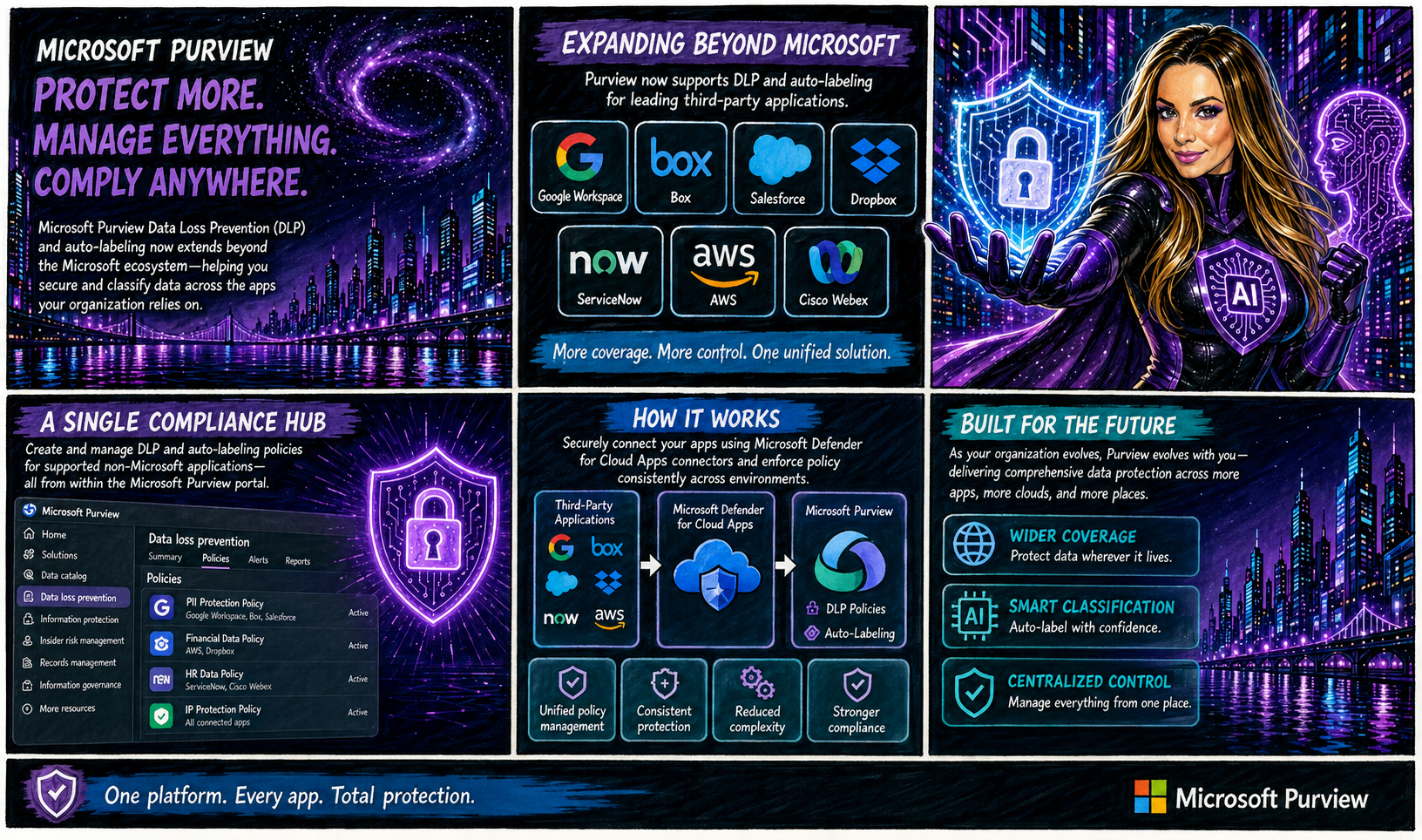
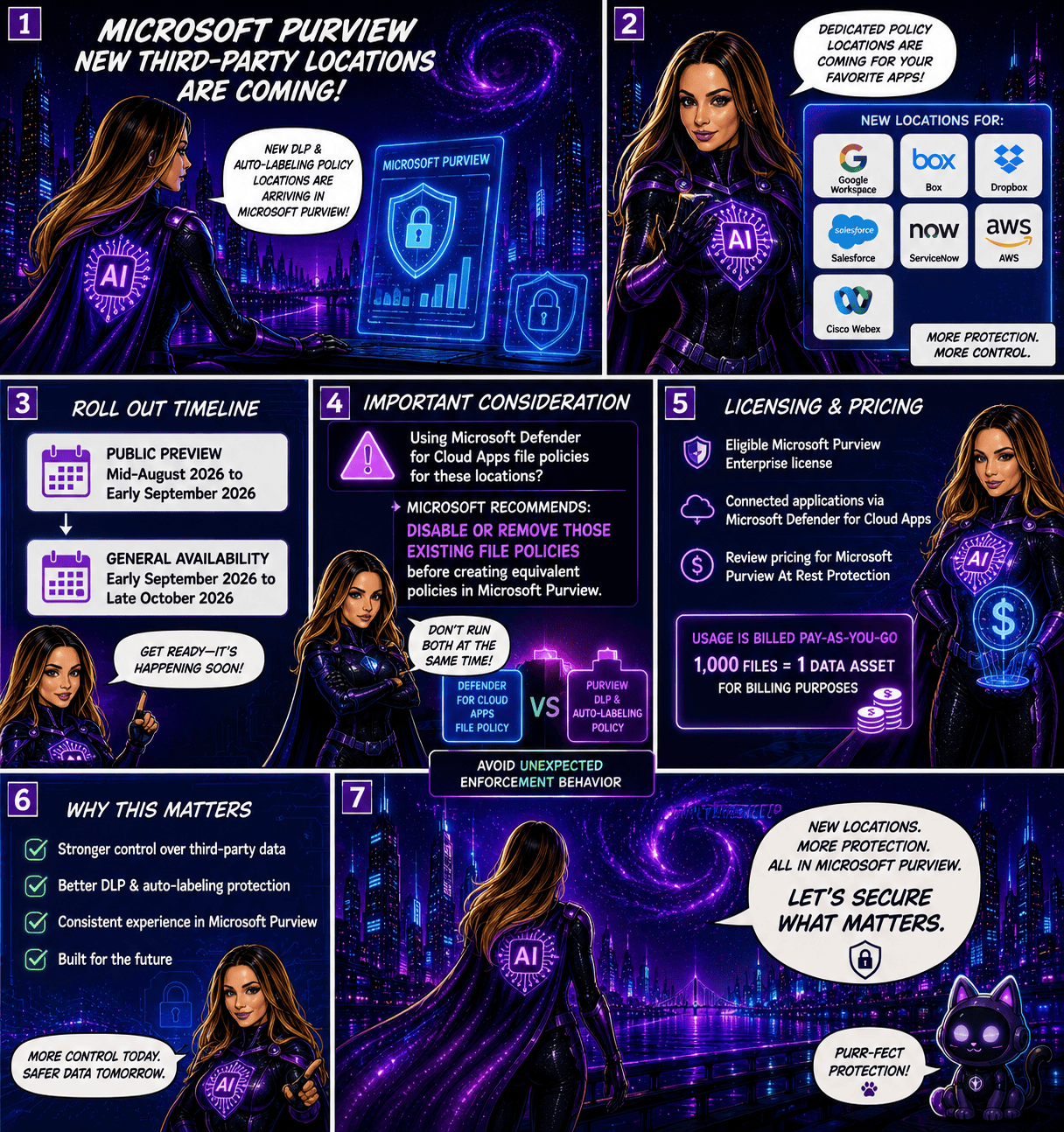
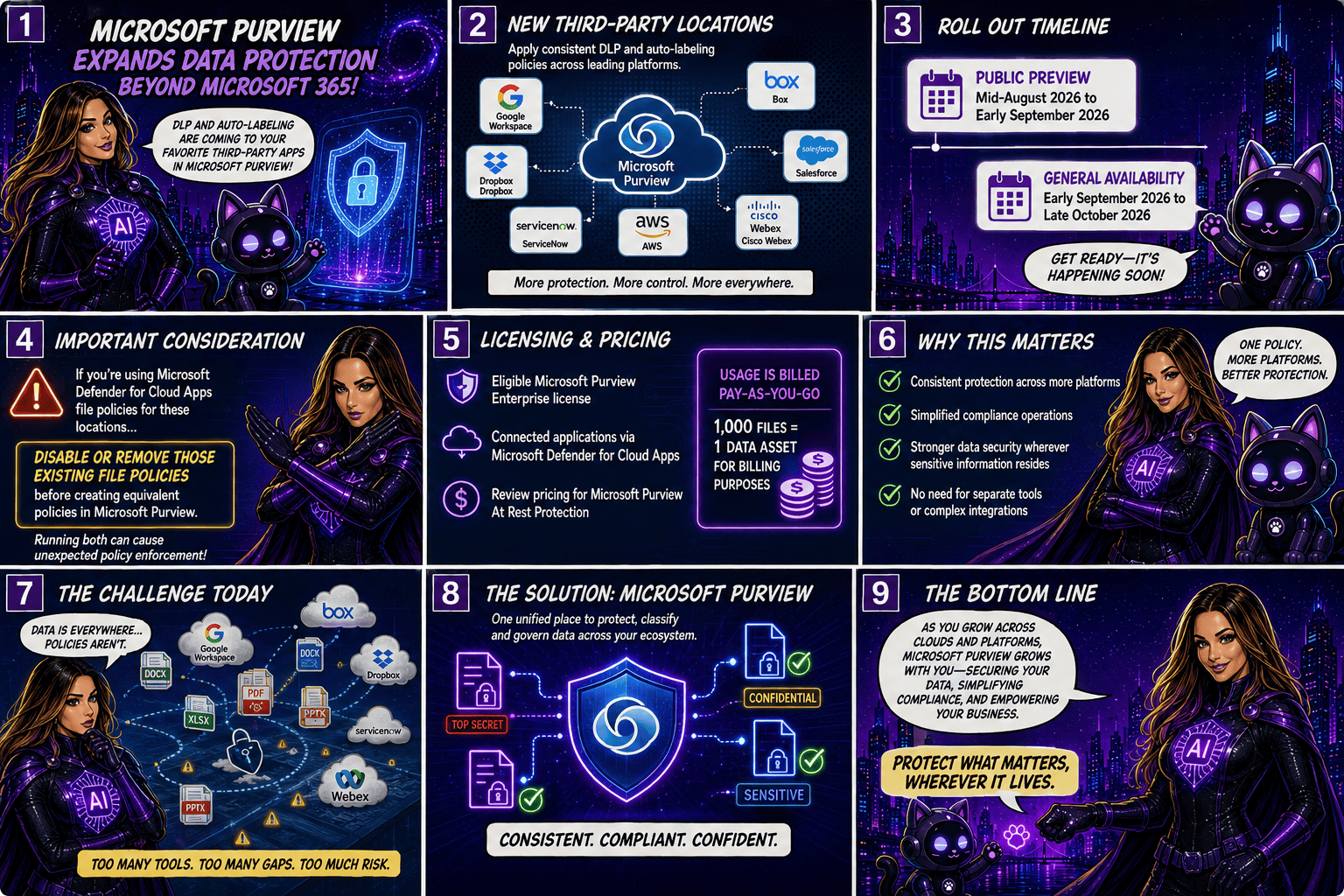
Microsoft is taking another major step toward unified data protection by extending Microsoft Purview Data Loss Prevention (DLP) and autolabeling capabilities beyond the Microsoft ecosystem. Organisations will soon be able to protect and classify data stored in popular third-party applications such as Google Workspace, Box, Salesforce, Dropbox, ServiceNow, AWS, and Cisco Webex, all from within Microsoft Purview.

A Single Compliance Hub for More Applications

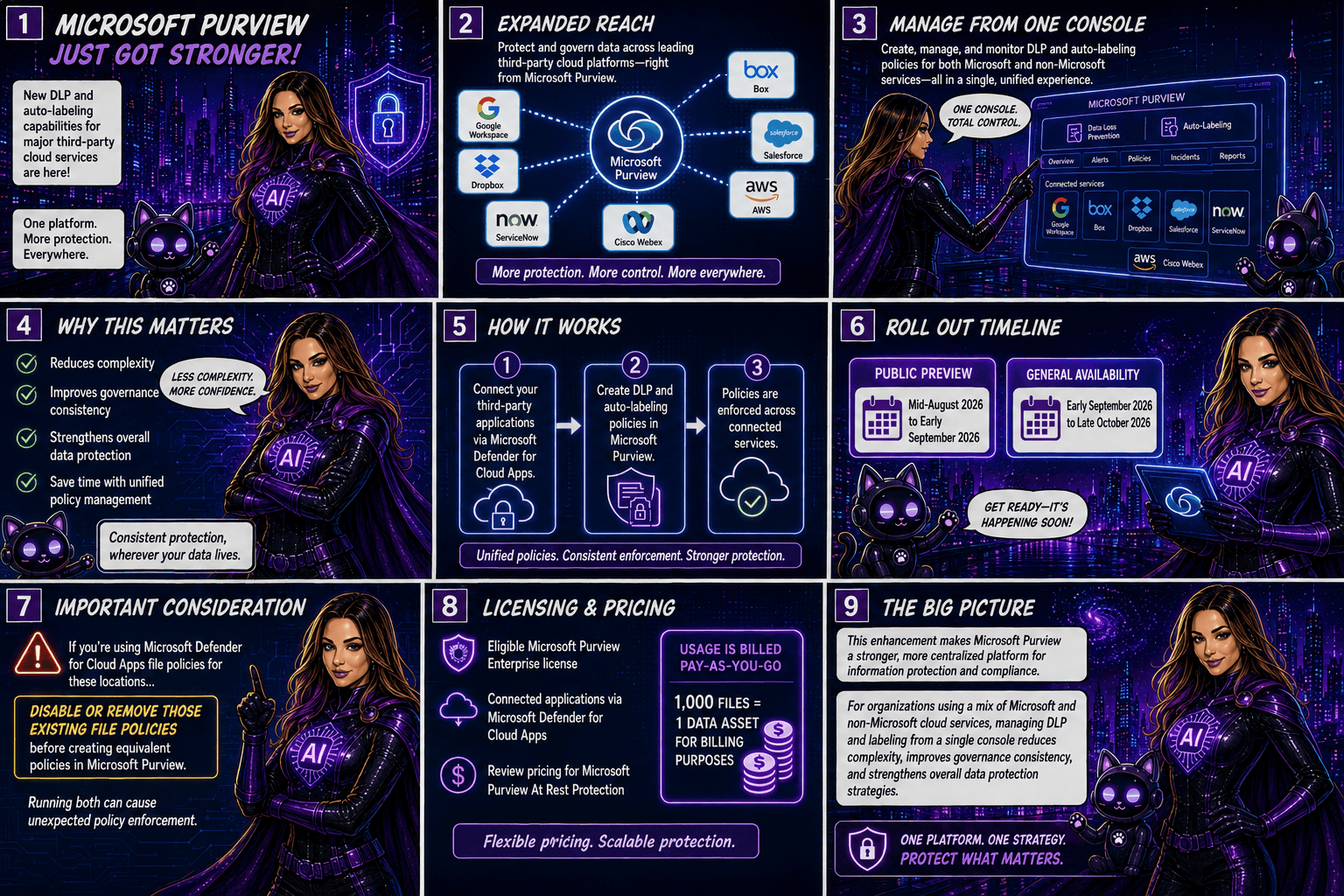
Traditionally, organisations managing data across multiple cloud platforms had to rely on separate security and compliance controls for each application. With this update, Microsoft Purview becomes a more centralised compliance solution by allowing administrators to create and manage DLP and autolabeling policies for supported non-Microsoft applications directly from the Purview portal.

The integration is made possible through Microsoft Defender for Cloud Apps connectors, which securely connect these third-party services to Microsoft Purview.

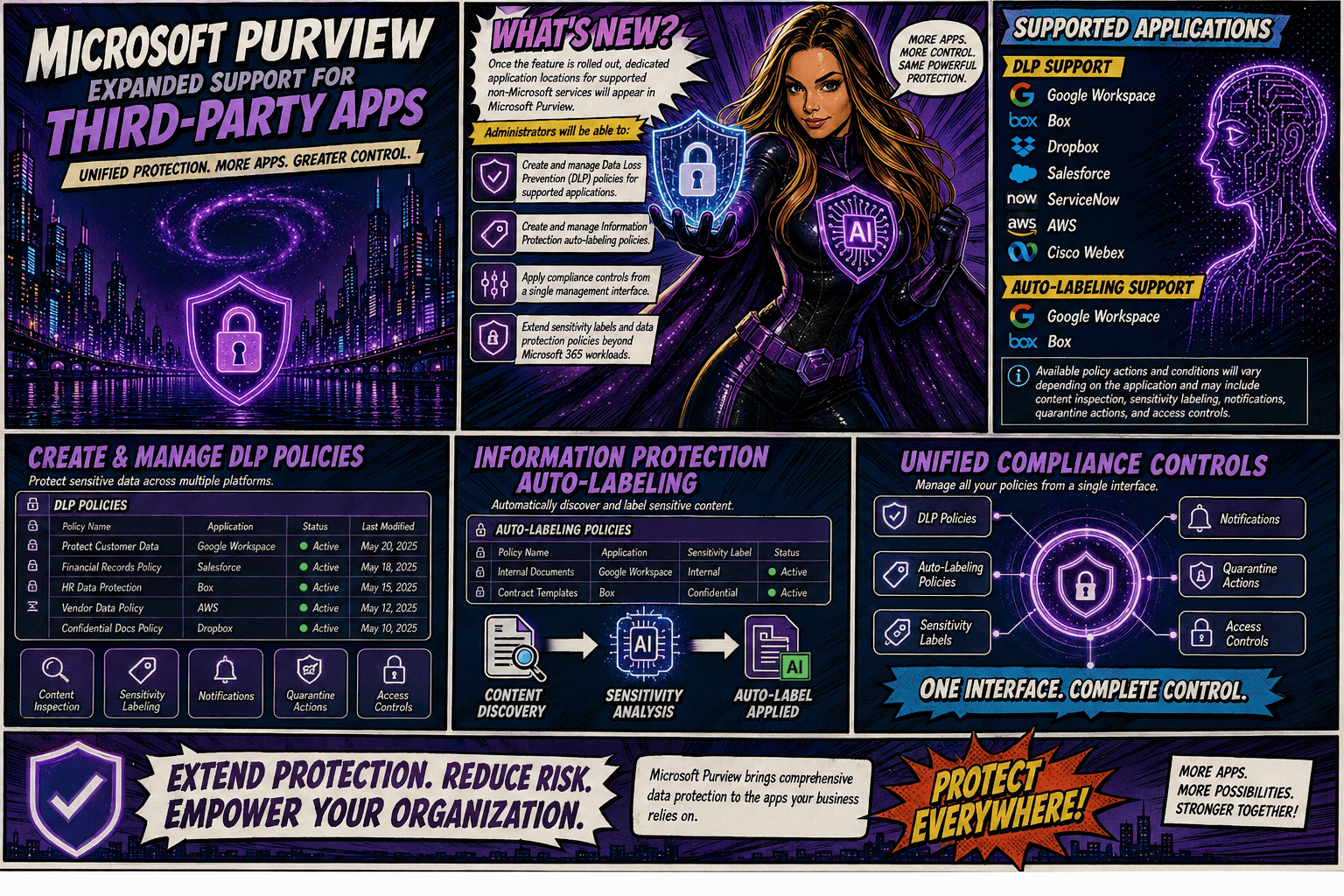
Once the feature is rolled out, dedicated application locations for supported non-Microsoft services will appear in Microsoft Purview. Administrators will be able to:

  • Create and manage Data Loss Prevention (DLP) policies for supported applications.
  • Create and manage Information Protection autolabeling policies.
  • Apply compliance controls from a single management interface.
  • Extend sensitivity labels and data protection policies beyond Microsoft 365 workloads.

Supported Applications

DLP Support

Microsoft Purview DLP will support the following applications:

  • Google Workspace
  • Box
  • Dropbox
  • Salesforce
  • ServiceNow
  • AWS
  • Cisco Webex

AutoLabeling Support

Autolabeling will initially be available for:

  • Google Workspace
  • Box

Available policy actions and conditions will vary depending on the application and may include content inspection, sensitivity labelling, notifications, quarantine actions, and access controls.

Rollout Timeline

Microsoft plans to release the feature according to the following schedule:

  • Public Preview: Mid-August 2026 to early September 2026
  • General Availability: Early September 2026 through late October 2026

Important Considerations

Organisations currently using Microsoft Defender for Cloud Apps file policies for the same third-party locations should take note: Microsoft recommends disabling or removing those existing file policies before creating equivalent policies in Microsoft Purview. Running both simultaneously could result in unexpected policy enforcement behaviour.

Licensing and Pricing

To use these new capabilities, organisations will need:

  • An eligible Microsoft Purview Enterprise license
  • Connected applications via Microsoft Defender for Cloud Apps

Additionally, customers should review the pricing implications associated with Microsoft Purview At Rest Protection. Usage is billed on a pay-as-you-go basis, with 1,000 files counted as one data asset for billing purposes.

Why This Matters

As organisations continue adopting multi-cloud and multi-platform environments, data often resides well beyond Microsoft 365. This update allows security and compliance teams to apply consistent protection, classification, and governance policies across a broader range of business-critical applications without requiring separate management tools.

By bringing DLP and autolabeling capabilities to leading third-party services, Microsoft is helping organisation simplify compliance operations while strengthening data security wherever sensitive information resides.

This enhancement significantly expands Microsoft Purview’s reach, making it a stronger centralised platform for information protection and compliance. For organisations using a mix of Microsoft and non-Microsoft cloud services, the ability to manage DLP and labeling policies from a single console could reduce complexity, improve governance consistency, and strengthen overall data protection strategies.

🎧 Tune in for all the details!
🎥 Watch the full episode ➡️ here

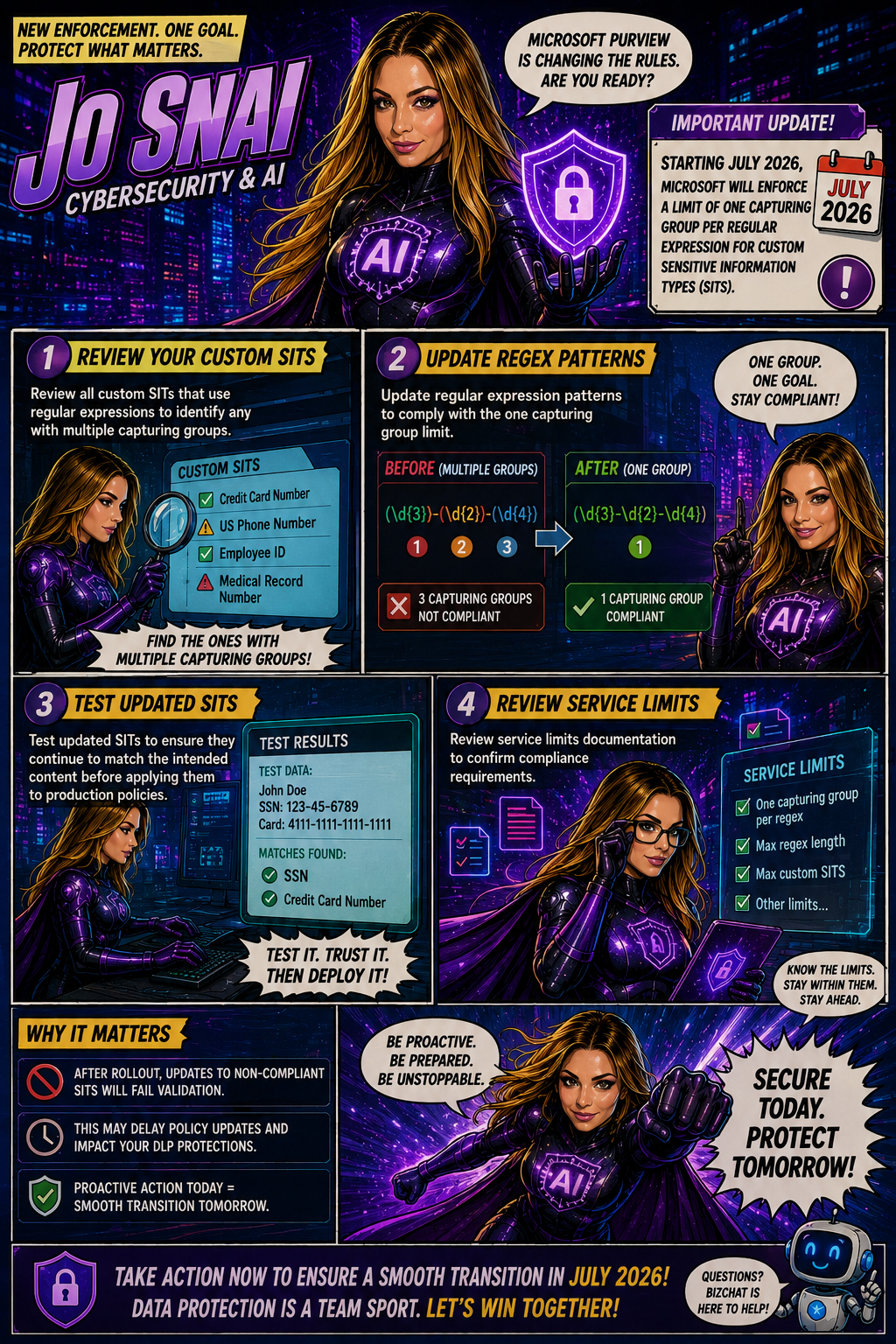
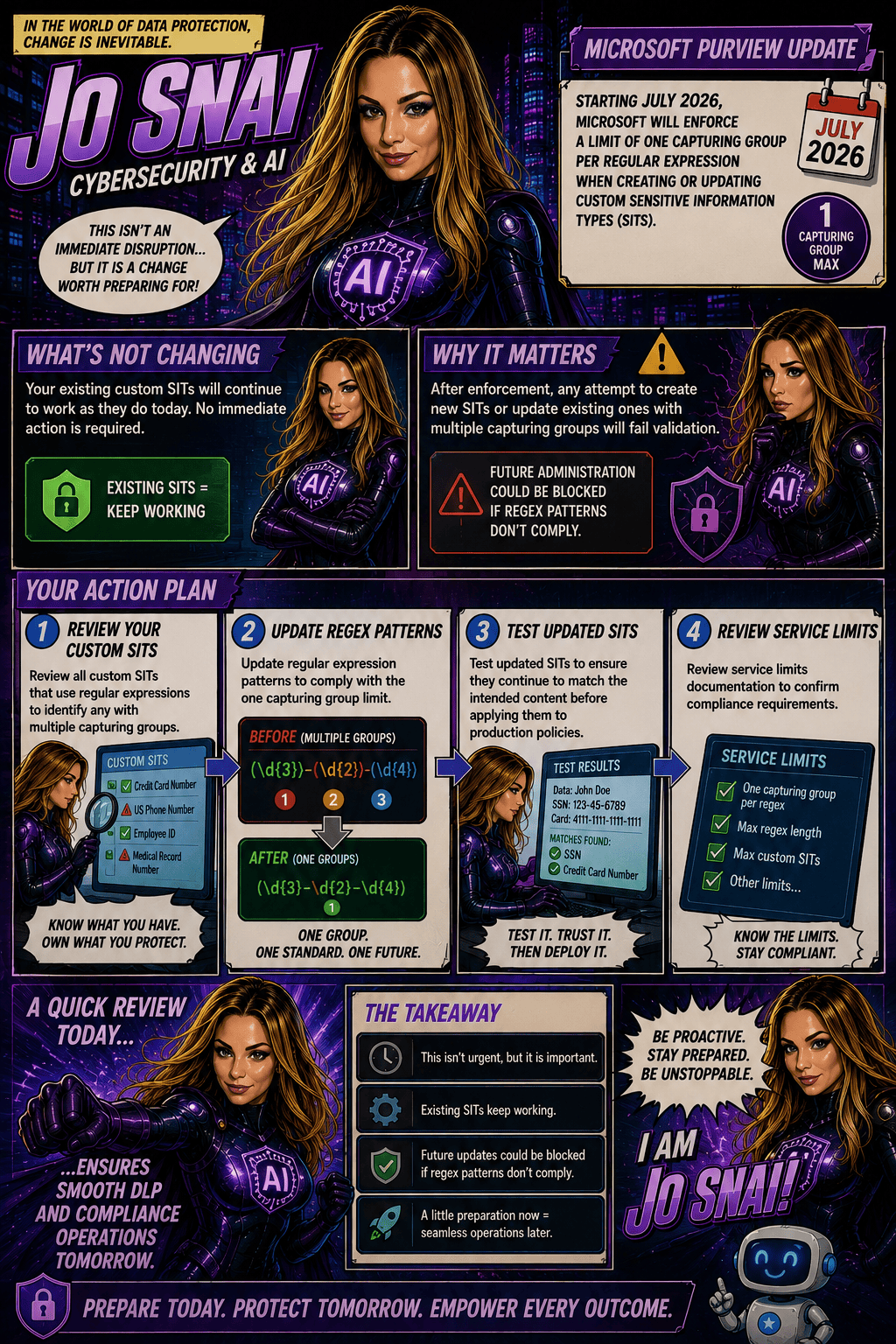
Microsoft Purview Tightens Rules for Custom Sensitive Information Types

Organizations using Microsoft Purview custom Sensitive Information Types (SITs) should be aware of an upcoming change that may require updates to existing regex patterns.

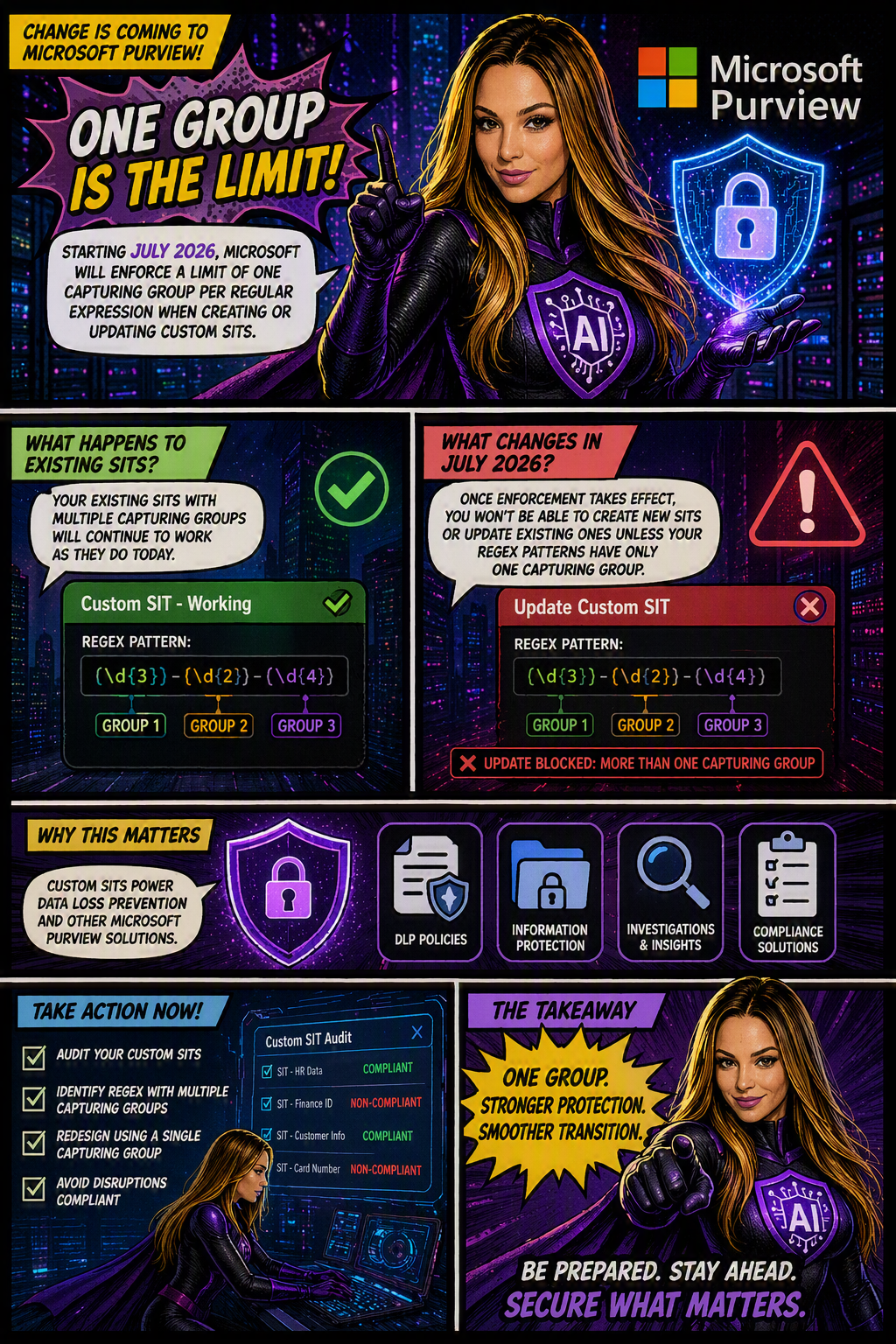
Microsoft is moving forward with enforcing a long-documented rule that allows only one capturing group per regular expression in custom SIT definitions. The goal is to improve the consistency, reliability, and predictability of how sensitive data is identified and classified across Microsoft Purview and Data Loss Prevention (DLP) workloads.

When is this happening?

The rollout is expected to be completed by early July 2026 across all Microsoft cloud environments, including:

  • Worldwide
  • GCC
  • GCC High
  • DoD
Who is affected?

This change primarily impacts:

  • Microsoft Purview administrators
  • Compliance teams managing custom Sensitive Information Types
  • Organizations using custom SITs in DLP, data classification, and compliance solutions

The enforcement applies whether SITs are managed through:

  • The Microsoft Purview portal
  • PowerShell, including:
    • New-DlpSensitiveInformationTypeRulePackage
    • Set-DlpSensitiveInformationTypeRulePackage
What changes?

Once enforcement is in place:

✅ New custom SITs must contain only one capturing group in each regular expression.

❌ Creating a new SIT with multiple capturing groups will be blocked.

❌ Updating an existing SIT that contains multiple capturing groups will fail validation.

❌ Administrators will not be able to save changes to existing SITs until non-compliant regex patterns are updated.

What about existing SITs?

Existing custom SITs that contain multiple capturing groups will continue to work in their current state. However, they become a potential issue the moment you need to modify, update, or re-save them.

In other words, if an existing SIT contains a regex pattern with multiple capturing groups, you’ll need to redesign that pattern to comply with the one-capturing-group rule before any future changes can be saved.

Many organizations rely on custom SITs to identify sensitive business information and power key compliance capabilities such as:

Why does this matter?
  • Data Loss Prevention (DLP)
  • Data classification
  • Compliance monitoring
  • Information protection policies

If a custom SIT cannot be updated because it fails validation, it could delay policy changes, compliance updates, or new data protection initiatives.

What should you do now?

To avoid surprises, Microsoft Purview administrators should proactively:

  1. Audit existing custom SITs
  2. Identify regex patterns that use multiple capturing groups
  3. Redesign patterns to use a single capturing group
  4. Test and validate updated SITs before future modifications are required

Microsoft Purview Adds Time-Limited Role Assignments to Strengthen Security

Microsoft is enhancing Microsoft Purview with a new capability that allows administrators to assign expiration dates to role group memberships. This update makes it easier to grant temporary administrative access while supporting the principle of least privilege, helping organizations reduce the risk associated with long-term privileged accounts.

With this new feature, administrators can specify how long a user or security group should remain in a Purview role group, choosing a duration anywhere from one day up to two years. Once the assigned period expires, access is automatically removed, helping security and compliance teams maintain tighter control over administrative permissions.

When Will It Be Available?

Microsoft plans to roll out the feature according to the following schedule:

  • Worldwide General Availability: Starting in late July 2026 and expected to complete by late August 2026.
  • GCC, GCC High, and DoD: Starting in late August 2026 and expected to complete by late September 2026.
What Does This Mean for Organizations?

This enhancement primarily benefits:

  • Microsoft Purview administrators
  • Security administrators
  • Compliance teams
  • Organizations managing role-based access through Microsoft Purview

The feature will be available through:

  • Microsoft Purview Compliance Portal
  • Microsoft Purview Role-Based Access Control (RBAC)
Key Benefits

Once the rollout is complete, administrators will be able to:

✅ Assign users or security groups to role groups with a predefined expiration date.

✅ Set assignment durations ranging from 1 day to 2 years.

✅ Apply the capability to both new and existing role assignments.

✅ Reduce the likelihood of forgotten or unnecessary privileged access.

✅ Improve governance, compliance, and security posture with minimal administrative effort.

Importantly, existing role assignments will not be automatically modified, and end-user workflows will remain unchanged.

What Do You Need to Do?

The good news is that no action is required to enable this feature. It will be available by default once deployed, with no additional configuration or policy changes needed.

However, organizations may want to take advantage of the new functionality by:

  • Reviewing privileged access management processes.
  • Using expiration-based assignments for temporary projects, audits, or administrative tasks.
  • Updating internal documentation and operational procedures.
  • Informing Purview administrators about the new capability.

From a compliance perspective, time-limited role assignments help organizations demonstrate stronger control over privileged access.

Many regulatory frameworks and security standards—including ISO 27001, NIST, SOC 2, GDPR accountability requirements, and Zero Trust security principles—expect organizations to follow the principle of least privilege, ensuring users only have access to the resources they need and only for as long as they need it.